Home
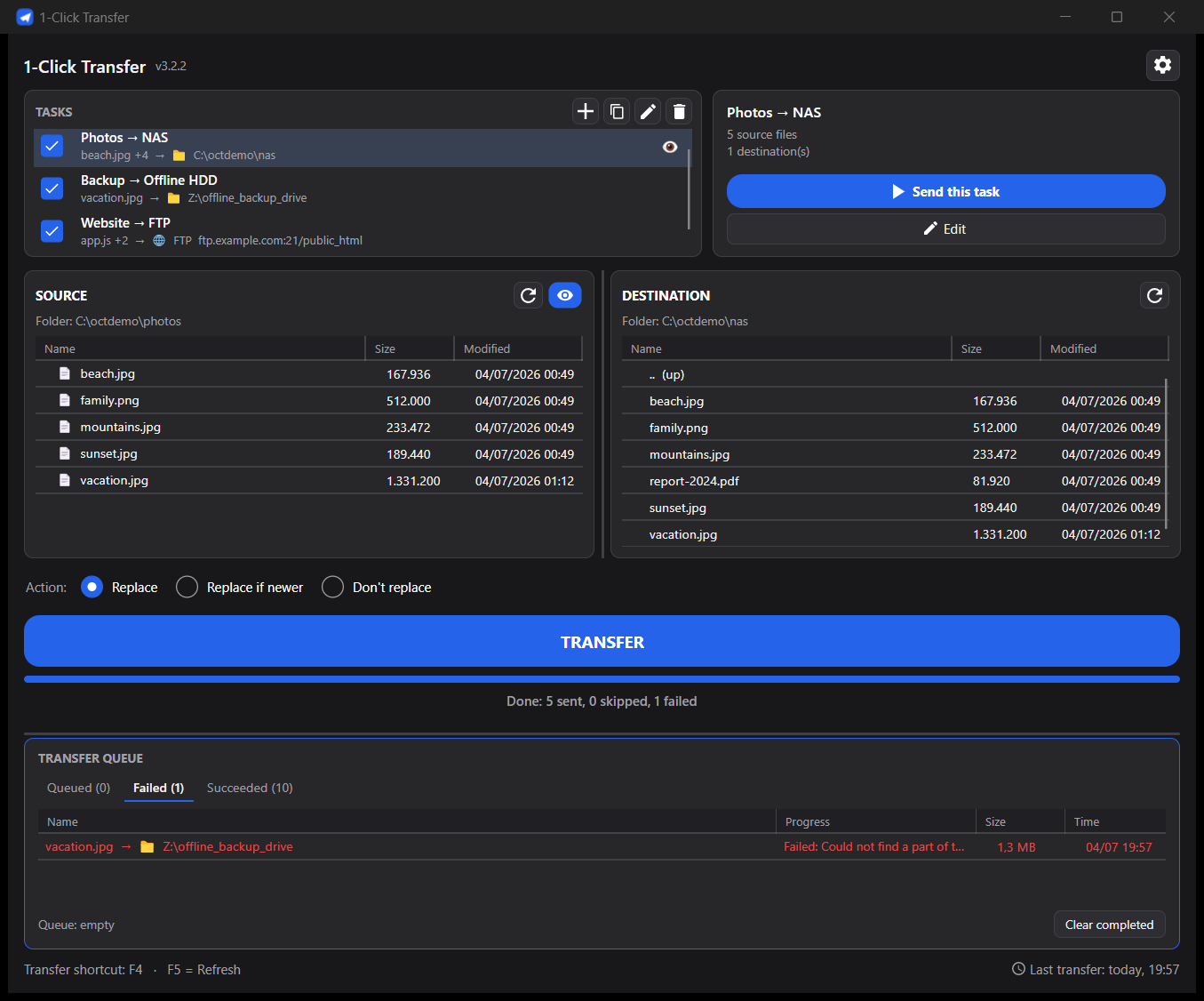
1-Click Transfer is a cross-platform desktop app (C# / .NET 8, Avalonia UI) for Windows, Linux and macOS. One big TRANSFER button sends your pre-chosen file(s) to your pre-chosen destination(s) — a local/network folder, an FTP/FTPS server, or SFTP.
This wiki covers everything beyond the README: day-to-day usage, the CLI, FTP/SFTP quirks, the settings file format, and how to build from source.
- Project home / download: github.com/samaBR85/1clicktransfer
- Website: samabr85.github.io/1clicktransfer
- Latest release: Releases page
- License: MIT
| Page | What's in it |
|---|---|
| Installation | Download & run per OS, SmartScreen/Gatekeeper notes |
| Getting Started | Create your first task in a few clicks |
| Tasks and Destinations | Tasks, multiple destinations, groups, presets, saved servers |
| Folder Sources | Whole-folder source, exclude patterns, keeping the folder name at the destination |
| FTP, FTPS and SFTP | Setting up remote destinations, TLS, known server quirks |
| Overwrite Modes | Replace / Replace if newer / Don't replace, and how the app decides |
| Watch Mode and Tray | Auto-send on file change, system tray, notifications, single instance |
| Command Line Interface | Headless transfers from scripts, cron or Task Scheduler |
| Settings Reference | Every field in settings.json, explained |
| Troubleshooting and FAQ | Common problems and their fixes |
| Building from Source | Dev setup, project layout, running tests |
- Multiple tasks, each its own source → destinations pair — toggle any on/off, send all enabled ones with one click, or fire just one.
- Multiple destinations per task: local/network folders, FTP/FTPS, and SFTP — with saved servers, named groups, and presets.
- Live transfer queue with per-item progress and a configurable parallel-destinations limit.
-
Folder sources with
.gitignore-style exclude patterns and an option to keep the chosen folder itself (not just its contents) at the destination. - Watch mode — auto-send when a source file changes (great for build outputs).
- System tray icon, optional minimize-to-tray, desktop notifications.
- Command-line mode for scripts, cron and Task Scheduler.
- Auto-update via GitHub Releases.
- Portable, single self-contained executable per OS — no install, no runtime needed.