Used Marketplace

The Used Marketplace lets you buy and sell pre-owned vehicles through an agent network system.
- Go to the Shop
- Select any vehicle type
- Press U or click Search Used
- Choose your agent tier
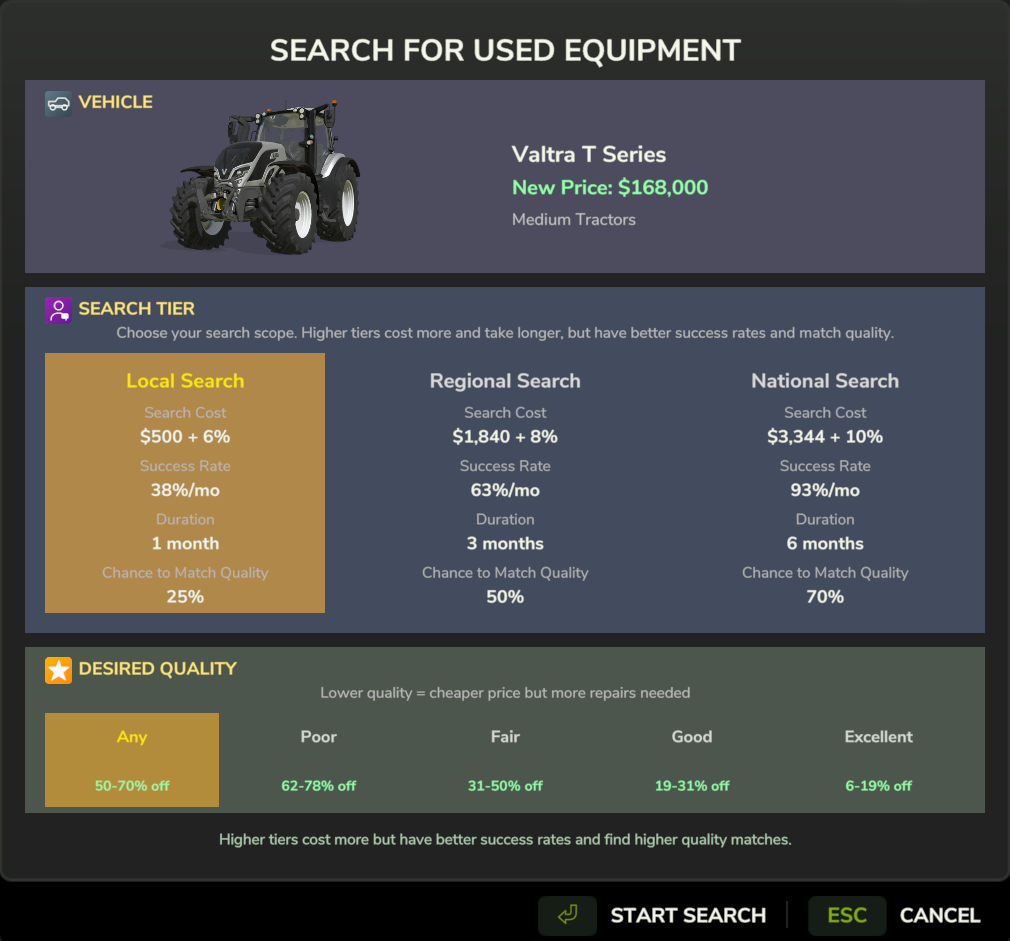
Choose your agent tier and search duration
| Tier | Cost | Discount Range | Selection | Search Time |
|---|---|---|---|---|
| Local | $500 | 5-15% | Small | Fast |
| Regional | $2,000 | 10-25% | Medium | Medium |
| National | $5,000 | 20-35% | Large | Slower |
Higher tiers cost more but find better deals and more options.
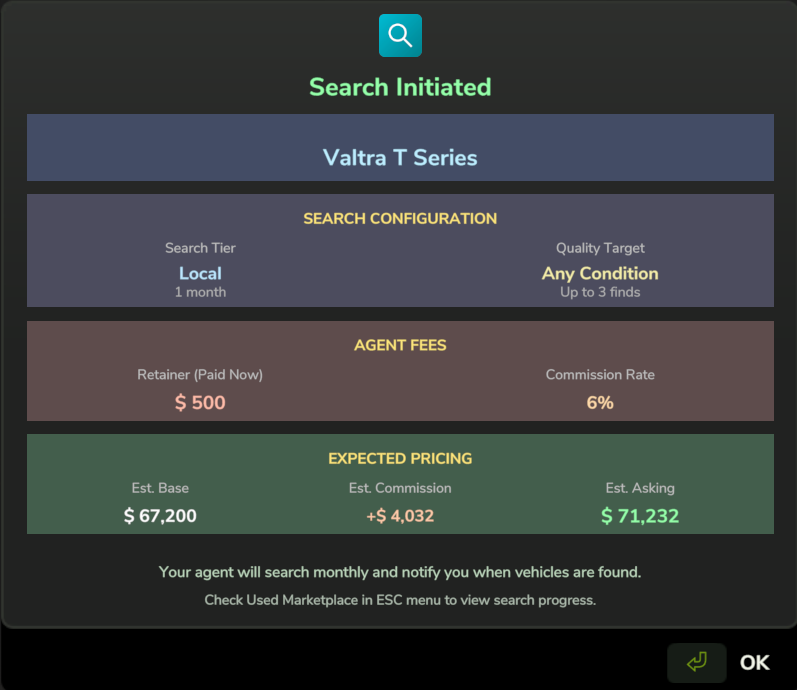
Search initiated - agent begins searching their network
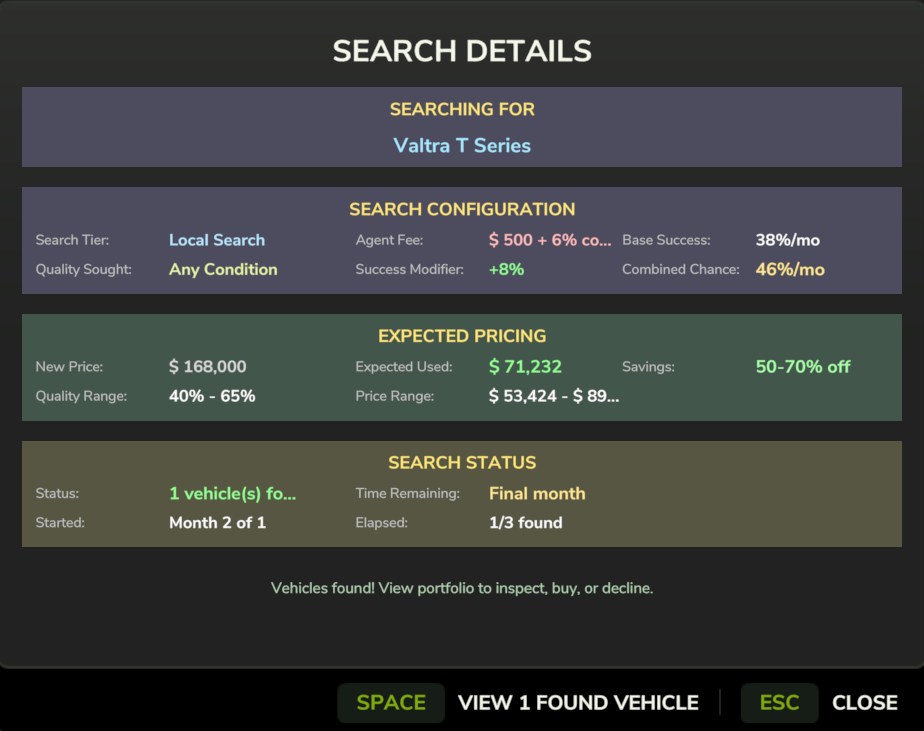
Track your active searches in the Finance Manager
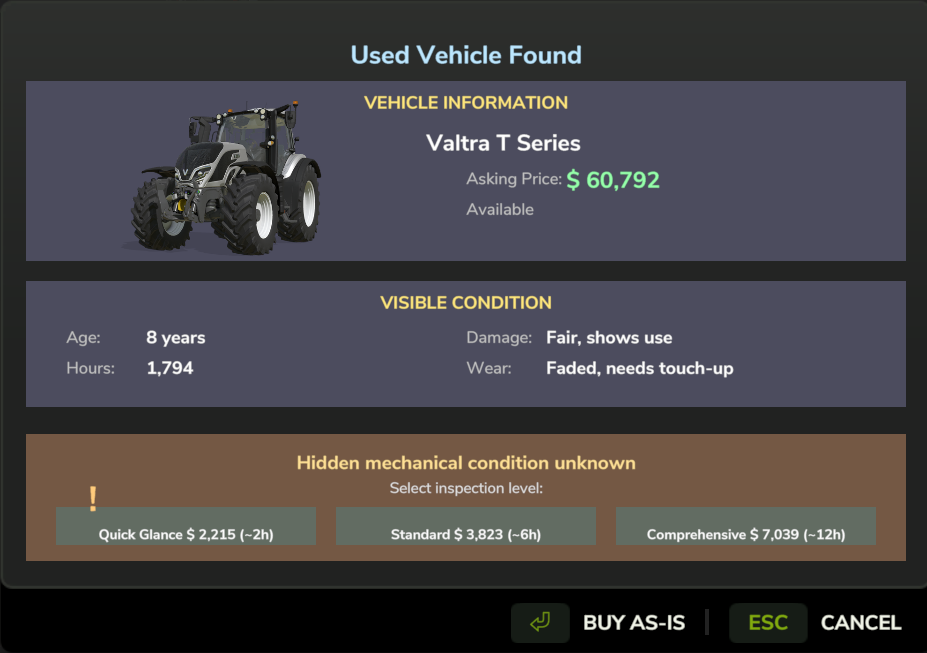
Browse found vehicles with condition and pricing details
Before buying, you should inspect the vehicle to learn about its condition:
| Tier | Cost | Time | Information Revealed |
|---|---|---|---|
| Quick Glance | $1,000 + 2% | 2 hours | Overall rating only |
| Standard | $2,000 + 3% | 6 hours | Full reliability + parts |
| Comprehensive | $4,000 + 5% | 12 hours | Everything + DNA hint |
The Comprehensive inspection reveals the mechanic's quote about the vehicle's DNA, which tells you if it's a lemon or a workhorse.
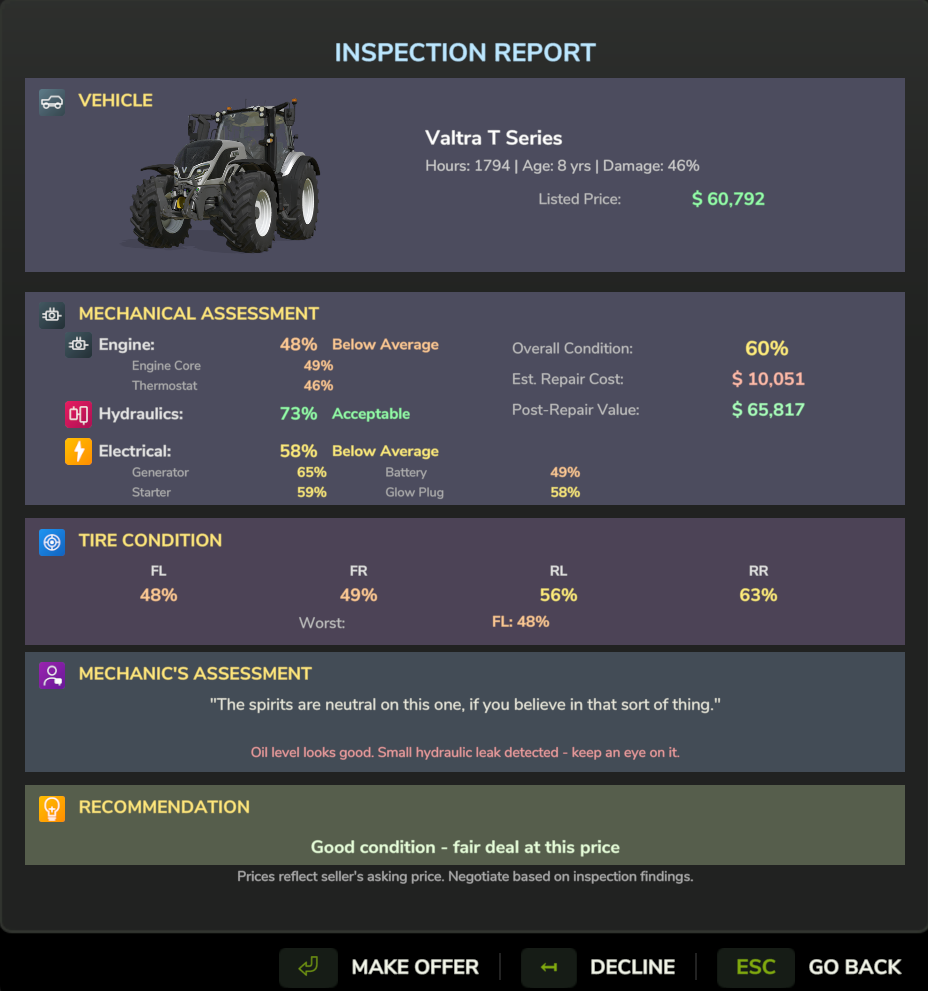
Comprehensive inspection showing reliability, tire wear, paint condition, and mechanic's whisper
After inspection (or before, if you're brave), you can negotiate:
- Click Make Offer
- Set your offer percentage (e.g., 85% of asking)
- Submit offer
Seller responses:
- Accept - Deal! Complete the purchase.
- Counter - Seller proposes a different price. Accept, counter back, or walk away.
- Reject - Offer too low. You can try again (30-minute cooldown).
- Walk Away - You insulted them. Listing permanently removed.
Weather affects outcomes:
| Weather | Bonus |
|---|---|
| Hail | +12% success |
| Storm | +8% success |
| Rain | +5% success |
Seller personality matters:
- Desperate sellers accept low offers
- Firm sellers barely budge
- Immovable sellers (workhorses) won't negotiate at all
The walk-away risk:
| Offer vs Threshold | Risk |
|---|---|
| 0-5% below | Safe - always counter |
| 5-10% below | Low risk |
| 10-15% below | 50/50 |
| 15-20% below | High risk |
| >20% below | Always rejected, may walk away |
Once price is agreed:
- Choose payment method: Cash, Finance, or Lease
- Apply Trade-In if desired
- Confirm purchase
- Open the Map
- Click on your vehicle
- Select Sell Vehicle
- Choose agent tier and price tier:
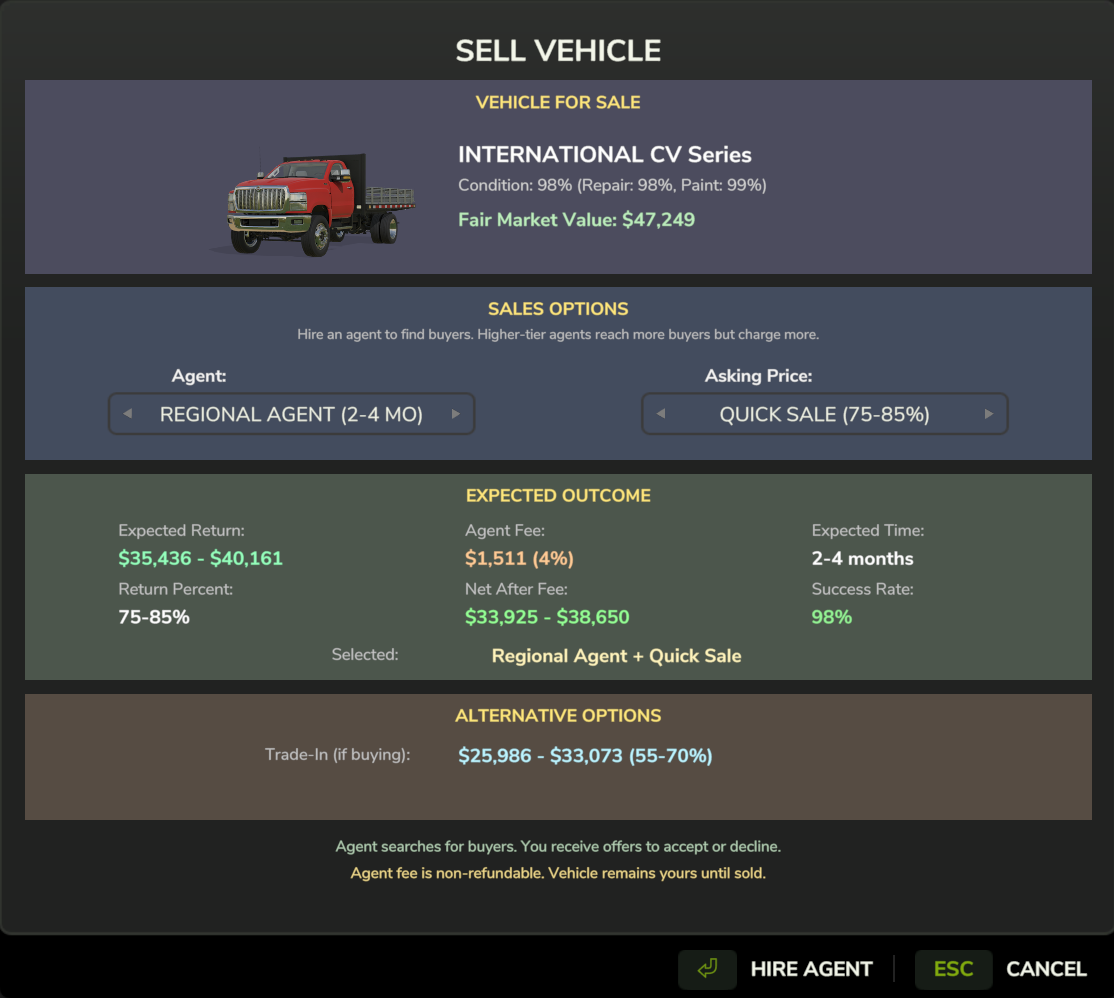
List your vehicle for sale - choose agent reach and pricing strategy
| Price Tier | Time to Sell | Price Range |
|---|---|---|
| Quick Sale | Fast | 60-70% value |
| Standard | Medium | 70-85% value |
| Premium | Slow | 85-100% value |
Buyers will make offers over time:
- Notification appears when offer received
- Open Finance Manager → Sales tab
- Review offer details
- Accept, Decline, or Counter
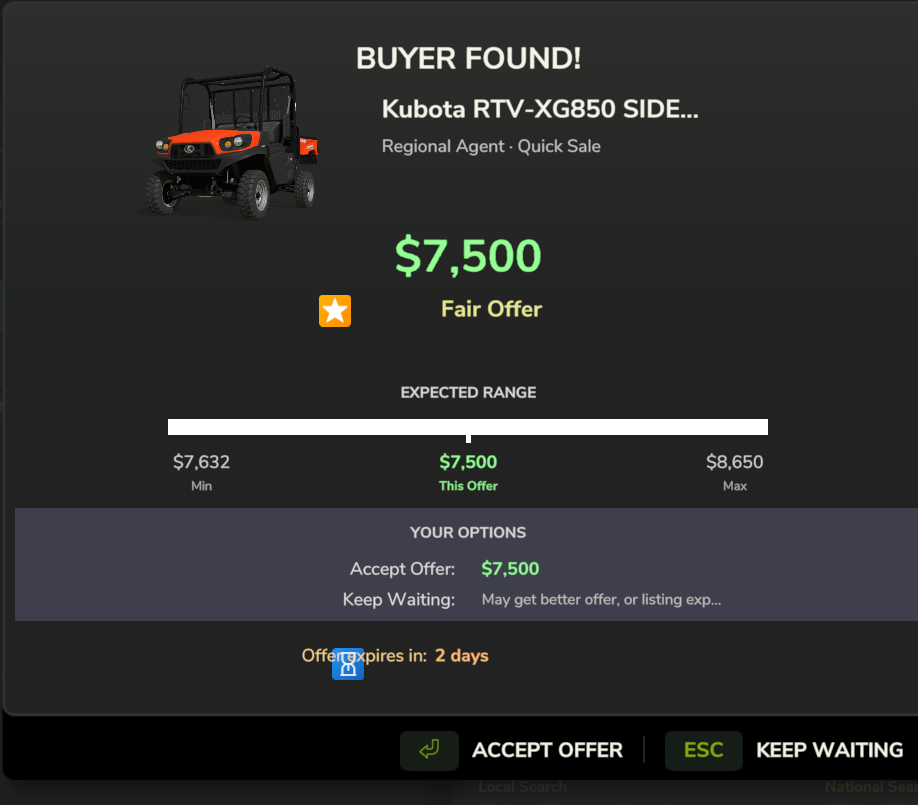
Buyer offer notification - review the offer and choose to accept, decline, or counter
Instead of selling separately, you can trade in at purchase:
- Get 50-65% instant value
- +5% brand loyalty bonus (same manufacturer)
- Apply directly to new purchase
View in Finance Manager → Searches tab:
- Search status and time remaining
- Found listings
- Inspection progress
Searches and listings have time limits:
- Search expires if no results in time
- Listings expire if not purchased
- Inspections hold listings - won't expire while mechanic is working
Related:
- Vehicle DNA - Why inspection matters
- Negotiation System - Deep dive on negotiations
- Trade-In System