Repository navigation
Settings
Open Themes → Settings. The Settings entry shows up once you've applied a theme at least once.
Each option is a switch: select it and press A to turn it on or off. Changes apply the next time the console changes folder or reboots. Updating the mod turns every option off again (see Installation → Updating).
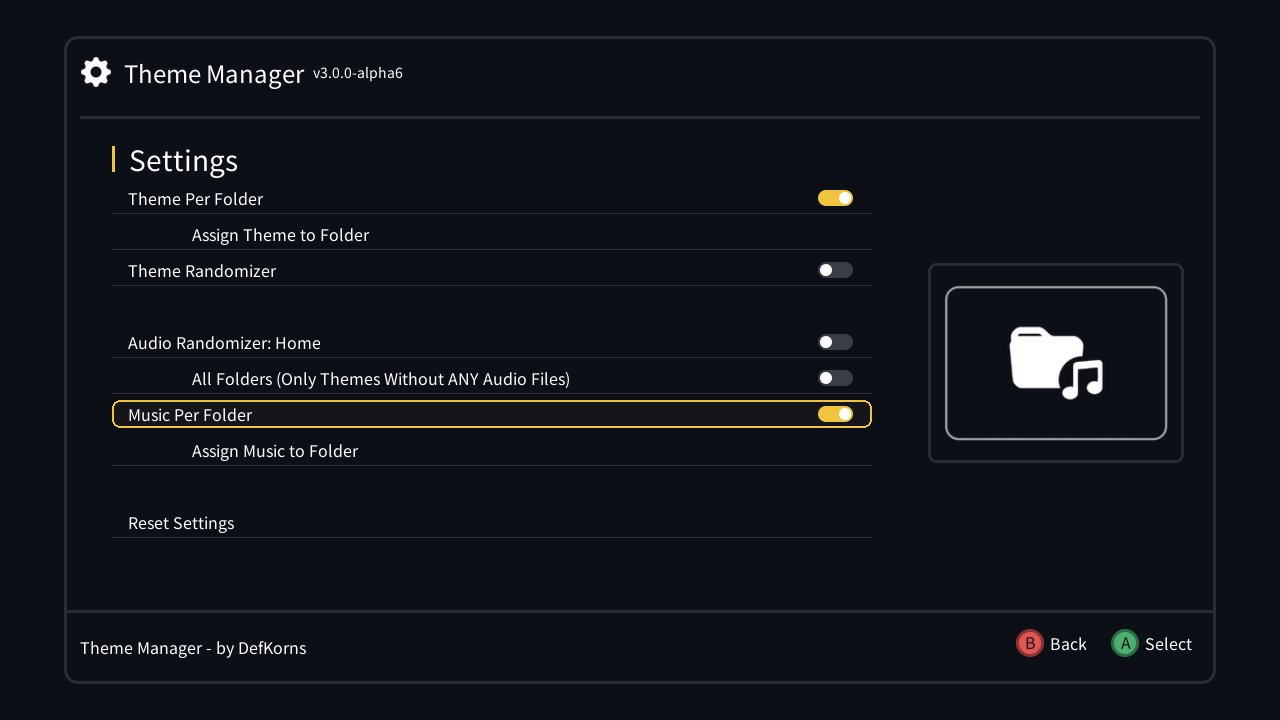
Lets each folder (and Home) have its own theme. Turning it on shows Assign Theme to Folder right below it, where you choose which theme goes on which folder.
How it works: Guides → Theme per folder.
Lets each folder (and Home) have its own menu music, chosen from the .wav files in your music_menu folder. Turning it on shows Assign Music to Folder. It only shows up when music_menu has .wav files, and works with or without Theme Per Folder.
How it works: Guides → Music per folder.
Applies a random theme from your installed themes every time you change folder, avoiding the one you just had.
Folders with a theme assigned through Theme Per Folder, and a theme named default on Home, keep their own theme.
Plays a random track from your music_menu folder on the Home menu instead of the theme's own music. Music assigned to Home through Music Per Folder takes priority. Based on Advanced Music Hack by BsLeNuL, DanTheMan827, Swingflip and ThanosRD.
Setting up the music: Guides → Audio randomizer.
Extends the Audio Randomizer to every folder. Turning it on also turns on Audio Randomizer: Home.
As the name says, it only plays on themes that don't bring their own audio. A theme with its own music keeps it.
Both audio randomizer options are unavailable while the active theme is one that adds files the stock menu doesn't have. Those themes are mounted differently and can't take a replacement track.
Deletes what your console type can't use: the themes folders and DIY theme assets for the other console types. For example, on a SNES it removes the Famicom Shonen Jump themes folder; on a NES it removes the SNES and Shonen ones and the SNES-only DIY assets.
It runs on its own the first time you open Themes after installing or updating, so the entry only shows up if such files turn up again later, e.g. themes copied by hand into another console's folder.
Puts the console back to its original theme and font, and reboots. Theme Selector stops applying anything — so none of the options above have any effect — until you apply a theme again.
Use it if a theme or a combination of settings leaves the menu broken. Your themes, your music and the mod itself stay. To uninstall the mod, use hakchi: Modules → Uninstall extra modules.