Configuration
The proxy requires some settings for operation, which can be taken from various sources. The internal default configuration is always read first. This contains all mandatory values and sensible default values. Other files, if available, are then parsed and the configuration is supplemented or replaced with the new values:
- read
default_config.tomlfrom the source directory - read env values
- read
config.jsonfrom theconfig dir - read
config.tomlfrom theconfig dir - read JSON-file specified by the
--json_configcommand line argument - read TOML-file specified by the
--toml_configcommand line argument
The lowest priority is therefore an Env variable and the highest a toml file, which is passed to the CLI.
If the proxy is operated as an HA App, the configuration is created in the app administration and transferred to the proxy as a json file (/data/options.json).
The 6 steps for creating the configuration are as follows:
- read
default_config.tomlfrom the source directory - read env values to get the MQTT configuration for HA's mosquito setup
- read
/homeassistant/tsun-proxy/config.jsonif exists - read
/homeassistant/tsun-proxy/config.tomlif exists - read
/data/options.json - NOT USED
If you want to set additional configuration values that are not supported by the app administration, you can create a config.json or config.toml file and put this into /addon_configs/{REPO}_<your addon's slug> directory of your HA machine. This directory will be mapped into the app as /homeassistant/tsun-proxy/ directory. So the proxy can read the config.json or config.toml file. This will be logged in the protocol of the app during the start.
If the app is installed locally, {REPO} will be local. If the app is installed from a GitHub repository, {REPO} is a hashed identifier generated from the GitHub repository's. The <your addon's slug> depends on the version you have installed.
You will find this information on the Info page of you running app under hostname:
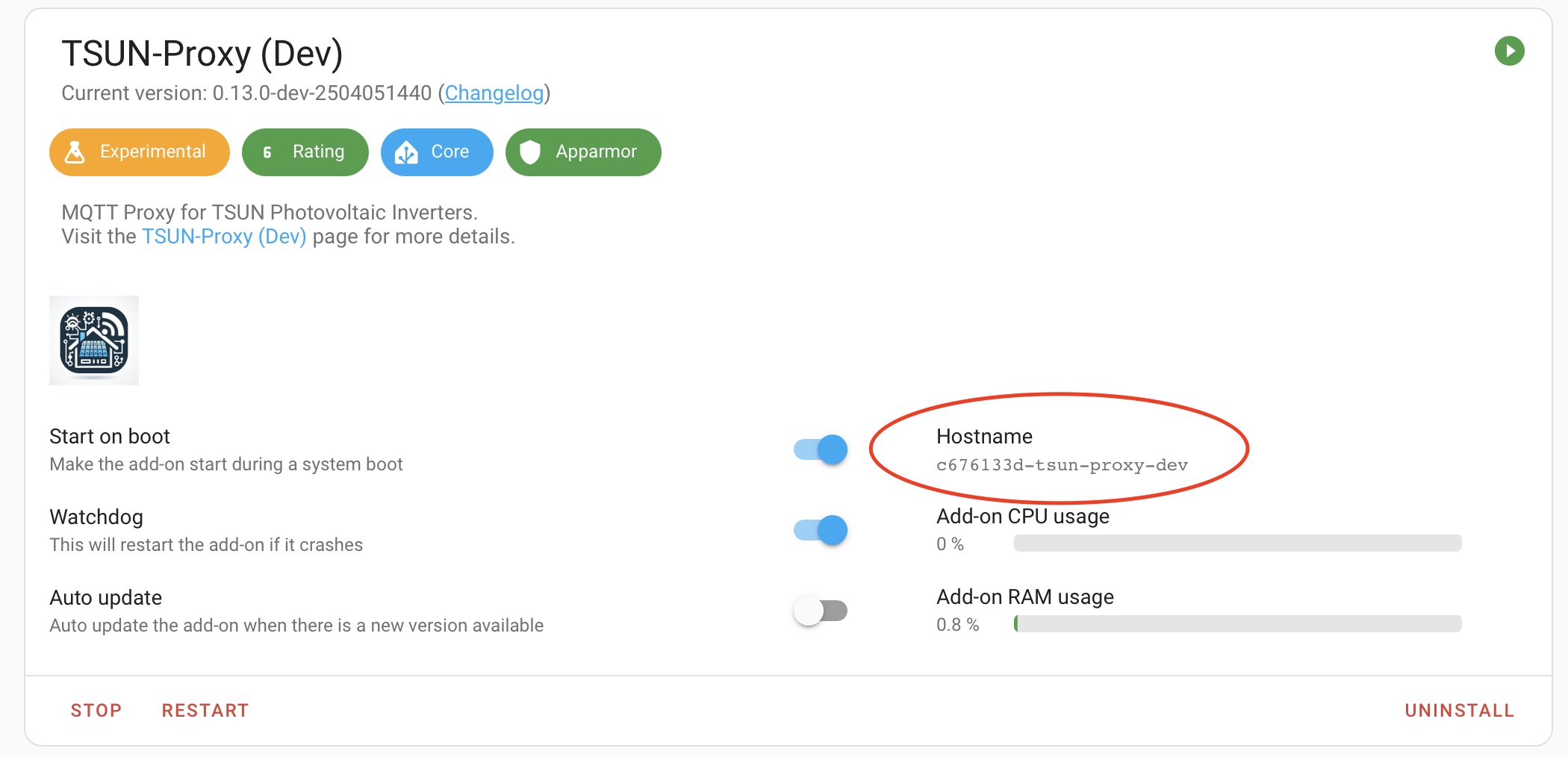
So for this dev version the complete path will be: /addon_configs/c676133d_tsun-proxy-dev/config.json
The 6 steps for creating the configuration are as follows:
- read
default_config.tomlfrom the source directory - read env values
- read
/home/tsun-proxy/config.jsonif exists - read
/home/tsun-proxy/config.tomlif exists - NOT USED
- NOT USED
It is recommended that you only use config.toml (step 4). For security reasons, the MQTT credentials (MQTT_USER and MQTT_PASSWD) should be transferred via the environment and not be specified in plain text in config.toml. However, never set them in the Docker build command, as this can cause them to be displayed with Docker Inspect.