Add animation screen
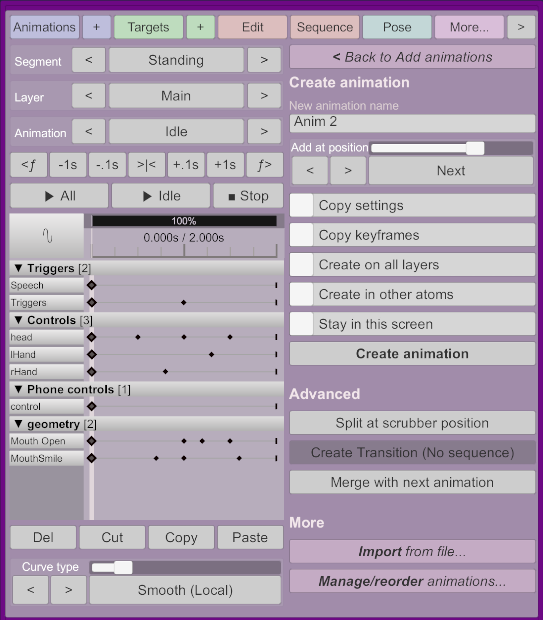
This screen allows you to create new animations on the current segment and layer.
Accessible from the add animations screen.
You can select what the new animation name should be. By default, it will automatically select a unique new name from the current animation name by incrementing the number at the end of the animation name.
Where the new animation should be added.
-
Copy settings: Uses the current animations duration and options from theEditscreen. -
Copy keyframes: Creates a complete copy of the current animation. -
Create on all layers: Create the animation on every layer of the current segment. -
Sequence current to new: Sets the next animation to play in the current animation to the newly created animation. -
Create in other atoms: Whether to create the animation on other atoms. Animation position, copy settings, copy keyframes and create on all layers will also be synchronized on other atoms. Only atoms with the same segment name will receive the new animation. -
Stay in this screen: Will not exit the create animation screen, allowing you to create multiple animations quickly.
Will create the animation using the previous options.
Will crop the current animation between 0 seconds and the current time, and create another animation containing the keyframes from the current time to the last frame. If there is no keyframe at the scrubber position, a new keyframe will be created from the curves value at this point.
This will create a new animation to transition between the current one and the one configured in the Next Animation configured in the edit screen. For this option to be enabled, you must have a next animation configured.
Adds all keyframes from the next animation after the current animation's keyframes.