This repository uses a UR10 Reach task trained policy using Isaac Lab to do sim-to-real transfer. It has been tested with ROS2 Humble on Ubuntu 22.04.
This repository provides scripts to test a pretrained UR10 policy in simulation using URSim (sim2sim) and then transfer it to a real robot (sim2real). The simulation is based on the ur_robot_driver package. A pretrained policy is available in the sample directory. Note that you need to adjust the policy path in ur.py.
- Operating System: Ubuntu 22.04
- ROS 2: Humble Hawksbill
Installation guide - UR Robot Driver: ur_robot_driver
- Python: Python 3
-
Install ROS 2 Humble:
Follow the ROS 2 installation guide. -
Install the UR Robot Driver Package:
sudo apt update
sudo apt install ros-humble-ur-robot-driver
-
Clone the Repository:
git clone https://github.com/louislelay/isaaclab_ur_reach_sim2real.git
Follow these steps to run the simulation:
-
Launch URSim:
Open a terminal and run:
ros2 run ur_robot_driver start_ursim.sh -m ur10e
This will launch URSim at http://192.168.56.101:6080/vnc.html. Click Connect and you should see an interface similar to:

-
Activate External Control in URCaps:
In the Programs tab, below URCaps, click on External Control. Below Robot Progam you should see appear : Control by 192.168.56.1

-
Start the UR Robot
Click on the red button in the bottom left. Click on On, then Start until you obtain the following interface:

-
Exit and Proceed:
-
Press Exit.
-
Switch to the Move tab in the interface:

-
-
Connect the interface to the computer:
-
Press the play button in the bottom.
-
Select the Control by 192.168... option in the interface:

-
-
Launch Robot Control:
In another terminal, run:
ros2 launch ur_robot_driver ur_control.launch.py ur_type:=ur10e robot_ip:=192.168.56.101
-
Run the Task Script:
Navigate to the Python directory within the repository:
cd <path_to_repository>/isaaclab_ur_reach_sim2real/python
Note: Ensure that the policy path in
ur.pyis updated to point to your pretrained policy (one is available in thesampledirectory if needed).Finally, run:
python3 run_task.py
The robot’s end effector should move to the target pose specified in the script.
-
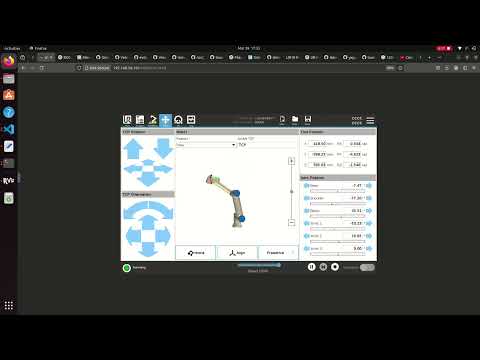
Demonstration Video:
Click on it to go to the youtube video and see the result.


This section is a work in progress (WIP).
- Johnson Sun: Many thanks for his valuable advice and time.
- UR10Reacher Sim2Real for Isaac Gym: UR10Reacher repository
- Isaac Lab: Isaac Lab repository
- UR Robot Driver: UR Robot Driver repository
- ROS 2 Community: ROS 2 project
This project is licensed under the MIT License.