TypeScript library for locally calculated daylight, civil twilight, nautical twilight, astronomical twilight, and night on interactive maps.
Earthshade combines a pure astronomy core, a Web Mercator RGBA renderer, and MapLibre GL JS and Leaflet adapters. Core and raster need no browser globals, map engine, or runtime dependency. No sunlight API or tile service is used.
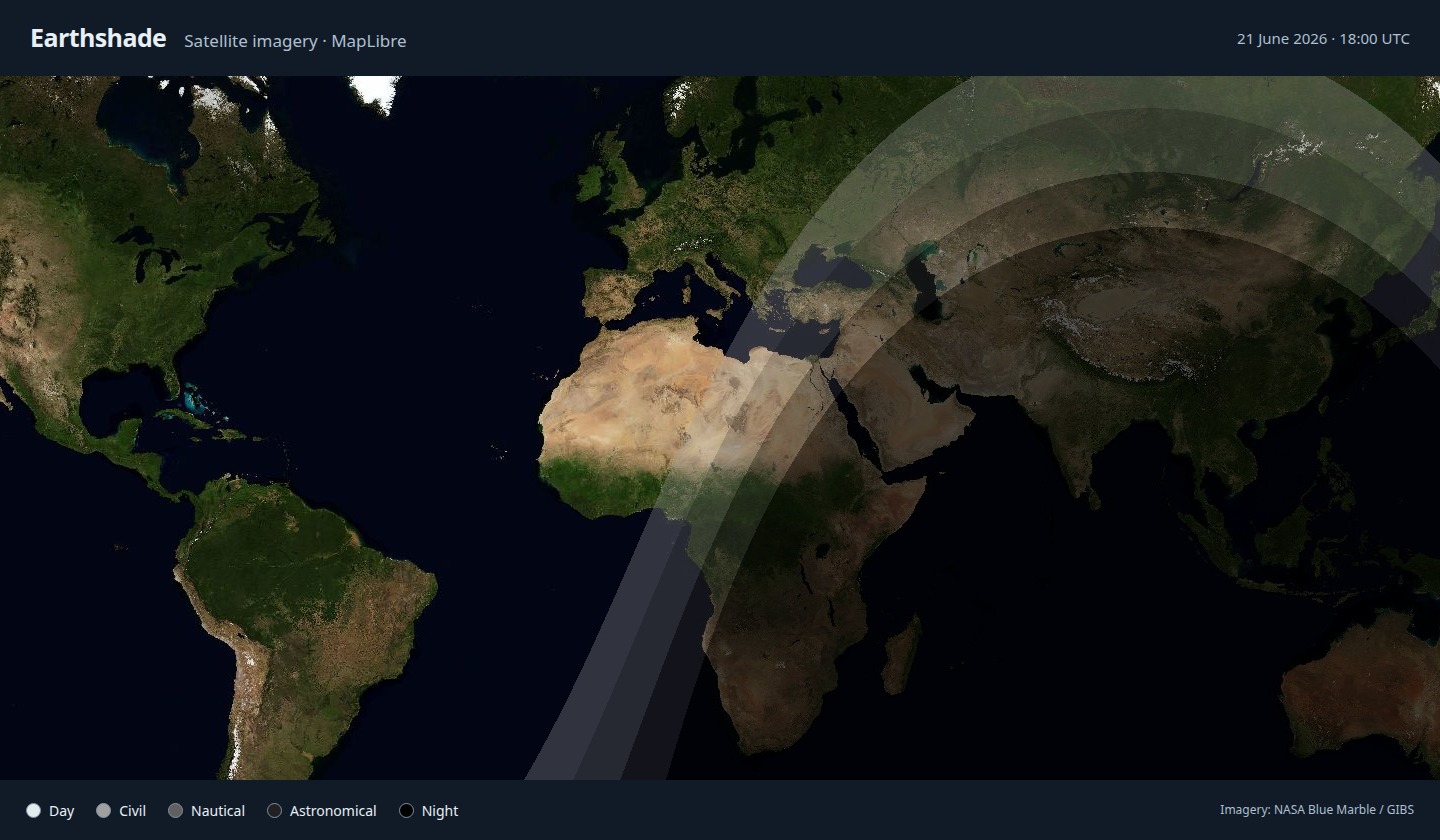
NASA Blue Marble satellite composite in MapLibre. Imagery provided by NASA's Global Imagery Browse Services (GIBS).
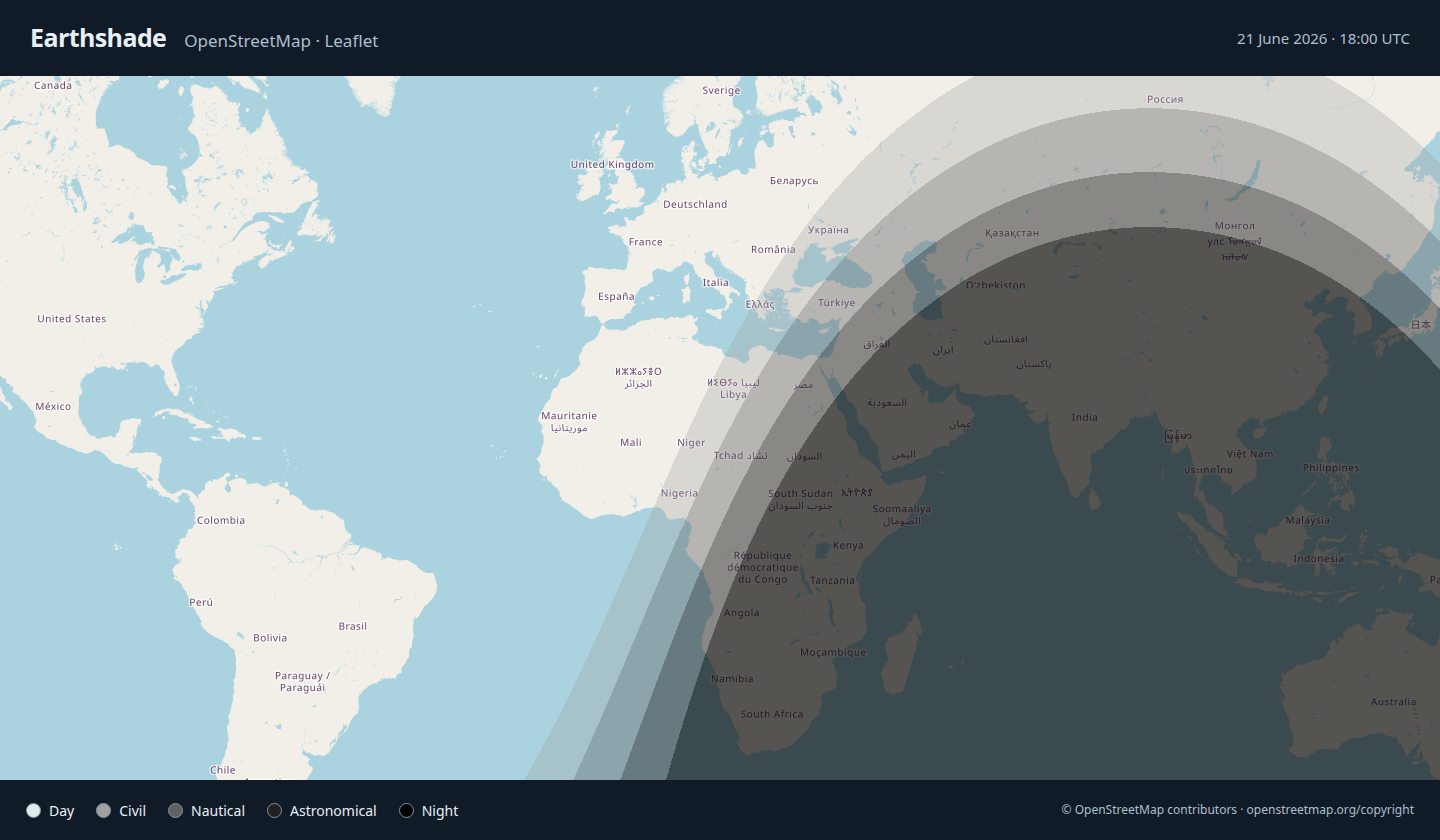
Standard OpenStreetMap tiles in Leaflet. Map data and cartography © OpenStreetMap contributors.
Both screenshots show the default palette with shading calculated for 21 June 2026 at 18:00 UTC. Basemap imagery is independent of the overlay time.
| Entry point | Purpose |
|---|---|
@fdomf/earthshade or @fdomf/earthshade/core |
Solar position, elevation, and twilight classification |
@fdomf/earthshade/raster |
RGBA map tiles and configurable band colors |
@fdomf/earthshade/maplibre |
Overlays for MapLibre GL JS |
@fdomf/earthshade/leaflet |
Overlays for Leaflet |
Install Earthshade from npm:
npm install @fdomf/earthshadeFor map overlays, also install your chosen engine.
MapLibre:
npm install maplibre-gl@6.8.0Import its stylesheet in your application:
import 'maplibre-gl/dist/maplibre-gl.css';Leaflet:
npm install leaflet@1.9.4For TypeScript projects, also install npm install --save-dev @types/leaflet@^1.9.0.
Import its stylesheet in your application:
import 'leaflet/dist/leaflet.css';The core and raster entry points work without either map engine.
Use Node 22.22 or newer for development.
npm ci
npm run build
npm run dev
Open the comparison example, MapLibre, or Leaflet. Examples use local synthetic graticules with interactive markers, UTC time selection, live mode, whole-overlay and individual band visibility, and opacity controls. MapLibre also has a globe toggle. Open the HTTP links through Vite; opening the HTML directly as a file:// URL cannot load the TypeScript modules.
import { addTwilight } from "@fdomf/earthshade/maplibre";

// `map` is an existing, loaded MapLibre map.
const twilight = addTwilight(map, {
  time: "live",
  refreshIntervalMs: 60_000,
  // beforeId: "labels", // Optional: an actual layer ID from your style.
});

twilight.setTime(new Date("2026-09-09T20:00:00Z"));
twilight.setOpacity(0.7);
twilight.setBandVisible('civil', false); // Hide only civil twilight.
twilight.setBandVisible('civil', true);  // Restore its configured color.
twilight.setVisible(false);
twilight.setVisible(true);
twilight.setTime("live");
twilight.dispose();
Each overlay owns its protocol, source, layer, listeners, and timer. Queued requests are tracked before their asynchronous transform and cancelled before protocol removal. MapLibre may emit expected AbortError events during rapid revisions; these do not reach the overlay’s onError callback. Style replacement restores the latest state. A missing initial beforeId throws; if the anchor disappears on a later style change, the overlay appends and reports once to onError.
Use the same MapLibre module instance as the map. The examples explicitly bundle the 6.8.0 worker with Vite's ?worker&url import and pass it to setWorkerUrl. That engine's upstream declarations require moduleResolution: "Bundler" and GeoJSON types for a full declaration check; NodeNext applications can use skipLibCheck: true for upstream declarations. These constraints do not affect the core entry point.
import { addTwilight } from '@fdomf/earthshade/leaflet';

const twilight = addTwilight(map, { time: 'live', zIndex: 350 });
twilight.setTime(Date.UTC(2026, 8, 9, 20));
twilight.dispose();
Requires the standard L.CRS.EPSG3857. The default unique pane sits at z-index 350 with pointer events disabled. Supply pane to use an existing pane without changing its styles or ownership. Successive state changes in the same JavaScript turn share one redraw; individual tiles are still painted synchronously. Removing the map or overlay layer disposes the controller. For SSR, dynamically import this browser-only entry point in the client mount hook.
import { solarPosition, solarElevation, classifyTwilight, TWILIGHT_BANDS } from '@fdomf/earthshade/core';
import { renderTile, DEFAULT_PALETTE } from '@fdomf/earthshade/raster';

const sun = solarPosition(Date.UTC(2026, 8, 9, 20));
const elevation = solarElevation({ latitudeDeg: 41.4, longitudeDeg: 2.2 }, sun);
const band = classifyTwilight(elevation);
const tile = renderTile({ x: 0, y: 0, z: 0, size: 256 }, sun);
// tile.data: newly owned, unpremultiplied Uint8ClampedArray RGBA pixels.
// TWILIGHT_BANDS and DEFAULT_PALETTE are immutable legend building blocks.
The root exports only the core. The renderer never reads the clock, samples pixel centers, wraps horizontal world copies, and rejects vertical wrapping. Sizes 256 and 512 cover the same geographic tile; zoom must be an integer from 0 through 22.
- Time inputs are valid
Dateobjects or finite Unix milliseconds within UTC years 1900–2100 inclusive. Date strings are not accepted. Angles are degrees; longitude is east-positive and accepts world copies. - Fixed time is exact and schedules no timer.
refresh()redraws the selected time. Live mode samples the current clock, pauses when the overlay or browser document is hidden, and resamples immediately on return. refreshIntervalMsdefaults to 60,000; valid values are integer milliseconds from 1,000 to 2,147,483,647.setPalette()validates and copies four integer RGBA bytes per non-day band. Daylight stays transparent. Opacity multiplies alpha once at the engine layer and does not regenerate pixels.setBandVisible(band, visible)independently controlscivil,nautical,astronomical, andnightin both adapters. All start enabled. Hidden bands become transparent without changing scientific boundaries. Their selections survive time changes, refreshes, palette changes, and whole-overlay visibility changes; showing a band restores its latest configured RGBA color. The demos provide four matching checkboxes.- Invalid synchronous calls throw. Asynchronous failures call
onErrorwhen supplied and reject MapLibre tile requests or emit Leaflettileerror. Canvas support is required. Cancellation is not reported as a render failure. dispose()is idempotent. Other controller methods throw after disposal. Multiple overlays and maps have independent state and resources.
The Meeus/NOAA model describes geometric solar elevation with thresholds at 0°, −6°, −12°, and −18°. Exact boundaries belong to the brighter band. It does not model refraction, solar-disc visibility, terrain, clouds, moonlight, or observed sky brightness. See NOAA's model documentation and NWS twilight definitions.
The 90-instant fixtures compare against NOAA and an independent Astronomy Engine calculation with a 0.03° tolerance per solar coordinate. This is a sampled comparison, not a universal physical-accuracy guarantee. Reference sources, versions, tolerances, and the NOAA source hash are recorded in the test fixtures.
Web Mercator stops near ±85.05113°. The core handles geographic poles, but globe caps are extrapolated by MapLibre rather than independently sampled at ±90°. Terrain and other projections are outside the initial scope. Hard band edges have tile-resolution and map-filtering limits.
src/: astronomy, raster rendering, and map adapters.examples/: comparison and standalone demos.tests/: numerical fixtures, unit tests, browser journeys, benchmarks, and lifecycle tests.scripts/: build, package checks, fixture generation, and performance tools..github/workflows/: CI and npm release automation.
npm run typecheck
npm test
npx playwright install --with-deps chromium firefox webkit
npm run test:browser
npm run build:examples
npm run test:examples
npm run test:package
npm run benchmark
npm run benchmark:browser
npm run test:soak
On headless Linux, use xvfb-run --auto-servernum npm run test:browser if Firefox needs a display for WebGL. The package smoke test installs the tarball into isolated core-only, MapLibre-only, and Leaflet-only consumers and checks declarations without skipping library checks. CI runs these checks. Numerical tests use committed fixtures and need no network.
Run benchmarks separately from other tests and demos, using the same machine and power mode for comparisons. The five-minute soak test records JavaScript heap, DOM retention, and event-loop lag; use SOAK_DURATION_MS=1800000 npm run test:soak for a 30-minute run. Test reports are generated in test-results/.
Automated browser coverage includes Chromium, Firefox, WebKit, and mobile Chromium emulation. Physical Safari/iOS and Android checks remain pending. Heavy refresh workloads can cause responsiveness stalls; test the intended update rate in your application.