Repository navigation
Network and Wi Fi
You need a USB Wi-Fi adapter and the Hakchi Wi-Fi mod (WPA Supplicant), from Modules → KMFDManic Store in hakchi. The recommended adapter is the TP-Link TL-WN725N (Realtek 8188 chipset); others may work, but aren't guaranteed to.
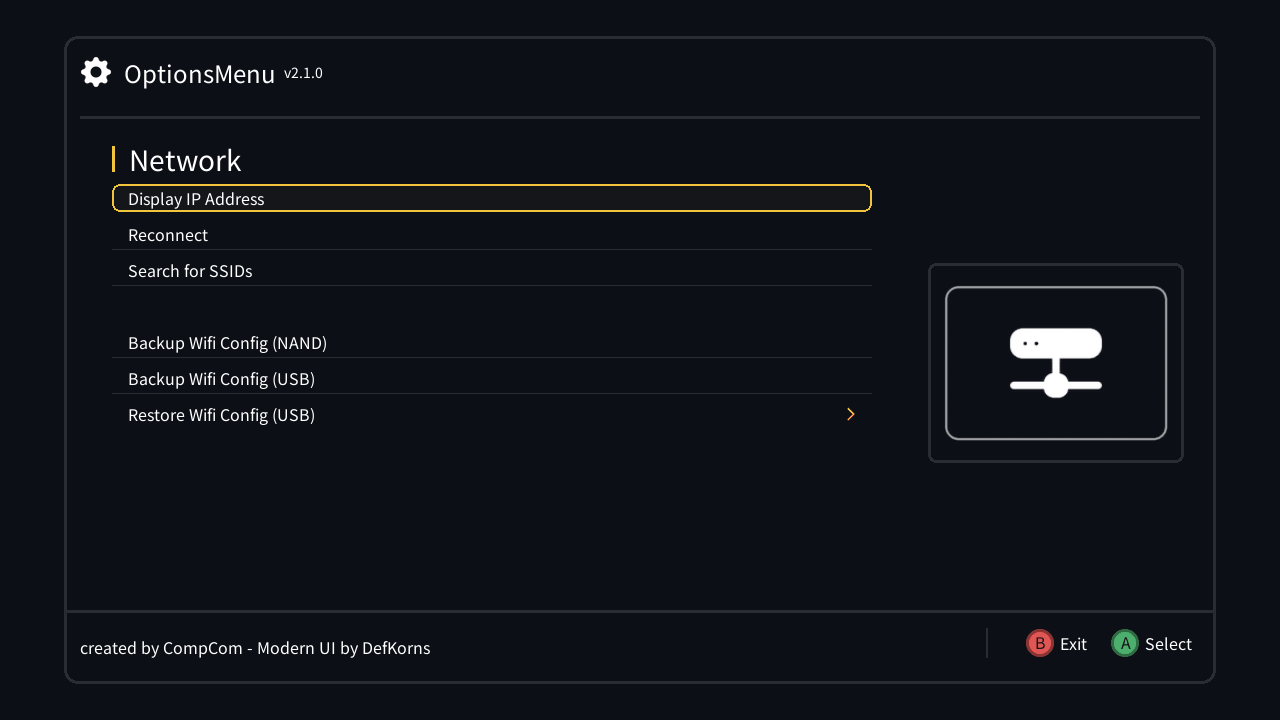
| Entry | What it does |
|---|---|
| Display IP Address | Shows the console's local IP and your public IP |
| Reconnect | Restarts the network when you're not connected |
| Search for SSIDs | Lists the Wi-Fi networks in range |
Your Wi-Fi settings live in wpa_supplicant.conf. Back it up once per network, then switch between networks — home, a friend's place — from the console.
| Entry | What it does |
|---|---|
| Backup Wifi Config (NAND) | Saves the current config to /etc/wifi_backup/<network name>
|
| Backup Wifi Config (USB) | Saves it to /media/data/wifi_backup/<network name> on your USB/SD drive |
| Restore Wifi Config (NAND) › | Lists the backups on the console |
| Restore Wifi Config (USB) › | Lists the backups on the USB/SD drive |
In a restore list, pick a network and press A to restore it and reconnect. Hold B to delete a backup (confirm with A, or B to cancel); the list refreshes by itself.
The restore entries only show up when there's a backup to restore, and the USB ones only with a USB/SD drive connected.