
Quick text, one shortcut away.
A lightweight macOS menu bar app that maps global keyboard shortcuts to text snippets. Press a shortcut in any app — your pre-set text appears instantly at the cursor.





QUICOPY is a native macOS menu bar app for blazing-fast text input via global keyboard shortcuts. It is the lightweight alternative to TextExpander, aText, and Raycast Snippets — built for users who want instant text output without the subscription cost or Electron bloat.
Assign any text snippet to a global shortcut like ⌘⇧1. Press the shortcut in any app — Chrome, Safari, VS Code, Slack, ChatGPT, Claude, Mail — and your text appears at the cursor in under 100 ms.
- ⚡ Sub-100 ms response — feels instant, no lag
- 🎯 Works everywhere — browsers, editors, email, chat, AI tools, self-drawn terminals (Zed, VS Code)
- 🤖 7 built-in AI prompt templates — stop re-typing "think step by step"
- 🪶 Only 2.8 MB — 100% native Swift, no Electron
- 🔒 Privacy-first — all data stays on your Mac
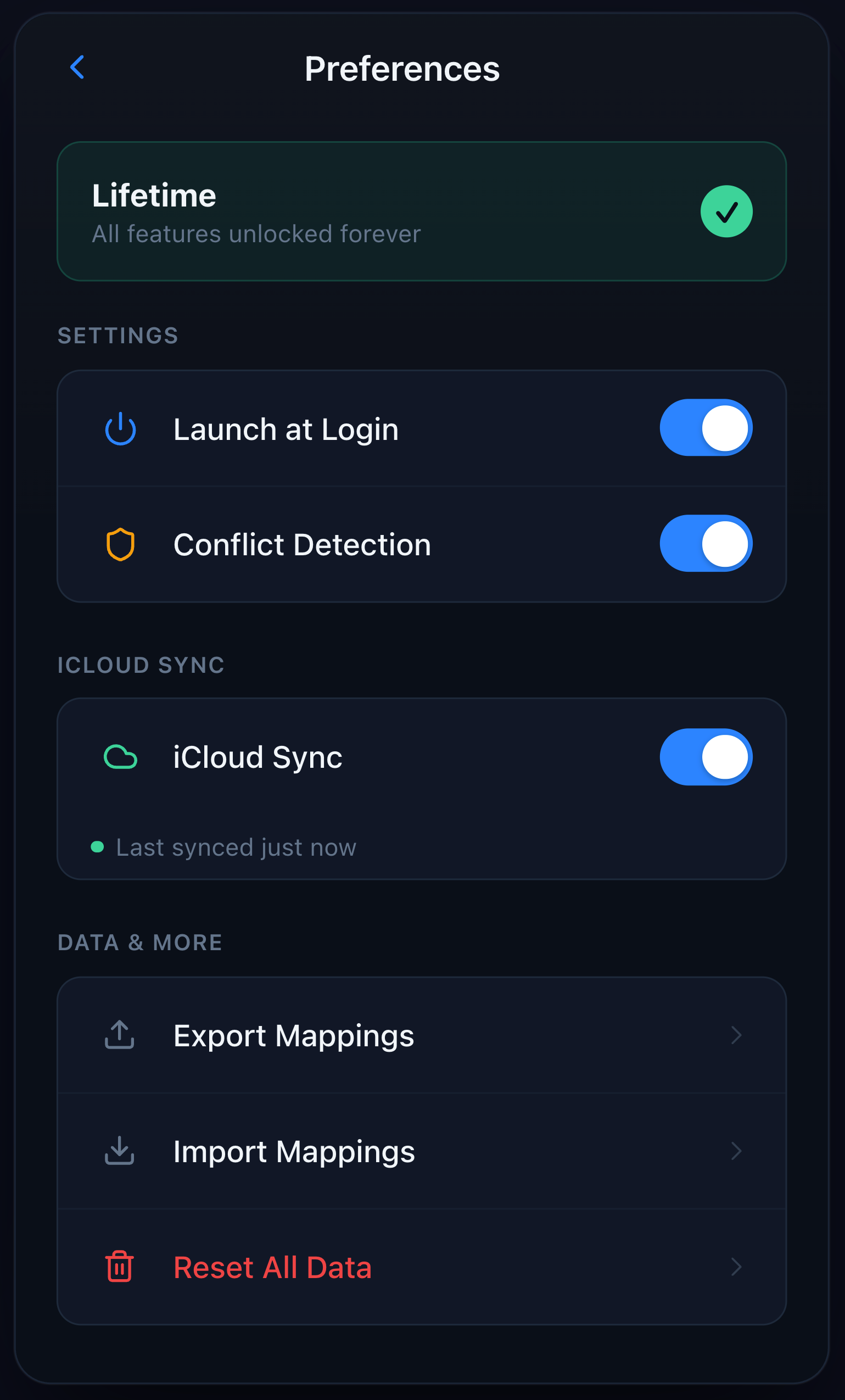
- ☁️ Optional iCloud sync — across your own Macs only
- 💰 $9.99 lifetime — one-time purchase, no subscription
- Zed & VS Code terminal support — global shortcuts now fire inside Zed's built-in terminal and VS Code's integrated terminal when Accessibility is granted. In v1.0 they silently did nothing (Carbon's
RegisterEventHotKeydoesn't dispatch when the frontmost app consumes the key event itself). - Paste delivery rewritten — verifies
Edit → Pasteis enabled before clicking and falls back to synthesized⌘Vkeystroke; robust against self-drawn text hosts. - Error 1002 edge case fixed — pressing a bound shortcut while QUICOPY's popover was visible no longer surfaces a harmless error toast.
- No new entitlements, no new permission prompts.
→ Technical deep-dive: The macOS Global Shortcut That Won't Fire in Zed
Set up unlimited shortcut → text pairs. Works system-wide in every macOS app.
Mapped to ⌘⇧1 through ⌘⇧7:
| Shortcut | Template | Use Case |
|---|---|---|
⌘⇧1 |
Step-by-Step | Force AI into structured reasoning |
⌘⇧2 |
Ask First | Make AI ask clarifying questions before answering |
⌘⇧3 |
Writing Polish | Instant proofreading and style refinement |
⌘⇧4 |
ELI5 | Explain Like I'm 5 — simple explanations |
⌘⇧5 |
Translation | Quick multilingual translation |
⌘⇧6 |
Prompt Optimizer | Rewrite your prompt for better AI output |
⌘⇧7 |
CO-STAR Framework | Structured prompt engineering framework |
Lives in your menu bar. No Dock icon clutter. Zero background CPU when idle.
- All snippets stored locally (macOS Keychain + sandboxed container)
- No telemetry, no analytics, no tracking
- Optional iCloud sync uses Apple's end-to-end encryption
- Sandboxed (Mac App Store compliant)
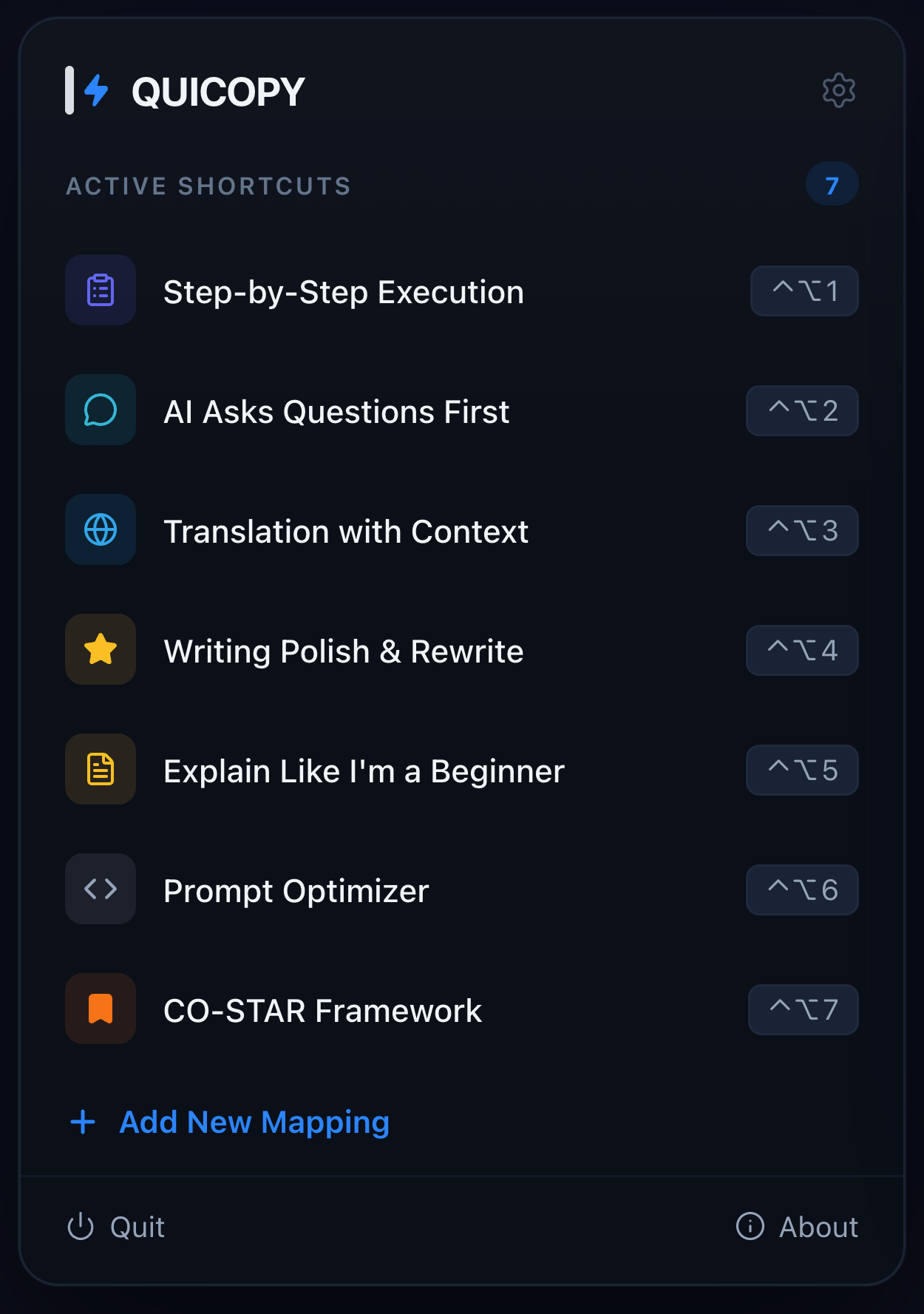
Main interface — shortcut mapping list with search
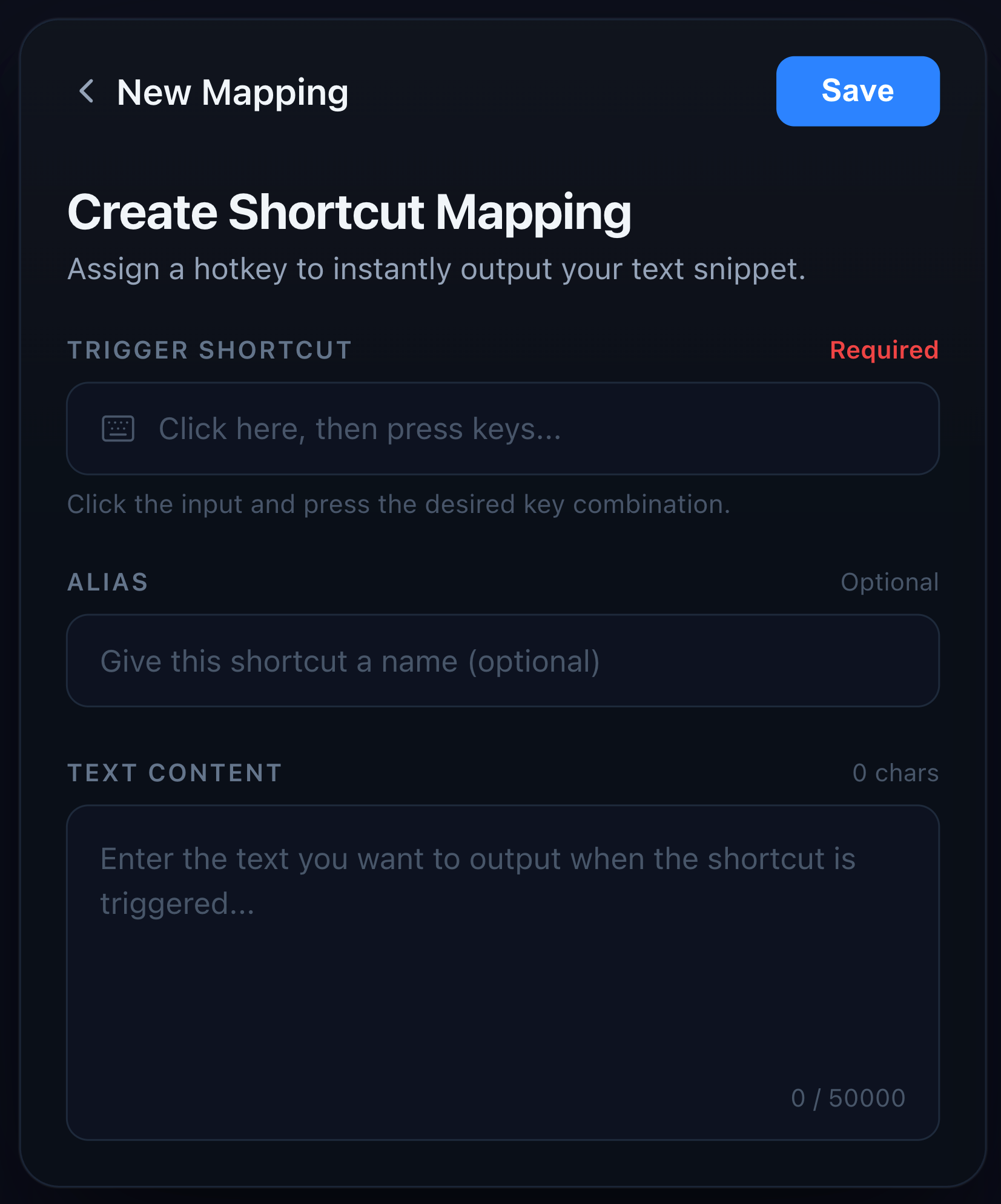
Edit shortcut + text pair with real-time preview
7 built-in AI prompt templates, ready to use
- macOS 13.0 (Ventura) or later
- Apple Silicon (M1/M2/M3/M4) or Intel
- ~ 10 MB free disk space
- Accessibility permission — optional. Without it, QUICOPY works in all standard macOS apps (Chrome, Safari, VS Code editor, iTerm2, Ghostty, Slack, Mail, etc.) via Carbon's hotkey API. Grant Accessibility to unlock shortcut detection inside self-drawn terminals like Zed's built-in terminal and VS Code's integrated terminal.
- Automation permission (System Events) — required for paste delivery. Prompted on first use.
| Plan | Price | Includes |
|---|---|---|
| Free Trial | $0 | 7 days, full Pro access |
| Lifetime ⭐ | $9.99 one-time | All features, forever, all future updates |
| Monthly | $1.99 / month | All features, cancel anytime |
💡 Lifetime is the recommended plan. Pay once, yours forever — saves ~58% vs monthly over a year.
- Open QUICOPY from your menu bar
- Add a snippet — type your text, assign a shortcut
- Press the shortcut in any app — your text appears at the cursor
Under the hood:
- Shortcut capture:
NSEvent.addGlobalMonitorForEvents(with Accessibility, works in Zed / VS Code terminals) or CarbonRegisterEventHotKey(fallback, works in all standard apps). Backend switches automatically based on runtime permission state. - Text output:
NSPasteboardsnapshot +AppleScript System Eventsto simulate⌘Vpaste, then restore the clipboard.CGEvent.postis silently blocked by the App Sandbox, so this is the only portable path. - Storage: Sandboxed local file + optional iCloud CloudKit sync
- App Sandbox compliant — distributed through Mac App Store
Yes. QUICOPY is a lightweight alternative for users who want global shortcuts without the subscription. $9.99 lifetime vs TextExpander's recurring cost. Plus 7 AI prompt templates out of the box.
Yes — it works in every macOS app, including all web-based AI tools. The 7 built-in AI prompt templates are designed specifically for this use case.
No. All snippets stay on your Mac. Optional iCloud sync uses Apple's end-to-end encrypted iCloud infrastructure — only your own devices can read it.
Accessibility is optional. Without it, QUICOPY works in all standard macOS apps via Carbon's hotkey API. Granting Accessibility (recommended) adds support for self-drawn terminals like Zed and VS Code's integrated terminal, where Carbon silently fails because the frontmost app consumes key events before dispatch. Paste delivery always uses Automation (System Events), prompted on first use.
Any combination — modifiers (⌘ ⌃ ⌥ ⇧) plus any key. Function keys (F1–F12), number keys, letters all supported.
- 🌐 Website: www.quicopy.com
- 📱 Mac App Store: apps.apple.com/app/quicopy/id6761418490
- 🚀 Product Hunt: producthunt.com/products/quicopy
- 📖 Engineering blog:
- Shipping Global Keyboard Shortcuts on macOS Sandbox — why
CGEvent.postis silently blocked and the AppleScript workaround - The macOS Global Shortcut That Won't Fire in Zed — Carbon vs. NSEvent dispatch in self-drawn terminals (v1.1 deep-dive)
- Shipping Global Keyboard Shortcuts on macOS Sandbox — why
- 🔒 Privacy Policy: www.quicopy.com/privacy
- 💬 Support: support@quicopy.com
- Language: Swift (100% native)
- UI: SwiftUI + AppKit
- Min OS: macOS 13.0 (Ventura)
- Frameworks: StoreKit 2, CloudKit, NSEvent + Carbon (hotkey capture, two-tier), ScriptingBridge (paste)
- Distribution: Mac App Store only (sandboxed)
QUICOPY is built by a solo indie developer who was tired of re-typing the same AI prompts, email templates, and code snippets dozens of times a day. One shortcut — text appears. That's it.
If QUICOPY saves you time, the best thing you can do is leave a review on the Mac App Store ⭐️⭐️⭐️⭐️⭐️
macOS text shortcut app · global keyboard shortcut · text expander alternative · AI prompt shortcut · menu bar app · text snippet tool · ChatGPT prompt template · Claude prompt shortcut · productivity tool · macOS menu bar · keyboard shortcut text paste · quick text input · text automation mac · snippet manager · macOS productivity