A tiny JavaScript desktop pet (web mascot / browser buddy) for your web page. Zero dependencies, one
<script>. A vanilla-JS alternative to Shimeji and oneko.
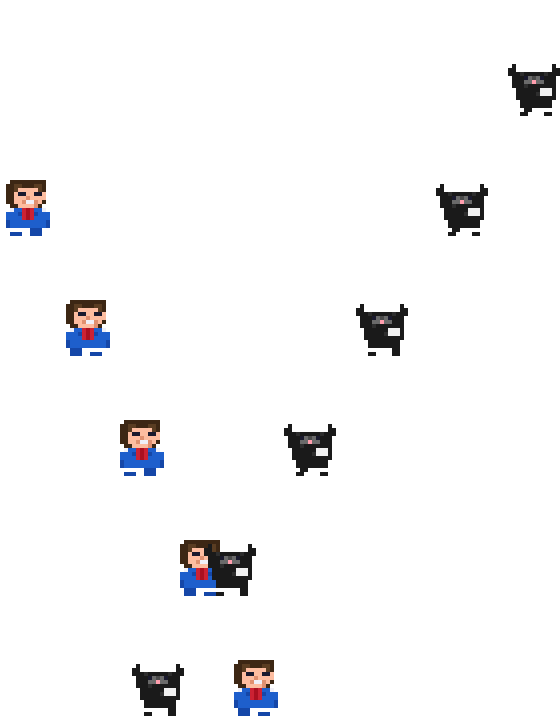
desksprite drops a little pixel character ("desktop pet") onto your site who sits working at a CRT desk. It occasionally gets up to walk around the page, and you can grab it (it dangles from your cursor, scared of heights), throw it (real gravity + momentum), and toss it back onto the desk (it glides smoothly into the seat). At noon it eats lunch. Wire your own status — a build, a download, anything — into its monitor with setStatus(), or just let it be cute.
No build step, no framework, no dependencies. It draws itself on <canvas> and injects its own styles.
<script src="desksprite.js"></script>
<script>
  const pet = DeskSprite.start();   // a desk buddy floats in the bottom-left
</script>
That's it. To place the desk somewhere specific instead of floating:
<div id="corner"></div>
<script>
  DeskSprite.start({ mount: '#corner' });
</script>
Or via npm:
npm install deskspriteimport DeskSprite from 'desksprite';
const pet = DeskSprite.start();It's modular — take the whole thing, just the walker, or just the desk-sitter. Every mode is the same call with different flags.
DeskSprite.start(); // = { desk: true, roam: true }Sits at the desk, wanders off on its own now and then, eats lunch, and you can grab/throw/seat it.
DeskSprite.start({ desk: false });No CRT desk. The character just lives along the bottom of the page: it walks, and you can grab and throw it around. Great as a lightweight site mascot.
DeskSprite.start({ roam: false });Stays at the desk (and eats lunch). You can still pick it up and play — but wherever you drop it, it glides back into the seat instead of walking off.
The desk's monitor and the speech bubble can reflect whatever your app is doing. Four states: idle, working, done, error.
const pet = DeskSprite.start();

pet.setStatus('working', 'BUILDING…');   // monitor turns active, it works at the desk
// ...your task runs...
pet.setStatus('done');                    // green flash + a "done ✓" bubble
The second argument is an optional label shown in the readout (defaults to the status name). If you never call setStatus, it just stays idle and cute.
| Option | Default | What it does |
|---|---|---|
mount |
null |
Element or CSS selector to place the desk inside. null = float in the bottom-left corner. |
desk |
true |
Show the CRT desk "home" (monitor, keyboard, plant, coffee, clock + calendar). |
roam |
true |
Let it walk the page and wander off on its own. |
lunch |
true |
Eat lunch at noon (needs desk). |
lunchHour |
12 |
Local hour for lunch (12 = 12:00–12:59). |
clock |
true |
Show the clock + calendar readout under the desk. |
scale |
1 |
Size multiplier for the desk widget. |
accent |
'#3794FF' |
Speech-bubble border + the drop highlight when seating. |
status |
'idle' |
Initial status. |
messages |
see below | Speech-bubble text. Set any to '' to silence it. |
skin |
'blue-boy' |
Built-in skin name ('blue-boy' / 'cat') or a skin object. Falls back to blue-boy on invalid input. |
skinUrl |
null |
URL of a skin JSON to fetch asynchronously. Swaps in on success; silently keeps the initial skin on failure. |
messages: { working: 'on it!', done: 'done ✓', error: 'uh oh…', seat: 'back to work!' }| Method | What it does |
|---|---|
setStatus(state, label?) |
Set idle / working / done / error; optional readout label. |
say(text) |
Pop a speech bubble for ~2.6s. |
destroy() |
Remove the creature and all its listeners/timers. |
el |
The desk element (or null in walk-only mode). |
const pet = DeskSprite.start({ mount: '#corner', accent: '#e8a030' });
pet.say('hi there!');
pet.setStatus('error', 'BUILD FAILED');
pet.destroy();Out of the box it's a dark CRT. To make it follow your site's theme, set these CSS
custom properties on the desksprite elements (or :root) — each has a dark default, so
you only override what you want, and they update live when your theme changes:
| Variable | Themes | Default |
|---|---|---|
--ds-accent |
speech-bubble border + drop highlight | #3794FF |
--ds-bezel |
the desk case background | #0C0F14 |
--ds-bezel-edge |
desk case border | #05070A |
--ds-readout |
clock / idle status / calendar text | #54E08A |
--ds-working / --ds-done / --ds-error |
status text per state | #46D9D0 / #6BFFA8 / #FF7A7A |
--ds-cal-dim |
faint (non-today) calendar days | #2E5C42 |
--ds-today-bg / --ds-today-ink |
calendar "today" highlight | #54E08A / #06140C |
--ds-bubble-bg |
speech-bubble background | #1F1F1F |
--ds-bubble-ink |
speech-bubble text | #E3E3E3 |
/* Make the pet follow a light/dark theme (vars flip with your own theme tokens) */
.desksprite-desk, .desksprite-bubble, .desksprite-free{
  --ds-accent:     var(--my-accent);
  --ds-bezel:      var(--my-panel);
  --ds-bezel-edge: var(--my-border);
  --ds-readout:    var(--my-muted);
  --ds-cal-dim:    var(--my-faint);
  --ds-bubble-bg:  var(--my-surface);
  --ds-bubble-ink: var(--my-text);
}
(The CRT screen and the pixel scene inside it are intentionally fixed — it's a lit monitor, not a themed surface.)
| Action | Result |
|---|---|
| Press + drag the desk screen (or the walking character) | Picks it up; it follows the cursor, trembling — more the higher you lift it. |
| Release away from the desk | It falls with gravity (keeping your throw's momentum) and walks the floor. |
| Throw / drop it onto the desk screen | It glides into the seat and gets back to work. |
| Leave it alone | It works, occasionally wanders off and comes back, and eats lunch at noon. |
The sprite is data-driven — swap in any skin at start time. Two are bundled: blue-boy (the default) and cat.
DeskSprite.start({ skin: 'cat' });                     // built-in by name
DeskSprite.start({ skin: mySkinObject });              // pass a skin object directly
DeskSprite.start({ skinUrl: '/skins/robot.json' });    // fetch from a URL (async swap)
skin and skinUrl work together: the sprite boots immediately with skin (or the default) and swaps silently once skinUrl resolves. If the fetch fails, it keeps the initial skin.
Skins can have a personality — the cat walks faster than the guy who works in an office, and has opinions about bugs. See docs/SKIN_FORMAT.md for the JSON schema and frame contract (including traits), browse skins/ for examples, and check CONTRIBUTING.md for the workflow.
- Self-contained. It creates its own DOM and injects its own CSS (all class-prefixed
desksprite-), so it won't clash with your styles. One script tag, one call. - Accessible-ish. Respects
prefers-reduced-motion: no auto-wandering, no physics — it stays put, though you can still drag it. - Touch + mouse via Pointer Events.
- One buddy per page is the intended use. (Each
start()makes its own elements, so a second call won't break, but the design is one-per-page.) - Tabs. Animations pause when the tab is hidden and resume when you return.
Any modern browser with <canvas> and Pointer Events (Chrome, Edge, Firefox, Safari).
MIT — do whatever, no attribution required (a star is nice though ⭐).