Pre-1.0: Jant is still early. Expect rough edges, breaking changes, and docs that keep moving while the product settles.
Live demo: demo.jant.me (demo credentials are pre-filled, data resets daily)
You can also look at the author's blog as a real-world example: www.owenyoung.com
Jant is a small blog system for one author. It supports three post formats — Note, Link, Quote — that you can connect into a Thread or group into a Collection. Publishing feels closer to Twitter or Threads than to a WordPress or Ghost dashboard.
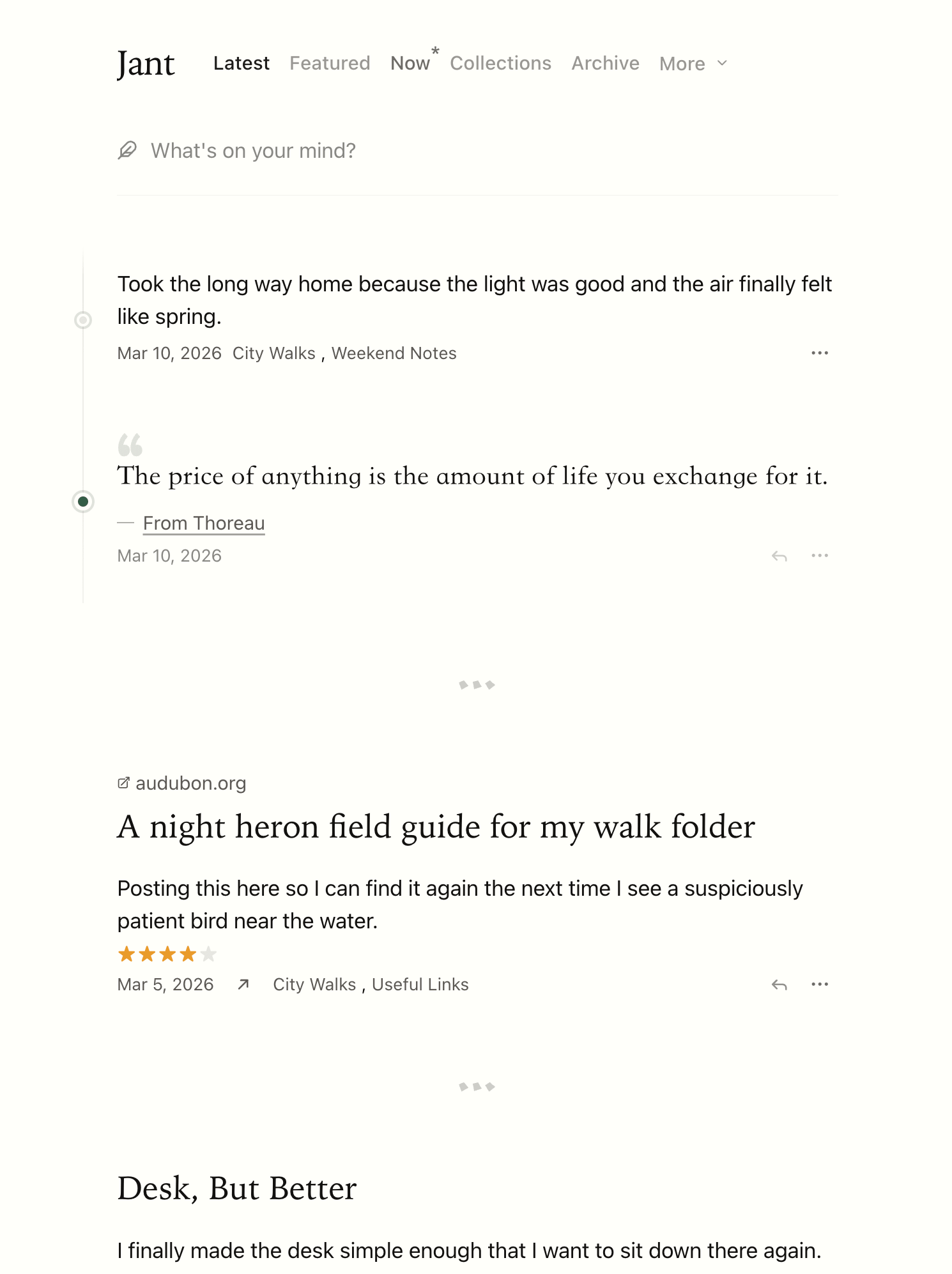
The name comes from Jantelagen — a concept from a 1933 Nordic satirical novel, often summarized as "don't show off, don't compare."
If you're still on the fence about whether to start a blog, this essay might give you a reason.
Most blog systems treat "published" and "broadcast" as a single decision — you post something, and it lands in your RSS feed, your subscribers' readers, and your homepage timeline at the same moment. Jant separates publishing from broadcasting: each post chooses its distribution — hidden from Latest, shown on Latest, or marked Featured to enter /feed and push to RSS.
A traditional blog gives you a form: title, body, category, tags, excerpt, SEO, cover image. That's an interface for managing content, not for writing. Jant takes the cue from Twitter and Threads instead — title is optional, you can extend any post into a Thread later, and publishing is a single action.
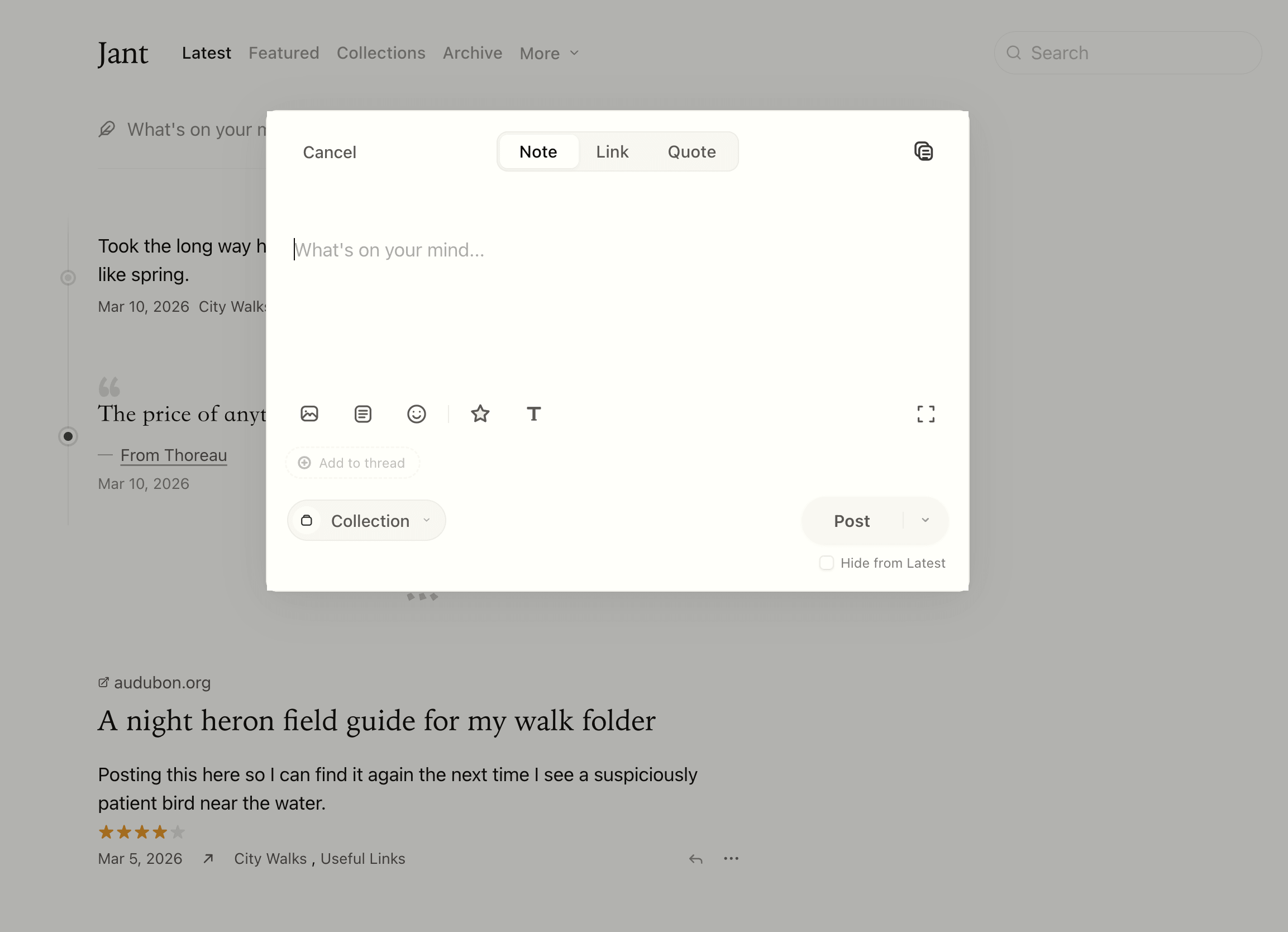
Jant also borrows one of Tumblr's instincts: Note, Link, and Quote are three native formats, not subtypes wedged into a single article template.
Every edit in Jant commits as Markdown to your own GitHub repo, and edits made on GitHub flow back to the site. Each post carries a full Git history.
More importantly, the repo itself is a complete Hugo site — with theme, config, and navigation — that you can hugo build independently. One sync gives you all of these at once:
- An AI-friendly file interface: a directory of plain Markdown is more natural than an API or MCP for an AI agent — read, edit, commit, no API client required.
- A full backup: detached from Jant, the repo still builds into the same site.
- A static-hosting fallback: hook it up to GitHub Actions, Cloudflare Pages, or Netlify and host it as a static site.
See GitHub Sync and Export and import.
- Three formats: Note, Link, Quote
- Threads: a continuous train of thought can keep going, with no need to pad it into an essay
- Collections: curated by topic — closer to a bookshelf than to tags
- Media attachments: images, video, audio, Markdown, documents, code snippets
- Ratings: rate books, films, podcasts, and articles
- Featured / Latest split: publishing is not the same as broadcasting
- Search, archive page, RSS
- Built-in themes, font themes, custom CSS
- Bidirectional GitHub Sync: content auto-commits to your repo, and the repo itself is a Hugo site
- API and MCP: automate publishing, imports, and maintenance — built for AI agents
- Hugo static site export: you can leave with your content anytime
| Option | Best for | Cost |
|---|---|---|
| Self-host on Cloudflare | Running with very low maintenance cost | Usually within the free tier |
| Self-host with Docker | You already have a server | Whatever your server costs |
| Hosted Jant | You don't want to deal with deployment | $10.46/year |
All three run the same open-source code. You can move content between them via export and import or GitHub Sync.
The fastest path is the Cloudflare one-click deploy button — it starts from the Jant starter repo and walks you through the required fields. Full instructions in Deploy on Cloudflare.
npm create jant@latest my-site
cd my-site
npm run dev
Open http://localhost:3000 and complete the first-run setup in the browser.
- Docker image:
owenyoung/jant - Guide: Deploy with Docker
The official hosted service jant.me runs the same code as the self-hosted versions, with automatic HTTPS, custom domains, and media storage on top. See Use Hosted Jant.
The Jant repo uses mise to manage development dependencies and tasks.
git clone https://github.com/jant-me/jant.git
cd jant
mise install
pnpm install
mise run dev
See CONTRIBUTING.md for the contribution workflow.
AGPL-3.0-or-later