





DriveX is a full-stack cloud storage platform with a built-in AI layer — upload any file and get auto-generated tags, an on-demand AI summary, or a chat interface to ask questions directly about the file's content.
🔗 Live Demo · 📹 Demo Video
- Overview
- Demo
- Tech Stack
- Key Features
- How the AI Pipeline Works
- Architecture Highlights
- Project Structure
- Getting Started
- Environment Variables
- Future Improvements
- Author
DriveX is an AI-powered cloud storage application where users can securely upload, organize, search, and share files of any type — documents, images, videos, and audio.
What separates DriveX from a standard file-storage app is its built-in AI intelligence layer:
- Auto-tag — every file is tagged with relevant keywords automatically on upload, no clicks needed
- Summarize — get a concise summary and key insights for any readable file in one click
- Ask File — chat with a file and get answers grounded only in its actual content
The result is a static file drive transformed into a self-organizing, queryable knowledge base.
Built with Next.js (App Router) and Appwrite (auth, database, storage), with Groq's LLaMA 3.3 70B powering all AI features through Server Actions.
🔗 Live App: drive-x-omega.vercel.app
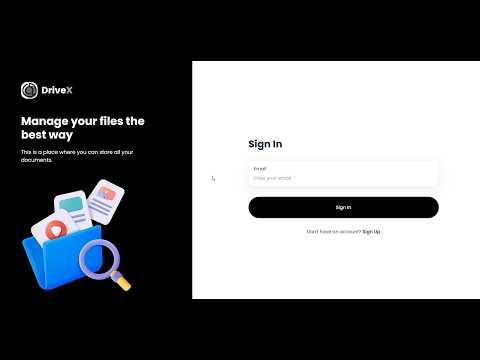
📹 Demo Video:
| Layer | Technology | Purpose |
|---|---|---|
| Framework | Next.js (App Router) | SSR, routing, Server Actions |
| Language | TypeScript | End-to-end type safety |
| Backend & Auth | Appwrite | OTP auth, database, file storage |
| AI | Groq API — LLaMA 3.3 70B Versatile | Auto-tagging, summarization, file Q&A |
| PDF Parsing | pdf-parse | Extracts real text from uploaded PDFs |
| Styling | Tailwind CSS + ShadCN UI | Utility-first styles + accessible primitives |
| Deployment | Vercel | CI/CD and hosting |
- OTP Authentication — Passwordless email login via Appwrite Auth
- Drag-and-Drop Uploads — Upload documents, images, videos, and audio with real-time progress
- Categorized File Views — Automatically organized into Documents, Images, Media, and Others
- Full File Operations — Rename, delete, download, and share files with other users by email
- Global Search — Searches across both file names and AI-generated tags
- Sorting — Sort any view by name, date, or size
- Smart Auto-Tagging — Runs automatically the moment a file is uploaded — 5–8 relevant, searchable tags generated and saved, no user action required
- AI File Summarizer — One-click 2–3 sentence summary plus key insights, generated from the file's real content
- Ask File (Chat) — Conversational interface to query a file's content directly; answers strictly from what's in the document
- Floating AI Panel — Results render in a non-intrusive dark card — no page disruption
- Storage Overview — Live breakdown of used storage by file type
- Custom SVG Chart — Hand-built ring chart with zero charting-library dependency
- Recent Files Feed — Latest uploads surfaced directly on the dashboard
- Route-Level Loading States —
loading.tsxon every route — no blank screens during navigation - Path Revalidation — Views refresh instantly after every mutation via
revalidatePath - Responsive Design — Clean black-and-white design system across desktop, tablet, and mobile
File uploaded
      │
      ▼
generateTags() fires automatically (no click needed)
      │
      ▼
─────────────────────────────────────────────
User clicks "AI Summary" / "Ask File"
      │
      ▼
Server Action triggered in lib/actions/ai.actions.ts
      │
      ▼
File content extracted — PDFs via pdf-parse, text/code read directly
      │
      ▼
Prompt sent to Groq API → LLaMA 3.3 70B Versatile
      │
      ├─ Summary mode → 2–3 sentence summary + key bullet insights
      ├─ Tag mode      → 5–8 relevant searchable tags (saved to DB)
      └─ Ask mode       → Conversational Q&A grounded in file content
      │
      ▼
Result rendered in floating AI panel
User stays on the same page — no navigation disruption
All AI calls run as Next.js Server Actions, so API keys never touch the client. Unreadable files (images, video, audio) get a clear fallback message instead of a guessed answer. Groq's inference speed typically returns results in under a second.
- Server Actions over API Routes — All mutations (upload, rename, delete, share, AI calls) live in
lib/actions/, keeping secrets server-side - Route Groups —
(auth)and(root)cleanly separate authenticated/unauthenticated layouts without polluting the URL - Dynamic Category Routing — A single
[type]/page.tsxhandles all four category views — zero duplicated page code - Floating AI Panel — Renders as a self-contained component, fully decoupled from card click handlers
- Fire-and-Forget Tagging — Tag generation runs right after upload without blocking the response
- Component-Driven UI — ShadCN primitives as the base; custom components (
Chart.tsx, AI panel,Thumbnail.tsx) built on top
DriveX/
│
├── app/
│   ├── (auth)/
│   │   ├── sign-in/page.tsx
│   │   ├── sign-up/page.tsx
│   │   └── layout.tsx
│   │
│   ├── (root)/
│   │   ├── [type]/
│   │   │   ├── page.tsx          # Documents / Images / Media / Others
│   │   │   └── loading.tsx
│   │   ├── page.tsx              # Dashboard
│   │   ├── loading.tsx
│   │   └── layout.tsx
│   │
│   ├── fonts/
│   ├── globals.css
│   └── layout.tsx                 # Root layout
│
├── components/
│   ├── ui/                        # ShadCN primitives (button, dialog, sheet, toast, etc.)
│   ├── ActionDropdown.tsx         # File actions menu + AI triggers
│   ├── ActionsModalContent.tsx    # Rename / details / share modal content
│   ├── Aiinsightsmodal.tsx        # Floating AI panel (summary / Ask File)
│   ├── AuthForm.tsx               # Sign-in / sign-up form
│   ├── Card.tsx                   # File card (grid view)
│   ├── Chart.tsx                  # Custom SVG storage chart
│   ├── FileUploader.tsx           # Drag-and-drop uploader
│   ├── FormattedDateTime.tsx      # Date/time formatting helper
│   ├── Header.tsx                 # Top navigation bar
│   ├── MobileNavigation.tsx       # Mobile sidebar sheet
│   ├── OTPModal.tsx               # OTP verification modal
│   ├── Search.tsx                 # Global search
│   ├── Sidebar.tsx                # Desktop sidebar navigation
│   ├── Sort.tsx                   # Sort dropdown
│   └── Thumbnail.tsx              # File type thumbnail
│
├── lib/
│   ├── actions/
│   │   ├── ai.actions.ts         # Groq AI — summarize, tag, ask
│   │   ├── file.actions.ts       # File CRUD + revalidatePath
│   │   └── user.actions.ts       # Appwrite OTP auth
│   ├── appwrite/
│   │   ├── config.ts
│   │   └── index.ts
│   └── utils.ts                  # Shared helper functions
│
├── constants/index.ts             # Nav items, dropdown actions, sort options
├── hooks/use-toast.ts
├── types/index.d.ts
└── public/assets/icons/
- Node.js v18+
- Git
- An Appwrite Cloud account (free)
- A Groq API key (free, no billing required)
git clone https://github.com/utkarsh1-a11y/DriveX.git
cd DriveXnpm installCreate .env.local in the project root:
NEXT_PUBLIC_APPWRITE_ENDPOINT="https://cloud.appwrite.io/v1"
NEXT_PUBLIC_APPWRITE_PROJECT=""
NEXT_PUBLIC_APPWRITE_DATABASE=""
NEXT_PUBLIC_APPWRITE_USERS_COLLECTION=""
NEXT_PUBLIC_APPWRITE_FILES_COLLECTION=""
NEXT_PUBLIC_APPWRITE_BUCKET=""
NEXT_APPWRITE_KEY=""
GROQ_API_KEY=""npm run devOpen http://localhost:3000.
| Variable | Description |
|---|---|
NEXT_PUBLIC_APPWRITE_ENDPOINT |
Appwrite API endpoint |
NEXT_PUBLIC_APPWRITE_PROJECT |
Appwrite project ID |
NEXT_PUBLIC_APPWRITE_DATABASE |
Appwrite database ID |
NEXT_PUBLIC_APPWRITE_USERS_COLLECTION |
Users collection ID |
NEXT_PUBLIC_APPWRITE_FILES_COLLECTION |
Files collection ID |
NEXT_PUBLIC_APPWRITE_BUCKET |
Storage bucket ID |
NEXT_APPWRITE_KEY |
Server-side Appwrite API key |
GROQ_API_KEY |
Groq API key for all AI features |
- Folder-based organization (not just flat categories)
- File versioning and version history
- Vector search for semantic/AI-powered file discovery using embeddings
- Image preview and viewer — open and view picture files directly in-app, plus OCR support so the AI layer can read text from images too (photo and video content parsing is not supported yet — these files are stored and organized, but the AI layer can't read them)
- Role-based access control for shared files (view-only vs. edit)
- Real-time collaboration indicators
Utkarsh Kumar Gupta
- GitHub: @utkarsh1-a11y
- Repository: DriveX