Video is a big part of content used on landing pages and sales pages. On Facebook, you are able to use video viewership data to create custom audiences and lookalike audiences for scaling up your campaigns.
How powerful would it be if you could do the same with videos on your site? I’ve written a custom function that automatically tags video view amounts by tracking viewership in 10% increments.
Once you are in Facebook, you can use this data to create highly targeted custom audiences and lookalike audiences.
Here’s the basic embed code you’ll get from YouTube
<iframe width="560" height="315" src="https://www.youtube.com/embed/ijVDyrslLi8" frameborder="0" allow="accelerometer; autoplay; encrypted-media; gyroscope; picture-in-picture" allowfullscreen></iframe>
In order to use the view tracking script, you will need to add an id attribute and append ?enablejsapi=1 to the end of the video url.
<iframe id=”ytvideo” width="560" height="315" src="https://www.youtube.com/embed/ijVDyrslLi8**?enablejsapi=1**" frameborder="0" allow="accelerometer; autoplay; encrypted-media; gyroscope; picture-in-picture" allowfullscreen></iframe>
Next call the tracking function
<script> t202PixelVideoViews('ytvideo'); </script>
The first parameter is the id of the iframe. There’s a second optional parameter that allows your to send in your own custom parameters into the custom event code
<script> t202PixelVideoViews('ytvideo',{shoe_color:’silver’, shoe_type:’walking’}); </script>
The built in code will send the following parameters to Facebook
- video_percent_watched - Percent between 0% - 100% in 10% increments
- video_title - Title Of the Video
- video_author - Author of the video
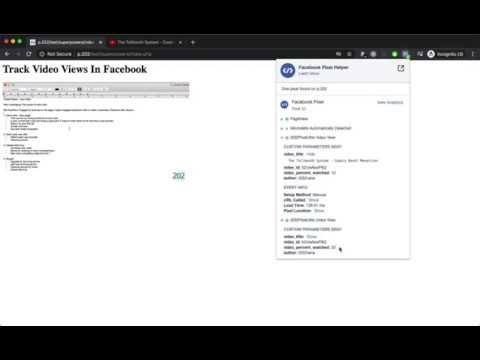
Here’s an example of the output of the script as it sends events to Facebook.

As you can see from all the examples and custom code, there’s a lot more you can do with the Facebook pixel beyond pasting the base code onto your page.
With these advanced features you will be able to send in more segmented data to Facebook which you can then use to direct the algorithm to fine tune your optimizations or find more targeted audience segments.
Watch the tutorial on Youtube