This tool quickly calculates an estimated Lines of Code (LOC) count for a file or directory with a single executable.
It is significantly more performant than the cloc tool. See performance benchmark for comparisons.
Important Notice: This tool is designed to provide quick estimates and does not guarantee accuracy for commercial or production use. If further accuracy is needed, please use industry standard tools. This tool is provided for convenience purposes only.
To get started with go-cloc, you can either download the binary manually or use the provided install script.
- Visit the Releases page.
- Download the appropriate binary for your operating system and architecture.
- Extract the ZIP file and run the binary using your terminal (Linux/macOS) or PowerShell (Windows).
# Linux/macOS
/home/user/Downloads/go-cloc

# Windows (PowerShell)
C:\Users\MyUser\Downloads\go-cloc.exe
To make go-cloc available globally, either:
- Move it to a directory in your
PATH, or - Run it by specifying the full path.
Once it's on your PATH, you can run it like this:
go-cloc -hYou can install go-cloc using the official install script:
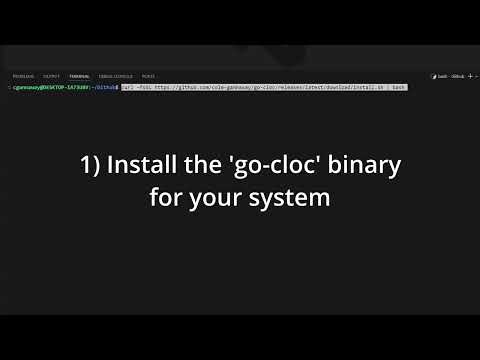
curl -fsSL https://github.com/sonar-solutions/go-cloc/releases/latest/download/install.sh | bashThis script detects your OS and CPU architecture, downloads the correct binary, and extracts it in your current directory. You can then move it to /usr/local/bin or another location in your PATH.
Simply run the below command to calculate the Lines of Code (LOC) for the file or directory.
# Scan a single file
go-cloc test.js

# Scan all files in a directory and give statistics in both HTML and CSV formats
go-cloc folder --html html-reports-folder --csv results.csv
This will output the total Lines of Code (LOC) count for the entire code base. See example below.
2024/09/29 17:37:05 [INFO] Setting Log Level to INFO
2024/09/29 17:37:05 [INFO] Parsing CLI arguments
2024/09/29 17:37:05 [INFO] Scanning  src/main ...
2024/09/29 17:37:05 [INFO] Code   Blank lines   Comments   Total
2024/09/29 17:37:05 [INFO] 1450   100           100        1650
2024/09/29 17:37:05 [INFO] For detailed reporting, please use the --csv or --html options.
2024/09/29 17:37:05 [INFO] Results by file for  src/main :
2024/09/29 17:37:05 [INFO] Total LOC for  src/main  is  1450
1450
To most accurately undertand the LOC, it is recommended to use both the --html and --csv options together. The HTML report will make it easy to navigate through your file structure to understand how the folders and files contribute to the total LOC. You can also use the CSV reports to quickly exclude files that are not relevant to your project using a program like Excel or similar tools. For more information on how to use these options, see HTML Reports and CSV Reports.
The HTML reports are helpful for quickly reviewing the results of your code analysis in the same way you would the file system. Here is an example of what the HTML report might look like:
[ ]
]
These are not generated by default but see options for more details on how to generate them.
The CSV reports provide a structured way to store the results of your code analysis, which can be useful for further processing with tools like Excel or similar tools. Here is an example of what the CSV report might look like:
filePath,languageName,blank,comment,code
/path/file1.js,JavaScript,10,100,1000
/path/file2.java,Java,10,100,1000
/path/file3.py,Python,10,100,1000
total,,30,300,3000
These are not generated by default but see options for more details on how to generate them.
./go-cloc --help--csvPath to dump results to a csv file, otherwise results are printed to standard out--htmlPath to dump HTML reports into a specified directory, otherwise HTML reports are not generated. Note this directory must already exist.--ignore-file-pathPath to your ignore file. Defines directories and files to exclude when scanning. Please see the README.md for how to format your ignore configuration--log-levelLog level - DEBUG, INFO, WARN, ERROR (default "INFO")--override-languagesPath to languages configuration to override the default configuration.--print-languagesPrints out the supported languages, file suffixes, and comment configurations. Does not run the tool.--vShow version information
The ignore file is a simple text file used to exclude certain directories and files from processing. You can use a wildcard (*) to match patterns, similar to regular expressions. However, you can only use one * wildcard at a time. Make sure to place your ignore patterns in the ignore file, one per line, to apply them effectively.
- To ignore all files in a specific directory:
/path/to/directory/*- To ignore all files ending in
.logor.js:
*.log
*.js- Combined examples
# Local scan with ignoring certain files or directories
$ ./go-cloc src/main --ignore-file-path ignore.txtIf successful, the tool will print the total lines of code (LOC) count on its own line. See below for an example. If it fails, it will return a non-zero exit code for easy integration with scripts or other 3rd party tools.
# Below shows the final LOC outputted on its own line for ease of use
2024/10/20 01:54:22 [INFO] total,200,0,1450
2024/09/29 17:37:05 [INFO] Total LOC for  src/main  is  1450
# Example final line below
1450# Scanning 1 Billion Lines of Code
# go-cloc finished in < 5s
time ./go-cloc one-billion-loc-test
3.9s user 0.72s system 93% cpu 4.976 total
# cloc finished in ~2.5 minutes
time cloc one-billion-loc-test
128.48s user 4.22s system 96% cpu 2:17.72 totalBelow is the default language configuration.
{
  "Abap": {
    "LineComments": ["\""],
    "MultiLineComments": [["/*", "*/"]],
    "Extensions": [".abap", ".ab4", ".flow"],
    "FileNames": []
  },
  "ActionScript": {
    "LineComments": ["//"],
    "MultiLineComments": [["/*", "*/"]],
    "Extensions": [".as"],
    "FileNames": []
  },
  "Apex": {
    "LineComments": ["//"],
    "MultiLineComments": [["/*", "*/"]],
    "Extensions": [".cls", ".trigger"],
    "FileNames": []
  },
  "C": {
    "LineComments": ["//"],
    "MultiLineComments": [["/*", "*/"]],
    "Extensions": [".c"],
    "FileNames": []
  },
  "C Header": {
    "LineComments": ["//"],
    "MultiLineComments": [["/*", "*/"]],
    "Extensions": [".h"],
    "FileNames": []
  },
  "C#": {
    "LineComments": ["//"],
    "MultiLineComments": [["/*", "*/"]],
    "Extensions": [".cs"],
    "FileNames": []
  },
  "C++": {
    "LineComments": ["//"],
    "MultiLineComments": [["/*", "*/"]],
    "Extensions": [".cpp", ".cc", ".cxx", ".c++"],
    "FileNames": []
  },
  "C++ Header": {
    "LineComments": ["//"],
    "MultiLineComments": [["/*", "*/"]],
    "Extensions": [".hh", ".hpp", ".hxx", ".h++", ".ipp"],
    "FileNames": []
  },
  "COBOL": {
    "LineComments": ["*", "/"],
    "MultiLineComments": [],
    "Extensions": [".cbl", ".ccp", ".cob", ".cobol", ".cpy"],
    "FileNames": []
  },
  "CSS": {
    "LineComments": ["//"],
    "MultiLineComments": [["/*", "*/"]],
    "Extensions": [".css"],
    "FileNames": []
  },
  "Docker": {
    "LineComments": ["#"],
    "MultiLineComments": [],
    "Extensions": [".dockerfile"],
    "FileNames": ["Dockerfile"]
  },
  "Flex": {
    "LineComments": ["//"],
    "MultiLineComments": [["/*", "*/"]],
    "Extensions": [".as"],
    "FileNames": []
  },
  "Golang": {
    "LineComments": ["//"],
    "MultiLineComments": [["/*", "*/"]],
    "Extensions": [".go"],
    "FileNames": []
  },
  "HTML": {
    "LineComments": [],
    "MultiLineComments": [["<!--", "-->"]],
    "Extensions": [
      ".html",
      ".htm",
      ".cshtml",
      ".vbhtml",
      ".aspx",
      ".ascx",
      ".rhtml",
      ".erb",
      ".shtml",
      ".shtm",
      ".cmp"
    ],
    "FileNames": []
  },
  "JCL": {
    "LineComments": ["//"],
    "MultiLineComments": [["/*", "*/"]],
    "Extensions": [".jcl", ".JCL"],
    "FileNames": []
  },
  "Java": {
    "LineComments": ["//"],
    "MultiLineComments": [["/*", "*/"]],
    "Extensions": [".java", ".jav"],
    "FileNames": []
  },
  "JavaScript": {
    "LineComments": ["//"],
    "MultiLineComments": [["/*", "*/"]],
    "Extensions": [".js", ".jsx", ".jsp", ".jspx", ".jspf", ".mjs"],
    "FileNames": []
  },
  "Kotlin": {
    "LineComments": ["//"],
    "MultiLineComments": [["/*", "*/"]],
    "Extensions": [".kt", ".kts"],
    "FileNames": []
  },
  "Objective-C": {
    "LineComments": ["//"],
    "MultiLineComments": [["/*", "*/"]],
    "Extensions": [".m"],
    "FileNames": []
  },
  "Oracle PL/SQL": {
    "LineComments": ["--"],
    "MultiLineComments": [["/*", "*/"]],
    "Extensions": [".pkb"],
    "FileNames": []
  },
  "PHP": {
    "LineComments": ["//", "#"],
    "MultiLineComments": [["/*", "*/"]],
    "Extensions": [".php", ".php3", ".php4", ".php5", ".phtml", ".inc"],
    "FileNames": []
  },
  "PL/I": {
    "LineComments": ["--"],
    "MultiLineComments": [["/*", "*/"]],
    "Extensions": [".pl1"],
    "FileNames": []
  },
  "Python": {
    "LineComments": ["#"],
    "MultiLineComments": [["\"\"\"", "\"\"\""]],
    "Extensions": [".py", ".python", ".ipynb"],
    "FileNames": []
  },
  "RPG": {
    "LineComments": ["#"],
    "MultiLineComments": [],
    "Extensions": [".rpg"],
    "FileNames": []
  },
  "Ruby": {
    "LineComments": ["#"],
    "MultiLineComments": [["=begin", "=end"]],
    "Extensions": [".rb"],
    "FileNames": []
  },
  "SQL": {
    "LineComments": ["--"],
    "MultiLineComments": [["/*", "*/"]],
    "Extensions": [".sql"],
    "FileNames": []
  },
  "Scala": {
    "LineComments": ["//"],
    "MultiLineComments": [["/*", "*/"]],
    "Extensions": [".scala"],
    "FileNames": []
  },
  "Scss": {
    "LineComments": ["//"],
    "MultiLineComments": [["/*", "*/"]],
    "Extensions": [".scss"],
    "FileNames": []
  },
  "Swift": {
    "LineComments": ["//"],
    "MultiLineComments": [["/*", "*/"]],
    "Extensions": [".swift"],
    "FileNames": []
  },
  "T-SQL": {
    "LineComments": ["--"],
    "MultiLineComments": [],
    "Extensions": [".tsql"],
    "FileNames": []
  },
  "Terraform": {
    "LineComments": [],
    "MultiLineComments": [],
    "Extensions": [".tf"],
    "FileNames": []
  },
  "TypeScript": {
    "LineComments": ["//"],
    "MultiLineComments": [["/*", "*/"]],
    "Extensions": [".ts", ".tsx"],
    "FileNames": []
  },
  "Visual Basic .NET": {
    "LineComments": ["'"],
    "MultiLineComments": [],
    "Extensions": [".vb"],
    "FileNames": []
  },
  "Vue": {
    "LineComments": ["<!--"],
    "MultiLineComments": [["<!--", "-->"]],
    "Extensions": [".vue"],
    "FileNames": []
  },
  "XHTML": {
    "LineComments": ["<!--"],
    "MultiLineComments": [["<!--", "-->"]],
    "Extensions": [".xhtml"],
    "FileNames": []
  },
  "XML": {
    "LineComments": ["<!--"],
    "MultiLineComments": [["<!--", "-->"]],
    "Extensions": [".xml", ".XML", ".xsd", ".xsl"],
    "FileNames": []
  },
  "YAML": {
    "LineComments": ["#"],
    "MultiLineComments": [],
    "Extensions": [".yaml", ".yml"],
    "FileNames": []
  }
}
To customize this configuration, copy the above JSON, customize it to your needs, and pass in the file path as --override-languages-path. See options for more details.