MyID biometric identification (face liveness / eKYC) for React Native and Expo — one typed API, a first-class Expo config plugin, New Architecture support, and current MyID 3.1.x SDKs. Verified end-to-end on real hardware.
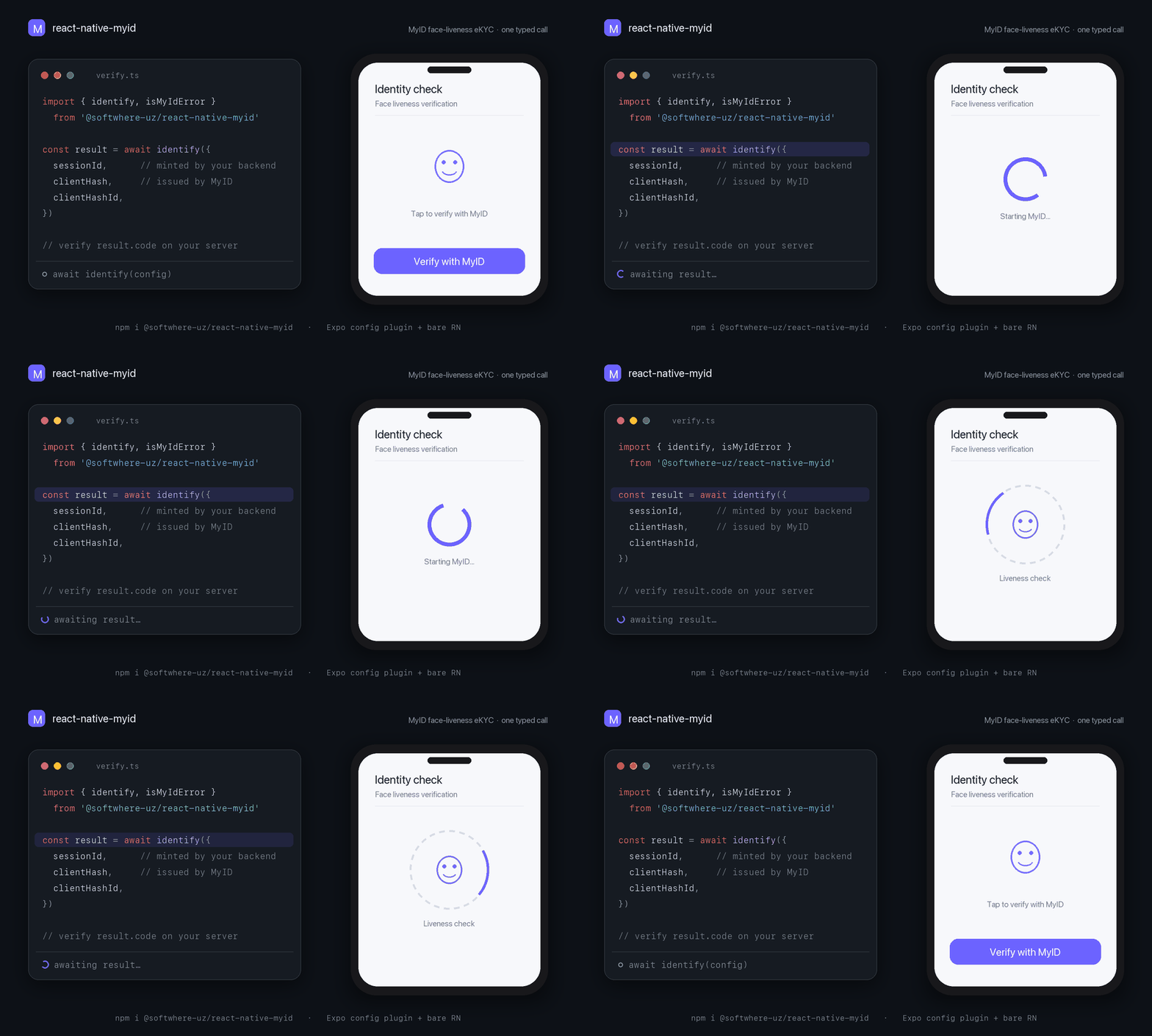
Illustrative developer flow — the MyID SDK renders its own native liveness UI on device.


-blue.svg)

Important
Unofficial. This library is not affiliated with, endorsed by, or maintained by MyID or UZINFOCOM LLC. It is an independent, correctly-licensed wrapper: the native MyID SDKs remain commercial software of UZINFOCOM and are referenced, never redistributed, by this package. See Licensing and NOTICE.
Provenance. The React Native bridge that MyID ships in its official myid-rn-sdk reference repo was written by this project's author — its ios/MyIdModule.swift still opens with // Created by Kamronbek Juraev on 23/07/24. This package is the maintained, packaged, session-flow (3.1.x) evolution of that work.
- What is MyID?
- How a verification works end-to-end
- Requirements
- Installation — Expo
- Installation — bare React Native
- Quickstart
- Your backend: minting a session
- Verifying on your backend
- API reference
- Error handling
- Mock mode
- Config plugin reference
- Troubleshooting
- Verified on real hardware
- Guides & articles
- Comparison with other wrappers
- Security checklist
- Licensing
MyID is Uzbekistan's national biometric facial identification platform, operated by UZINFOCOM LLC (the state Single Integrator) — 19+ million users, 280+ million authorizations, used by commercial banks, fintech, telecom, and government services. Its Mobile SDK performs face liveness detection and matches the user against state records.
This package wraps the native MyID iOS and Android SDKs (the modern, session-based 3.1.x generation) behind a single typed React Native call:
const result = await identify({ sessionId, clientHash, clientHashId });
// result.code → send to YOUR backend → GET /api/v1/sdk/data?code=… → verified profile
MyID is a gated, contract-based service. Credentials (clientHash, clientHashId, and the backend client_id/client_secret) are provided by the MyID sales team under a commercial contract. This library cannot — and does not try to — remove that gate. What it removes is all of the native integration friction, on both Expo and bare React Native.
MyID 3.1.x is session-based: your backend mints a short-lived session, the device runs the biometric flow against it, and your backend redeems the resulting one-time code. The SDK-side legacy clientId + passport-data flow was removed in 3.x.
sequenceDiagram
    autonumber
    participant App as Your app (this library)
    participant BE as Your backend
    participant MyID as MyID Platform API

    Note over BE,MyID: Once per ~7 days
    BE->>MyID: POST /api/v1/auth/clients/access-token { client_id, client_secret }
    MyID-->>BE: { access_token (JWT), expires_in: 604800 }

    Note over App,MyID: Per verification
    App->>BE: start verification
    BE->>MyID: POST /api/v2/sdk/sessions  (Bearer)
    MyID-->>BE: { session_id: "UUID4" }   — valid 10 minutes, single use
    BE-->>App: session_id
    App->>App: identify({ sessionId, clientHash, clientHashId })
    Note over App: Native MyID flow: camera → liveness → match
    App-->>BE: result.code   — one-time, TTL 5 minutes
    BE->>MyID: GET /api/v1/sdk/data?code=…  (Bearer)
    MyID-->>BE: comparison_value, profile, pass_data, reuid
    BE-->>App: ✅ verified
Full platform reference: MyID docs — Mobile SDK (new flow).
Note
"Expo support" ≠ Expo Go. MyID ships proprietary native code, so it can never run inside Expo Go. Expo support here means Continuous Native Generation: the config plugin + npx expo prebuild, run as a development build or EAS build.
| You need | From | Notes |
|---|---|---|
clientHash, clientHashId |
MyID sales team | SDK-side credentials, issued under a MyID partnership contract. |
client_id, client_secret |
MyID sales team | Backend-only credentials for the session API. Never ship them in the app. |
A per-verification sessionId |
Your backend | A UUID4 minted from POST /api/v2/sdk/sessions. Single-use, 10-minute lifetime. |
| A physical device | — | Liveness needs a real camera; simulators/emulators cannot complete the flow. |
Platform floor: iOS 15.1+ (this package's pod floor; the MyID SDK itself supports iOS 13.0, but in an Expo/React Native project your toolchain sets the effective minimum — e.g. Expo SDK 57's ExpoModulesCore requires iOS 16.4) · Android — the MyID SDK's own floor is minSdk 21; your React Native/Expo project's minimum governs in practice · React Native 0.74+ — New Architecture (current Expo SDKs are New-Architecture-only; legacy architecture only on bare React Native builds that still enable it) · works in Expo (dev builds / EAS) and bare React Native. Pinned SDKs: iOS CocoaPods MyIdSDK 3.1.3, Android uz.myid.sdk.capture:myid-capture-sdk:3.1.9 from the official artifactory.myid.uz repository — both exact-pinned and never floated (no ~>/+), so an untested patch or beta can't leak into your build (MyID versions its iOS and Android SDKs independently; the Android release/debug variants split correctly).
npx expo install @softwhere-uz/react-native-myidAdd the config plugin to your app config:
npx expo prebuild        # generates ios/ + android/ fully configured
npx expo run:ios         # a development build — not Expo Go
That's the whole native setup. The plugin performs every step the MyID SDKs require — including the three iOS steps most integrations get wrong:
| # | What the plugin does | Why |
|---|---|---|
| 1 | iOS: app-global static frameworks (ios.useFrameworks: "static") |
MyIdSDK.xcframework (Swift binary) requires static linkage. |
| 2 | iOS: NSCameraUsageDescription (+ optional microphone string) |
Mandatory for App Store submission; face capture needs it. |
| 3 | iOS: privacy manifest required-reason APIs (0A2A.1, 35F9.1, 85F4.1, CA92.1) |
Extracted verbatim from the shipped MyIdSDK.xcframework. Under static frameworks Apple does not reliably read the pod's own manifest — the app must declare these. |
| 4 | iOS: optional Firebase/static-frameworks post_install workaround |
Off by default; see plugin reference. |
| 5 | Android: CAMERA + INTERNET permissions |
Required by the SDK. |
| 6 | Android: official MyID Maven repository in allprojects.repositories |
Serves the myid-capture-sdk artifact. |
All mods are idempotent (safe to re-run prebuild) and covered by unit tests.
The library is an Expo Module, which works in bare React Native apps — this exact path is verified on a real device.
npm install @softwhere-uz/react-native-myid
npx install-expo-modules@latest   # one-time: adds the Expo Modules runtime to a bare app
Then configure the native projects (once):
iOS — in ios/Podfile, enable app-global static frameworks, then install pods. MyIdSDK is pulled from CocoaPods trunk automatically by this package's podspec:
use_frameworks! :linkage => :staticcd ios && pod install- Add
NSCameraUsageDescriptiontoInfo.plist. - Add the four required-reason entries to
PrivacyInfo.xcprivacy(categoriesFileTimestamp→0A2A.1,SystemBootTime→35F9.1,DiskSpace→85F4.1,UserDefaults→CA92.1) — or copy them from the plugin source, which is the single source of truth.
Tip
Xcode 26: if AppDelegate.swift fails with "ambiguous implicit access level for import of 'Expo'", change line 1 to internal import Expo. The install-expo-modules codemod writes a plain import, which is ambiguous under Swift's access-level-imports rules with static frameworks.
Android — add the official MyID Maven repository to your root build.gradle; the SDK dependency itself is declared by this package:
allprojects {
  repositories {
    maven { url "https://artifactory.myid.uz/artifactory/myid" }
  }
}
Camera and Internet permissions are declared in the library's manifest and merge automatically. Request camera permission at runtime before calling identify() (or let the MyID flow prompt).
import {
  identify,
  isMyIdError,
  type MyIdConfig,
  type MyIdResult,
} from '@softwhere-uz/react-native-myid';

export async function verifyUser(sessionId: string): Promise<MyIdResult | null> {
  const config: MyIdConfig = {
    sessionId,                    // UUID4 minted by YOUR backend (see next section)
    clientHash: MYID_CLIENT_HASH, // issued by the MyID sales team
    clientHashId: MYID_CLIENT_HASH_ID,
    environment: 'SANDBOX',       // 'PRODUCTION' for live contracts
    locale: 'UZ',                 // 'UZ' | 'RU' | 'EN'
  };

  try {
    const result = await identify(config);
    // result.code is a ONE-TIME code (5-minute TTL).
    // Redeem it from your backend: GET /api/v1/sdk/data?code=…
    // NEVER trust the client result alone.
    return result;
  } catch (error) {
    if (isMyIdError(error)) {
      switch (error.kind) {
        case 'cancelled':   return null;                    // user closed the flow — normal
        case 'permission':  throw new Error('Camera permission is required.');
        case 'network':     throw new Error('Connection problem — try again.');
        default:            throw new Error(`MyID failed (${error.code ?? error.kind}): ${error.message}`);
      }
    }
    throw error;
  }
}
A user closing the flow is a first-class outcome (kind: 'cancelled'), not a crash and not a generic error — your funnel analytics will thank you.
Sessions are minted backend-to-backend with your MyID API credentials (official docs). Minimal Node/TypeScript sketch:
// Any non-2xx from MyID must fail loudly — a bad response is never a valid result.
const json = async (r: Response) => {
  if (!r.ok) throw new Error(`MyID ${r.status}: ${await r.text()}`);
  return r.json();
};

// 1) Access token — cache it; it lives 7 days (expires_in: 604800).
const { access_token } = await fetch(`${MYID_HOST}/api/v1/auth/clients/access-token`, {
  method: 'POST',
  headers: { 'Content-Type': 'application/json' },
  body: JSON.stringify({
    client_id: process.env.MYID_CLIENT_ID,        // backend env vars —
    client_secret: process.env.MYID_CLIENT_SECRET, // NEVER in the mobile app
  }),
}).then(json);

// 2) Session — single-use, valid 10 minutes. Empty body = the SDK shows its
//    own passport-input screen; or pre-fill with pass_data/pinfl + birth_date.
const { session_id } = await fetch(`${MYID_HOST}/api/v2/sdk/sessions`, {
  method: 'POST',
  headers: { Authorization: `Bearer ${access_token}`, 'Content-Type': 'application/json' },
  body: JSON.stringify({}),
}).then(json);
// → hand session_id (a UUID4) to the app for identify()

// 3) After the app returns result.code (one-time, 5-minute TTL):
const profile = await fetch(`${MYID_HOST}/api/v1/sdk/data?code=${code}`, {
  headers: { Authorization: `Bearer ${access_token}` },
}).then(json);
// → profile.comparison_value, profile.profile.*, profile.reuid (for the
//   Secondary Request Flow — re-verifying a known user without passport data)
If the app never comes back (crash, abandonment), recover server-side: GET /api/v1/sdk/sessions/{session_id} → { code, status: 'in_progress' | 'closed' | 'expired', attempts[] }.
The device hands you a code. That is not a verified identity — it is a claim your backend has to redeem and judge. Everything that decides "is this really them, and is the match good enough?" happens server-side with your access_token. Skip it and a rooted device, a replayed response, or a hand-built result object walks straight through your auth. This is the single most common — and most expensive — integration mistake.
The minting sketch above shows the redeem call; here is what to actually do with what comes back:
// Redeem the one-time code (5-min TTL) with your cached access_token.
const res = await fetch(`${MYID_HOST}/api/v1/sdk/data?code=${encodeURIComponent(code)}`, {
  headers: { Authorization: `Bearer ${access_token}` },
});
if (!res.ok) {
  // A non-2xx here means the code was already used, expired, or never real — reject.
  throw new Error(`MyID redeem failed: ${res.status}`);
}
const data = await res.json();

// 1) The match score is authoritative — but pass/fail is YOUR call, not the SDK's.
if (data.comparison_value == null || data.comparison_value < YOUR_THRESHOLD) {
  throw new Error('Face match below threshold — reject.');
}

// 2) Bind the identity: confirm data.profile (name, PINFL, passport, …) is the
//    account this user claims — a live match to the WRONG person is still wrong.

// 3) Persist data.reuid to re-verify this user later (Secondary Request Flow).
Set the threshold deliberately. comparison_value from this endpoint is the authoritative face-match score — the SDK's own comparison field is advisory and absent on some builds (iOS 3.1.3). The floor you compare it against is a risk decision: choose it for your contract and use case, never a copy-pasted constant.
A passing score is not authorization. It proves the face is live and matches a record; your app still has to confirm the returned identity is the one this session is acting for. Authenticate the person, then authorize the action separately.
Re-verifying a known user (Secondary Request Flow). Once you've stored a user's reuid, mint later sessions with that reuid instead of passport data — the user just re-confirms with their face, and you run the same redeem-and-threshold check on the way back.
If the app crashes or is backgrounded before you receive result.code, don't drop the verification — recover it from the session server-side, as shown at the end of minting a session.
Important
All of this lives on your backend, behind your access_token. The app never sees client_secret, never picks the threshold, and its result is only ever a pointer to work your server still has to finish.
Launches the native MyID flow. Resolves on success; rejects with a MyIdError otherwise — including user-cancel. Validates the config before crossing the bridge (bad input rejects with kind: 'config', never a native crash).
| Field | Type | Default | Notes |
|---|---|---|---|
sessionId |
string |
required | UUID4 minted per-verification by your backend. Single-use. |
clientHash |
string |
required | Issued by the MyID sales team. |
clientHashId |
string |
required | Issued by the MyID sales team. |
environment |
'SANDBOX' | 'PRODUCTION' |
'PRODUCTION' |
Must match the environment the session was minted in. |
entryType |
'IDENTIFICATION' | 'FACE_DETECTION' | 'VIDEO_IDENTIFICATION' |
'IDENTIFICATION' |
VIDEO_IDENTIFICATION needs the extra video SDK on Android. |
locale |
'UZ' | 'RU' | 'EN' |
SDK default (Uzbek) | UI language of the flow. |
residency |
'RESIDENT' | 'NON_RESIDENT' | 'USER_DEFINED' |
SDK default | Residency hint. |
cameraShape |
'CIRCLE' | 'ELLIPSE' |
SDK default | Face-capture cutout shape. |
cameraSelector |
'FRONT' | 'BACK' |
'FRONT' |
Liveness normally uses the front camera. |
minAge |
number |
SDK default (16) | Minimum age gate. |
distance |
number |
SDK default | Face-distance threshold. |
showErrorScreen |
boolean |
SDK default | Whether the SDK shows its own error screen before returning. |
organizationDetails |
{ phoneNumber?, logo? } |
— | Branding inside the flow. |
appearance |
MyIdAppearance |
— | Colors + button radius. iOS-only — applied programmatically on iOS; on Android the flow is themed via XML resources, so this object is accepted and ignored. |
huaweiAppId |
string |
— | Android/HMS only — for no-Google-Play devices. Ignored on iOS. |
| Field | Type | Notes |
|---|---|---|
code |
string |
One-time identification code (5-minute TTL). Redeem server-side via GET /api/v1/sdk/data?code=…. |
base64Image |
string? |
Captured face portrait, normalized to PNG without data-URI prefix on both platforms (upstream references disagree: iOS emits JPEG, Android PNG — this library normalizes). |
comparison |
number? |
Face-match score when the SDK provides one (absent on iOS 3.1.3). The authoritative comparison_value comes from the backend data endpoint. |
identify() rejects with a single, serialization-safe error type:
class MyIdError extends Error {
  kind: 'cancelled' | 'permission' | 'network' | 'sdk' | 'no_activity' | 'config' | 'unknown';
  code?: number;          // raw MyID SDK code, when present
  nativeMessage?: string; // raw SDK message, when present
}

isMyIdError(e: unknown): e is MyIdError  // robust across bridge/realm boundaries
kind |
Meaning | Typical handling |
|---|---|---|
cancelled |
User exited the flow. | Not an error — return to the previous screen. |
permission |
Camera access denied (SDK code 102). | Prompt to enable the camera in Settings. |
network |
Connectivity/transport failure. The native SDK reports these as sdk (with a numeric code); network is currently produced only by mock mode. |
Offer retry. |
sdk |
The MyID SDK reported an error — inspect code + nativeMessage. |
Branch on code; surface a friendly message. |
no_activity |
Android had no foreground Activity. | Retry when the app is foregrounded. |
config |
Invalid MyIdConfig (caught before the native call). |
Fix the call site. |
unknown |
Anything else. | Report with nativeMessage. |
MyID SDK codes you will actually meet (from the official table): 101 internal SDK error · 102 camera access denied · 103 universal server/SDK error — the official guidance is to read the message that accompanies a 103 (this library preserves it in nativeMessage) · 122 user banned (the SDK's ttl carries the ban countdown). The full backend result_code reference lives in the MyID docs.
Real examples captured on device, SANDBOX environment:
kind=sdk  code=103  nativeMessage="Input should be a valid UUID, …"   ← sessionId was not a UUID
kind=sdk  code=103  nativeMessage="Session is expired"                ← well-formed UUID the backend never minted / older than 10 min
Build and demo your success/error/cancel UI with no MyID contract and no device — mock mode never touches native code:
import { setMockMode, identify } from '@softwhere-uz/react-native-myid';

setMockMode({ outcome: 'success', delayMs: 800 });        // or 'cancelled' | 'permission' | 'network' | 'sdk' | …
const result = await identify(config);                     // resolves a fake result (incl. a sample face PNG)

setMockMode({ outcome: 'sdk', code: 103, message: 'Mocked failure' });
setMockMode(null);                                         // back to the real flow
MyIdMockScenario supports outcome, delayMs, result overrides for success, and code/message for failures. Never enable it in production builds. The example/ app ships a scenario picker built on it.
["@softwhere-uz/react-native-myid", {
  "cameraPermission": "…",       // iOS NSCameraUsageDescription (sensible default provided)
  "microphonePermission": "…",   // iOS — only added if set; MyID face liveness is camera-only
  "androidMavenUrl": "…",        // default: https://artifactory.myid.uz/artifactory/myid
  "firebaseWorkaround": false    // opt-in Podfile post_install for static-frameworks × Firebase
}]| Prop | Type | Default | Description |
|---|---|---|---|
cameraPermission |
string |
sensible default | iOS camera usage description. |
microphonePermission |
string |
— (omitted) | Off by default — every MyID 3.x source we verified is camera-only. |
androidMavenUrl |
string |
official MyID Artifactory | Never put credentials in a Maven URL — they leak into the APK/AAB. The default repository is public-read. |
firebaseWorkaround |
boolean |
false |
Injects CLANG_ALLOW_NON_MODULAR_INCLUDES_IN_FRAMEWORK_MODULES = YES into post_install — the standard escape hatch for the app-global static frameworks × Firebase (non-modular header) conflict. |
| Symptom | Cause → fix |
|---|---|
kind=sdk, code=103, "Input should be a valid UUID…" |
sessionId is not a UUID. Mint it via POST /api/v2/sdk/sessions — don't invent one. |
kind=sdk, code=103, "Session is expired" |
The session was never minted in this environment, was already used (single-use), or is older than 10 minutes. Mint a fresh one per attempt, and check environment matches where it was minted. |
| The flow dismisses instantly in SANDBOX | Session minted in production but environment: 'SANDBOX' (or vice versa). |
Native module not found / requireNativeModule('MyId') throws |
You're in Expo Go (never supported) or didn't rebuild after install. Create a development build: npx expo prebuild && npx expo run:ios. |
| iOS build: non-modular header errors with Firebase | The static-frameworks requirement conflicts with Firebase pods → set firebaseWorkaround: true and rebuild. |
Bare RN + Xcode 26: ambiguous implicit access level for import of 'Expo' |
Change AppDelegate.swift line 1 to internal import Expo. |
Android: MyID artifact fails to resolve under repositoriesMode = FAIL_ON_PROJECT_REPOS |
The config plugin now adds the MyID repo to dependencyResolutionManagement.repositories in settings.gradle automatically when that block exists (and skips the allprojects injection so it can't trip FAIL_ON_PROJECT_REPOS). If you customized the block and it still fails, add maven { url "https://artifactory.myid.uz/artifactory/myid" } there yourself. |
| Android emulator / iOS simulator can't finish the flow | Expected — liveness requires a physical camera. Use mock mode for UI work. |
This is not a types-only wrapper. On 2026-07-22 the library was E2E-tested on a physical iPhone (iOS 26.5) in both supported workflows:
- Expo: the
example/app — config plugin →expo prebuild→ device build. - Bare React Native 0.86: a fresh RN-CLI app, installed from the packed npm tarball, following the bare instructions above.
Verified in each: native module registration, the full mock API, config validation, typed-error rendering, and a real MyIdClient.start invocation whose round trip reached the MyID SANDBOX backend and returned a graceful typed error ("Session is expired" — the correct response to an unminted session). The only path that requires a live MyID contract — a successful face capture — is exactly the path a contract holder gets by dropping a real sessionId into the Quickstart.
- MyID in React Native and Expo: the complete integration guide (2026) — session flow, both install paths, error handling, and field notes, on Medium.
- Как завернуть коммерческий биометрический SDK в React Native: разбор на примере MyID — Russian-language tutorial on Habr covering the same session flow, the iOS static-frameworks/privacy-manifest pitfalls, and typed error handling.
Every claim below was verified against the published npm tarballs, registries, and repos on 2026-07-22 — details in docs/.
| Package | MyID 3.1.x session flow | Expo config plugin | Typed errors + first-class cancel | Native setup automated | Status (verified 2026-07-22) |
|---|---|---|---|---|---|
@softwhere-uz/react-native-myid |
✅ both platforms | ✅ complete (static frameworks, permissions, privacy manifest, Maven) | ✅ MyIdError union, cancelled kind |
✅ Expo: everything · bare: 2 manual steps | Active; CI-gated 100% test coverage; device-verified |
Official myid-rn-sdk (GitLab) |
❌ legacy clientId flow |
— (bare demo app, private: true, not on npm) |
— | — | Last commit 2024-10; RN 0.74.3; SDK 2.3.4 |
expo-myid |
❌ legacy clientId flow |
expo-camera for them) |
❌ cancel never reaches JS | Last publish 2024-11; pinned Android artifact (…-bundled:2.3.6) no longer exists on either MyID Artifactory host |
|
rn-myid |
✅ | ❌ | ✅ (promise + USER_EXITED) |
Info.plist |
Last publish 2026-06; self-described internal tool for its maintainer's apps |
react-native-nitro-myid |
✅ | ❌ | ❌ manual pod, Maven, Info.plist, Android XML theming |
Last publish 2026-06; requires the react-native-nitro-modules peer; GitHub source behind npm |
|
@maydon_tech/react-native-myid |
✅ | ❌ | ✅ (isUserExit) |
Info.plist; iOS pod version unpinned |
Last publish 2026-04; throws at import time when the native module is absent (breaks Jest/Expo Go imports) |
react-native-myid |
❌ legacy clientId flow |
❌ | ❌ event-based only | ❌ fully manual | Last publish 2025-05; GitHub repo deleted; pinned Android artifact (2.4.1) no longer resolvable; superseded by its own author |
Two structural differences worth calling out, because they are easy to miss and expensive to discover late:
- The iOS privacy manifest. Under app-global static frameworks (which
MyIdSDK.xcframeworkrequires), Apple does not reliably read a pod's ownPrivacyInfo.xcprivacy— the app must declare MyID's required-reason APIs, or face App Store review rejections. This library is the only wrapper that injects them (codes extracted from the shipped framework, source). - The official Maven host. This library defaults to
artifactory.myid.uz(the host current MyID docs use). Every other wrapper points at a third-party mirror host.
- Verify server-side.
result.codeis a claim until your backend redeems it (GET /api/v1/sdk/data?code=…) and checkscomparison_valueagainst your threshold. Never trust the client result alone. client_secretnever ships in the app — session minting is backend-to-backend (official requirement).- Don't log
base64Imageor persist it beyond your compliance needs — it is biometric personal data. - Root/emulator detection is your responsibility — the MyID SDK deliberately does not include it (per official docs); add your own checks if your risk model requires them.
- Don't put credentials in the Maven URL — Gradle repository URLs end up recoverable from build artifacts.
The code in this repository is MIT — that covers only this wrapper: the TypeScript API, the Expo config plugin, and the iOS/Android bridge sources. The MyID SDKs are commercial, proprietary software of UZINFOCOM LLC (iOS podspec license: Commercial), are not redistributed by this package (they are resolved as external dependencies from UZINFOCOM's own distribution channels at build time), and require a MyID partnership contract to use in production. See NOTICE.
If you are from MyID/UZINFOCOM and want anything here changed — naming, wording, or the package itself — please open an issue or email the maintainer; this project exists to make MyID integrations better, not to step on the official offering.
npm install
npm run build && npm run build:plugin
npm test            # unit tests: API + config plugin (no device needed)
npm run lint && npm run typecheck
The example/ app exercises the module end-to-end with a scenario picker (mock success/cancel/error + real device mode via example/.env). Architecture decisions and verified SDK facts: docs/DECISIONS.md.
MyID is a product of UZINFOCOM LLC. This is an independent, unofficial wrapper; product names are used nominatively. The author previously wrote the React Native reference bridge shipped in MyID's official public repository.