



A customized Instagram Alpha client for Android with native iOS emojis, ad-free viewing, and unlocked developer options.
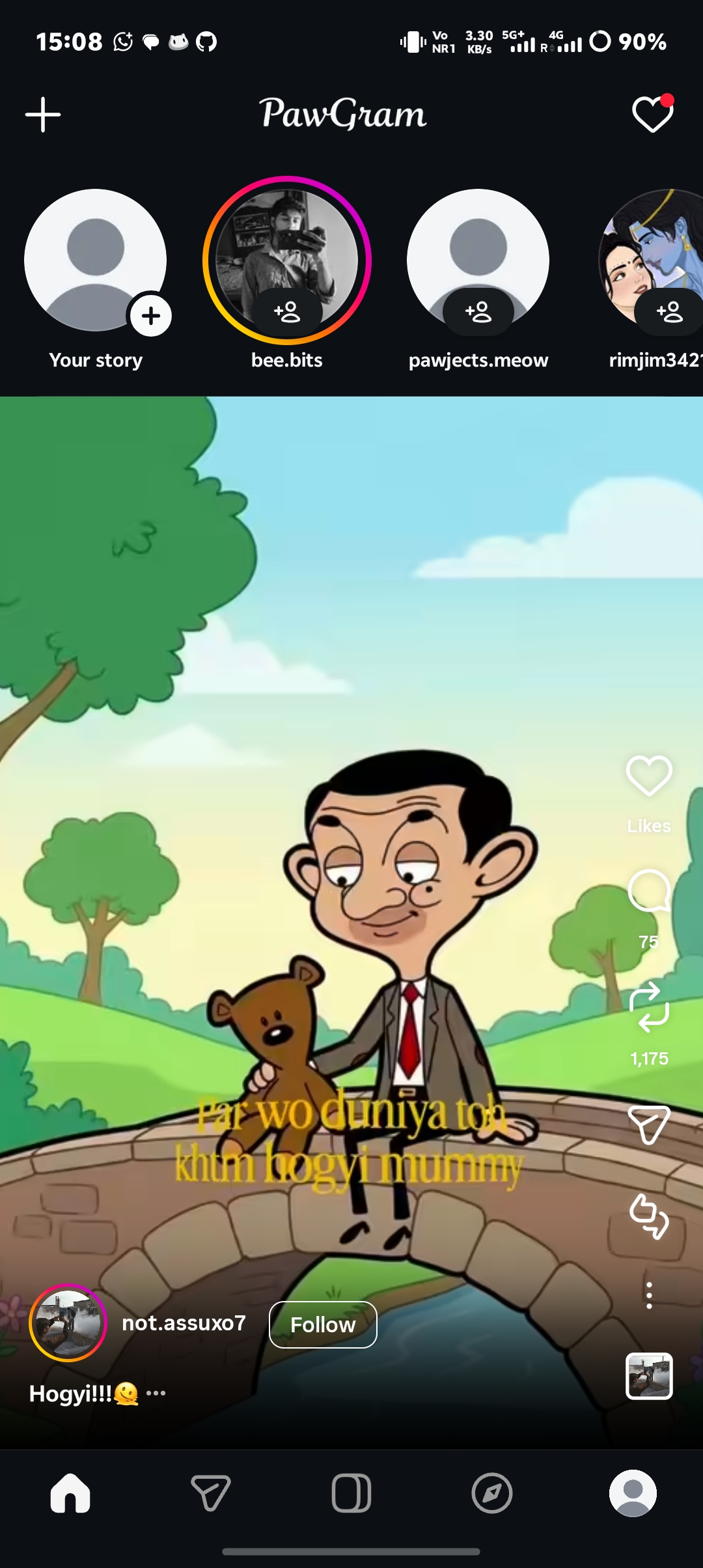
PawGram is a modified Instagram client for Android maintained by the PAWJECTS team, built upon the official Instagram Alpha release channel. It delivers practical quality-of-life improvements and customization options: feed and story ads are removed, default emoji assets are replaced with native iOS emojis, an isolated package name allows running alongside official Instagram, and Meta's internal Developer Options and MetaConfig flags are unlocked directly from the interface.
- Instagram Alpha Base: Built on the official Alpha stream, providing early access to underlying features and internal test flags.
- Independent Clone App: Uses a separate package name (
paw.instagram.android), allowing you to install and run PawGram alongside the standard Instagram app without replacing it. - Native iOS Emojis: Replaces the default emoji font resource so iOS-style emojis render across posts, direct messages, comments, and stories without requiring system font changes or root access.
- Distraction-Free Browsing: Removes sponsored posts, suggested ad pods, and interrupting story ads.
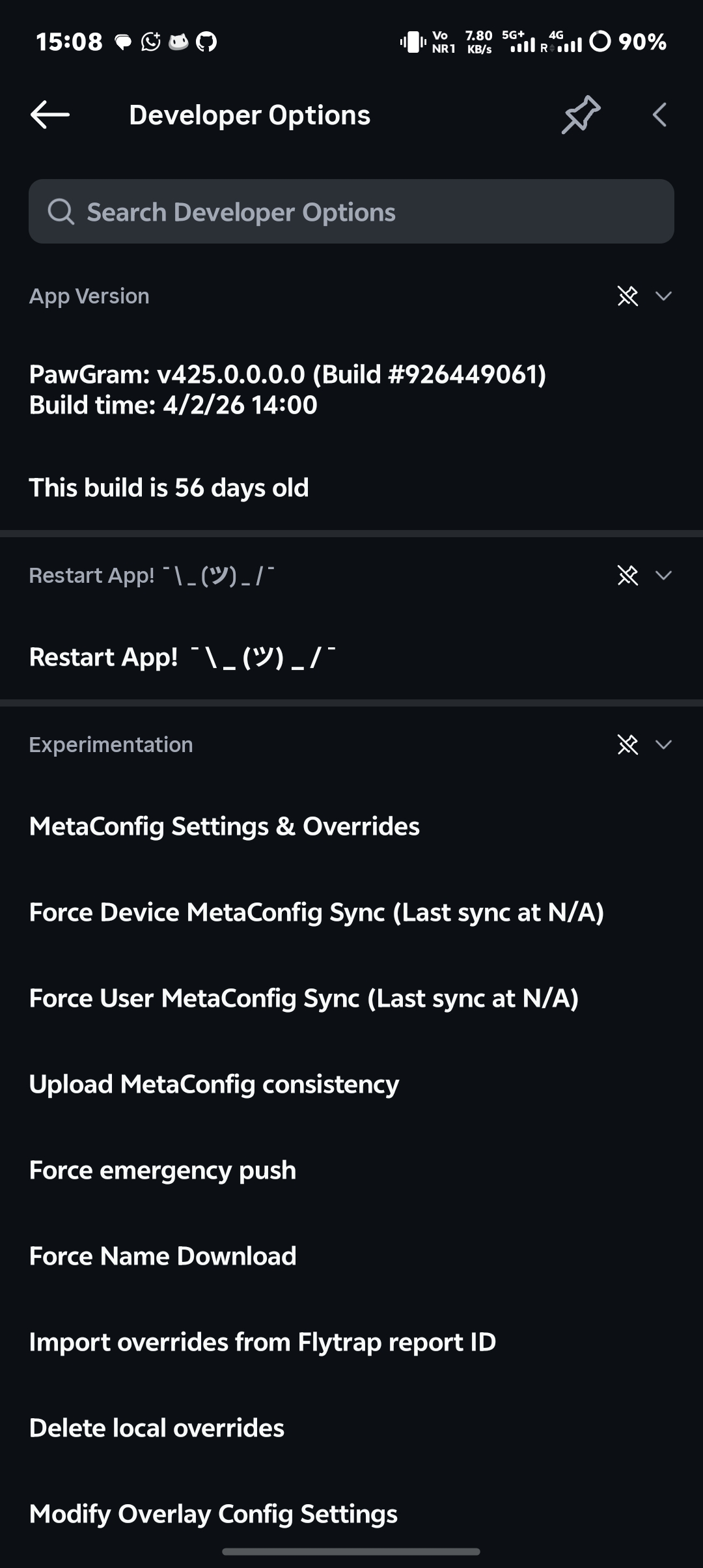
- Unlocked Internal Controls: Access Meta's hidden Developer Options and MetaConfig flags to inspect and toggle internal experiments.
- No Expiration Prompts: Bypasses the standard Alpha build expiration prompt so older builds remain usable.
- Ad Removal: Sponsored feed posts and story advertisements are suppressed natively.
- Bypassed Expiration: Disables the "Alpha build has expired" blocking dialog.
- Dual Installation: Runs independently alongside the official Instagram app with separate application storage and accounts.
- Native iOS Emojis: Bundles Apple-style emoji glyphs directly in the application's font assets for consistent rendering in chats, captions, and story text.
- Refined Branding: Clean top bar header and minimalist interface accents.
- Internal Developer Menu: Long-press the Home icon in the bottom navigation bar to open the internal Developer Options menu.
- MetaConfig Flags: Search and toggle experimental UI layouts, direct message features, and client-side flags.
- Config File Import: Easily import pre-configured flag sets (
mc_overrides.json) directly into the app's configuration folder.
Official builds are distributed through the PawGram website and community channels:
- 🌐 Website: pawgram-meow.vercel.app/#download
- 📢 Telegram Channel: @pawgramapp
- 📦 GitHub Releases: Releases
- Download the
.apkpackage matching your device's architecture (ARM64 or ARMv7). - If prompted, enable Install unknown apps for your browser or file manager in Android Settings.
- Install the APK and sign in with your account credentials.
- (Optional) To run alongside your existing Instagram account, leave the official app installed—PawGram uses an independent package name.
PawGram is built for standard Android hardware running Android 7.0 (Nougat) or newer:
| Architecture | Description | Target Devices |
|---|---|---|
| ARM64-v8a | 64-bit build | Most modern Android smartphones and tablets |
| ARMv7a | 32-bit build | Legacy and entry-level 32-bit hardware |
To apply a pre-made configuration file:
- Obtain your target configuration file and ensure it is named
mc_overrides.json. - Open a file manager with access to app storage and navigate to:
Android/data/paw.instagram.android/files/mobileconfig/ - If an existing
mc_overrides.jsonfile is present, delete or back it up, then paste your new file into this directory. - Go to Android Settings → Apps → PawGram and tap Force Stop.
- Relaunch PawGram to load the new flag overrides into memory.
For additional details, see the Config Apply Guide.
- Telegram Community: t.me/pawgramapp — General discussion, build announcements, and user support.
- Issue Tracker: GitHub Issues — Report reproducible bugs, providing your device model, Android version, and PawGram build version.
- Documentation & Wiki: Visit the PawGram Web Wiki for setup guides and feature overviews.
Contributions to documentation, configuration presets, and issue triage are welcomed.
- Please check existing issues and discussions before opening new reports.
- For guidelines on submitting patches, Smali review files, and style rules, see CONTRIBUTING.md.
- Detailed technical documentation is available in the
docs/directory.
- PAWJECTS Team: Project development, resource modifications, and ongoing maintenance.
- Instafel Team: Foundational reverse-engineering references, patcher methodology, and structural analysis (see Credits & Attribution).
- Community Contributors & Testers: Bug reports, device testing, and MetaConfig discoveries.
PawGram is an independent, community-driven project and is not affiliated with, authorized, maintained, or endorsed by Instagram or Meta Platforms, Inc. "Instagram" is a registered trademark of Meta Platforms, Inc. Use of this modified client is at your own discretion in accordance with applicable terms.
This project is licensed under the MIT License.