Catch the aurora before it fades - alerts that keep you in the glow!
Aurora Pulse is a real-time aurora alert system built with Streamlit. Users can subscribe to aurora notifications for specific locations and thresholds, and receive alerts via email when aurora activity meets their criteria. The app is designed with scalable architecture, pub/sub background processing, and geospatial intelligence for accurate nearest-neighbor aurora calculations.
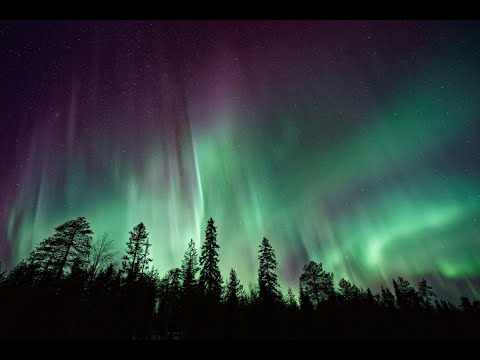
YouTube Link: https://youtu.be/EP0qgu7KHCY
- Real-time Aurora Data: Fetches latest aurora oval data from NOAA Data API and caches it for efficiency.
- Geospatial Intelligence:
- Finds nearest aurora points for user locations using Haversine distance and BallTree.
- Supports custom intensity thresholds for alerts.
- User Subscriptions & Notifications:
- Users can save multiple subscriptions.
- Alerts are sent via HTML-rich email notifications.
- Background Processing:
- Uses Redis + RQ (Redis Queue) for background tasks.
- Ensures non-blocking alert checks.
- Avoids sending alerts too frequently (rate-limiting by
MIN_ALERT_GAP).
- OAuth Integration:
- Google SSO for secure authentication.
- Session management and personalized greetings.
- Scalable Architecture Design Decisions:
- Redis + RQ over APScheduler: APScheduler runs tasks in-process, which can block the Streamlit app for multiple users. Redis + RQ allows distributed workers, retries, and fault tolerance.
- Pub/Sub Pattern: Background worker subscribes to the "aurora" queue, enabling scalable notifications to many users.
- Streamlit caching: Aurora data and map computations are cached for performance optimization.
- Extensible Notification System:
- Email support with SMTP (configurable).
- SMS notification stub for future integration.

Key design decisions:
- Redis + RQ: Enables asynchronous, distributed task execution, retries, and future horizontal scaling.
- SQLite for dev / Postgres recommended for prod: Simple local testing, but ready for production-grade DB.
- Streamlit caching: Reduces repeated API calls and heavy computation.
- Haversine + BallTree: Efficient nearest-neighbor queries for geospatial aurora intensity mapping.
- Pub/Sub Pattern: Decouples background processing from frontend requests.
- Python 3.12+
- Streamlit for the web UI
- Folium for interactive maps
- SQLite for storing subscriptions
- Redis + RQ for background jobs and task queue
- scikit-learn for nearest-neighbor calculations
- Loguru for structured logging
- NOAA OVATION API for real-time aurora data
- SMTP for sending HTML email notifications
aurora-pulse/
├── src/
│   ├── backend/
│   │   ├── config.py
│   │   ├── db.py                   # SQLite DB setup & subscription management
│   │   ├── fetch_data.py           # Fetch aurora data & caching
│   │   ├── nearest_neighbour.py    # Distance calculations, threshold checks
│   │   ├── notifier.py             # Email/SMS notifications
│   │   ├── redis_handler/
│   │   │   ├── redis_conn.py       # Redis connection setup
│   │   │   ├── rq_tasks.py         # RQ task definitions
│   │   │   └── rq_worker.py        # RQ worker to process background jobs
│   │   ├── simple_apscheduler.py   # APScheduler setup (deprecated)
│   ├── frontend/
├── tests/                          # Unit tests for backend modules
│
├─ main.py                          # Streamlit app entrypoint
├─ pyproject.toml                   # Python project and dependencies
├─ aurora_data.json                 # Cached aurora data
├─ secrets.toml                     # Template for secrets configuration
├─ Dockerfile                       # Docker Image setup
├─ docker-compose.yml               # Docker Compose setup
└─ README.md
- Python ≥ 3.12
- uv (for package management)
- Redis (local or remote)
- SMTP email account (Gmail / SendGrid / SES)
git clone https://github.com/shreayan98c/AuroraPulse.git
cd AuroraPulse/aurora-pulseuv syncSecrets: Fill in your credentials and place them in .streamlit/secrets.toml.
[auth]
redirect_uri = "http://localhost:8501/oauth2callback"
cookie_secret = "<your_secret_here>"
client_id = "<your_google_client_id>"
client_secret = "<your_google_client_secret>"
server_metadata_url = "https://accounts.google.com/.well-known/openid-configuration"

[email]
smtp_server = "smtp.gmail.com"
smtp_port = 587
sender_email = "<your_email_here>"
app_password = "<your_app_password_here>"Start a local Redis server or connect to a remote Redis instance.
redis-serverOr connect to a cloud Redis instance using REDIS_URL env variable.
In a separate terminal, start the RQ worker to process background jobs:
uv run python -m src.backend.redis_handler.rq_workerIn another terminal, start the Streamlit app:
uv run streamlit run main.pyOpen your browser at http://localhost:8501 to start using the app.
All components are covered by unit tests:
uv run pytest tests/ --maxfail=1 -v- Uses SQLite by default (DB_PATH in config.py).
- For production, migrate to PostgreSQL.
- Tables:
- subscriptions: stores user info, location, threshold, and last alert timestamp.
- Aurora oval data fetched from NOAA OVATION API.
- Cached for 5 minutes using @st.cache_data.
- Stored locally in aurora_data.json for fast retrieval.
- Uses Haversine distance for great-circle computation.
- BallTree from scikit-learn for fast nearest-neighbor queries.
- Efficiently finds closest aurora point to a user’s selected coordinates.
- Email notifications sent via SMTP with HTML formatting.
- Alerts respect MIN_ALERT_GAP (default: 1 hour) to prevent spam.
- SMS notification stub for future integration.
- Google OAuth2 SSO
- Secures access to the app.
- Streamlit session management tracks logged-in users and their subscriptions.
- Add real SMS notification integration.
- Multi-user rate-limiting and monitoring dashboard.
- Improve UI with dynamic markers, animations, and responsive layout.