
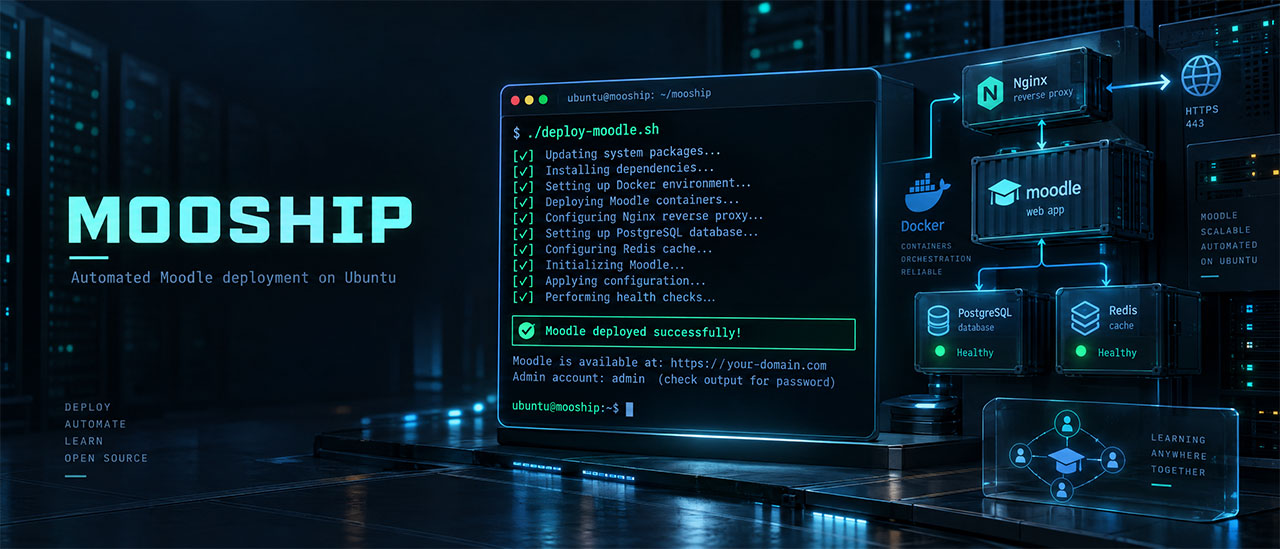


Automated Moodle deployment on Ubuntu. Chosen GitHub repository: shellharbor/mooship.
deploy-moodle.sh deploys Moodle on an Ubuntu server with a single command. It creates an isolated Docker project (PHP-FPM, nginx, PostgreSQL or MySQL, Redis, cron, certbot), installs Moodle through the CLI, connects the site to the shared nginxproxy reverse proxy, and obtains a Let's Encrypt certificate. Companion scripts schedule full backups and check the health of every site.
Moodle 4.3+ is required. PHP 8.1 and older are prohibited; minimum patches are 8.2.35, 8.3.36, 8.4.27 and 8.5.12, subject to Moodle compatibility. See the enforced runtime security policy. The PHP branch is selected automatically based on the Moodle version. Passwords, database names, and available ports are generated unless supplied explicitly.
For a portable application image, see the standalone Moodle Docker guide and Docker Hub. The updated source builds Moodle 4.5.15/PHP 8.3.36 and matching nginx, with separate PostgreSQL/MySQL and persistent data. Use the matching 1.2.1-moodle4.5.15-php8.3 and 1.2.1-moodle4.5.15-nginx tags. Version 1.2.0 predates the security floor. Compose examples, Kubernetes manifests and installation tests are included. The host installer below is an independent deployment option. Bundled Moodle retains its GPL license.
The Python CLI provides a dependency-free mooship command for verified toolkit installation and the existing deployment, lifecycle, backup/restore and diagnostics scripts. Install the security release with pipx install mooship==1.2.1. Upgrade both the Python CLI and native toolkit; 1.2.0 predates the runtime policy. See release publication for Docker Hub and PyPI setup and verification.
Deployment validates ports and service readiness before publishing a site. For native databases, --db-host HOST selects the container-reachable address (default host.docker.internal with Linux host-gateway mapping). See preflight, native database access, and readiness for requirements and checks.
The mooship/ folder is self-contained. It includes the deployment script, project and proxy templates, management utilities, examples, and an AI assistant skill. Copy the entire folder to a server or place it in a separate Git repository; it does not require files from outside the folder.
- Directory layout
- Architecture
- Requirements
- Quick start
- Arguments
- PHP selection
- What the script does
- Generated files: .env and config.php
- Database connections
- Moodle installation
- Moodle 5.1+ (public/ directory)
- Cron
- Examples
- Useful commands after deployment
- Project management
- Repeated deployment
- Sending data to an endpoint
- Security
- Troubleshooting / FAQ
- Known limitations
- Docker command reference
- Migrating from the old deploy.sh
- AI assistant skill
mooship/
├── deploy-moodle.sh               # deploy Moodle (help: --help)
├── activate.sh                    # activate a deactivated project
├── deactivate.sh                  # stop a project without deleting it
├── remove.sh                      # remove a project completely
├── list-projects.sh               # list projects on the server
├── backup.sh                      # full backup of the site, database, and SSL
├── schedule-backup.sh             # daily backups with retention (systemd timer)
├── restore.sh                     # restore into an unused directory
├── doctor.sh                      # read-only health check of all sites
├── lib/                           # path validation and archive format
├── tests/                         # regression checks
├── moodle/                        # project template → /var/www/<slug>
│   ├── docker-compose.yml
│   ├── .config/nginx/_site.conf
│   ├── .config/php/php74.ini … php84.ini, mooship.ini, fpm-pool.conf
│   └── .docker/php/php74 … php84.Dockerfile, .docker/nginx/nginx-1.29.1.Dockerfile
├── nginxproxy/                    # shared proxy template → /var/www/nginxproxy
│   └── nginx.conf  nginx.Dockerfile  site-template.conf
├── examples/                      # ready-to-use scenarios and sample files
├── README.md                      # this file
├── LICENSE                        # MIT
├── .github/workflows/             # CI checks and the weekly end-to-end deployment
├── .gitignore
├── SKILL.md                       # portable project guide for AI assistants
└── .claude/skills/deploy-moodle/SKILL.md   # optional local Claude Code adapter
- The utilities are independent of the project type.
activate.sh,deactivate.sh,remove.sh, andlist-projects.shwork with any project in/var/wwwdeployed by these scripts, including projects other than Moodle. - There is one
/var/www/nginxproxyfor the entire server. All projects share it, including other project types (such as Laravel or static sites) deployed by similar script sets. The proxy is created from thenginxproxy/template belonging to whichever deployment script runs first. The proxy templates are identical across these sets. An existing proxy is not overwritten.
/var/www/
├── nginxproxy/                        # shared reverse proxy (80/443), created on the first run
│   ├── docker-compose.yml             # the script adds each project's network and SSL volume
│   ├── nginx.conf                     # http { include /etc/nginx/sites/*.conf; }
│   ├── nginx.Dockerfile               # nginx:1.29.1-alpine
│   ├── site-template.conf             # site configuration template (SLUG / DOMAIN)
│   ├── dhparam.pem                    # only with --create-dhparam
│   ├── sites/
│   │   └── <slug>.conf                # the project's servers on :80 and :443
│   │                                  # (<slug>.conf.disabled after deactivate.sh)
│   └── logs/
│       └── <slug>/                    # project nginx logs (mounted in <slug>_nginx),
│                                      # rotated by /etc/logrotate.d/mooship
└── <slug>/                            # Moodle project
    ├── docker-compose.yml             # project services (see the table below)
    ├── .env                           # ports, passwords, versions; generated by the script
    ├── .config/
    │   ├── nginx/
    │   │   ├── _site.conf             # project nginx: :80 (ACME, redirect) and :443 (site)
    │   │   └── .htpasswd              # only with --enable-basic-auth
    │   └── php/
    │       ├── php74.ini … php84.ini  # phpXX.ini for the selected version is mounted
    │       ├── mooship.ini            # Moodle limits and OPcache, loaded after phpXX.ini
    │       └── fpm-pool.conf          # PHP-FPM pool size
    ├── .docker/
    │   ├── php/                       # php74 … php84.Dockerfile; selected phpXX is built
    │   ├── nginx/                     # nginx-1.29.1.Dockerfile
    │   └── init/postgres/             # empty, unused
    ├── public_html/                   # Moodle code + config.php → /var/www/html in containers
    │   └── public/                    # Moodle 5.1+ only: nginx document root
    └── moodledata/                    # Moodle data → /var/www/moodledata
Each project also receives the following Docker resources:
- an external network named
<slug>; - volumes
<slug>_db(containerized database only),<slug>_ssl_certificates,<slug>_certbot_www, and<slug>_redis_data.
| Service | Container | Image | Purpose |
|---|---|---|---|
php |
<slug>_php |
.docker/php/phpXX.Dockerfile (based on php:X.Y-fpm) |
PHP-FPM with Moodle extensions: gd, intl, zip, soap, pgsql/mysqli, redis, apcu, opcache, and others. Runs as www (uid 1000). Limits and OPcache come from .config/php/mooship.ini; the pool size comes from the resource profile in .env. Port 9000 is published only on 127.0.0.1:PHP_PORT |
nginx |
<slug>_nginx |
nginx:1.29.1-alpine |
Project web server. The :80 block serves ACME validation and redirects everything else to HTTPS; :443 serves the site. Runs nginx -s reload every 6 hours to pick up renewed certificates. Ports are not published on the host; traffic arrives only through nginxproxy |
db |
<slug>_db |
postgres:17-alpine or mysql:8.4 |
Database, with memory settings from the resource profile. Port 5432/3306 is published on the host as DB_PORT. This service is omitted with --db-native |
redis |
<slug>_redis |
redis:7-alpine |
Password-protected Redis (--requirepass), host port REDIS_PORT. Stores Moodle sessions (config.php); php starts after it |
certbot |
<slug>_certbot |
certbot/certbot:v5.8.0 |
One-time certificate issuance (docker compose run --rm certbot …) |
certbot_renew |
<slug>_certbot_renew |
certbot/certbot:v5.8.0 |
Runs certbot renew every 12 hours |
cron |
<slug>_cron |
Same image as php |
Runs admin/cli/cron.php every 60 seconds |
permissions |
<slug>_permissions |
alpine:3.24 |
Sets permissions once: public_html to 1000:1000 and 755; moodledata to 1000:1000 and 777 |
After docker compose up -d, the certbot and permissions containers have an Exited status. This is normal.
Client ──► nginxproxy :80 / :443 ──(Docker network <slug>)──► <slug>_nginx :80 / :443 ──► <slug>_php :9000
- Each project has a separate Docker network named
<slug>. The sharednginxproxycontainer joins all project networks and routes requests byserver_name. It resolves<slug>_nginxper request through Docker's DNS, so a stopped project returns 502 for its own domain without preventing the proxy from starting or reloading for other sites. - HTTPS uses two TLS connections. nginxproxy accepts traffic on :443, terminates TLS, and proxies it over HTTPS to
<slug>_nginx:443. Plainhttp://requests are redirected to HTTPS (301), except ACME challenges. - Moodle sees real client addresses. nginxproxy appends the client address to
X-Forwarded-For. Project nginx trusts only private (Docker) peers and uses the last entry of that header (real_ip_recursive off), soREMOTE_ADDRis the client address and cannot be forged by sending the header. Moodle logs, IP-based restrictions, and login throttling work without extra Moodle settings. - The certificate is stored in
<slug>_ssl_certificates. The volume is mounted in project nginx (/etc/letsencrypt) and nginxproxy (/etc/letsencrypt/<slug>). - Renewed certificates are picked up automatically.
certbot_renewrenews the certificate, while project nginx and nginxproxy reload their configuration every 6 hours. This works for nginxproxy created by the current script version. - Request size limit. The proxy accepts requests up to 2048 MB (
client_max_body_size 2048minnginxproxy/nginx.conf); project nginx also allows 2048M. PHP determines the actual upload limit: 1024 MB in.config/php/mooship.ini. nginxproxy streams request bodies to the project (proxy_request_buffering off) and, like project nginx, waits up to 300 seconds for a response. - Project nginx logs are written on the host under
/var/www/nginxproxy/logs/<slug>/:access.<domain>.log,error_warn.<domain>.log, andacme_access.log./etc/logrotate.d/mooshiprotates them daily and keeps 14 compressed files (copytruncate, so nginx needs no signal). Deployment creates this file when logrotate is installed and never overwrites it. - Container logs are bounded. nginxproxy writes access and error logs to stdout/stderr (
docker logs nginxproxy). Project services and the proxy use thejson-filelog driver limited to 3 files of 10 MB.
- OS: Ubuntu 20.04+ (server), root privileges (
sudo). - Host utilities:
python3for configuration editing and TCP port availability checks;curl;tar,gzip, and standard coreutils for full backups;sudo, required only for native PostgreSQL;- systemd, for scheduled backups (
schedule-backup.sh).
- Installed automatically when missing:
- Docker (
docker-ceand the Compose plugin fromdownload.docker.com); wgetandunzipfor downloading Moodle;gitfor looking up the newest Moodle release of a branch (git ls-remote).
- Docker (
- DNS: the domain's A record points to the server. Without
--slug, the domain becomes<random-slug>.<domain>, requiring a wildcard record for*.<domain>. - Ports 80 and 443 must be free on the host (no host apache or nginx) and accessible externally. nginxproxy binds these ports, and Let's Encrypt uses them for validation.
- Outbound access:
github.comfor the Moodle archive;- Docker Hub for
php,nginx,postgres/mysql,redis,certbot/certbot, andalpine, plushttpd:2.4-alpinefor Basic Auth andalpine/opensslfor dhparam; - Debian apt mirrors for building the PHP image;
- Let's Encrypt.
- Native database (
--db-native): PostgreSQL or MySQL is installed and running on the host, with access from containers configured (see Database connections).
Copy the entire moodle-deploy folder to the server, for example under /opt/mooship/:
scp -r moodle-deploy user@server:/opt/
# or: rsync -a mooship/ user@server:/opt/mooship/
# or: git clone <repository> /opt/moodle-deploy
deploy-moodle.sh looks for the moodle/ and nginxproxy/ templates beside itself. It resolves its location with readlink -f, so it can be invoked from any directory or through a symlink.
When copying from Windows, keep LF line endings in .sh files and templates. CRLF causes Bash to report $'\r': command not found.
bash /opt/mooship/deploy-moodle.sh --helpThe minimum flags are --domain, --db-type, and --ssl-email. Specifying --slug explicitly is also recommended:
sudo bash /opt/mooship/deploy-moodle.sh \
  --slug lms \
  --domain lms.example.com \
  --db-type postgres \
  --ssl-email admin@example.com
After a few minutes, open https://lms.example.com/login/. The administrator username and password are stored in /var/www/lms/.env (MOODLE_ADMIN_*); the script output points to the file and keys.
Source: parse_args and the script's --help text. Unknown arguments cause an error referring you to --help.
| Argument | Description |
|---|---|
--domain DOMAIN |
Site domain; allowed characters are A-Za-z0-9.-. Without --slug, the script generates a slug and changes the domain to <slug>.<DOMAIN> |
--db-type postgres|mysql |
Database type |
--ssl-email EMAIL |
Let's Encrypt email. Required unless --no-ssl is specified |
| Argument | Default | Description |
|---|---|---|
--slug SLUG |
8 random [a-z0-9] characters |
Project identifier: /var/www/<slug> directory, network, and prefix for containers and volumes. Format: ^[A-Za-z0-9][A-Za-z0-9_-]*$. Lowercase letters, digits, and - are recommended |
--create-backup |
off | Create a full backup after successful deployment under /var/backups/mooship/<slug>_YYYYMMDD_HHMMSS.tar.gz |
--endpoint URL |
— | Send project data as JSON using PUT (see below) |
| Argument | Default | Description |
|---|---|---|
--moodle-version X.Y[.Z] |
4.5 |
Moodle release, downloaded as the GitHub tag v<X.Y.Z>. X.Y selects the newest stable X.Y.Z release of that branch at deployment time (git ls-remote; beta/rc tags are ignored), for example 4.5 → 4.5.15 in October 2026. X.Y.Z installs exactly that release. Supports verified branches 4.3–5.3, including 5.1+ with the public/ directory (see Moodle 5.1+) |
--php-version X.Y |
based on Moodle version | A compatible patched 8.2, 8.3 or 8.4 branch, written as 8.2 or 82 (see PHP selection); legacy and incompatible branches are rejected |
--moodle-admin-user USER |
admin |
Administrator username |
--moodle-admin-email EMAIL |
<admin-user>@<domain> |
Administrator email; use a mailbox that exists, because Moodle sends password resets and notifications to it |
--moodle-admin-password PASS |
generated (15 characters) | Administrator password |
--moodle-site-fullname NAME |
Moodle Site - <slug> |
Full site name |
--moodle-site-shortname NAME |
<slug> |
Short site name |
Without SMTP, Moodle tries PHP's mail(), which the container cannot deliver: password resets, enrolment messages, and forum notifications are lost. The settings are stored as regular Moodle settings (Site administration → Server → Email → Outgoing mail configuration), so administrators can change them later. They are passed to Moodle as environment variables of docker exec, so the SMTP password never appears in process listings; it is not written to .env.
| Argument | Default | Description |
|---|---|---|
--smtp-host HOST[:PORT] |
— | SMTP server, for example smtp.example.com:587. Enables the other mail flags |
--smtp-secure tls|ssl|none |
ssl for port 465, otherwise tls |
tls is STARTTLS (ports 587/25), ssl is implicit TLS (465), none only for a trusted relay |
--smtp-user USER |
— | SMTP username; omit for a relay without authentication. Characters: A-Za-z0-9._%+@=- |
--smtp-password PASS |
— | SMTP password (any characters except line breaks). Requires --smtp-user |
--noreply-email EMAIL |
Moodle default noreply@<domain> |
Sender for messages that must not be answered. Many SMTP providers only accept senders from verified domains |
A failure to apply requested mail settings stops deployment, as for other requested features.
--profile auto|small|medium|large (default auto) sizes PHP-FPM and the containerized database for the memory one site can use:
| Profile | Intended memory per site | PHP-FPM workers (start/min/max spare) | PostgreSQL shared_buffers / effective_cache_size / work_mem / maintenance_work_mem |
MySQL innodb_buffer_pool_size |
|---|---|---|---|---|
small |
about 2 GB | 8 (2/1/4) | 256MB / 768MB / 8MB / 64MB | 256M |
medium |
about 4 GB | 16 (4/2/8) | 512MB / 1536MB / 16MB / 128MB | 768M |
large |
8 GB or more | 32 (8/4/16) | 1GB / 4GB / 32MB / 256MB | 2G |
auto divides the host's MemTotal by the number of Mooship projects in /var/www including the new one: less than 3 GB per site selects small, less than 6 GB medium, otherwise large. A Moodle worker typically uses 50–100 MB, so the worker counts leave room for the database, Redis, and the operating system.
The values are written to .env (MOOSHIP_PROFILE, PHP_FPM_*, PG_*, DB_SHM_SIZE, or MYSQL_INNODB_BUFFER_POOL_SIZE). Compose passes them to PHP-FPM (.config/php/fpm-pool.conf reads ${PHP_FPM_*}) and to the database command line. To resize a site later, edit .env and run docker compose up -d; the profile name itself is informational. Native databases are not tuned.
| Argument | Default | Description |
|---|---|---|
--db-native |
off | Use host PostgreSQL or MySQL instead of a container |
--db-host HOST |
host.docker.internal |
Container-reachable address of the same locally managed native DB; requires --db-native |
--db-root-password PASS |
— | Root password for native MySQL. Required with --db-native --db-type mysql. Used only to create the database and user; never saved |
--db-postgres-name NAME |
generated | PostgreSQL database name |
--db-postgres-user USER |
generated | PostgreSQL user |
--db-postgres-password PASS |
generated | PostgreSQL password |
--db-mysql-name NAME |
generated | MySQL database name |
--db-mysql-user USER |
generated | MySQL user |
--db-mysql-password PASS |
generated | MySQL password |
--db-mysql-root-password PASS |
generated | Root password for the MySQL container (MYSQL_ROOT_PASSWORD; DB_MYSQL_PASSWORD_ROOT in .env). Generated but unused with --db-native |
Generated names are 15 characters long: the first is a letter [a-z], and the rest are [a-z0-9]. --db-postgres-* flags apply only to --db-type postgres; --db-mysql-* apply only to mysql.
Every explicit port must be a decimal integer from 1 to 65535; leading zeroes are normalized. Selected service ports must be distinct, and 80/443 are reserved for the shared proxy. Availability checks use a real loopback TCP bind and Docker's published-port inventory; an occupied native DB port is expected and exempt. If omitted, a port is chosen from its range with up to 100 attempts, excluding explicit assignments. See preflight details.
| Argument | Automatic range | Purpose |
|---|---|---|
--port-http |
8100–8400 | Written to .env as SITE_PORT_HTTP. Project nginx in the Moodle template does not publish this host port; the value is informational only |
--port-https |
4100–4300 | Likewise: SITE_PORT_HTTPS, not published |
--port-php |
9100–9600 | Host port → php:9000, published only on 127.0.0.1 |
--port-redis |
6500–6800 | Host port → redis:6379 |
--port-postgres |
5500–5800 (container) / 5432 (native) | Containerized database: host port → db:5432. Native: host PostgreSQL port written to config.php |
--port-mysql |
3400–3600 (container) / 3306 (native) | Equivalent setting for MySQL |
| Argument | Default | Description |
|---|---|---|
--redis-password PASS |
generated | Redis password (--requirepass), also written to config.php for Moodle sessions. Characters: A-Za-z0-9@%_+- |
--create-dhparam |
off | Create /var/www/nginxproxy/dhparam.pem (2048 bits, using alpine/openssl; takes several minutes), mount it in project nginx, and enable ssl_dhparam. See limitations |
--enable-basic-auth |
off | Enable HTTP Basic Auth for the entire site |
--auth-user USER |
generated | Basic Auth username; used only with --enable-basic-auth |
--auth-password PASS |
generated | Basic Auth password |
--no-ssl |
— | Serve Moodle over HTTP without obtaining a certificate; wwwroot uses http:// |
--obtain-ssl |
(default behavior) | Not listed in --help. Enables SSL issuance; if both this flag and --no-ssl are supplied, the last one takes effect |
-h, --help |
— | Show help and exit. Root is not required |
--type moodle |
— | Accepted only for compatibility with the old deploy.sh; any other value causes an error. Do not use |
The password generator uses A-Za-z0-9@%_+-. Use the same set for custom values:
'breaksconfig.php(values use single quotes) and native database creation SQL;$is interpreted by Docker Compose as interpolation in.env;#, spaces, and quotation marks are also unsafe.
Database and user names should start with a letter and contain [a-z0-9_].
Before installing Docker and creating files, the script checks:
--domainand--db-typeare supplied, and--db-typeis valid;--db-root-passwordis supplied for native MySQL;--ssl-emailis supplied unless SSL is disabled;- slug, domain, Moodle version, email, SMTP, Redis password, and
--profileformats; - the
moodle/template directory exists; - the Dockerfile and ini file for the selected PHP version exist.
It does not check whether the Moodle tag exists (failure occurs during download), DNS, or whether explicitly supplied ports are occupied.
The installer validates the requested Moodle branch and PHP pair before creating resources. Moodle 4.3 is the minimum, including 4.3. Unknown branches fail closed.
| Moodle | Default PHP | Allowed PHP branches after the security floor |
|---|---|---|
| 4.3.x | 8.2 | 8.2 |
| 4.4.x | 8.2 | 8.2, 8.3 |
| 4.5.x | 8.3 | 8.2, 8.3 |
| 5.0.x, 5.1.x | 8.4 | 8.2, 8.3, 8.4 |
| 5.2.x, 5.3.x | 8.4 | 8.3, 8.4 |
--php-version 8.2 and --php-version 82 are equivalent. The installer rejects incompatible Moodle/PHP pairs before deployment. Patch-qualified overrides and unverified branches are rejected.
| PHP | Minimum patch | Host template |
|---|---|---|
| 8.2 | 8.2.35 | php82.Dockerfile / php82.ini |
| 8.3 | 8.3.36 | php83.Dockerfile / php83.ini |
| 8.4 | 8.4.27 | php84.Dockerfile / php84.ini |
| 8.5 | 8.5.12 | No verified Moodle pair; unavailable |
PHP 8.1 and older are prohibited and their templates have been removed. Host bases are pinned by patch and digest. Builds and startup check the actual PHP version; activation and restore probe it before starting services or importing a database. See runtime policy and migration for CVEs, canonical policy, compatibility sources and existing installations.
phpXX.ini files keep the stock PHP production settings. Moodle-specific values live in .config/php/mooship.ini, mounted as conf.d/zz-mooship.ini in php and cron, so they override phpXX.ini for every PHP version:
upload_max_filesize = 1024M
post_max_size = 1100M
memory_limit = 512M
max_execution_time = 300
max_input_vars = 5000
expose_php = Off
; plus the OPcache settings recommended by Moodle.config/php/fpm-pool.conf, mounted as php-fpm.d/zz-mooship.conf, configures the PHP-FPM pool (pm = dynamic; the image default of 5 workers serves only five concurrent requests). Its sizes come from the PHP_FPM_* values of the resource profile in .env.
To change PHP settings, edit /var/www/<slug>/.config/php/mooship.ini and run docker compose restart php cron; for the pool size, edit .env and run docker compose up -d php.
The steps below follow the invocation order in main().
| # | Function | What happens |
|---|---|---|
| 0 | — | -h/--help anywhere in the arguments: print help and exit |
| 1 | check_root |
Verify that the script is running as root |
| 2 | parse_args, mooship_require_new_project |
Validate arguments, generate settings, and reject an existing directory |
| 3 | assign_ports, resolve_moodle_version, select_php_version_for_moodle, select_resource_profile |
Select ports; resolve X.Y to the newest X.Y.Z release; select PHP and verify template files; choose the resource profile |
| 4 | install_docker, preflight checks |
Verify Docker/Compose availability and absence of previous project resources; for a native database, check that the database and role do not exist before creating the directory |
| 5 | ensure_www_dir, init_nginxproxy, ensure_logrotate, create_dhparam |
Create base directories, the shared proxy, and the logrotate configuration when absent; optionally generate dhparam |
| 6 | create_project, comment_ssl_blocks |
Copy the template, write a private .env, and configure the site without SSL until a certificate is available |
| 7 | build_and_start_project |
Build/start PHP, nginx, Redis and DB; wait for process health and check native TCP reachability |
| 8 | create_native_database, PHP DB probe |
Create and mark the native DB/user when selected; authenticate from PHP before Moodle initialization |
| 9 | install_moodle, install_moodle_dependencies, configure_moodle_config, reload_project_nginx |
Install Moodle code, declared locked production dependencies and config.php; validate/reload nginx after selecting public/ for 5.1+ |
| 10 | install_moodle_database, configure_moodle_mail, start_moodle_cron |
Verify DB state and install through the CLI; save administrator credentials in .env; apply SMTP settings and start cron. Failure stops deployment |
| 11 | update_proxy_nginx_conf, update_proxy_docker_compose, comment_ssl_blocks |
Connect the initialized project to the shared proxy for ACME |
| 12 | restart_nginxproxy, obtain_ssl_certificate |
Check nginx, issue SSL, and enable HTTPS; failure stops deployment |
| 13 | create_project_backup |
Only with --create-backup: back up the database, files, configuration, and SSL |
| 14 | send_project_data, print_summary |
Optionally send data to an HTTPS endpoint and print the credentials file location |
- If
/var/www/<slug>already exists, the command fails while preserving its data and containers. - Copy the
moodle/template to/var/www/<slug>/and organize Dockerfiles under.docker/php/and.docker/nginx/. - Substitute
{SLUG}and${PHP_VERSION}indocker-compose.ymlfor thephpandcronDockerfiles and ini files. - Configure the database in Compose. Remove the unused database and rename the selected one to service
db, container<slug>_db, and volume<slug>_db. With--db-native, remove the selected database too, along withdepends_on: dbdependencies. - Generate
.env(see below). - Substitute the domain (
MYSITE.COM) and slug in_site.conf. - With
--create-dhparam, uncomment the../nginxproxy/dhparam.pemmount. - With
--enable-basic-auth, pass the password tohtpasswd -nithrough stdin; create.config/nginx/.htpasswdwith mode644and uncomment its mount and Basic Auth directives.
- PostgreSQL: run
CREATE USER … WITH PASSWORD,CREATE DATABASE … OWNER …, andGRANT ALL PRIVILEGESthroughsudo -u postgres psql. Existing databases and roles are rejected before directory creation; the selected host port is used. - MySQL: use
rootwith the password from--db-root-passwordto runCREATE DATABASE,CREATE USER 'user'@'%',GRANT ALL, andFLUSH PRIVILEGES. Existing databases and users are rejected before directory creation; the selected host port is used.
Successful creation writes a private .mooship-native-database marker containing the type, name, user, and port. remove.sh may automatically drop the native database only when this marker matches the current configuration. Partial CREATE operations and older projects without a marker require manual resource review.
This step is skipped if public_html already contains config.php or Moodle code: version.php in the root or in public/. Otherwise:
- Install
wgetandunzipthrough apt if needed. - Download
v<version>.zip. Download failure stops the script with an error. - Extract the archive into
public_html/. Ifversion.phpis missing from both the root andpublic/, the script stops with a missing-version.php error. - For Moodle 5.1+ (
public_html/public/version.phpexists), replaceroot /var/www/html;withroot /var/www/html/public;in_site.conf. This also updates the commented HTTPS block. - Create
moodledata/. - Run
docker compose run --rm permissions.
There is no moodle/.env template; write_project_env writes the entire file. Example for containerized PostgreSQL:
SITE_HOST=lms.example.com
SITE_SCHEME=https
SITE_PORT_HTTP=8247
SITE_PORT_HTTPS=4189

PHP_PORT=9347

REDIS_PORT=6612
REDIS_PASSWORD=ChangeMe_Redis1

DB_PORT=5623
DB_POSTGRES_NAME=k7x2m9q4p5w8z3a
DB_POSTGRES_USER=n6v8c2b4m9k7p3r
DB_POSTGRES_PASSWORD=ChangeMe_Pg_001

DB_NATIVE=false
PHP_VERSION=83
MOODLE_VERSION=4.5.15

# Resource profile: edit the values below, then run docker compose up -d
MOOSHIP_PROFILE=medium
PHP_FPM_MAX_CHILDREN=16
PHP_FPM_START_SERVERS=4
PHP_FPM_MIN_SPARE_SERVERS=2
PHP_FPM_MAX_SPARE_SERVERS=8
PG_SHARED_BUFFERS=512MB
PG_EFFECTIVE_CACHE_SIZE=1536MB
PG_WORK_MEM=16MB
PG_MAINTENANCE_WORK_MEM=128MB
DB_SHM_SIZE=512mb

# Outgoing mail; the SMTP password is stored only in Moodle's settings
SMTP_HOST=smtp.example.com:587
SMTP_SECURE=tls
SMTP_USER=lms@example.com

AUTH_USER=reviewer
AUTH_PASSWORD=ChangeMe_Basic1

# Moodle Administrator Credentials
MOODLE_ADMIN_USER=admin
MOODLE_ADMIN_PASSWORD=ChangeMe_Adm_01
MOODLE_ADMIN_EMAIL=admin@lms.example.com

# Backup Archive
BACKUP_ARCHIVE_PATH=/var/backups/mooship/lms_20260927_101500.tar.gz
For MySQL, DB_POSTGRES_* is replaced with DB_MYSQL_NAME, DB_MYSQL_USER, DB_MYSQL_PASSWORD, and DB_MYSQL_PASSWORD_ROOT.
| Key | When present | Meaning |
|---|---|---|
SITE_HOST |
always | Final domain, including a generated slug if applicable |
SITE_PORT_HTTP, SITE_PORT_HTTPS |
always | Informational; unused by Moodle's Compose configuration |
PHP_PORT |
always | Used by Compose: 127.0.0.1:PHP_PORT → php:9000 |
REDIS_PORT, REDIS_PASSWORD |
always | Used by Compose: port on 127.0.0.1 and --requirepass |
DB_PORT |
always | Containerized database: host port published for db. Native: database server port on the host |
DB_POSTGRES_* / DB_MYSQL_* |
according to database type | Credentials. For a container, applied only during initial volume initialization |
DB_MYSQL_PASSWORD_ROOT |
MySQL | MySQL container root password. Unused with --db-native |
DB_NATIVE |
always | true/false, read by remove.sh |
PHP_VERSION |
always | Without a dot (83). Informational: already substituted in docker-compose.yml |
MOODLE_VERSION |
always | Installed release (X.Y.Z, also when X.Y was requested). Informational |
MOOSHIP_PROFILE, PHP_FPM_* |
always | Resource profile. PHP_FPM_* is used by Compose for the PHP-FPM pool; the profile name is informational |
PG_*, DB_SHM_SIZE / MYSQL_INNODB_BUFFER_POOL_SIZE |
containerized PostgreSQL / MySQL | Database memory settings used by Compose |
SMTP_HOST, SMTP_SECURE, SMTP_USER |
with --smtp-host |
Informational record of the mail settings applied to Moodle |
AUTH_USER, AUTH_PASSWORD |
with --enable-basic-auth |
Informational. .config/nginx/.htpasswd is used at runtime |
MOODLE_ADMIN_USER/PASSWORD/EMAIL |
after successful CLI installation | Appended to the file |
BACKUP_ARCHIVE_PATH |
with --create-backup |
Path to the latest backup; remove.sh preserves the archive |
Editing .env after deployment does not affect every setting:
- new
DB_*values do not change passwords in an initialized database; - changing ports or the Redis password requires
docker compose up -dto recreate the containers.
configure_moodle_config creates this file if it does not exist and version.php is found (in public_html/, or public_html/public/ for 5.1+). config.php always stays in the code root, including in 5.1+. Example for containerized PostgreSQL with slug lms:
<?php  // Moodle configuration file

unset($CFG);
global $CFG;
$CFG = new stdClass();

$CFG->dbtype    = 'pgsql';
$CFG->dblibrary = 'native';
$CFG->dbhost    = 'lms_db';
$CFG->dbname    = 'k7x2m9q4p5w8z3a';
$CFG->dbuser    = 'n6v8c2b4m9k7p3r';
$CFG->dbpass    = 'ChangeMe_Pg_001';
$CFG->prefix    = 'mdl_';
$CFG->dboptions = array (
  'dbpersist' => 0,
  'dbport' => '5432',
  'dbsocket' => '',
  'dbcollation' => 'utf8mb4_unicode_ci',
);

$CFG->wwwroot   = 'https://lms.example.com';
$CFG->dataroot  = '/var/www/moodledata';
$CFG->admin     = 'admin';

$CFG->directorypermissions = 0777;

// nginx serves moodledata files (location ^~ /dataroot/ in .config/nginx/_site.conf).
$CFG->xsendfile = 'X-Accel-Redirect';
$CFG->xsendfilealiases = array('/dataroot/' => $CFG->dataroot);

// nginx sends unknown paths to r.php (Moodle 4.5+ routing engine); older releases ignore this.
$CFG->routerconfigured = true;

// PHP sessions in the project's Redis container (password: REDIS_PASSWORD in .env).
$CFG->session_handler_class = '\core\session\redis';
$CFG->session_redis_host = 'lms_redis';
$CFG->session_redis_port = 6379;
$CFG->session_redis_auth = 'ChangeMe_Redis1';
$CFG->session_redis_prefix = 'mdl_session_';

require_once(__DIR__ . '/lib/setup.php');

// There is no php closing tag in this file,
// it is intentional because it prevents trailing whitespace problems!- Sessions in Redis: logins survive PHP restarts, and session locking no longer depends on files in moodledata. Changing
REDIS_PASSWORDlater requires updatingsession_redis_authtoo. - X-Sendfile: Moodle hands file downloads to nginx (
X-Accel-Redirect) instead of streaming them through PHP. The internallocation ^~ /dataroot/reads the read-only moodledata mount. - Router: see Moodle 5.1+.
Differences between database variants:
| Variant | dbtype |
dbhost |
dbport |
|---|---|---|---|
| Containerized PostgreSQL | pgsql |
<slug>_db |
5432 |
| Containerized MySQL | mysqli |
<slug>_db |
3306 |
| Native PostgreSQL | pgsql |
--db-host or host.docker.internal |
--port-postgres or 5432 |
| Native MySQL | mysqli |
--db-host or host.docker.internal |
--port-mysql or 3306 |
wwwroot uses https://<domain> by default and http://<domain> with --no-ssl. The same protocol is saved as SITE_SCHEME in .env and preserved during backup restoration.
Add settings before the require_once(...) line.
Sessions, X-Sendfile, and the router are already configured (see above). Moodle's application cache (MUC) can also use the project's Redis: add a Redis store in Site administration → Plugins → Caching → Configuration with server <slug>_redis and the password from .env, then map the application cache to it. Mooship does not configure MUC automatically.
- Moodle connects to
dbhost = <slug>_dbusing the internal port: 5432 for PostgreSQL or 3306 for MySQL. DB_PORTin.envis the port published on localhost (127.0.0.1). It is for external clients, such as DBeaver through an SSH tunnel, rather than Moodle.- Data is stored in
<slug>_db.POSTGRES_*andMYSQL_*from.envapply only when initializing an empty volume for the first time.
Database console:
cd /var/www/lms
# PostgreSQL
docker compose exec db sh -c 'psql -U "$POSTGRES_USER" -d "$POSTGRES_DB"'
# MySQL
docker compose exec db sh -c 'mysql -u"$MYSQL_USER" -p"$MYSQL_PASSWORD" "$MYSQL_DATABASE"'- No DB container is created. PHP/cron map
host.docker.internalto Docker's host gateway by default;--db-host HOSTselects a custom container-reachable address of the same locally managed DB. Its value is saved asDB_HOST. - The port comes from
--port-postgres/--port-mysql, defaulting to 5432/3306. - Project containers use their own
<slug>network. Its subnet is usually172.18.0.0/16or above, rather than172.17.0.0/16. Allow access from all relevant Docker subnets, for example172.16.0.0/12. Find the exact subnet withdocker network inspect <slug> -f '{{(index .IPAM.Config 0).Subnet}}'.
PostgreSQL on the host:
- Set PostgreSQL
listen_addressesto the actual host-side Docker gateway interface as well as localhost. Determine the gateway from your Docker configuration; no fixed bridge IP is assumed. See native preflight. - Allow Docker subnets in
pg_hba.conf:You can restrict this to specific databases and users.host all all 172.16.0.0/12 scram-sha-256 - Restart PostgreSQL:
systemctl restart postgresql. - If ufw is enabled, allow the port for Docker subnets:
ufw allow from 172.16.0.0/12 to any port 5432 proto tcp. - The script creates the user and database through
sudo -u postgres psql, so no root password is required.
MySQL on the host:
--db-root-passwordis required. Root must authenticate with a password: on Ubuntu, root usesauth_socketby default, so a password-basedmysql -u root -p…check will fail.- MySQL's
bind-addressmust accept traffic on the actual Docker-reachable host interface. Restrict access with the firewall and restart MySQL after configuration changes. - The user is created as
'user'@'%'to allow connections from containers. - If ufw is enabled, allow port 3306 from
172.16.0.0/12.
Example with native MySQL:
sudo bash /opt/mooship/deploy-moodle.sh \
  --slug mylms --domain mylms.example.com \
  --db-type mysql --db-native --db-root-password 'ChangeMe_Root_2026' \
  --ssl-email admin@example.com
# Result: database and 'user'@'%' created in host MySQL; config.php → host.docker.internal:3306- Download. Extract
https://github.com/moodle/moodle/archive/refs/tags/v<version>.zipintopublic_html/. GitHub places files inmoodle-<version>; the script moves that directory's contents. - Permissions.
docker compose run --rm permissionssets ownership to 1000:1000 (wwwin the PHP container),public_htmlto 755, andmoodledatato 777. - config.php is created as described above.
- Database installation through the CLI:
docker compose exec -T php php /var/www/html/admin/cli/install_database.php \
  --agree-license \
  --lang=en \
  --adminuser="<admin-user>" \
  --adminpass="<admin-password>" \
  --adminemail="<admin-user>@<domain>" \
  --fullname="<fullname>" \
  --shortname="<shortname>"
- Installation uses English (
--lang=enis built into the script). Install language packs afterwards: Site administration → Language → Language packs. - On success, administrator credentials are appended to
.env; output points to the file and keys. On installation failure, the script exits with a nonzero code and does not print a success summary.
- Installation uses English (
- Site protocol. The default deployment uses HTTPS; a required certificate failure stops deployment (see SSL certificate not obtained). With
--no-ssl, Moodle uses HTTP and nginx serves the application on port 80 through the shared proxy. Basic Auth applies to the HTTP application too, while ACME challenges remain public. HTTP does not encrypt traffic; use HTTPS for production.
Starting with Moodle 5.1, web files are under public/, which must be the web server's document root. The script detects this layout automatically after extraction by finding public_html/public/version.php. Verified with a Moodle 5.1.4 + MySQL deployment: the login page returns 200 and cron works.
| Item | Moodle ≤ 5.0 | Moodle 5.1+ |
|---|---|---|
version.php |
public_html/version.php |
public_html/public/version.php |
nginx document root (root in _site.conf) |
/var/www/html |
/var/www/html/public, switched automatically |
config.php |
public_html/config.php |
public_html/config.php (root, outside public/) |
lib/, admin/cli/ |
in the root | in the root, so CLI installation and cron work the same way |
wwwroot |
https://<domain> |
https://<domain>, without /public |
- The routing engine is configured for every deployment.
_site.confserves existing files and directories directly and sends other paths to/r.php(try_files $uri $uri/ /r.php$is_args$args);config.phpsets$CFG->routerconfigured = true. Moodle 4.5 introduced the router, 5.1 requires its configuration, and releases before 4.5 ignore the setting (unknown paths still return 404). See Configuring the Router. - Projects deployed before this change keep
try_files $uri $uri/ =404and norouterconfigured; update both together (see Updating an existing server). - The nginx document root switches only during a fresh deployment. When upgrading an existing site from 5.0 or earlier to 5.1+, change
rootmanually (see Upgrading Moodle).
The cron container uses the same image as php and runs as www. It executes:
while true; do
  php /var/www/html/admin/cli/cron.php > /dev/null
  sleep 60
done- Stdout is discarded, so
docker compose logs cronshows only errors (stderr). - Cron log errors before Moodle installation completes are normal.
- Run cron manually with
docker compose exec php php /var/www/html/admin/cli/cron.php. Moodle warns under Site administration → Notifications if cron has not run for a long time.
The same scenarios are available as ready-to-use scripts in examples/. Run them directly, for example bash /opt/mooship/examples/02-mysql-explicit-slug.sh; each example locates deploy-moodle.sh automatically. All commands run on the server, with the folder under /opt/mooship/.
sudo bash /opt/mooship/deploy-moodle.sh \
  --domain example.com \
  --db-type postgres \
  --ssl-email admin@example.com
# Result: slug=<8 random characters>, domain=<slug>.example.com (wildcard DNS *.example.com required),
# the newest Moodle 4.5.x + PHP 8.3, PostgreSQL 17 in a container, all passwords generatedsudo bash /opt/mooship/deploy-moodle.sh \
--slug lms \
--domain lms.example.com \
--db-type mysql \
--ssl-email admin@example.com
# Result: /var/www/lms, https://lms.example.com, MySQL 8.4 in container lms_dbsudo bash /opt/mooship/deploy-moodle.sh \
--slug edu5 \
--domain edu5.example.com \
--moodle-version 5.3 \
--db-type postgres \
--ssl-email admin@example.com
# Result: the newest Moodle 5.3.x, PHP 8.4 selected automatically,
# nginx document root switched to /var/www/html/public (5.1+ public/ directory)sudo bash /opt/mooship/deploy-moodle.sh \
--slug school \
--domain school.example.com \
--moodle-version 4.5.15 \
--php-version 8.2 \
--db-type postgres \
--ssl-email admin@example.com
# Result: Moodle 4.5.15 on patched PHP 8.2 instead of automatic 8.3 (also accepts --php-version 82)sudo bash /opt/mooship/deploy-moodle.sh \
--slug campus \
--domain campus.example.com \
--db-type postgres \
--moodle-admin-user lmsadmin \
--moodle-admin-password 'ChangeMe_Admin_2026' \
--moodle-admin-email it-team@example.com \
--ssl-email admin@example.com
# Result: administrator lmsadmin with the supplied password and email it-team@example.comsudo bash /opt/mooship/deploy-moodle.sh \
--slug portal \
--domain portal.example.com \
--db-type postgres \
--moodle-site-fullname "Corporate Learning Portal" \
--moodle-site-shortname "Portal" \
--ssl-email admin@example.com
# Result: site "Corporate Learning Portal" (short name "Portal"), administrator admin# Prerequisites: PostgreSQL accepts connections on the Docker-reachable host interface and project subnet
sudo bash /opt/mooship/deploy-moodle.sh \
--slug nativepg \
--domain nativepg.example.com \
--db-type postgres \
--db-native \
--ssl-email admin@example.com
# Result: database and user created in host PostgreSQL; config.php → host.docker.internal:5432,
# no db containersudo bash /opt/mooship/deploy-moodle.sh \
--slug staging \
--domain staging.example.com \
--db-type postgres \
--enable-basic-auth \
--auth-user reviewer \
--auth-password 'ChangeMe_Basic_2026' \
--ssl-email admin@example.com
# Result: Basic Auth protects the entire site (including .php, /admin, and web services);
# username/password are generated if --auth-user/--auth-password are omittedsudo bash /opt/mooship/deploy-moodle.sh \
--slug draft \
--domain draft.example.com \
--db-type postgres \
--no-ssl
# Result: Moodle is available at http://draft.example.com; no certificate is requested
# and both nginx HTTPS server blocks remain disabledsudo bash /opt/mooship/deploy-moodle.sh \
--slug academy \
--domain academy.example.com \
--moodle-version 4.5.15 \
--db-type postgres \
--db-postgres-name moodle_prod \
--db-postgres-user moodle_user \
--db-postgres-password 'ChangeMe_Pg_2026' \
--port-postgres 5601 \
--port-php 9101 \
--port-redis 6501 \
--redis-password 'ChangeMe_Redis_2026' \
--moodle-admin-user lmsadmin \
--moodle-admin-password 'ChangeMe_Admin_2026' \
--moodle-admin-email lms-admin@example.com \
--moodle-site-fullname "Academy" \
--moodle-site-shortname "ACAD" \
--smtp-host smtp.example.com:587 \
--smtp-user lms@example.com \
--smtp-password 'ChangeMe_Smtp_2026' \
--noreply-email noreply@example.com \
--profile medium \
--endpoint https://api.example.com/deployments \
--create-backup \
--ssl-email admin@example.com
# Result: explicitly configured project with fixed ports and credentials, mail through SMTP,
# the medium resource profile, JSON sent using PUT, and a full backup
# /var/backups/mooship/academy_<date>_<time>.tar.gz
sudo bash /opt/mooship/schedule-backup.sh --slug academy --keep 14 # daily backups afterwardsRun all commands from the project directory: cd /var/www/<slug>.
docker compose ps -a
docker compose logs -f --tail 100 php
docker compose logs --tail 100 cron
docker compose logs --tail 100 db
docker logs --tail 100 nginxproxy
tail -f /var/www/nginxproxy/logs/<slug>/error_warn.<domain>.log
tail -f /var/www/nginxproxy/logs/<slug>/access.<domain>.logCommands run in the php container as www:
docker compose exec php php /var/www/html/admin/cli/purge_caches.php
docker compose exec php php /var/www/html/admin/cli/maintenance.php --enable
docker compose exec php php /var/www/html/admin/cli/maintenance.php --disable
docker compose exec php php /var/www/html/admin/cli/upgrade.php --non-interactive
docker compose exec php php /var/www/html/admin/cli/reset_password.php \
  --username=admin --password='ChangeMe_New_2026' --ignore-password-policy
docker compose exec php php /var/www/html/admin/cli/cfg.php --name=release
docker compose exec php php /var/www/html/admin/cli/cron.phpdocker compose run --rm permissionsdocker compose run --rm certbot certificates
docker compose run --rm certbot renew --dry-run
# Pick up a new certificate immediately, without waiting for the 6-hour reload:
docker compose exec nginx nginx -s reload && docker exec nginxproxy nginx -s reloadcertbot_renew checks for renewal every 12 hours. Project nginx and nginxproxy run nginx -s reload every 6 hours, so new certificates are picked up automatically. If the proxy or project was created by the old deploy.sh, add this command manually (see Updating an existing server).
nano .config/php/mooship.ini          # Moodle limits and OPcache (override phpXX.ini)
nano .config/php/fpm-pool.conf        # PHP-FPM pool size
docker compose restart php cron--create-backup creates a full backup after successful installation: the entire project directory, a PostgreSQL/MySQL dump, Let's Encrypt certificates, and a manifest with checksums for the dump and SSL data. The archive is saved under /var/backups/mooship/<slug>_<timestamp>.tar.gz with mode 600.
For an existing site:
sudo bash /opt/mooship/backup.sh --slug lms
# You can choose a location outside the project directory:
sudo bash /opt/mooship/backup.sh --slug lms --archive /var/backups/mooship/lms-before-upgrade.tar.gz
Previously running PHP, cron, nginx, and SSL renewal pause during the snapshot; the site is temporarily unavailable. The same previously running services resume after completion or failure. The database remains running. Space is needed for a temporary file copy and the final archive. Native databases require the appropriate pg_dump/mysqldump client on the host.
Restore into an unused directory with the original slug:
sudo bash /opt/mooship/restore.sh --slug lms --archive /var/backups/mooship/lms-before-upgrade.tar.gzThe command requires typing the slug and validates the format, paths, symlinks, and checksums before applying the backup. Existing directories, Docker resources, native databases, and database users are not replaced. Native MySQL requires --db-root-password. Use trusted Mooship v1 archives you created yourself; older zip archives are not full backups. remove.sh preserves archives.
sudo bash /opt/mooship/schedule-backup.sh --slug lms --at 03:30 --keep 7
sudo bash /opt/mooship/schedule-backup.sh --slug lms --status
sudo bash /opt/mooship/schedule-backup.sh --slug lms --disable    # archives are kept
The schedule is a systemd timer (mooship-backup-<slug>.timer) that runs backup.sh --slug <slug> --keep N daily at the given server time, plus a random delay of up to 15 minutes so several sites do not pause together; a run missed while the server was off starts after boot. Output goes to the journal: journalctl -u mooship-backup-lms.service. Each run pauses the site for the snapshot, so choose a quiet hour. remove.sh deletes the schedule together with the project; deactivate the schedule for a deactivated site, whose backups would fail.
backup.sh --keep N keeps the newest N archives named <slug>_YYYYMMDD_HHMMSS.tar.gz in the archive directory and never touches other files, other slugs, or custom archive names.
--post-hook PATH (for backup.sh and schedule-backup.sh) runs PATH <archive> <slug> after a successful backup and before old archives are pruned. The hook runs as root, so it must be an absolute path owned by root and not writable by group or others. If it fails, the backup is reported as failed and no archive is removed. Example with rclone and a configured offsite remote:
sudo install -m 750 /dev/stdin /usr/local/sbin/mooship-offsite <<'EOF'
#!/bin/bash
set -euo pipefail
# $1 = archive, $2 = slug; copies stay encrypted only if the remote is an rclone crypt remote
rclone copy "$1" "offsite:mooship/$2/"
EOF
sudo bash /opt/mooship/schedule-backup.sh --slug lms --post-hook /usr/local/sbin/mooship-offsite
Details: backup and restore.
sudo bash /opt/mooship/doctor.sh                # all Moodle sites
sudo bash /opt/mooship/doctor.sh --slug lms     # one site; --security adds Moodle's security checks
doctor.sh only reads state. It reports OK, INFO, WARN, or FAIL lines for the server (Docker, nginxproxy and nginx -t, disk usage) and for each site: containers and database health, the login page requested through the local nginxproxy, certificate expiry, Moodle's status checks (admin/cli/checks.php: cron, failed tasks, and others), SMTP configuration, the age of the newest backup, and the backup schedule. Deactivated sites are listed without runtime checks.
The exit code follows the Nagios convention (0 OK, 1 WARNING, 2 CRITICAL), so the script can run from cron, Icinga/Nagios (check_by_ssh), or an Uptime Kuma push monitor. Thresholds: disk 85%/95%, certificate 14/3 days, newest backup 48 hours.
- Enable maintenance mode:
maintenance.php --enable. - Back up the database and files (see above).
- Verify the target Moodle/PHP pair against the runtime policy, then replace the code in
public_html/, preservingconfig.phpand third-party plugins. - Update
MOODLE_VERSIONin.envto the exact stable source release. Activation and restore reject source/metadata disagreement, including after manual upgrades. - Run
docker compose run --rm permissions. - Run
upgrade.php --non-interactive. - Disable maintenance mode:
maintenance.php --disable.
If the new Moodle version needs a different PHP version:
- Change
phpXX.DockerfileandphpXX.inifor thephpandcronservices in the project'sdocker-compose.yml. - Update
PHP_VERSIONin.envbefore rebuilding, and copy the current patched Dockerfile plus runtime policy/guard/entrypoint into the site's PHP build context. - Run
docker compose build --pull php cron, verify the actual PHP patch, then restart through the updated activation script and check readiness. Keep cron's loop as a Composecommandso the guarded image entrypoint runs.
When upgrading from Moodle 5.0 or earlier to 5.1+, change the nginx document root after replacing the code; the script does this only for fresh deployments.
sed -i 's|root /var/www/html;|root /var/www/html/public;|' .config/nginx/_site.conf
docker compose exec nginx nginx -t && docker compose restart nginxThe utilities are beside deploy-moodle.sh under /opt/mooship/ and run as root. They are independent of project type: they work with any project in /var/www deployed by this family of scripts and with the shared /var/www/nginxproxy. The commands below assume cd /opt/mooship.
sudo bash list-projects.shLists all projects in /var/www (except nginxproxy): domain, container status, database type and DB_PORT, HTTP/HTTPS/PHP ports from .env, nginxproxy status, and the number of enabled sites (sites/*.conf).
The SSL column shows YES when Docker volume <slug>_ssl_certificates contains live/<domain>/fullchain.pem.
All utilities match slugs exactly: actions on lms do not affect lms2.
Proxy lifecycle edits handle active and commented entries, including lists containing comments or blank lines. Other sites retain their configuration and activation state. Empty network and volume collections remain valid, so the last site can be deactivated and later reactivated.
sudo bash deactivate.sh --slug lmsExecution order:
- Run
docker compose downin the project directory. - Rename
nginxproxy/sites/<slug>.confto<slug>.conf.disabled. Otherwise, nginxproxy would fail to resolve the stopped project'supstreamand fail to start for all sites. - Comment out the project's network and SSL volume in
nginxproxy/docker-compose.yml. - Run
docker compose up -din/var/www/nginxproxyto detach the disabled site's network and SSL volume, thendocker restart nginxproxyand checknginx -t.
Data (volumes and the project directory) is preserved.
sudo bash activate.sh --slug lmsExecution order:
- Run
docker compose up -d --buildin the project directory. - Restart the existing
phpandnginxservices, check their status, and runnginx -t. - Restore
sites/<slug>.conf.disabledto<slug>.conf. - Uncomment the project's entries in the proxy's Compose configuration.
- Run
docker compose up -din/var/www/nginxproxyto reconnect the proxy to the project network, thendocker restart nginxproxy.
sudo bash remove.sh --slug lms --domain lms.example.com
# Native MySQL project: supply the host MySQL root password:
sudo bash remove.sh --slug lms --domain lms.example.com --db-root-password '<root-password>'
Removal requires confirmation by typing yes. The action is irreversible. Execution order:
- Remove project entries from
nginxproxy/docker-compose.yml,sites/<slug>.conf, andsites/<slug>.conf.disabled. - Run
docker compose up -dfor the proxy. - Run
docker compose downin the project directory. - Remove volumes listed in the project's Compose file (
<slug>_db,<slug>_ssl_certificates,<slug>_certbot_www,<slug>_redis_data). - Remove the
<slug>network. - Restart nginxproxy.
- Remove the native database (see below).
- Preserve backup archives, including
BACKUP_ARCHIVE_PATH, and remove the backup schedule created byschedule-backup.sh. - Remove
/var/www/<slug>.
A native database is identified by DB_NATIVE in .env. For older projects without this key, the script checks whether Compose contains a db, db_postgres, or db_mysql service.
Native DROP requires .mooship-native-database to match the current database settings. Without it, the database and role are preserved even if the directory is deleted: verify ownership and remove them manually if appropriate. This applies to older sites and partially failed creation.
- Containerized database: removed with
<slug>_db; the system database server is untouched. - Native PostgreSQL: the script terminates connections and executes
DROP DATABASEandDROP USERthroughsudo -u postgres psql. - Native MySQL: removed only with
--db-root-password, usingDROP DATABASEandDROP USERfor'user'@'%'and'user'@'localhost'. Without the password, the database remains, and the script prints SQL for manual removal.
/var/www/<slug> must exist; otherwise, the script exits with a project-not-found error.
Repeating deploy-moodle.sh --slug <existing-slug> stops before changing the project: code, .env, moodledata, and the database are preserved. Use activate.sh for a stopped site.
A new deployment also rejects leftover volumes, containers, networks, proxy configuration, and existing native databases/users. It does not automatically connect an empty moodledata directory to an old database.
For an intentional reinstallation, create a full backup first, then invoke remove.sh with confirmation and deploy again. Removal preserves archives. If an early deployment failed, inspect its directory and resources: fix the failed stage manually or explicitly remove the project before retrying. Neighboring sites are not registered again; the new upstream is published only after the application is initialized.
nginxproxy is reserved. All utilities reject .., path separators, and project directory symlinks. Database/user names allow letters, digits, and _, starting with a letter; these commands do not manage system databases or users.
With --endpoint URL, the script sends a PUT request after SSL issuance, using Content-Type: application/json. Example body (also in examples/endpoint-payload.json):
{
  "slug": "lms",
  "domain": "lms.example.com",
  "app_type": "moodle",
  "moodle_version": "4.5.15",
  "php_version": "8.3",
  "db_type": "postgres",
  "ports": {
    "http": 8247,
    "https": 4189,
    "php": 9347,
    "redis": 6612
  },
  "redis": {
    "password": "ChangeMe_Redis1"
  },
  "database": {
    "type": "postgres",
    "port": 5623,
    "name": "k7x2m9q4p5w8z3a",
    "user": "n6v8c2b4m9k7p3r",
    "password": "ChangeMe_Pg_001"
  },
  "basic_auth": {
    "enabled": false,
    "user": "",
    "password": ""
  },
  "ssl": {
    "enabled": true,
    "email": "admin@example.com"
  },
  "project_path": "/var/www/lms"
}php_versionincludes the dot (8.3).database.portis the host port: the published container database port or the native server port.ssl.enabledindicates whether a certificate was requested, rather than whether issuance succeeded.- Moodle administrator credentials are not included in the JSON.
- A 2xx response is considered successful. Other responses produce a warning without aborting deployment.
- The script adds no authorization headers. JSON is escaped using
json.dumpsand passed through stdin. Only HTTPS with certificate verification is allowed; the API response is not printed.
- Passwords are generated from
/dev/urandomand hidden from normal output. The summary identifies the file and keys..envandpublic_html/config.phpuse mode600; PHP readsconfig.phpas uid 1000..htpasswdcontains hashes and uses644so the nginx worker can read it. - Full archives are created outside the project with mode
600; the temporary directory is private. Site removal preserves archives. - Project nginx accepts
X-Forwarded-Foronly from private (Docker) addresses and uses only the entry appended by nginxproxy, so clients cannot forge the address Moodle records. - PHP-FPM, Redis, and containerized databases are published only on
127.0.0.1. Moodle uses the internal Docker network. External clients need an SSH tunnel. - Avoid putting custom passwords in shell history or command arguments; generated passwords are preferred. Database passwords support
A-Za-z0-9@%_+-. Names and system databases/users are checked before SQL operations. - The SMTP password reaches Moodle through the environment of
docker exec, never through command-line arguments, and is stored only in Moodle's database. Backup hooks run as root and must be owned by root and not writable by others. --endpointaccepts only HTTPS: JSON credentials are passed through stdin, with certificate verification and bounded timeouts. The API response is not printed because it may contain secrets.- Basic Auth is enabled in the project nginx HTTPS block and also protects web services and mobile app access. When changing a hash manually, retain nginx worker read permission and update
AUTH_*in the private.env. moodledatais outside the document root; the current template retains ownership 1000:1000 and the previous mode 777. Revising these permissions is a separate task.- Required Moodle, SSL, and proxy failures stop deployment with a nonzero code; no success result is sent afterwards. Activation startup failure does not publish the site in the shared proxy.
Select Moodle 4.3+ and a compatible patched PHP 8.2–8.4 branch from the selection table. Old PHP, incompatible pairs and unknown branches are rejected before deployment. A missing Dockerfile/INI means the toolkit is incomplete; update the entire toolkit rather than adding an obsolete template.
- The release does not exist, for example a mistyped
4.5.99. A branch such as4.5is resolved to its newest release before the project is created; that lookup fails early when GitHub is unreachable. Check with:git ls-remote --tags --refs https://github.com/moodle/moodle 'refs/tags/v4.5.*' curl -sIL -o /dev/null -w '%{http_code}\n' https://github.com/moodle/moodle/archive/refs/tags/v4.5.15.zip
- The server cannot reach github.com.
- State after failure: project containers are running,
public_htmlis empty, and nginxproxy has not yet been restarted.<slug>_dbhas been initialized using this run's passwords. A repeat invocation preserves the directory and is rejected; see Repeated deployment.
The script reports a Moodle CLI installation error and stops with a nonzero exit code. The output shows the cause:
| Message | Cause |
|---|---|
Database tables already present; CLI installation cannot continue |
An old <slug>_db volume or native database still contains data |
| Connection or authentication error | Passwords do not match the old volume; the database is not ready (docker compose logs db); for a native database, check listen_addresses, bind-address, pg_hba.conf, or the firewall |
!! … !! environment block |
Moodle environment check: PHP or database version is incompatible with this Moodle version |
The most reliable route is remove.sh followed by a fresh deployment. If the database is empty and accessible, installation can be retried manually with a new administrator password:
cd /var/www/lms
docker compose exec -T php php /var/www/html/admin/cli/install_database.php \
  --agree-license --lang=en \
  --adminuser=admin --adminpass='ChangeMe_Adm_2026' --adminemail=admin@lms.example.com \
  --fullname="Moodle Site - lms" --shortname=lms
After manual installation, append MOODLE_ADMIN_* to .env yourself. For containerized PostgreSQL, clear a partially installed database with the following command (deletes all tables):
docker compose exec -T db sh -c 'psql -U "$POSTGRES_USER" -d "$POSTGRES_DB" -c "DROP SCHEMA public CASCADE; CREATE SCHEMA public;"'You can also complete installation in a browser at https://<domain>/ if config.php exists and SSL works.
The script reports a certificate issuance error and stops with a nonzero exit code. SSL blocks remain commented out; HTTPS is unavailable, and HTTP returns 404.
- Check the cause:
dig +short <domain>should return the server IP;- ports 80 and 443 are accessible externally;
- CAA records;
- Let's Encrypt limits on failed validations.
- Issue the certificate manually:
cd /var/www/lms docker compose run --rm certbot certonly --webroot -w /var/www/certbot \ -d lms.example.com --email admin@example.com --agree-tos --non-interactive - Uncomment HTTPS blocks. These commands remove one
#from each line of#server { … #}, exactly as the script does. For Moodle 5.1+,root /var/www/html/publicis already set in this block:sed -i '/^#server {/,/^#}/ s/^#//' /var/www/lms/.config/nginx/_site.conf sed -i '/^#server {/,/^#}/ s/^#//' /var/www/nginxproxy/sites/lms.conf
- Check configuration and restart:
docker compose exec nginx nginx -t && docker compose restart nginx
cd /var/www/nginxproxy && docker compose restart
For an HTTP deployment, also change the site protocol as described below.
Do not redeploy an existing slug. Make a full backup, then issue a certificate and enable both HTTPS blocks using the procedure above. The HTTP application keeps ACME validation public even when Basic Auth is enabled.
Before restarting, change $CFG->wwwroot in /var/www/lms/public_html/config.php to https://lms.example.com and set SITE_SCHEME=https in /var/www/lms/.env. Replace only the project's port-80 server block with the following, preserving the existing HTTPS block and its document root:
server {
    listen 80;
    server_name lms.example.com;
    location ^~ /.well-known/acme-challenge/ {
        auth_basic off;
        root /var/www/certbot;
        try_files $uri =404;
    }
    location / {
        return 301 https://$host$request_uri;
    }
}
Validate and restart project nginx and nginxproxy as above, then purge Moodle caches:
cd /var/www/lms
docker compose exec -T php php /var/www/html/admin/cli/purge_caches.php
Verify administrator login and file downloads over HTTPS. Existing servers are not automatically rewritten by updated deployment templates.
Messages such as "… is not writable" or "Invalid permissions" usually appear when files are owned by root, for example after manual copying. Fix with:
cd /var/www/<slug> && docker compose run --rm permissionsStart with docker logs --tail 50 nginxproxy. Common causes:
| Error | Cause and solution |
|---|---|
bind() to 0.0.0.0:80 failed |
A host web server occupies the port: ss -tlnp | grep -E ':(80|443)\s'. Stop it |
host not found in upstream "<slug>_nginx…" |
Only site configurations created from an older template, with static upstream blocks; current ones resolve containers per request and return 502 instead. Project containers were stopped or removed without deactivate.sh (for example, by manually running docker compose down), while sites/<slug>.conf remained enabled. Start the project (docker compose up -d in its directory) or deactivate it with deactivate.sh, which renames the configuration to .conf.disabled |
cannot load certificate …/live/<domain>/fullchain.pem |
The SSL block is uncommented, but the certificate is missing. Comment out the block or issue a certificate |
Compose reports a YAML error (mapping key … already defined) |
Duplicate entries in nginxproxy/docker-compose.yml, possibly after manual editing. Check with docker compose -f /var/www/nginxproxy/docker-compose.yml config and remove duplicates |
- nginxproxy accepts requests up to 2048 MB (
client_max_body_size 2048minnginxproxy/nginx.conf); project nginx also allows 2048M. - PHP sets the actual limit:
upload_max_filesize = 1024M,post_max_size = 1100Min/var/www/<slug>/.config/php/mooship.ini. Change them there and rundocker compose restart php cron. Projects created beforemooship.iniexisted useupload_max_filesize = 2MfromphpXX.ini. - Moodle applies its own limit on top (Site administration → Security → Site security settings → Maximum uploaded file size, and per course).
- If the proxy returns
413 Request Entity Too Large, nginxproxy was created by the olddeploy.sh. Addclient_max_body_size 2048m;insidehttp { … }in/var/www/nginxproxy/nginx.confand rundocker restart nginxproxy(see Updating an existing server).
Default HTTPS deployments redirect http:// requests to HTTPS with 301; ACME challenges stay on HTTP. Projects created before this change return 404 because their :80 server block handles ACME validation only. Replace that block with the one shown in HTTP-to-HTTPS migration. With --no-ssl, the application is available through HTTP.
This is normal: the script creates volumes in advance with docker volume create.
Current projects pass the client address to PHP (see How it works); keep Moodle's default Logged IP address source (REMOTE_ADDR). Projects created before this change lack the trusted-proxy settings: copy the set_real_ip_from and real_ip_* lines from the top of moodle/.config/nginx/_site.conf to the top of the project's .config/nginx/_site.conf, then run docker compose exec nginx nginx -t && docker compose restart nginx. Prefer this over switching Moodle to HTTP_X_FORWARDED_FOR, whose first entry is supplied by the client.
- The "Moodle is already installed" check in
install_moodle_databasedoes not work: it invokesinstall_database.php --help, which exits before checking tables. This is harmless for a fresh deployment because a new directory is created. If an old database remains, installation fails withDatabase tables already present(see Troubleshooting). --create-dhparamenablesssl_dhparamin project nginx, which serves only the internal nginxproxy → project TLS connection. Client TLS terminates at nginxproxy, which does not use the file.--port-httpand--port-httpsare only written to.env: Moodle's project nginx does not publish these host ports.--no-sslserves the complete application over HTTP. Switching an existing HTTP site to HTTPS requires the migration procedure.- Ports:
- Explicitly supplied ports are not checked for availability. Automatic checks use currently listening sockets only, so a stopped project's ports may be assigned to a new project.
- Redis and database ports are published only on
127.0.0.1(see Security).
- Redis stores sessions; Moodle's application cache (MUC) is not configured automatically (see Optional additions).
- Database images are fixed:
postgres:17-alpineandmysql:8.4(Moodle 5.3 requires PostgreSQL 17+ or MySQL 8.4+). Dependabot keeps these tested branches; major database changes require migration and backup/restore validation. Existing projects retain their saved image configuration: never attach a MySQL 9.x or PostgreSQL 18 data directory to an older database image. Template changes apply to new projects. Moodle below 4.3 is prohibited; use a currently maintained Moodle branch when possible. - Language: installation uses
enonly; install language packs afterwards. - Backups pause the site for the snapshot, including scheduled ones.
- Backups require space for a temporary project copy and the archive; restoration supports trusted Mooship v1 archives created by the project.
- Moodle 5.1+: nginx's document root switches to
public/only during fresh deployment. Update it manually when upgrading an existing site to 5.1+ (see Upgrading Moodle). - Existing nginxproxy and older projects are not updated by the script. Template changes such as
client_max_body_size 2048m, 6-hour reloads, PHP-FPM on127.0.0.1,mooship.ini, the router, redirects, and Docker log limits apply only to newly created proxies and projects. An existing proxy also keeps its copy ofsite-template.conffor new sites; deployment warns when it differs from the bundled one (see Updating an existing server).
Run Bash syntax checks, ShellCheck, and the Python regression suite on Linux:
python3 -B -m unittest discover -s tests -vReal HTTP/HTTPS checks are opt-in and use synthetic files through two nginx layers and PHP-FPM, with a private internal Docker network and no published ports:
MOOSHIP_HTTP_INTEGRATION=1 python3 -B -m unittest discover -s tests -p test_http_roundtrip.py -vDocker must be running, and nginx:1.29.1-alpine, python:3.12-alpine, httpd:2.4-alpine, alpine/openssl:latest, and php:8.4.27-fpm must already be available locally. MOOSHIP_TEST_PHP_IMAGE may select another PHP-FPM image, for example php:8.4.27-fpm-alpine. The suite also checks the Moodle router fallback, X-Sendfile, the client address seen by PHP, the HTTPS redirect, and that a stopped project does not stop the proxy.
Proxy lifecycle checks cover multiple sites, disabled entries, exact slug matching, repeat operations, and the last site's deactivation/reactivation. To validate the edited files with Docker Compose and verify actual proxy network/volume detachment while a neighboring site remains available:
MOOSHIP_PROXY_COMPOSE_TESTS=1 MOOSHIP_PROXY_INTEGRATION=1 python3 -B -m unittest discover -s tests -p test_proxy_lifecycle.py -vThe Docker lifecycle test requires the local nginx:1.29.1-alpine image. It uses uniquely named temporary networks, volumes, and a proxy container without publishing host ports, and removes these resources afterwards.
Eight GitHub Actions workflows separate regression checks, configuration validation, component integration, security analysis, dependency review, documentation, and full deployment. The regression matrix covers Python 3.8/3.12/3.14 and Ubuntu 22.04/24.04; Python helper branch coverage must remain at least 90%. Dependabot checks Actions, Dockerfile/Compose images, and the pinned CI tools weekly. See the CI guide for every workflow, trigger, security exception, and local command.
Generated Compose checks are opt-in with MOOSHIP_COMPOSE_TESTS=1; proxy configuration checks use MOOSHIP_PROXY_COMPOSE_TESTS=1. Full E2E deployments run weekly or manually on disposable runners. Component tests do not pull images, issue real certificates, or deploy Moodle; they use synthetic fixtures and remove their own Docker resources and files. Real Moodle installation, DNS, and Let's Encrypt issuance require separate target-server checks.
sudo bash /opt/mooship/list-projects.sh    # all projects: domain, status, SSL, ports
docker ps -a                                     # all containers
docker ps -a --filter "name=<slug>_"             # project containers
cd /var/www/<slug> && docker compose ps -a       # project service status
docker logs --tail 50 <container_name>           # container logs
docker logs -f <container_name> # follow logs in real timedocker restart <container_name>
cd /var/www/<slug> && docker compose restart
cd /var/www/<slug> && docker compose down
cd /var/www/<slug> && docker compose up -d
cd /var/www/<slug> && docker compose up -d --build # rebuild images
# Proxy
cd /var/www/nginxproxy && docker compose up -d && docker restart nginxproxy
docker exec nginxproxy nginx -t # configuration checkdocker network ls
docker network inspect <slug>
docker volume ls --filter "name=<slug>_"
docker volume inspect <volume_name>
cd /var/www/<slug> && docker compose run --rm certbot certificates
cd /var/www/<slug> && docker compose run --rm certbot renew --dry-run
cd /var/www/<slug> && docker compose run --rm certbot renew --cert-name <domain>docker container prune # stopped containers
docker image prune # unused images
docker network prune # unused networks
docker volume prune # unused volumes (caution: database data!)
docker stats # container resource usage
docker system df # disk usageThe shared deploy.sh --type <type> has been replaced by separate script sets. For Moodle, use deploy-moodle.sh from this folder. Flags remain the same; change the script path and remove --type:
# Before
sudo bash deploy.sh --type moodle --slug lms --domain lms.example.com --db-type postgres --ssl-email admin@example.com
# After
sudo bash /opt/mooship/deploy-moodle.sh --slug lms --domain lms.example.com --db-type postgres --ssl-email admin@example.com
For compatibility, --type moodle is accepted and ignored. Other values cause the script to exit with a suggestion to use deploy-<type>.sh.
Moodle-related changes compared with the old deploy.sh. Verified by actual Docker deployments of Moodle 5.1.4 + MySQL and 4.5.0 + PostgreSQL: the login page returns 200, cron runs without restarting, and Redis requires a password.
Moodle:
- CLI installation failed because of the database port.
config.phpused the published host port (for example 5623), while the database listens on 5432/3306 inside the Docker network. The internal port is now used. --php-version 8.2previously pointed to a nonexistentphp8.2.Dockerfile. The version is now normalized (8.2→82) and checked before deployment.- Redis ran without a password and with an externally exposed port. It now requires a password (
--requirepass). - The database port in Compose referenced a nonexistent variable. It now uses
DB_PORT;--port-postgres/--port-mysqlalso apply to containerized databases. - The
croncontainer was stuck in a restart loop. It now runsadmin/cli/cron.phpevery 60 seconds. --enable-basic-authdid not protect anything.auth_basicis now enabled at the HTTPS server block level.- Moodle 5.1+ (web files under
public/) is supported: nginx's document root switches topublic/automatically. - Native MySQL: the user is created as
'user'@'%'. Containers could not connect when it was restricted to'localhost'. wgetandunzipare installed automatically when missing.- Paths to
dhparam.pemand project nginx logs were corrected (../../nginxproxy→../nginxproxy). - Project
.envis generated by the script; themoodle/.envtemplate is no longer needed. - New flags:
--port-php,--port-redis, and--help.
Shared project and proxy changes:
- SSL: project nginx and
nginxproxyrunnginx -s reloadevery 6 hours to pick up certificates renewed bycertbot_renewautomatically. - PHP-FPM was externally exposed (
0.0.0.0:<PHP_PORT>, unauthenticated FastCGI). It is now published only on127.0.0.1. - Uploads over 1 MB were rejected by the proxy with error 413.
client_max_body_size 2048mwas added tonginxproxy/nginx.conf. - Certificate issuance failure now stops deployment with a nonzero code, leaving SSL blocks commented out.
- Passwords are generated without characters that break
sed,.env, or Compose (&,$,/,=, etc.). - Hyphenated slugs (
my-site) no longer produce duplicate entries in the proxy Compose file during repeated deployment. - SSL volume mounting: the
nginxproxyservice is identified by the YAML structure rather than a 10-line search window. A new project's SSL volume is mounted regardless of key placement.
Utilities:
deactivate.shno longer brings downnginxproxyand all sites: the site configuration is renamed to.conf.disabled.activate.shrestores configuration, restarts only existing services, and reconnects the proxy to the project network.remove.sh:- no longer fails on MySQL projects;
- distinguishes containerized and native databases (previously it could run
DROP DATABASEin system PostgreSQL); - removes native MySQL users
'user'@'%'and'user'@'localhost'and accepts--db-root-password; - also removes
.conf.disabled.
- Slug matching:
activate.sh,deactivate.sh, andremove.shuse exact matches:lmsno longer affectslms2. list-projects.shcorrectly reports SSL availability by looking for the certificate in a Docker volume.
Template changes do not automatically update deployed projects. Apply the following changes explicitly on the server:
chown 1000:1000 /var/www/<slug>/public_html/config.php
chmod 600 /var/www/<slug>/.env /var/www/<slug>/public_html/config.php
# In the project Compose file, publish db/redis on 127.0.0.1:HOST_PORT:CONTAINER_PORT.
# Add restart: unless-stopped to certbot_renew.
cd /var/www/<slug>
docker compose config --quiet
docker compose up -d db redis certbot_renew
For a native database, the db service is absent: omit it from the command. Create a backup before changing a running site. Update the complete set of host scripts, including lib/, backup.sh, and restore.sh. New checks may reject older invalid slugs/database names; resolve these separately after reviewing the data.
The scripts do not overwrite existing /var/www/nginxproxy or project directories. To apply fixes on a server previously using deploy.sh, follow these steps. Back up the files before editing.
-
Proxy,
/var/www/nginxproxy/nginx.conf: addclient_max_body_size 2048m;insidehttp { … }. -
Proxy,
/var/www/nginxproxy/docker-compose.yml: add periodic certificate reloads to thenginxproxyservice:command: /bin/sh -c 'while :; do sleep 21600 & wait $${!}; nginx -s reload; done & exec nginx -g "daemon off;"'
Then run
cd /var/www/nginxproxy && docker compose up -d. -
Each Moodle project,
/var/www/<slug>/docker-compose.yml:- replace
"${PHP_PORT}:9000"with"127.0.0.1:${PHP_PORT}:9000"forphp; - add the same
command:line from step 2 tonginx; - run
docker compose up -d.
Add
restart: unless-stoppedtocertbot_renewand recreate the service so renewal works after reboot. For the other template fixes (Redis password,cron, database port), compare the project Compose file with this folder'smoodle/docker-compose.yml: replace{SLUG}with the slug and${PHP_VERSION}with the version without a dot. - replace
-
Moodle 5.1+: if an old project was upgraded to 5.1+, switch nginx's document root to
public/(see Upgrading Moodle). -
Current templates (October 2026). New projects receive them automatically; for existing ones, apply what you need, after a backup:
- Shared proxy:
/var/www/nginxproxy/site-template.confis a copy made when the proxy was created, and new sites use it. Copynginxproxy/site-template.conffrom this folder over it to get per-request upstream resolution and 300-second timeouts. Existingsites/<slug>.conffiles can be regenerated from it by replacingSLUGandDOMAIN; keep the:443block commented for HTTP sites and sites without a certificate. Validate withdocker exec nginxproxy nginx -t, thendocker exec nginxproxy nginx -s reload. - PHP: copy
moodle/.config/php/mooship.iniandfpm-pool.confto the project's.config/php/, add their volume entries forphpandcronfrommoodle/docker-compose.yml, and rundocker compose up -d php cron. - Project nginx: the trusted-proxy lines at the top of
moodle/.config/nginx/_site.conf, thelocation / { return 301 … }redirect in the :80 block,location ^~ /dataroot/, and the routertry_filesline. Add$CFG->xsendfile,$CFG->xsendfilealiases, and$CFG->routerconfiguredtoconfig.phponly together with the matching nginx locations. - Logs: add the
x-loggingblock andlogging: *default-logginglines frommoodle/docker-compose.yml; the next deployment or restore creates/etc/logrotate.d/mooshipwhen it is missing. - Resource profile: copy the current
moodle/.config/php/fpm-pool.conf, add theenvironment:block ofphpand thecommand:/shm_size:lines of the database frommoodle/docker-compose.yml, append thePHP_FPM_*and database values of the chosen profile to.env, and rundocker compose up -d. - Redis sessions: add the
session_redis_*lines shown in config.php with the project's slug andREDIS_PASSWORD, anddepends_on: [redis]forphp. Existing sessions are lost once, so users log in again. - Mail: configure SMTP in Site administration → Server → Email;
doctor.shwarns while it is missing.
- Shared proxy:
-
Use only scripts from this folder going forward, including the utilities. The old
deploy.shsearched for the proxy service'svolumes:within 10 lines. After addingcommand:in step 2, it would no longer mount SSL volumes for new projects, and the olddeactivate.sh,activate.sh, andremove.shwould no longer edit these entries correctly.
The versioned SKILL.md guides AI assistants through Mooship development, review, deployment, lifecycle operations, backup/restore, and validation. Read it directly on GitHub or ask an assistant to read it from the checkout before working. It does not require local AI-KIT files. Automatic discovery depends on the assistant's integration.
The optional local Claude Code adapter at .claude/skills/deploy-moodle/SKILL.md loads the same instructions through the deploy-moodle skill. This adapter remains excluded by .gitignore and must be shared separately when needed; the root skill is included in the repository. AI instructions are not required to run Mooship.
On Linux, from the Mooship root directory:
for file in *.sh lib/*.sh examples/*.sh; do bash -n "$file" || exit; done
python3 -B -m unittest discover -s tests -v
shellcheck -S warning deploy-moodle.sh backup.sh restore.sh lib/common.sh activate.sh deactivate.sh remove.sh list-projects.sh schedule-backup.sh doctor.sh
# Optional: synthetic database round trips in new isolated containers
MOOSHIP_DOCKER_TESTS=1 python3 -B -m unittest discover -s tests -p test_database_roundtrip.py -v
Docker tests require an available daemon and the postgres:17-alpine and mysql:8.4 images. They create containers with unique names and labels, with no published ports or access to server data, then remove only their own containers. Regular checks use temporary files and mocked external operations. These checks do not validate production deployment or Let's Encrypt issuance.
Mooship is released under the MIT License.