A fast, local-first New Tab dashboard for organizing shortcuts, workspaces, and improving daily browsing productivity — with zero telemetry, zero analytics, and no cloud storage.





Install · What's New in v2.0 · Features · Privacy · Permissions · Contributing
Tabvora replaces Chrome's default New Tab page with a fast, customizable dashboard built around one idea: your browsing data should stay on your device, under your control.
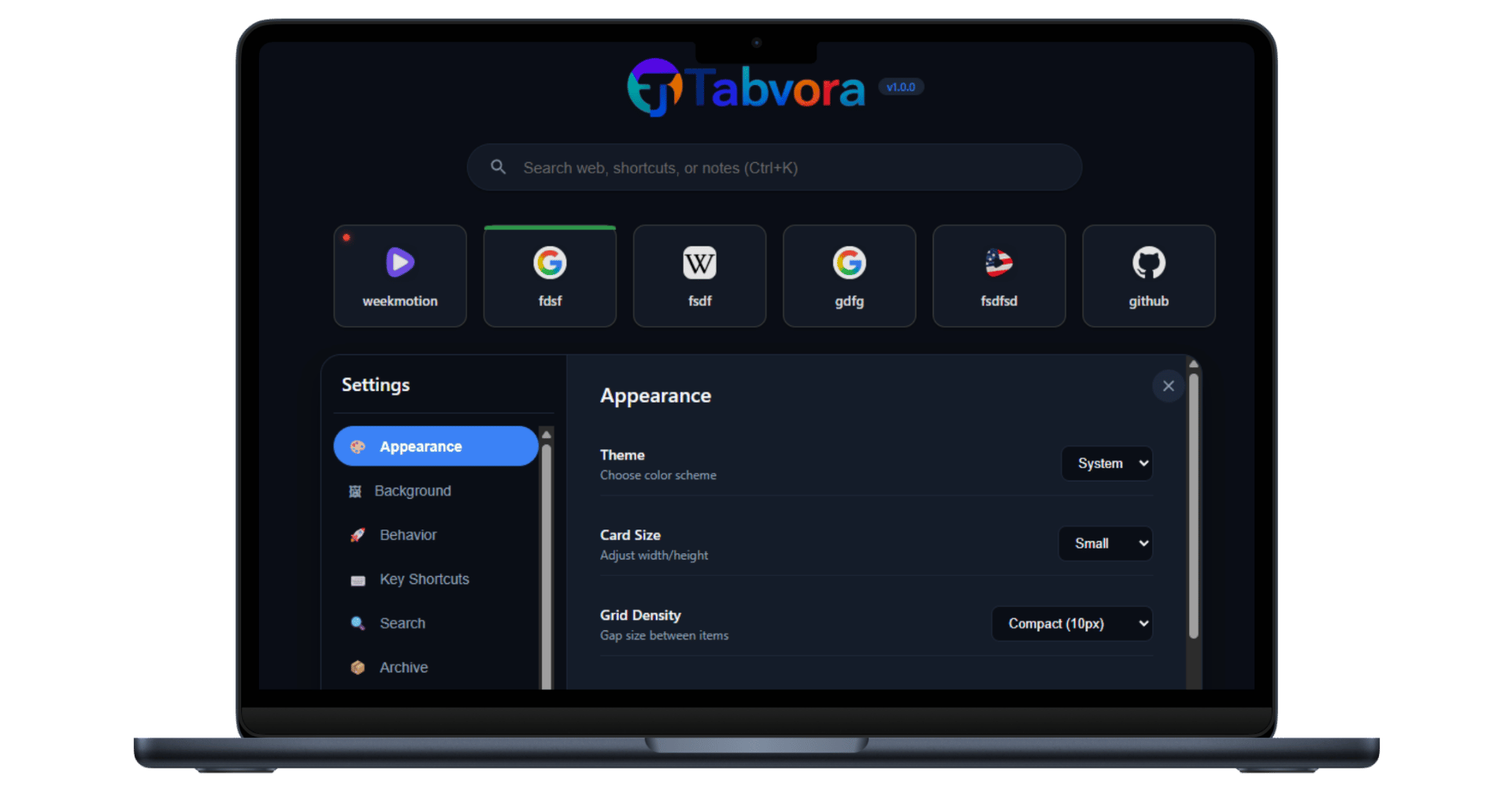
Instead of a static grid of a few recent sites, Tabvora gives you an unlimited, virtually-scrolled shortcut grid organized into custom workspaces, with search, drag-and-drop reordering, pinning, color labels, and one-click bookmark import. A suite of optional productivity tools — Digital Wellbeing, Browser Usage Dashboard, Draft Recovery, Website Usage Statistics, and browsing time limits — are available if you want them, and are off by default.

Every piece of data Tabvora creates — shortcuts, notes, settings, drafts, Digital Wellbeing settings, usage stats — is stored locally in your browser using chrome.storage.local, chrome.storage.session, and IndexedDB. Nothing is uploaded, synced to a server, or shared with any third party.
Tabvora v2.0.1 is a maintenance and compliance-focused update.
- 🔎 Improved web-search wording to accurately reflect Chrome's default search engine.
- 🧹 Minor UI and code cleanup.
- 🛡️ No changes to the local-first privacy architecture or data-handling model.
Tabvora v2.0.0 introduced significant productivity and Digital Wellbeing enhancements while maintaining our strict local-first, zero-telemetry architecture:
- 🧘 Digital Wellbeing Engine: Session-only, local break reminders (Eye, Stretch, Walk, Long Break) to reduce eye strain and encourage screen breaks.
- 🌐 Browser Usage Dashboard & Widget Card: Track your total daily Chrome browsing duration with an optional dashboard widget card and real-time usage progress tracking.
- ⏱️ Website & Global Browsing Time Limits: Set custom daily browsing allowances per website or globally across Chrome. Features real-time auto-popups that work even during full-screen video playback.
- 🎨 Native Glassmorphism Reminders: Reminder dialogs redesigned with a modern native glassmorphism interface.
- ⚙️ Dashboard Widget Controls: Toggle individual widgets on or off directly via Appearance Settings (including the Browser Usage Card).
- 🛡️ Session-Only Memory Safety: Digital Wellbeing state and limit dismissal flags utilize
chrome.storage.sessionand automatically clear when Chrome closes.
- Unlimited shortcuts rendered with virtual scrolling, so the dashboard stays smooth even with hundreds of saved links
- Custom workspaces to group shortcuts by project, topic, or context
- Drag-and-drop reordering and pinning for your most-used links
- Color labels for quick visual sorting
- Instant search across all saved shortcuts
- Right-click "Add to Tabvora" context menu — save the current page or any link without opening the dashboard
- One-click bookmark import from your existing Chrome bookmarks
- Duplicate finder to detect and clean up repeated shortcuts
- Archive for shortcuts you want to keep but don't need on the main grid
- Broken link detection (optional) — checks whether saved shortcuts are still reachable
- Browser Usage Card (v2.0) — Optional dashboard widget displaying daily Chrome time spent and progress toward configured global limits
- Digital Wellbeing (v2.0) — Session-based periodic wellness break reminders
- Quick Notes — a local scratchpad with character count and one-click export to a
.txtfile - Live clock & date widget
- Backup & Restore — export your entire shortcut collection to a local file and re-import it anytime, on any device
- Light & Dark themes (with automatic system preference support)
- Adjustable card size and grid density to fit your screen and preference
- Widget Visibility Controls (v2.0) — Hide or show specific widgets (Browser Usage Card, Live Clock, Quick Notes) in Appearance Settings
These are the only features that require broader site access, and they only activate if you turn them on in Settings:
| Feature | What it does | Default |
|---|---|---|
| Digital Wellbeing | Session-only reminders for Eye, Stretch, Walk, and Long Breaks. Runs locally and resets automatically when Chrome closes. | Off |
| Browser Usage Dashboard | Locally calculates total daily Chrome usage time and provides progress tracking on the dashboard. | Off |
| Website & Global Limits | Lets you set daily time budgets for individual shortcuts or overall Chrome usage with real-time popup alerts. | Off |
| Draft Recovery | Locally saves unsaved text from web form fields so you don't lose it if a tab closes unexpectedly. Password, payment, and sensitive fields are excluded. | Off |
| Website Usage Statistics | Locally calculates and displays domain visit frequency and duration charts. | Off |
Tabvora is built local-first, on purpose:
- ❌ No analytics
- ❌ No advertising trackers or SDKs
- ❌ No remote telemetry
- ❌ No cloud sync
- ❌ No user accounts or sign-in
- ❌ No backend servers collecting your browsing data
- ❌ No health data collection or medical profiling
- ✅ All shortcuts, notes, settings, and optional-feature data stay in your browser's local storage unless you explicitly export them
- ✅ Digital Wellbeing uses session-only storage (
chrome.storage.session) and resets automatically when Chrome closes - ✅ Reminder data is temporary and automatically cleared when the browser session ends
- ✅ Draft Recovery automatically excludes password fields, payment fields, and other sensitive inputs before anything is saved
- ✅ Sensitive/optional features are off until you turn them on
The one exception to "no network activity": the optional broken-link check sends a direct request to a website you already saved to see if it's still reachable — that request goes straight to that site, never to a Tabvora-controlled server.
Full details: Privacy Policy
Tabvora requests only the permissions its implemented features actually use:
| Permission | Why it's needed |
|---|---|
storage |
Save shortcuts, notes, workspaces, and preferences locally |
tabs |
Open shortcuts, identify the active tab for optional Usage Statistics and limits, and manage dashboard navigation |
bookmarks |
Read bookmarks only when you use the "Import Bookmarks" action |
contextMenus |
Power the right-click "Add to Tabvora" option |
alarms |
Schedules local reminder events and maintains optional background functionality |
favicon |
Display each shortcut's site icon via Chrome's built-in favicon service |
Host access (http://*/*, https://*/*) |
Required only for optional user-enabled features: Website Usage Statistics, Draft Recovery, Browsing Time Limits, and broken-link checks |
No permission is requested "just in case" — each one maps directly to a feature described above.
- Click the Chrome Web Store button at the top of this page, or visit the listing directly.
- Click Add to Chrome.
- Open a new tab — Tabvora is ready to use.
Useful for trying the latest source before it hits the Web Store, or for contributing:
- Clone this repository:
git clone [https://github.com/shajibsikder/tabvora.git](https://github.com/shajibsikder/tabvora.git)