


English | 简体中文
Automatically fetch and fill missing music metadata, cover art, and synced lyrics for your music folders. Preview the changes, then apply them with one command.
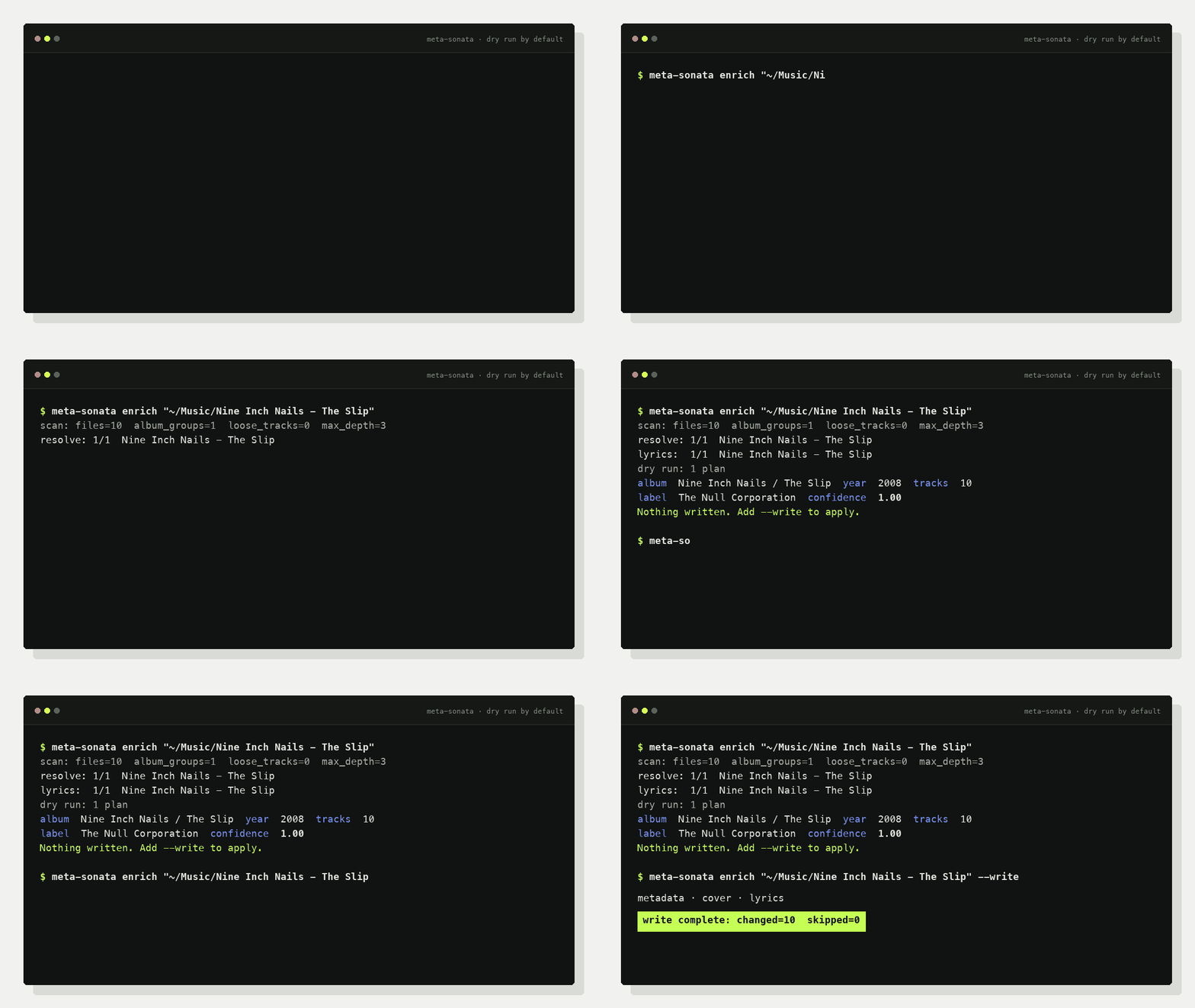
Query and preview the metadata meta-sonata finds. Nothing is written:
meta-sonata enrich "/music/album"Fetch and write metadata, cover art, and lyrics in one step:
meta-sonata enrich "/music/album" --writeBoth commands accept an album folder or a larger music directory. Existing tags, filenames, and folder structure are trusted first; online sources fill the gaps.
- Local first: existing tags, folder names, and track structure anchor the match.
- Conservative: track count, duration, live/studio, and ambiguity checks prevent risky writes.
- Complete: metadata, cover art, and synced lyrics in one command.
- Automation-ready: dry runs, external incremental state, recursive discovery, and JSON audit plans.
pipx install meta-sonataOr install it with uv:
uv tool install meta-sonataTypical output:
scan: root=/music/album files=12 album_groups=1 loose_tracks=0 max_depth=3
resolve: 1/1 /music/album
lyrics: 1/1 /music/album
dry run: 1 plan(s)
- album: Artist / Album: artist=Artist  album=Album  year=2006  tracks=12  confidence=0.96  lyrics=11/12
nothing written; pass --write to apply
enrich enables metadata lookup, cover lookup, and lyrics by default. It scans
up to three directory levels; use --max-depth N or --recursive when needed.
| Area | Fields |
|---|---|
| Identity | title, artist, album artist, album, track/disc number |
| Release | date, label, catalog number, barcode, release type |
| Sources | MusicBrainz release/track IDs and provenance tags |
| Media | embedded cover art, synced LRC, plain lyrics |
Album metadata sources: MusicBrainz, iTunes, and NetEase.
Lyric sources: QQ Music, NetEase, KuGou, KuWo, and Migu.
meta-sonata sourcesRun it after download/extraction/CUE splitting and before the final library sync:
meta-sonata enrich "/staging/new-music" \
  --changed-only \
  --state-dir "/var/lib/meta-sonata" \
  --write
Incremental state stays outside music folders. No marker files are added to albums.
meta-sonata web "/music" --host 127.0.0.1 --port 8765Open http://127.0.0.1:8765/ to browse audio files, core tags, source IDs,
technical details, covers, and embedded lyrics. The web UI has no write endpoints.
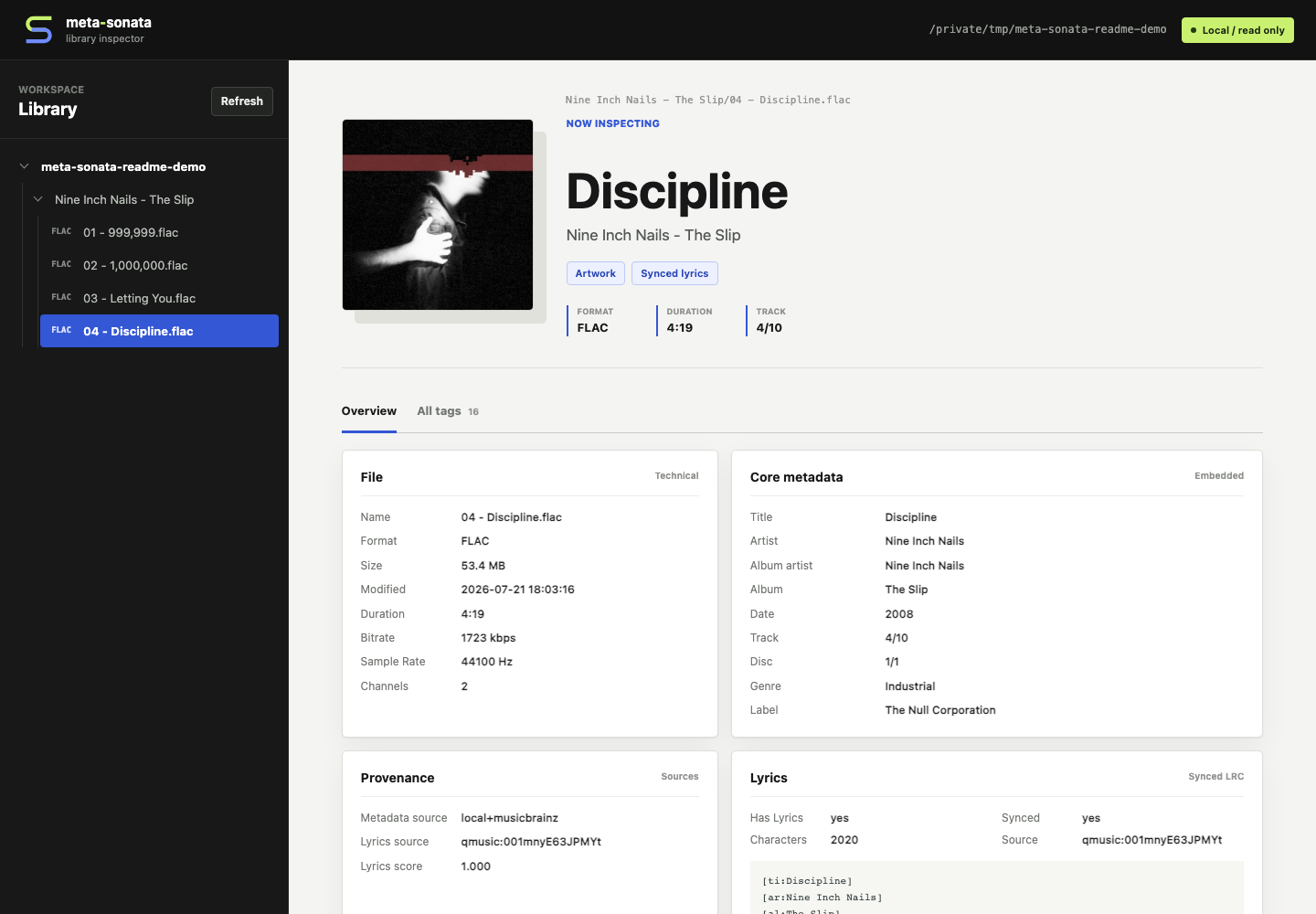
Shown with CC-licensed audio and artwork from Nine Inch Nails' The Slip. See the asset attribution.
- Every write command is a dry run unless
--writeis present. - Low-confidence lyrics and ambiguous release identities are skipped.
- Mixed loose tracks are not forced into a fake album.
- Real libraries can be protected with
META_SONATA_PROTECTED_PATHS. - Tests generate silent FLAC files; no copyrighted media is committed.
Python 3.9+ is supported. The project is currently an early 0.1.x release;
unofficial provider endpoints may change or be rate-limited.