A stdio Model Context Protocol server for Microsoft OneNote. It uses Microsoft Graph delegated permissions and Microsoft device-code authentication.
- Node.js 20 or newer
- A Microsoft account with OneNote access
- An MCP client such as Codex
-
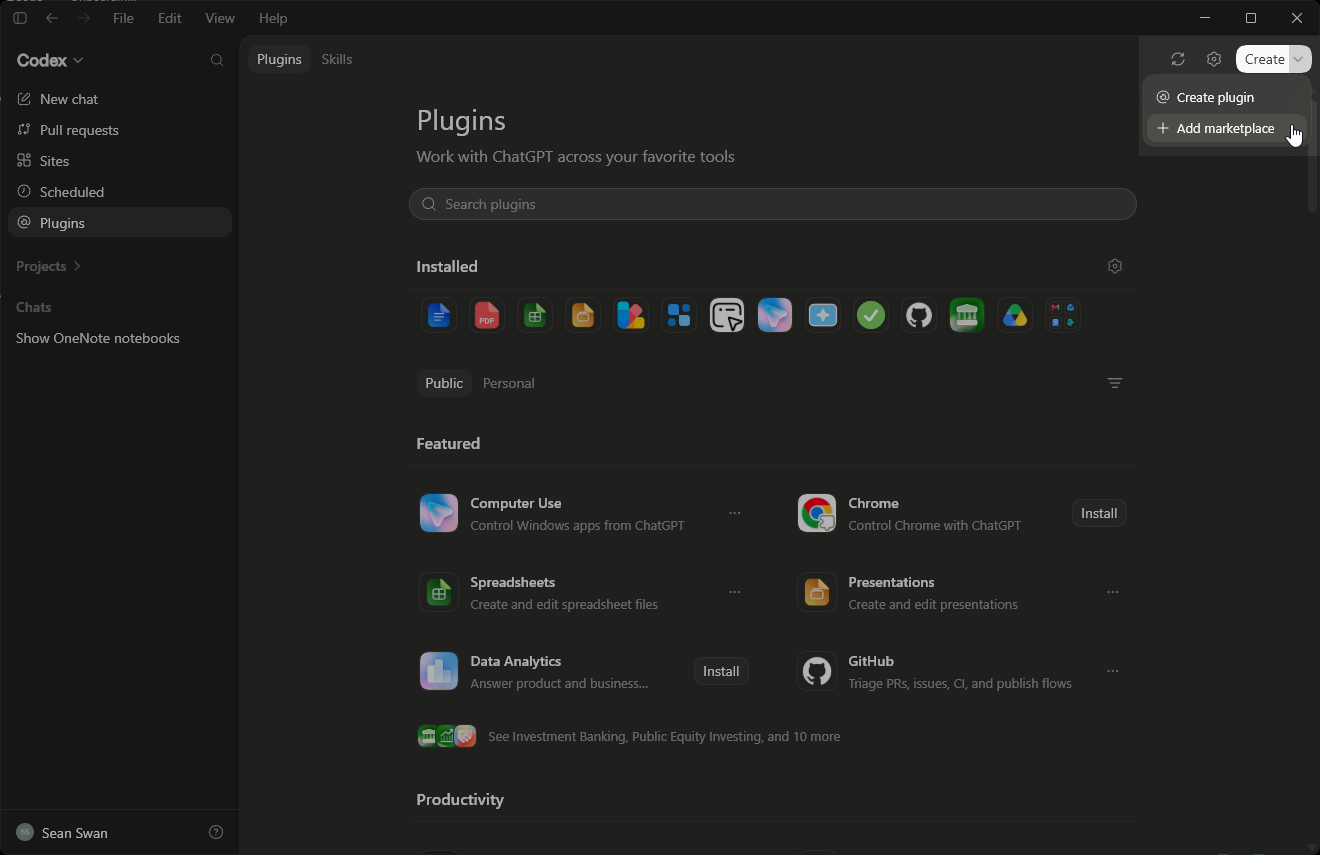
Open the Codex desktop app, select Plugins, open Create, and select Add marketplace.
-
Select Add plugin marketplace and enter:
- Source:
https://github.com/seanGSISG/onenote-mcp.git - Git ref:
main - Sparse paths: leave blank
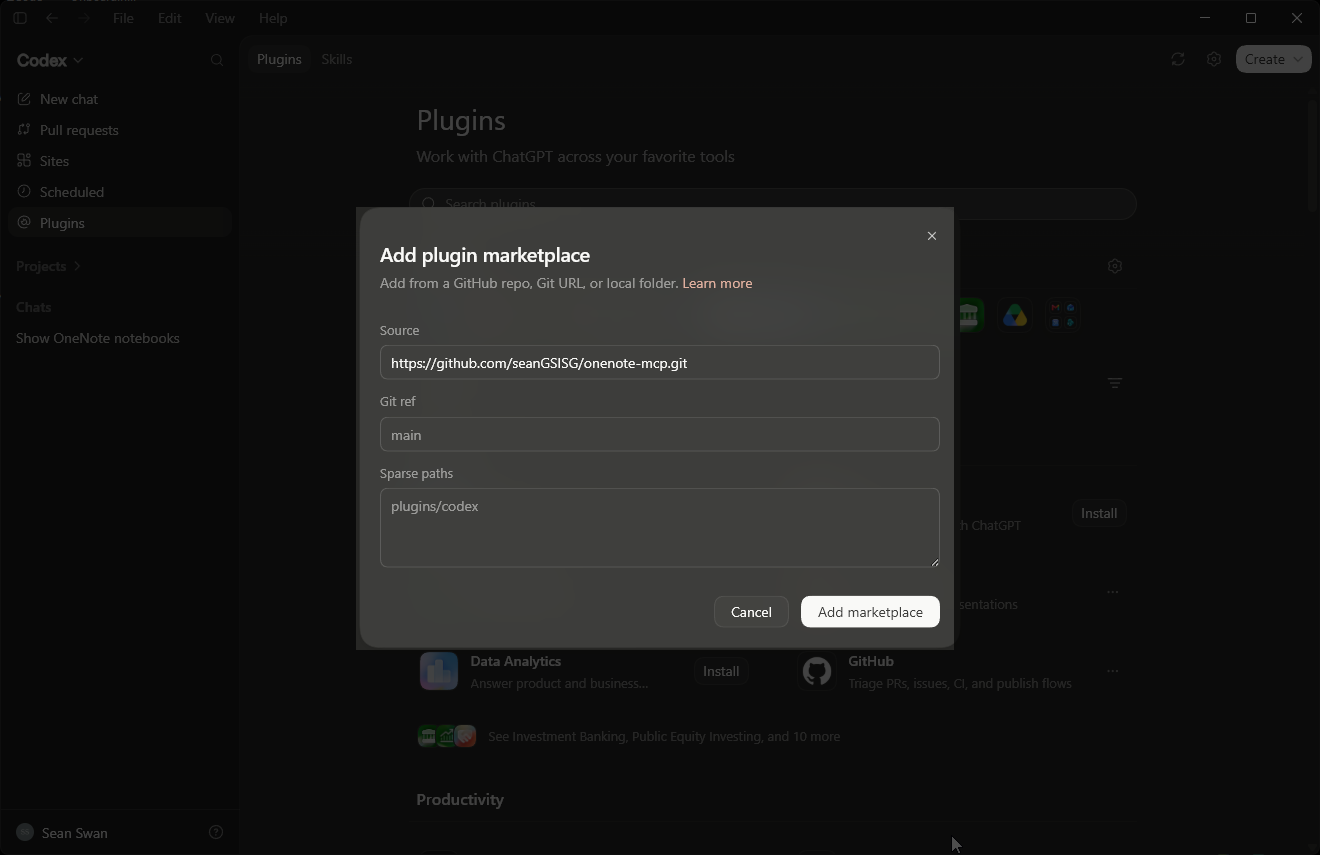
- Source:
-
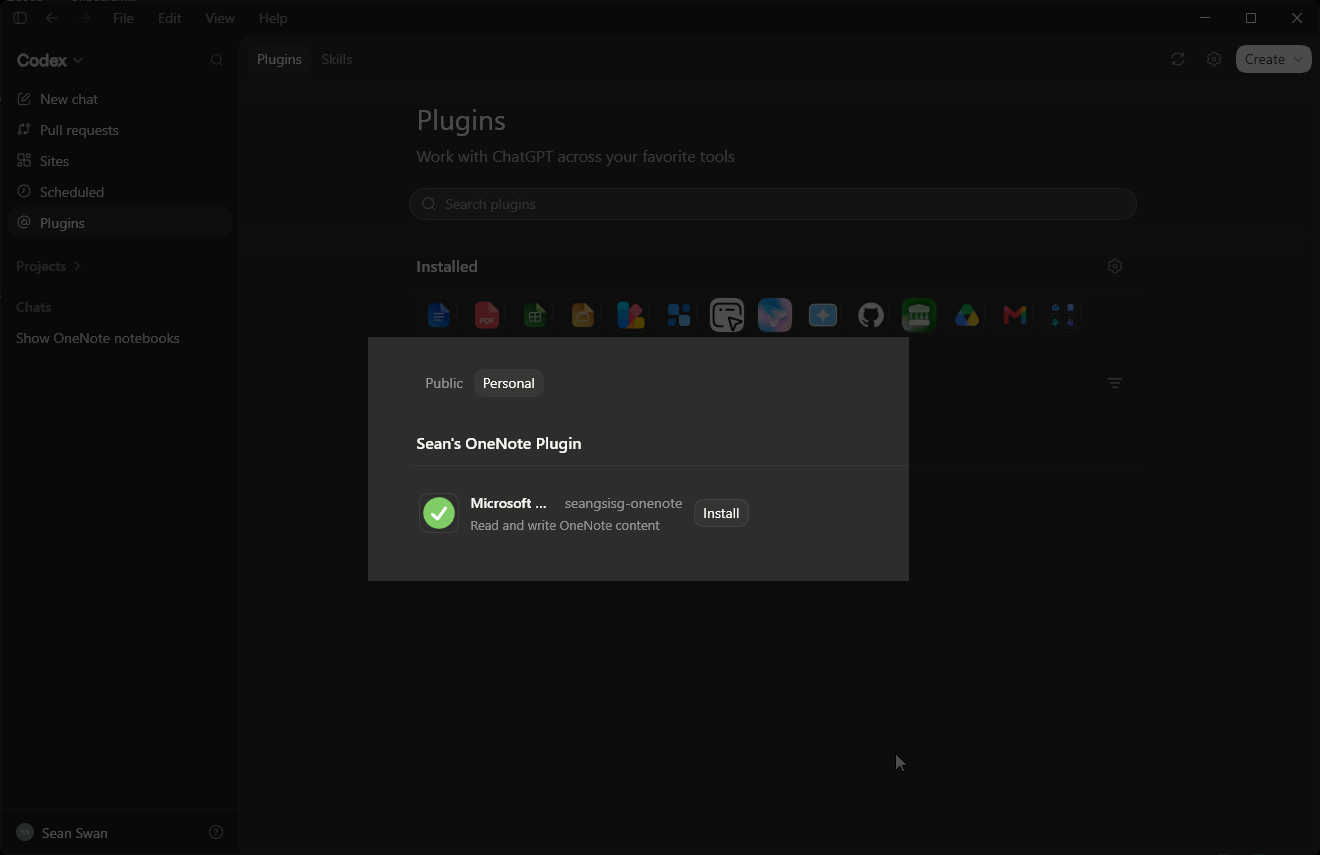
Select Add marketplace, return to Plugins, and select the Personal tab. If the new marketplace does not appear, completely restart the desktop app and return to Plugins.
-
Select Sean's OneNote Plugin and choose Install beside Microsoft OneNote.
-
Restart the desktop app again, open a new task, and ask:
Authenticate with OneNote.
Paste this into a Codex desktop task—no clone is required:
Read https://raw.githubusercontent.com/seanGSISG/onenote-mcp/main/AGENTS.md and follow it to install the complete OneNote plugin in the Codex desktop app.
Codex will add this repository as a plugin marketplace, install the complete OneNote plugin, verify its MCP server, and explain when a desktop-app restart or new task is required. Users do not need to clone the repository or edit MCP JSON or TOML files.
git clone https://github.com/seanGSISG/onenote-mcp.git
cd onenote-mcp
npm install
npm test
The MCP SDK is installed from npm. A separate SDK checkout and build are no longer required.
Add this to ~/.codex/config.toml, replacing the path with the absolute path to onenote-mcp.mjs:
[mcp_servers.onenote]
type = "stdio"
command = "node"
args = ["C:/absolute/path/to/onenote-mcp.mjs"]
enabled = true
startup_timeout_sec = 30
Restart Codex after changing MCP configuration.
- Call
authenticationStatus. - If unauthenticated, call
authenticate. - Open the returned Microsoft device-login URL and enter the returned code. Use
force: trueto replace a stale or unwanted login. - Call
authenticationStatusagain to confirm completion.
Authentication starts in the background, so the authenticate tool returns the device code immediately. The delegated access token is stored at ~/.onenote-mcp/access-token.json. Set ONENOTE_TOKEN_PATH to override that location, or supply GRAPH_ACCESS_TOKEN in the server environment. ONENOTE_CLIENT_ID and ONENOTE_TENANT_ID override the default public client and common tenant.
The server requests the delegated Notes.ReadWrite and User.Read scopes.
| Tool | Purpose |
|---|---|
authenticationStatus |
Check authentication state and expiration |
authenticate |
Start device-code authentication |
listNotebooks |
List up to maxResults notebooks |
getNotebook |
Get one notebook by exact ID |
listSections |
List up to maxResults sections, optionally in a notebook |
listPages |
List up to maxResults pages, optionally in a section |
getPage |
Get page metadata and optionally its HTML |
createPage |
Create a titled XHTML page in an exact section |
searchPages |
Search page titles |
All resource-specific operations use explicit IDs. The server never silently chooses the first notebook, section, or page.
npm run check
npm test
npm audit
The test suite covers token migration and expiration, asynchronous device-code flow, Graph request construction and errors, XHTML title escaping, and a real MCP stdio handshake.