Run Claude Code on your own server — and drive it from your phone.
Clauster is a self-hosted web dashboard that starts Claude Code sessions in any
project directory on your homelab, NAS, or VPS. You attach from
claude.ai/code or the Claude mobile app. No SSH session required.




| SSH + terminal | Clauster | |
|---|---|---|
| From a phone | Type into a mobile SSH client | Tap a project in a browser, then use the Claude app |
| When you close the laptop | Session dies with the shell | Session keeps running on the host; reattach later |
| Starting a session | cd to the project, remember the flags |
One click per project, spawn + permission modes preset |
If you already live in a terminal on the same machine as your code, you don't need this. Clauster is for when your code lives on a box you don't want to SSH into every time.
curl -fsSL https://raw.githubusercontent.com/schubydoo/clauster/main/install.sh | bash
clauster run
Open http://127.0.0.1:7621 — run with no config and Clauster serves a
loopback-only first-run setup wizard that asks for your projects folder and a
dashboard password, writes a clauster.yml, and starts on it. Then click
Run Claude here on a project. Full recipes (uv / pip, Docker, systemd, reverse proxy) →
Installation guide.
Status: 1.0 — stable and actively developed. Requires an Anthropic account with Claude Code access. Loopback-only by default; password and reverse-proxy auth are available for networked deployments (see Auth & networking). No telemetry, ever — see Privacy & data at rest for what Clauster keeps locally. Upgrading from 0.12? 1.0 has five breaking changes — see UPGRADING.md.
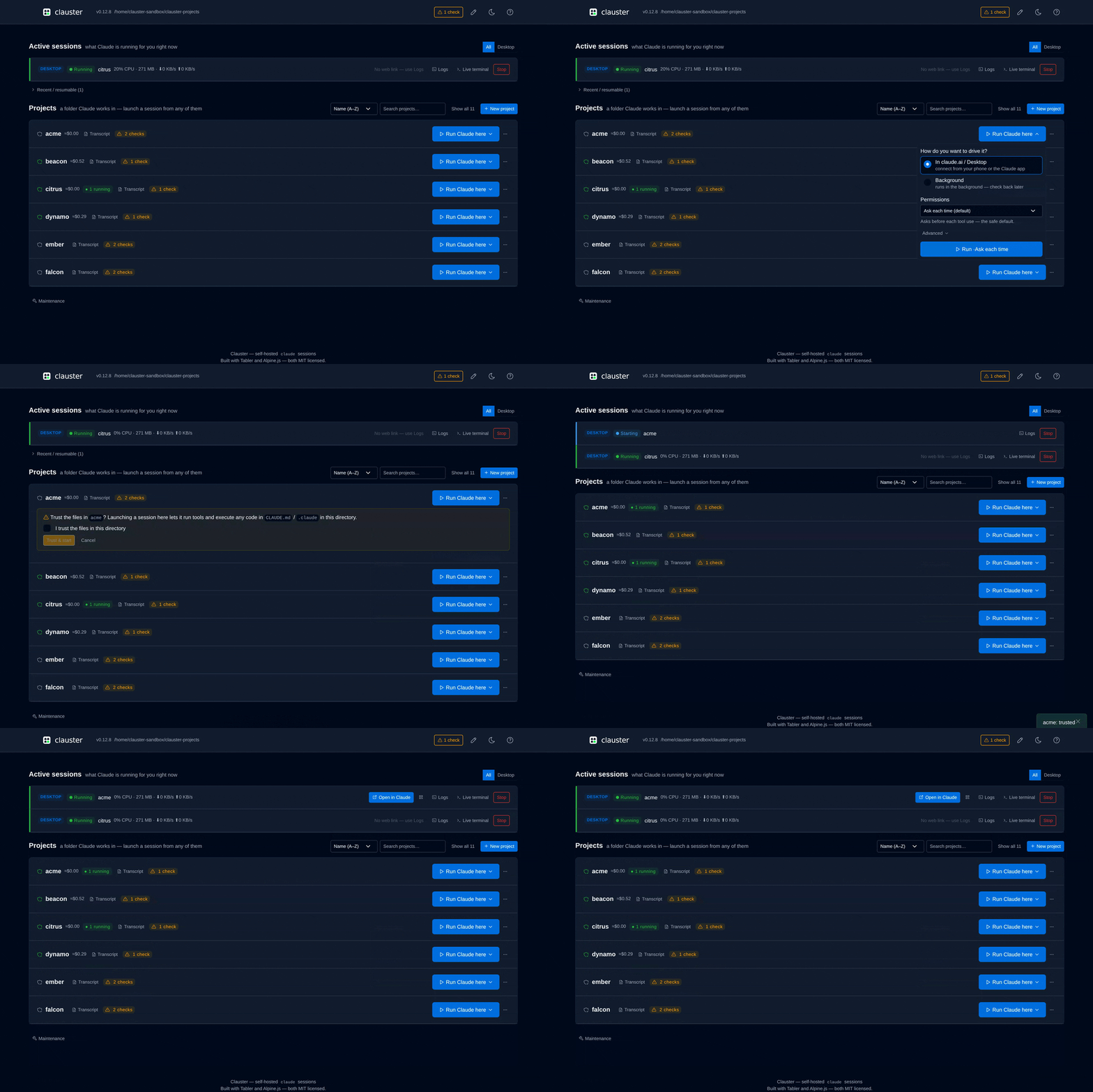
 Light theme — running sessions on top, projects below |
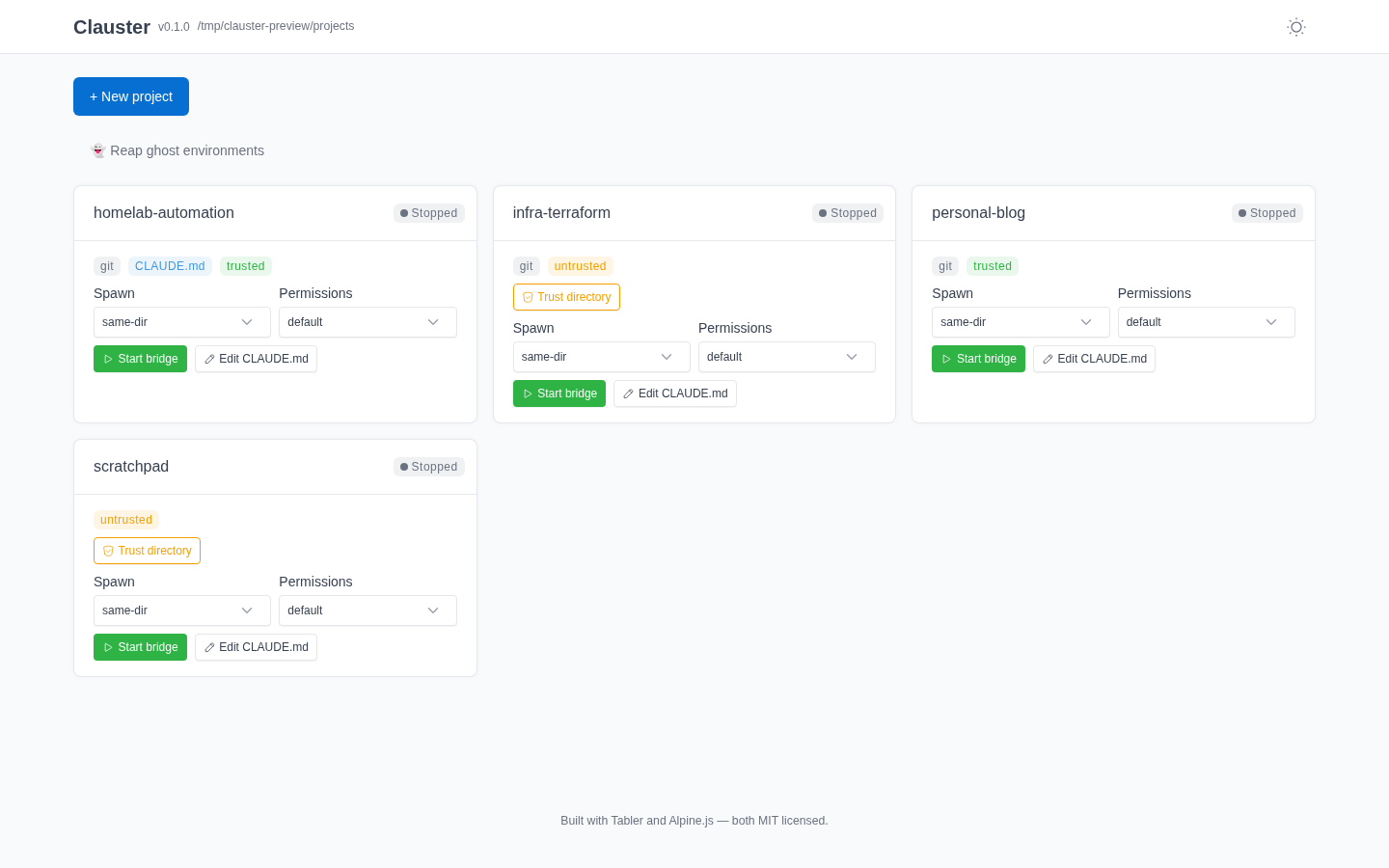
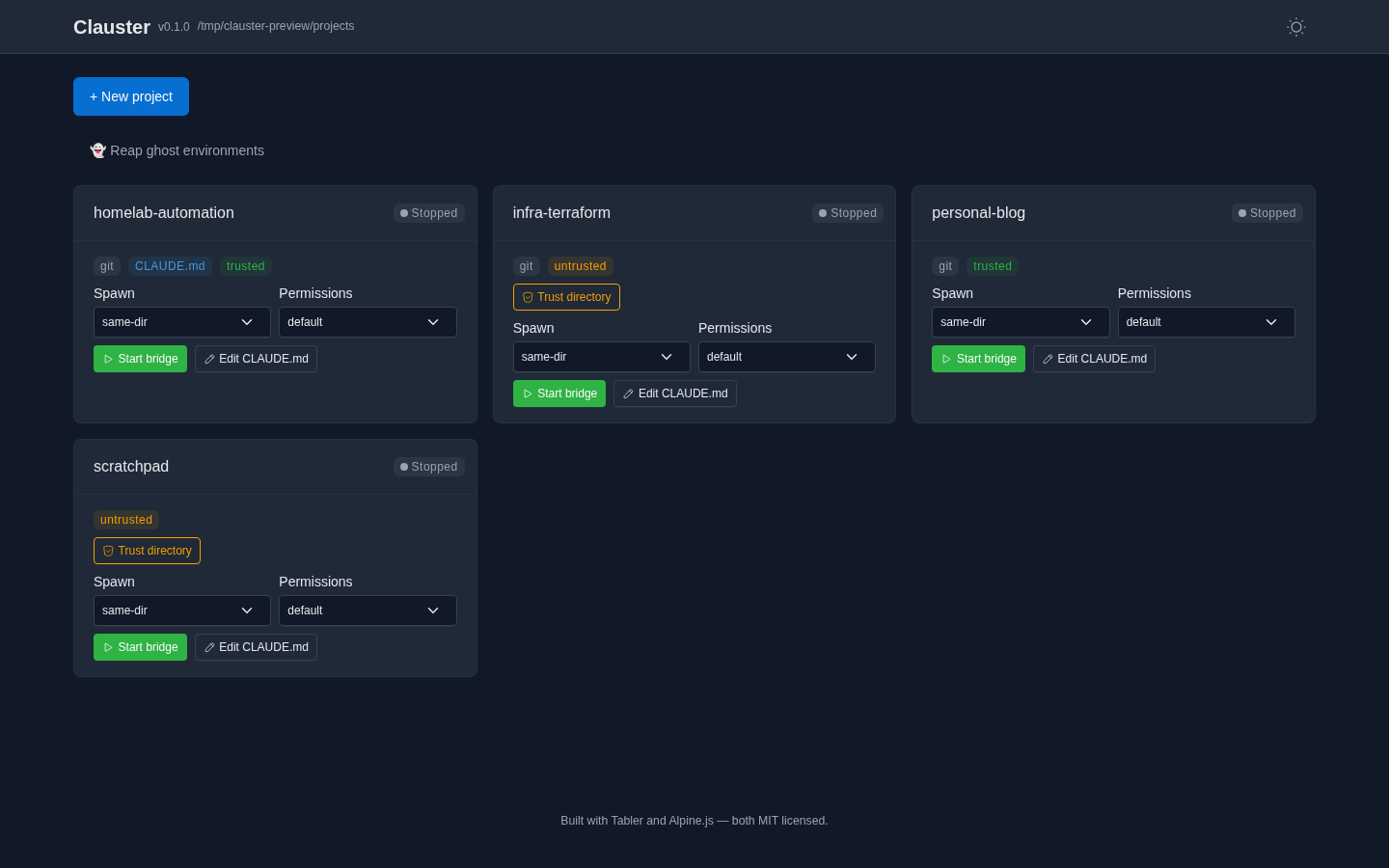 Dark theme — the toggle persists across reloads |
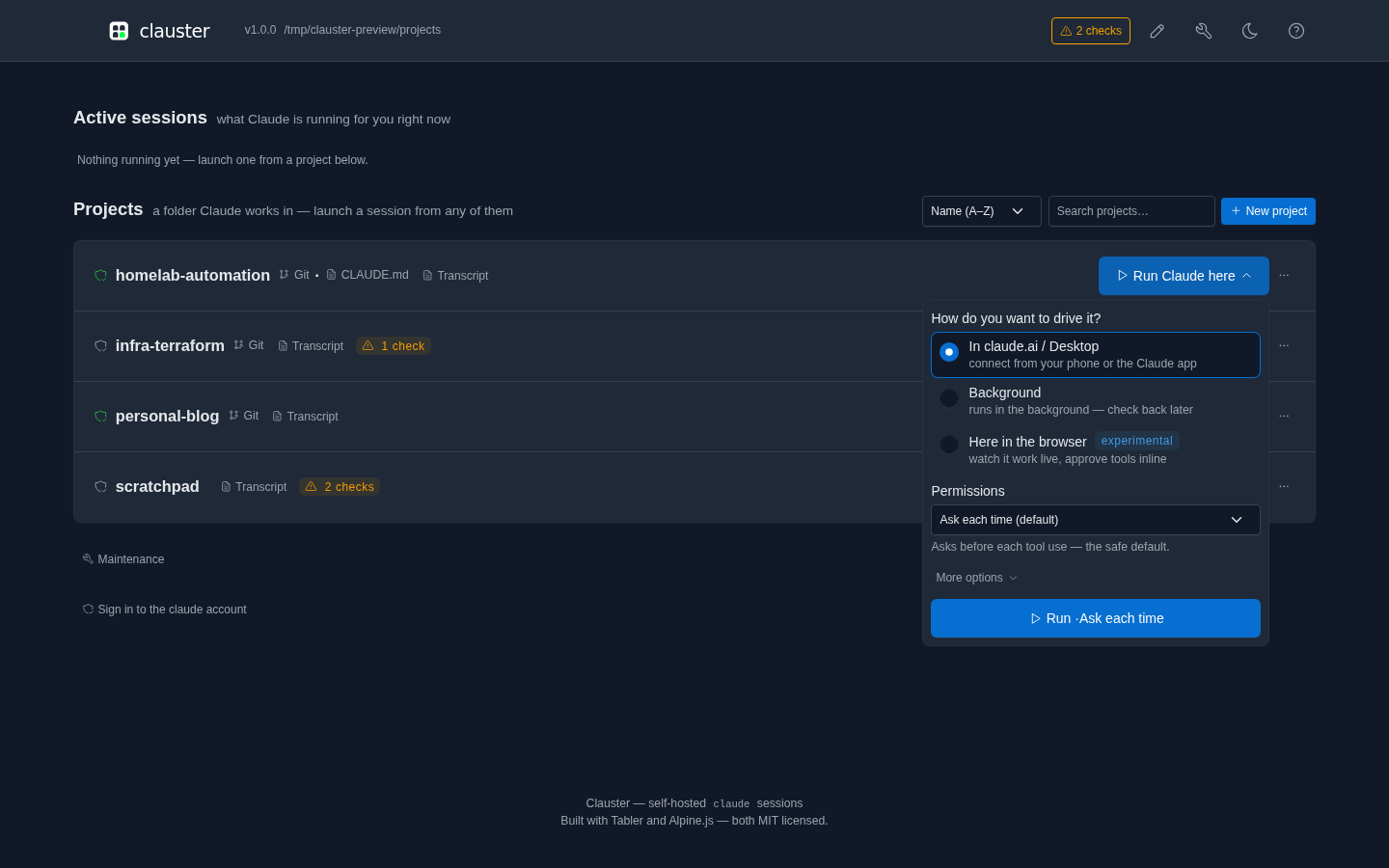 Launch menu — pick how to drive it, and the permission mode |
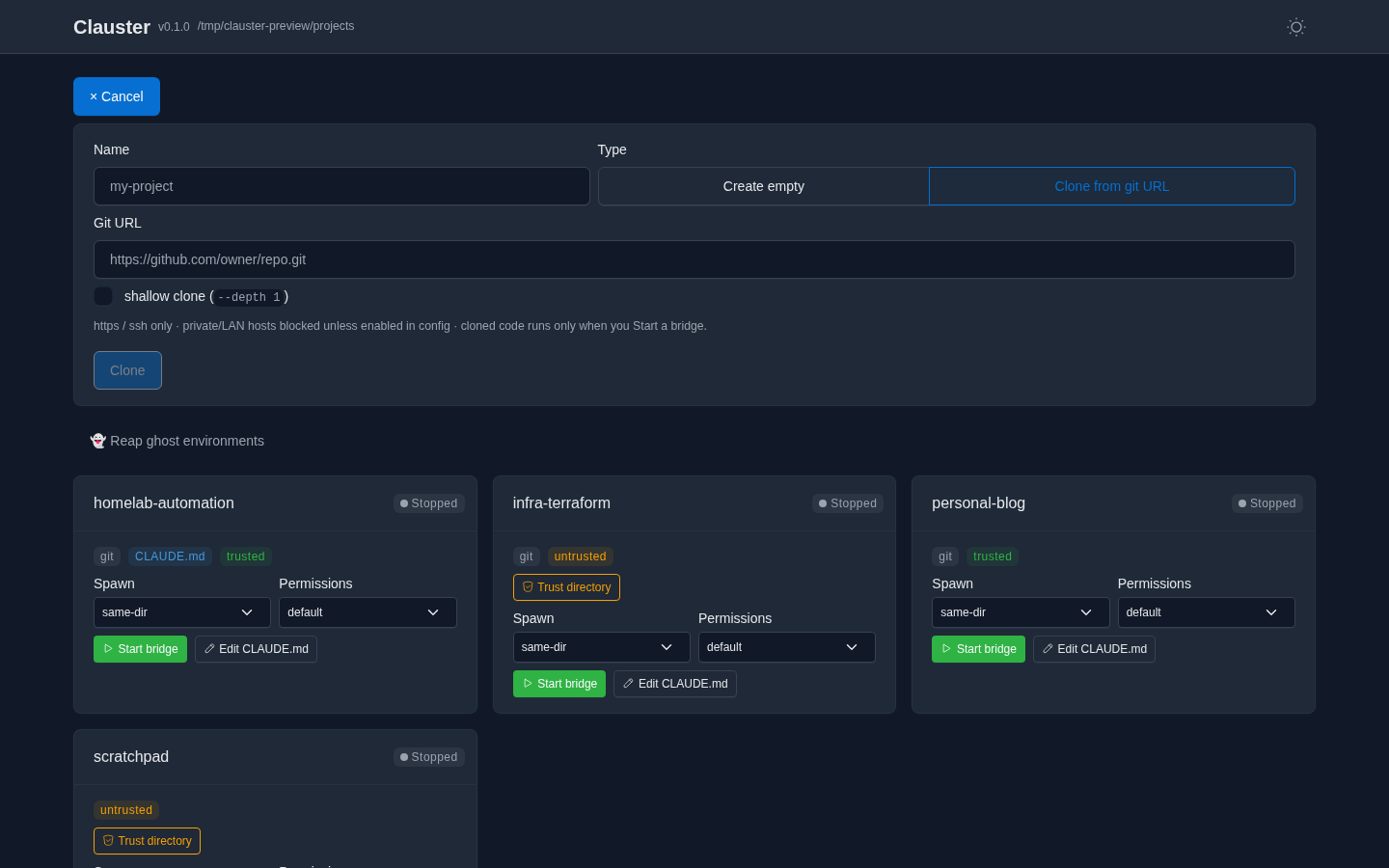 Create or clone — https/ssh only; cloning fetches files, runs nothing |
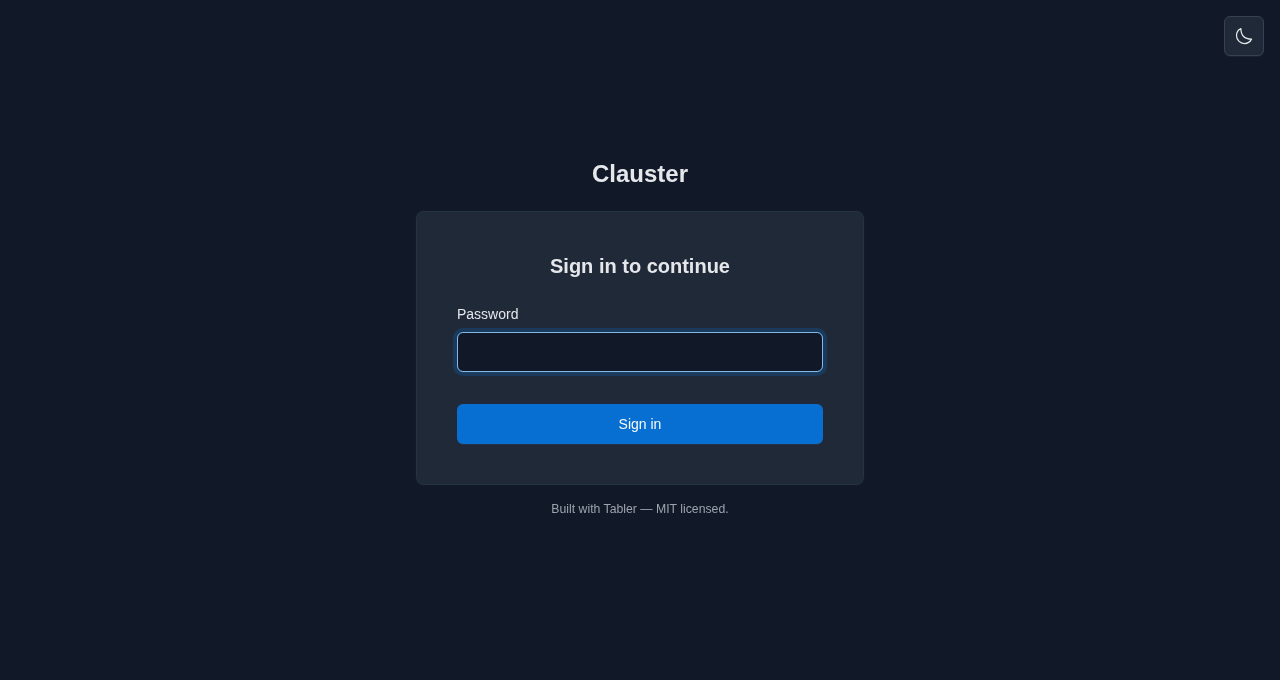 Password login — for non-loopback / networked deploys |
Every action is reactive — rows insert, badges flip, and clone progress streams without a full-page reload. Self-hosted assets; no CDN, no trackers. |
A self-hosted dashboard for the claude sessions running on your own machine —
start them, watch them, and pick them up from your phone.
- Projects & bridges — a card per directory under
projects_root; start, stop and resume bridges, choose the spawn and permission mode, and open any session in Claude by deep link or QR code. - Visibility — live bridge-log tail over a WebSocket, a read-only transcript viewer, and per-project cost and token totals.
- In-app editing — edit a project's Claude Code config surfaces and an allowlist
of operational
clauster.ymlsettings, without reaching for SSH. - Safety — workspace-trust prompts before a first spawn, session URLs redacted
out of the streamed log (the on-disk bridge log stays verbatim unless you set
logs.redact_session_url), and an auth model that fails closed on a network bind. - Interactive Sessions — an opt-in pty mode with true resume and a read-only live terminal view.
- Extras — outbound notifications and webhooks, a Prometheus endpoint, a ghost-environment reaper, experimental background agents, and an MCP server (read-only until you opt into its write tools). Each is off, or read-only, by default.
That is the short list, not the whole of it — every feature is documented in full on the documentation site; start at the Quickstart or How it works.
No Python needed — the install script grabs the signed standalone binary for your
OS, verifies its checksum, and installs it to ~/.local/bin (Linux & macOS),
printing a PATH hint if that directory isn't already on your PATH:
curl -fsSL https://raw.githubusercontent.com/schubydoo/clauster/main/install.sh | bashOn Windows, the PowerShell equivalent installs clauster.exe the same way:
irm https://raw.githubusercontent.com/schubydoo/clauster/main/install.ps1 | iexOr pick another path — uv tool install clauster (recommended for a Python host),
pip/pipx, Scoop on Windows (scoop bucket add clauster https://github.com/schubydoo/clauster && scoop install clauster), or
Docker. Full recipes — including supply-chain verification — are in the
Installation guide. To hack
on Clauster itself, see Contributing below.
- Install script / standalone binary: remove
~/.local/bin/clausteron Linux or macOS; on Windows, delete%LOCALAPPDATA%\Programs\clauster\clauster.exeunless you set a custom install directory. - Python tools: run
uv tool uninstall clauster,pipx uninstall clauster, orpip uninstall clauster, matching how you installed it. - Scoop: run
scoop uninstall clauster. - Docker: stop and remove the container with
docker rm -f clauster, then remove the image withdocker rmi ghcr.io/schubydoo/clauster:latest(substitute the pinned tag you pulled, e.g.:X.Y.Z, if you used a specific release) if you no longer need it. Docker Compose users: rundocker compose downfrom the directory containingcompose.yaml(add-vto also delete named volumes). - Full purge: stop Clauster first, then remove your
state_dirif you want local state/config gone too. See Privacy & data at rest and the Installation guide.
Working on Clauster itself? CONTRIBUTING.md has the
from-source dev setup (uv sync --extra dev), the local test/lint gates, and
the branching + review workflow.
Start Clauster (run clauster; it serves http://127.0.0.1:7621 by default). With
an authenticated claude on your PATH, spawning your first bridge is a handful
of clicks — no terminal needed once it's started. Clauster spawns claude — it doesn't vendor it — and a spawned bridge
inherits the host user's claude authentication, so claude must be logged in
(interactive claude login or ANTHROPIC_API_KEY in the environment — either
satisfies the check) before any bridge can connect. clauster doctor (step 2)
confirms it; see the Quickstart prerequisites for the full
list.
- Point Clauster at your code. Set
projects_rootinclauster.ymlto a directory whose subfolders are projects (e.g.~/code); each child directory becomes a card. - Sanity-check the host (optional).
clauster doctorconfirmsclaudeis found, new enough, and logged in (the bridge inherits this login), and thatprojects_root/ the state dir are usable — fix any ✗ before spawning. - Open the dashboard at http://127.0.0.1:7621. You'll see one card per project to start — a project running several sessions later shows a card for each.
- Launch a bridge. On a project's card, click Run Claude here ▾, choose
In claude.ai / Desktop, pick a permission mode, then Run. Clauster
launches
claude remote-controlin that directory and the card flips to Running with a live status badge. (The spawn-mode and permission defaults are safe out of the box.) - Attach from anywhere. Use the card's Open in Claude link — or scan its
QR code — to pick the bridge up in
claude.ai/codeor the Claude mobile app. No SSH session. - Stop or resume. Stop signals the bridge; Resume relaunches it (with
claude.resume_recaporclaude.launch_mode: ptyit can carry the prior conversation forward — see the configuration guide). For a deliberate fresh start, Forget the stopped session and launch again with Run Claude here.
Exposing this beyond loopback (e.g. on your LAN)? Read Auth & networking first — a non-loopback bind requires authentication.
Multi-arch images (linux/amd64, linux/arm64) are published to GHCR on each
release, cosign-signed with provenance + SBOM attestations. Two things to know
before docker run:
- The image binds
0.0.0.0, so it refuses to start without enforced auth — setCLAUSTER_AUTH_ENABLED=true,CLAUSTER_AUTH_PASSWORD_REQUIRED=true, and aCLAUSTER_AUTH_PASSWORD_HASH(generate one withdocker run --rm -it ghcr.io/schubydoo/clauster:latest clauster hash-password). claudeis not baked into the image — mount the CLI onto the containerPATH(or setCLAUSTER_CLAUDE_BINARY) along with the runtime user's~/.claudecredentials.
Full run + compose.yaml recipes, volumes, and PUID/PGID
mapping: Installation → Docker.
Loopback (127.0.0.1) needs no auth. Binding to a non-loopback address is refused
unless authentication is actually enforced — set auth.enabled: true (the master
switch) together with either password login (auth.password_required + a hash from
clauster hash-password) or reverse-proxy trust (peer-IP allowlist + HMAC header) —
or, to opt out on a trusted LAN, auth.allow_unauthenticated_network. Sessions
are signed cookies with server-side revocation ("log out everywhere"); WebSocket
connections are authenticated before accept and origin-checked. The origin
allowlist is a cross-site defence rather than an authentication method, so it is
enforced even with auth.enabled: false; a non-loopback bind auto-trusts no
origin and must set auth.allowed_origins.
All settings live in clauster.yml —
clauster.yml.example is a lean starter, and
docs/reference/config.md is the exhaustive per-key reference. Any
scalar or list key is overridable by an environment variable of the form
CLAUSTER_<UPPER_SNAKE_PATH> (lists take a comma-separated value). The schema is
additive-only — old configs always validate against newer versions.
| Common flag | Default | What it does |
|---|---|---|
host / port |
127.0.0.1 / 7621 |
bind address (non-loopback needs auth) |
projects_root |
— | directory whose children become project cards |
auth.enabled |
false |
master auth switch — must be on for password / proxy auth to apply |
auth.password_required |
false |
require login (clauster hash-password for the hash) |
claude.resume_recap |
false |
recap the prior transcript into a restarted bridge |
claude.launch_mode |
standard |
pty = native true-resume on Resume (POSIX pty, or Windows ConPTY with the pty extra); default for new bridges only — a bridge keeps the mode it launched with |
reaper.ui_enabled |
false |
expose the ghost-environment reaper in the dashboard |
claustrum.enabled |
false |
enable the hosted live-view channel (connect-or-spawn the claustrum daemon) |
usage.mode |
cost |
per-project badge contents: cost (≈USD + tokens) · tokens (count only) · off (hide + skip the usage fetch). usage.show_cost: false is a deprecated alias for off |
logs.redact_session_url |
false |
redact the session URL on disk too, not just over WS |
clauster run                  # start the server (default)
clauster hash-password        # generate an argon2id hash for auth.password_hash
clauster hash-token           # mint an API token + hash for auth.api_token_hash
clauster hash-metrics-token   # mint a /metrics scrape token + hash for observability.metrics_token_hash
clauster api-token issue|list|rotate|revoke   # manage named public-API bearer tokens
clauster mcp                  # read-only MCP server over stdio (list + status)
clauster doctor               # diagnose config / environment
clauster backup | restore | migrate
clauster install-service {systemd|launchd|windows}
clauster reap-environments    # reap ghost bridge environments (dry-run by default)
clauster keepers              # list or stop orphaned pty keepers
clauster usage <transcript>   # token + approximate cost for a session transcript
clauster config reconcile     # remove deprecated config keys, writing their replacements
clauster deps list|install|uninstall          # manage optional extras beside the standalone binary
clauster projects | status | sessions         # headless reads (--json), no server needed
clauster logs <instance> | open <instance>    # tail a bridge's redacted log / print its connect URL
clauster start <project> | stop <instance>    # headless spawn/stop through the same engine as the UI
#   <instance> = full id, a unique prefix of one (as printed by `status`), or a project name
Full per-command reference: docs/reference/cli.md.
Planned work, roughly in priority order — the public-facing companion to the in-repo
scratch/TODO.md.
- Friendlier default session names — Server-Mode bridges already accept a custom launch name (#780) and the dashboard lists active/resumable sessions per project; the remaining work is a more predictable default than the random adjective-noun one, and extending custom names to Interactive Sessions.
Not planned: clauster is a single-operator tool — multi-user accounts, OIDC login, and per-user GDPR tooling were considered and declined (one deployment serves one operator; isolate with separate instances instead). The UI is English-only and not localized — there is no i18n string extraction on the roadmap (re-scope only if a real translation contributor appears).
Shipped:
- Public API — a documented, versioned
/api/v1surface with named Bearer tokens (distinct from the session cookie), managed viaclauster api-token issue|list|rotate|revoke; an opt-in OpenAPI schema (api.openapi_enabled) is available for third-party dashboards. - The in-repo
docs/pages (setup, networking, config reference, security model) are published as a live docs site at schubydoo.github.io/clauster.
Python 3.11+ · FastAPI · Alpine.js + Jinja2 + Tabler · uv · pydantic. Developed
and CI-gated on Linux; macOS / Windows are in the test matrix. Apache-2.0 licensed.







Questions, bugs, and feature requests all go through
GitHub Issues — Discussions are
intentionally not enabled. See SUPPORT.md for how to get help, and
SECURITY.md to report a vulnerability privately.