Welcome to Mask Map HDRP Lit - Unity Shader Texture Packer! 🎨🚀
This tool allows you to create a Mask Map compatible with Unity's High Definition Render Pipeline (HDRP) by combining different textures into a single RGBA image. Now with a modern, intuitive UI and advanced new features!

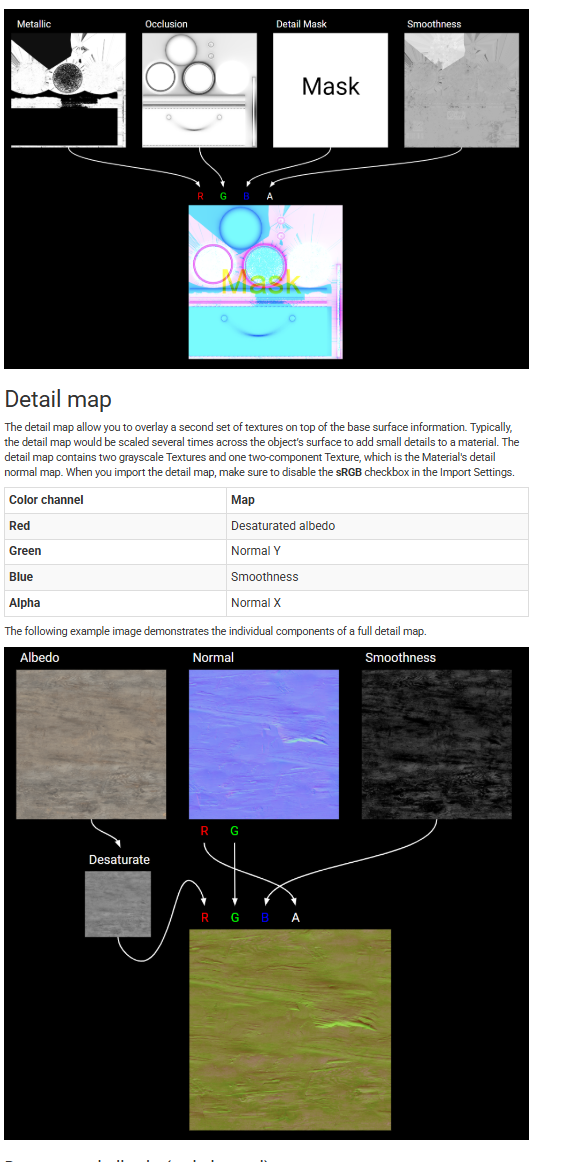
From Unity's documentation: Mask Map and Detail Map
- ✅ Drag & Drop for fast texture loading 🎯
- ✅ Invert channels with a single click ⚡
- ✅ Automatic generation of Mask Maps and Detail Maps 🎨
- ✅ Real-time previews of loaded images 👀
- ✅ Custom resolution support 📏
- ✅ One-click PNG export 💾
- ✅ Fully compatible with Unity HDRP for advanced PBR rendering 🎮
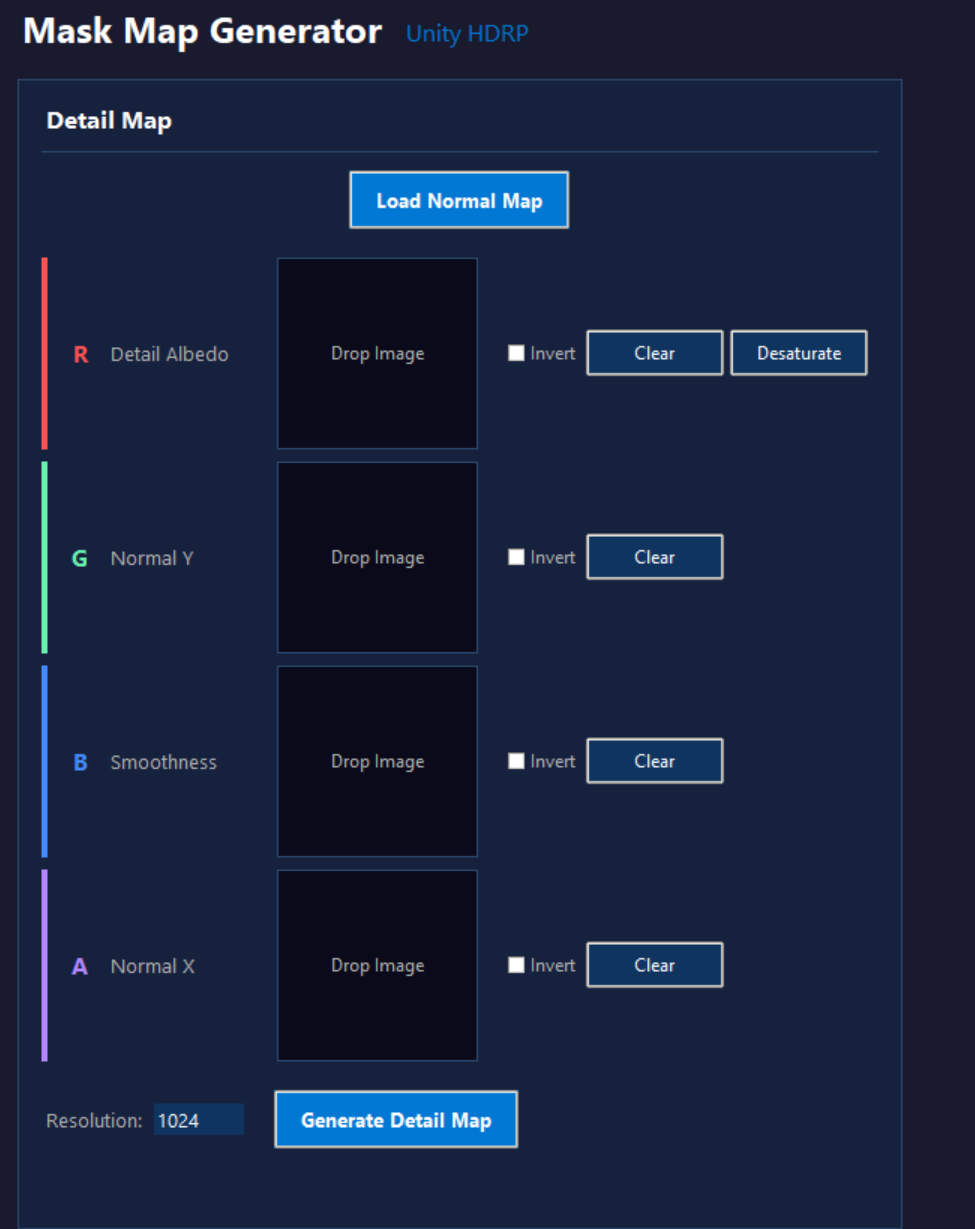
- ✅ Normal Map support: Automatically extract X (A) and Y (G) for the Detail Map!
- ✅ Directly insert Detail Map into the Mask Map
| Channel | Content |
|---|---|
| R (Red) | Metallic ⚙️ |
| G (Green) | Ambient Occlusion 🌿 |
| B (Blue) | Detail Map (Optional) 🔍 |
| A (Alpha) | Smoothness ✨ |
💡 If an image is not loaded for a channel, a default white fill will be used.
Download the standalone executable for your platform:
| Platform | Download |
|---|---|
| Windows | MaskMapGenerator.exe |
| macOS | MaskMapGenerator.app |
💡 Just download and run - no installation required!
If you prefer to run from source code:
- Ensure you have Python 3.x installed 🐍
- Install the required packages:
pip install -r requirements.txt
- Run the application:
python MaskMapHDRP.py
To build standalone executables yourself:
- Install PyInstaller:
pip install pyinstaller
- Run the build script:
python build.py
- Find your executable in the
dist/folder
- Drag and drop or select images for R, G, B, and A channels.
- (Optional) Invert channels if needed using the checkboxes.
- Set the desired resolution.
- Click "Generate Mask Map" to preview the result.
- Click "Save Mask Map" to export the final image!
- (Optional) Load a Normal Map to automatically extract X and Y channels for the Detail Map.
- (Optional) Insert the Detail Map directly into the Mask Map with one click.
- Import the Mask Map into Unity and use it in your HDRP material! 🏆
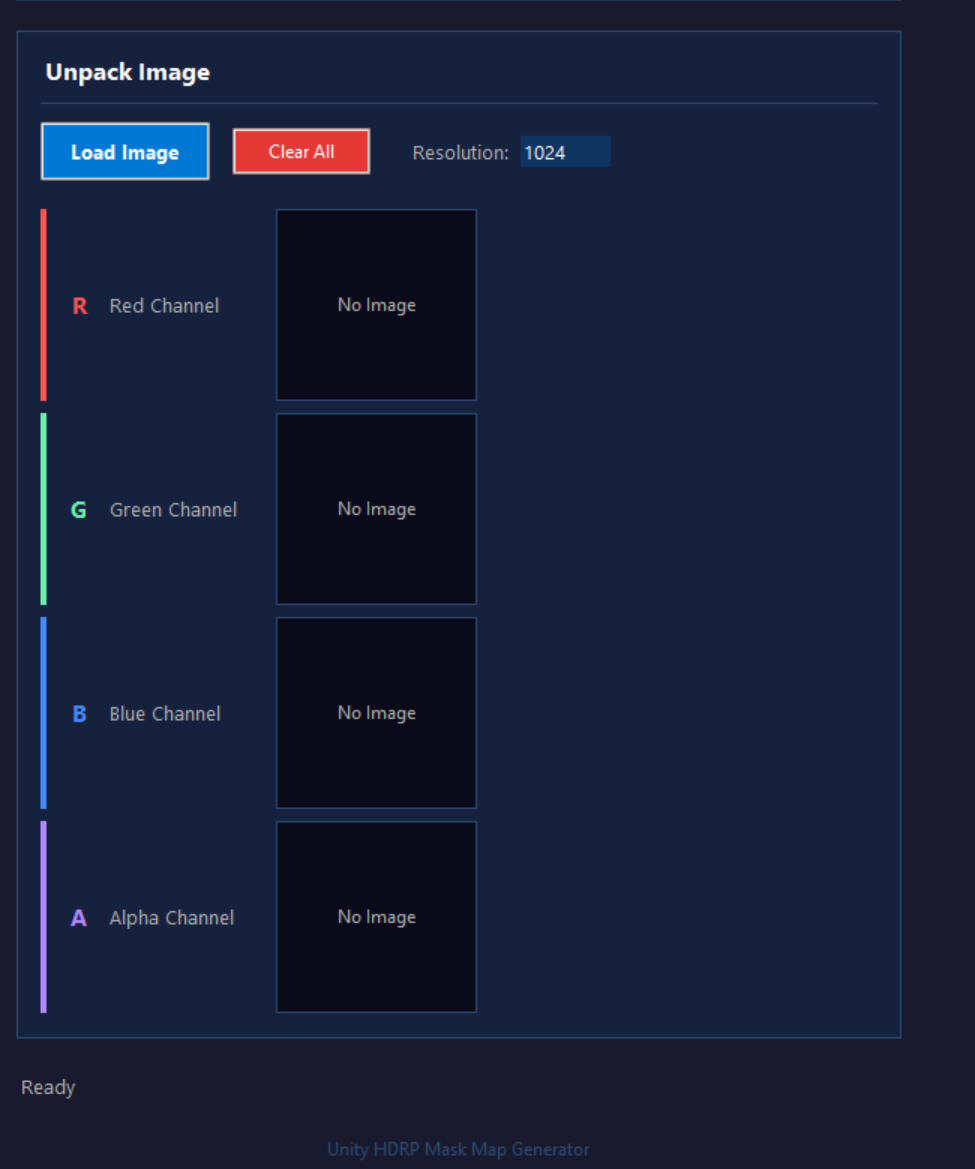
- If you want to add a Detail Map, you can generate it separately and insert it into the B channel of the Mask Map.
- The tool supports .png, .jpg, and .tga formats.
- Normal Map loading is supported for generating Detail Maps.
- A desaturation feature helps you convert an image to grayscale directly from the interface.
Found a bug? Have a feature suggestion? Open an Issue or a Pull Request on GitHub! 🎉
💬 For any questions or support, feel free to reach out! 😊
Need help or want to learn more about game development and 3D modeling?
Join our Discord community for support, discussions, and exclusive tutorials! 🎮🔥

🚨 For important stuff, contact me at: info@sanliuk.com ✉️