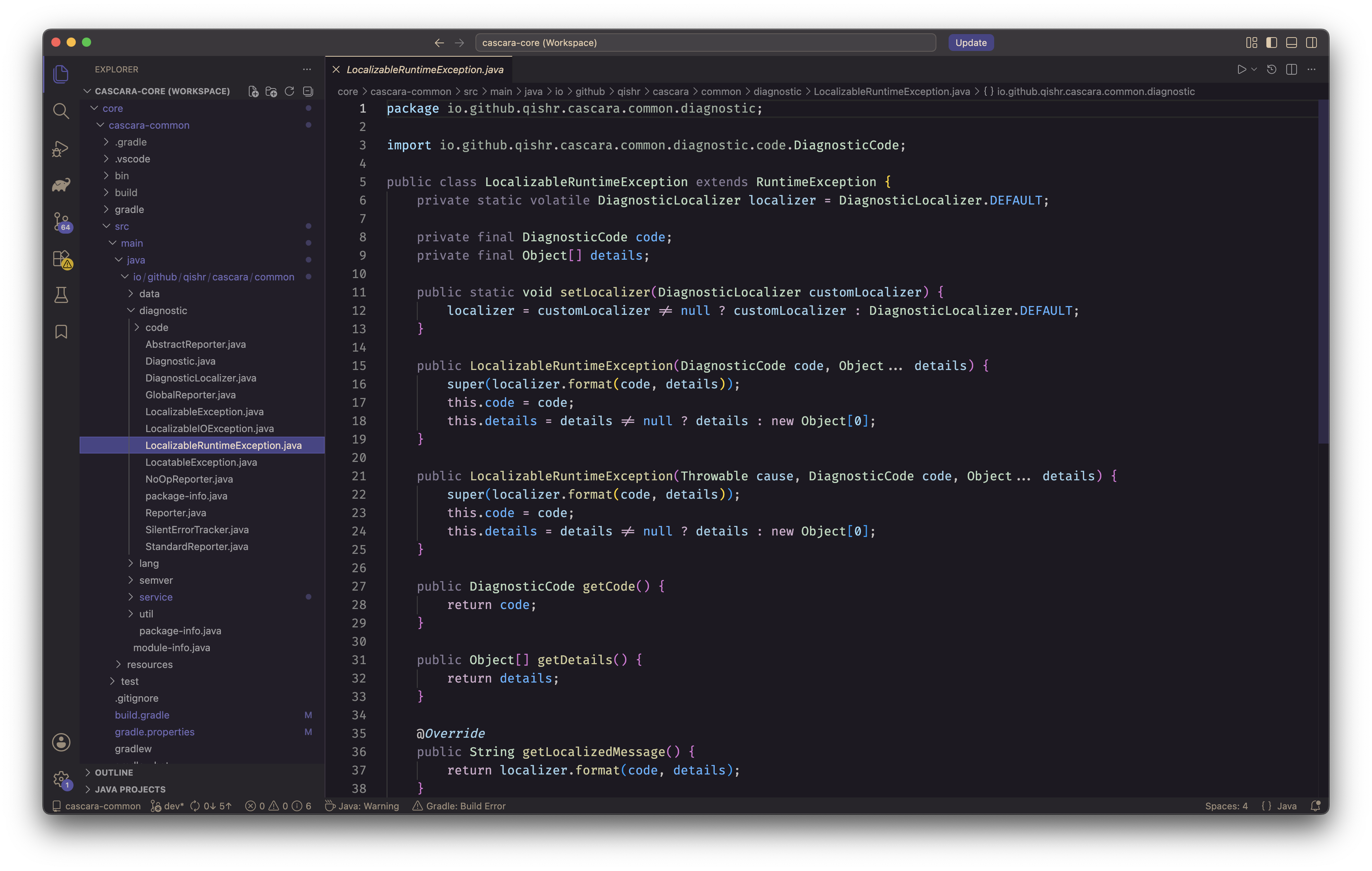

A dark theme designed for modern software development. Harmonized with the exact visual identity and palette of the upcoming Cascara Studio and its official platform website.
The Cascara Theme moves away from chaotic, high-contrast rainbow highlighting. Instead, it prioritizes a sophisticated, low-fatigue slate backdrop combined with an intentional, curated palette. Syntax colors are chosen strictly to map cleanly to the developer's mental model of the code's structure, allowing you to scan syntax hierarchies at a glance.
- Deep, Premium Slate Canvas: A carefully tuned dark background that minimizes eye strain during extended coding sessions or late-night release loops.
- Vibrant, Controlled Accents: Emerald greens, electric cyans, and warm ochres break through the dark canvas cleanly, calling immediate attention to keywords, string definitions, and variable operators.
- Unified Ecosystem: Maintain a seamless visual experience across your development tools. Transition flawlessly from the Cascara Studio desktop environment and website right into your favorite code editor.
- Open Visual Studio Code
- Launch the Extension Marketplace (
Ctrl+Shift+XorCmd+Shift+X) - Search for
Cascara Theme - Click Install
- Select
Cascara OGas your Color Theme
Cascara Theme is released under the MIT license, which grants the following permissions:
Commercial use Distribution Modification Private use For more convoluted language, see the LICENSE.
Maintained by the Cascara Project. Evolve your development environment.