
Paste a job URL or raw job description → get a personalized interview prep kit in seconds.
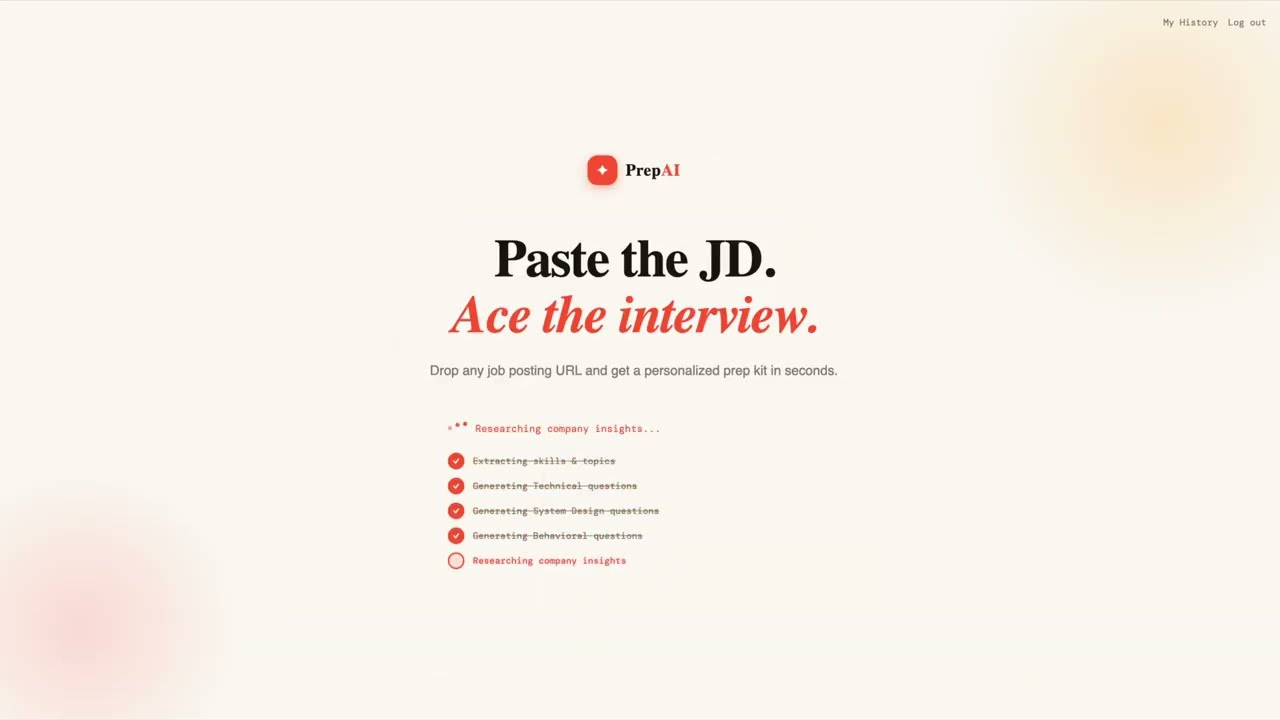
PrepAI analyzes the role, extracts skills and topics, and generates tailored Technical, System Design, and Behavioral questions — specific to the exact role and company. Ask AI for ideal answers, add your own questions, and track your application status.
- URL or Paste JD — paste any job board URL (LinkedIn, Greenhouse, Lever, Workday, etc.) or paste the raw job description text directly
- Live Streaming — watch the AI agent work step-by-step in real time via WebSocket
- Role Intelligence — extracts job title, company, key skills (core vs. preferred), and topic weights
- Categorized Questions — Technical, System Design, Behavioral, and Company Overview tabs with difficulty badges and expandable hints
- Company Overview — auto-generated company description, culture signals, interview priorities, and research tips — runs in parallel with question generation
- AI Answers — click "Get AI Answer" on any question to get a coached ideal answer, saved for future sessions
- Custom Questions — add your own questions to any tab, with difficulty, topic, and hint
- Application Tracking — track status per job (Not Applied → Applied → Interview → Offer → Rejected) with a filter bar in history
- Auth + History — register, log in, and revisit any past prep kit
| Layer | Technology |
|---|---|
| Backend | Python 3.10+ · FastAPI · SQLite (SQLAlchemy async + aiosqlite) |
| AI Orchestration | Claude Agent SDK · Anthropic API |
| Scraping | httpx + BeautifulSoup · Playwright fallback |
| Auth | JWT (python-jose) · bcrypt |
| Frontend | React 18 · TypeScript · Vite · Tailwind CSS |
| Realtime | FastAPI WebSocket |
PrepAI/
├── backend/
│   ├── main.py        # FastAPI app — all endpoints + WebSocket handler
│   ├── agent.py       # Claude Agent SDK orchestration + Anthropic answer generation
│   ├── auth.py        # JWT auth — /auth/register, /auth/login
│   ├── database.py    # SQLAlchemy models (User, Analysis, Answer, CustomQuestion)
│   ├── scraper.py     # URL → clean text (httpx + Playwright fallback)
│   └── schemas.py     # JSON schema for structured agent output
├── frontend/
│   └── src/
│       ├── App.tsx                  # Screen routing + state
│       ├── api.ts                   # All API calls
│       ├── types.ts                 # Shared TypeScript types
│       ├── hooks/useAnalysis.ts     # WebSocket client hook
│       ├── screens/                 # Auth, Home, Results, History
│       └── components/              # QuestionCard, ScanProgress, Sidebar
├── docs/
├── .env.example
├── requirements.txt
└── CLAUDE.md          # Developer reference
- Python 3.10+
- Node.js 18+
- An Anthropic API key
git clone https://github.com/ranjanj1/PrepAI.git
cd PrepAI
cp .env.example .env
# Edit .env — set ANTHROPIC_API_KEY and JWT_SECRETpython -m venv .venv
source .venv/bin/activate # Windows: .venv\Scripts\activate
pip install -r requirements.txt
playwright install chromium
uvicorn backend.main:app --reload
python -m uvicorn backend.main:app --reload
# → http://localhost:8000cd frontend
npm install
npm run dev
# → http://localhost:5173The Vite dev server proxies /auth, /analyses, and /ws to the FastAPI backend automatically.
cd frontend && npm run build
# FastAPI serves frontend/dist/ as static files
uvicorn backend.main:app --port 8000
python -m uvicorn backend.main:app --reload| Variable | Required | Description |
|---|---|---|
ANTHROPIC_API_KEY |
✅ | Your Anthropic API key |
JWT_SECRET |
✅ | Secret for signing JWT tokens (use a long random string) |
LEAD_MODEL |
optional | Lead agent model (default: claude-haiku-4-5) |
SUBAGENT_MODEL |
optional | Subagent model short name (default: haiku) |
ANSWER_MODEL |
optional | Model for answer generation (default: same as LEAD_MODEL) |
User pastes URL or JD text
        │
        ▼
WebSocket /ws/analyze
        │
        ├─ [URL mode] scrape_job MCP tool → httpx/Playwright → raw job text
        │       ↓ "Fetching job posting..."
        ├─ analyzer subagent → role, company, skills[], topics[]
        │       ↓ "Extracting skills & topics..."
        ├─ (parallel) tech_questions subagent → 4 Technical questions
        ├─ (parallel) sysdesign_questions subagent → 2 System Design questions
        ├─ (parallel) behavioral_questions subagent → 2 Behavioral questions
        └─ (parallel) company_insights subagent → company overview
                ↓ result saved to DB → streamed to client
JD text mode skips the scraping step and feeds the text directly to the analyzer.
MIT