First stable release of Text Editor Fullscreen — a lightweight Frappe app that adds a fullscreen mode to all Text Editor (Quill) and Code (Ace) fields on the desk.
No configuration required. Install the app and every Text Editor field gets a fullscreen control automatically.


ERPNext Version 15.x.x


First stable release of Text Editor Fullscreen — a lightweight Frappe app that adds a fullscreen mode to all Text Editor (Quill) fields on the desk.
No configuration required. Install the app and every Text Editor field gets a fullscreen control automatically.
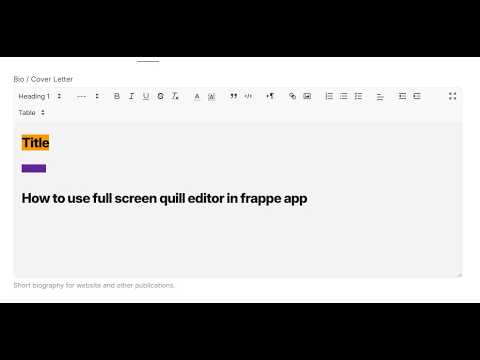
- Expand/collapse button on the Quill toolbar (editable fields)
- Moves the editor and toolbar into a focused modal for long-form writing
- Escape or click outside to exit (You can lock so that fullscreen does not close without pressing close button or minimize button introduced in v.2.0.0)
- The lock feature will prevent accidental minimize
- Lock state is saved in localstorage for the session
- Toolbar icon switches between expand / collapse
- Fullscreen button on read-only editors and formatted display areas
- View long HTML content comfortably without editing
- Modal width respects the desk Toggle Full Width setting
- Full width off: modal matches standard desk container width (not ~90% of the screen)
- Full width on: modal uses 90% width, aligned with Frappe’s full-width layout
- Resizes live if you toggle full width while the modal is open
- Dark theme support
- Styled to match Frappe CSS variables (
--fg-color,--border-color, etc.) - Hover-reveal fullscreen button on read-only areas
cd $PATH_TO_YOUR_BENCH
bench get-app https://github.com/raisulislam0/text_editor_fullscreen
bench install-app text_editor_fullscreen
bench --site [your_site_name] clear-cache