
- Install Redis:
wget https://download.redis.io/releases/redis-6.0.9.tar.gz
tar xzf redis-6.0.9.tar.gz
cd redis-6.0.9
make
make install
- Start and Verify Redis Server is running
redis-server
redis-cli ping
If you get PONG as response, it means the server is running.
- Build App
cd server && yarn run dev
cd ../extension && yarn start
- Go to Chrome Extensions Page and turn on Developer Mode.
- Click on 'Load unpacked' Button and upload the
/extension/distfolder.
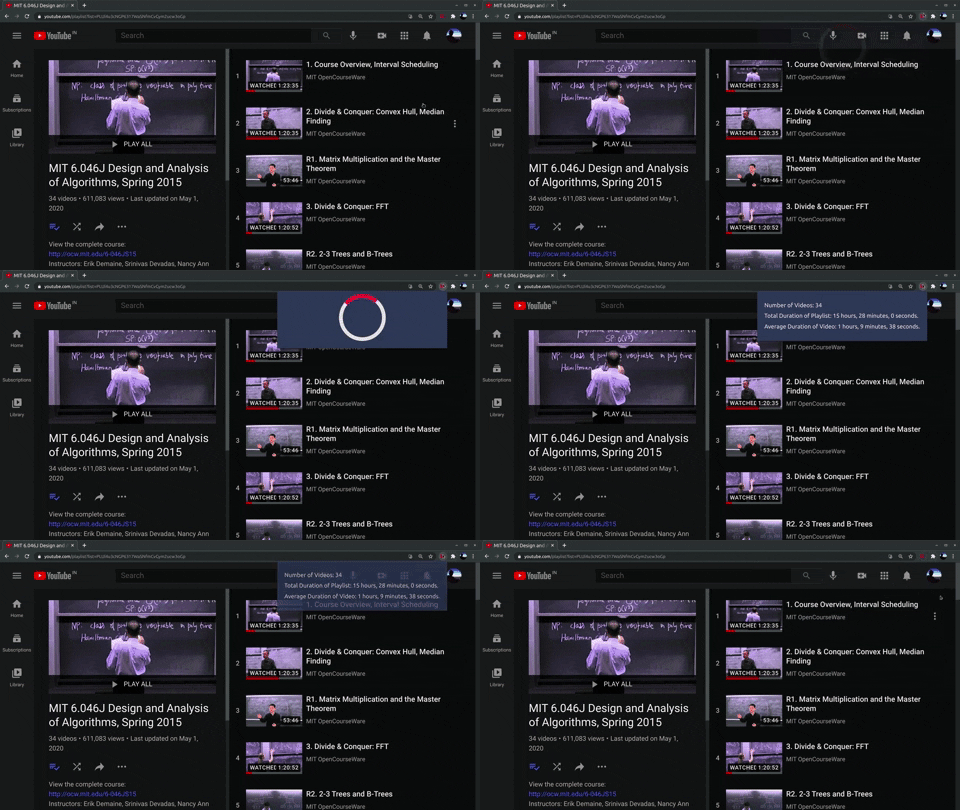
The extension will become active when you go to any youtube playlist link. You can click on the icon in the toolbar which will open a popup displaying the statistics for that playlist.
I built the extension because I used youtube playlists to study for many of my university courses and had to manually estimate the total time required to complete it.
Another use case for it would be finding the total duration of all videos uploaded by any channel. To do so, go to channel->videos->play all. This will open a playlist of all the videos of that channel and you can use the extension to get the total duration of them.