Quickly navigate to any folder in your workspace using fuzzy search. No more endless scrolling through the Explorer sidebar in large codebases.
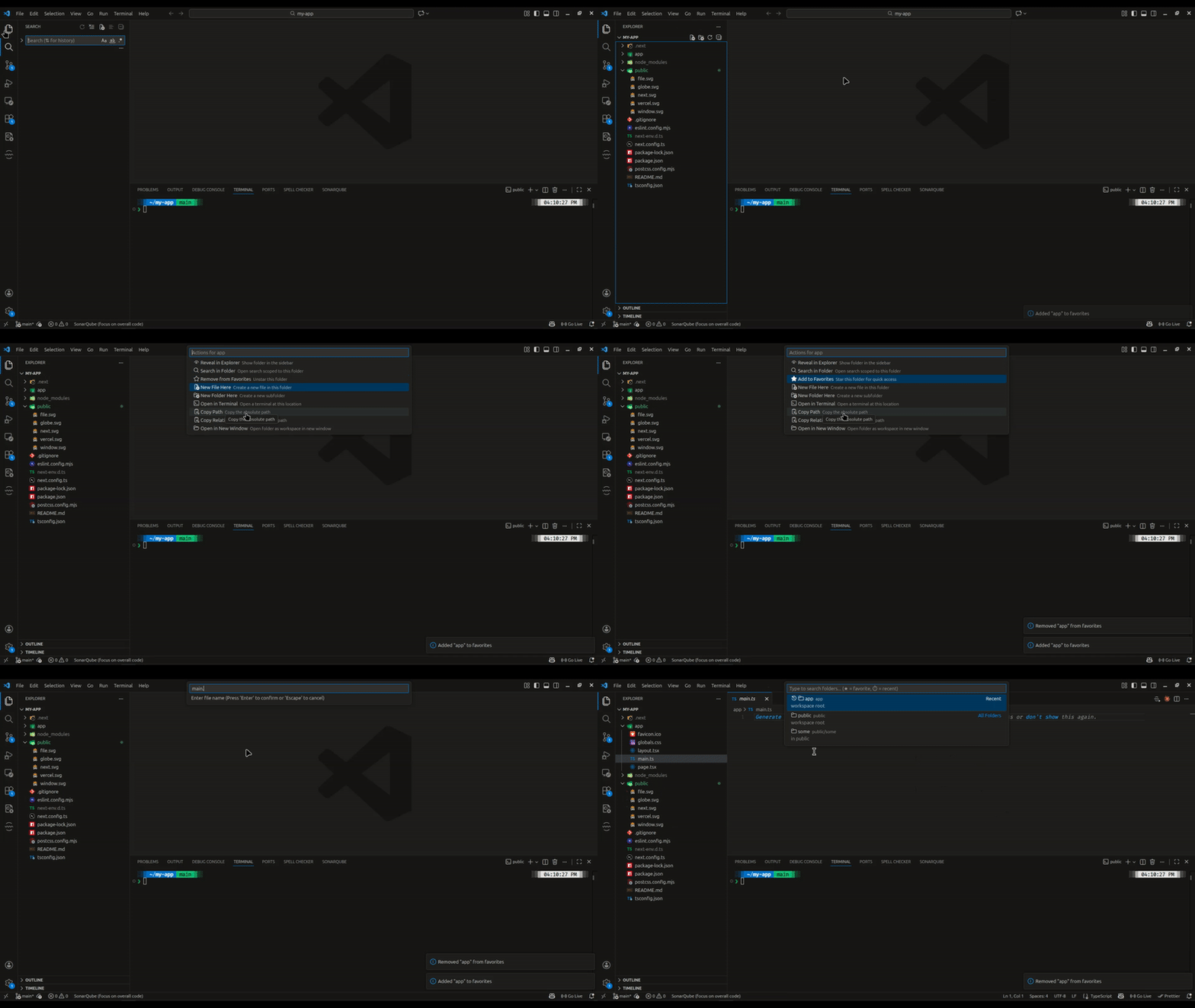
- Fuzzy folder search - Find folders by typing partial names
- Favorites - Star folders for instant access (shown at top)
- Recent folders - Recently used folders appear first
- Search in folder - Open VS Code search scoped to any folder
- Quick actions - Reveal in Explorer, create files, open terminal, copy path
- Smart indexing - Caches folder structure for instant results
- Configurable excludes - Skip
node_modules,.git, and other folders - Keyboard-first - Fast navigation without touching the mouse
- Press
Cmd+Shift+O(Mac) orCtrl+Shift+O(Windows/Linux) - Type to search for a folder
- Select a folder and choose an action:
- Reveal in Explorer - Show folder in sidebar
- Search in Folder - Open VS Code search scoped to this folder
- Add/Remove from Favorites - Star folders for quick access
- New File Here - Create a file in the folder
- New Folder Here - Create a subfolder
- Open in Terminal - Open terminal at folder location
- Copy Path - Copy absolute path to clipboard
- Copy Relative Path - Copy relative path to clipboard
- Open in New Window - Open folder as new workspace
- Favorites appear at the top with a ★ star icon
- Recent folders appear next with a ⏱ history icon
- Both persist across VS Code sessions
- Use the action menu to add/remove favorites
| Command | Description |
|---|---|
Go to Folder: Open |
Open the folder picker |
Go to Folder: Refresh Index |
Manually refresh the folder index |
Go to Folder: Clear Recent Folders |
Clear the recent folders list |
Go to Folder: Clear Favorites |
Clear all favorite folders |
| Shortcut | Command |
|---|---|
Cmd+Shift+O / Ctrl+Shift+O |
Open folder picker |
| Setting | Default | Description |
|---|---|---|
goToFolder.excludePatterns |
["**/node_modules/**", "**/.git/**", ...] |
Glob patterns for folders to exclude |
goToFolder.maxResults |
50 |
Maximum results shown in picker |
goToFolder.respectGitignore |
true |
Exclude folders matching .gitignore |
node_modules.gitdist,build.nextcoverage__pycache__,venv,.venv
You can customize this in settings.
VS Code's Quick Open (Cmd+P) only searches files, not folders. In large monorepos with thousands of directories, there's no efficient way to navigate to a folder by name. This extension fills that gap.
MIT
Made with ❤️ by PieceByte