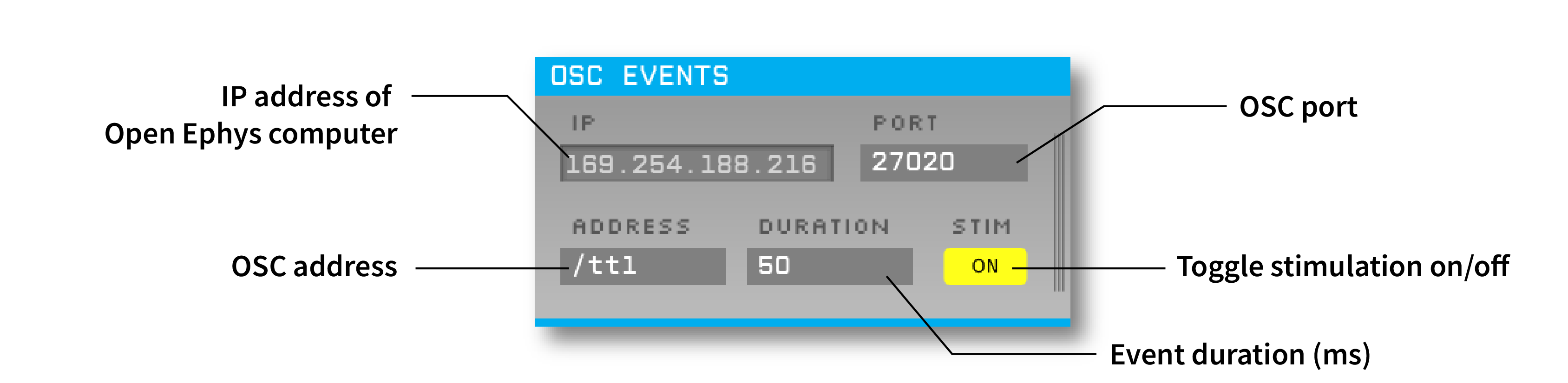
Triggers TTL events on incoming OSC messages. Coming eventually: Output TTL events as OSC messages.
This plugin can be added via the Open Ephys GUI's built-in Plugin Installer. Press ctrl-P or ⌘P to open the Plugin Installer, browse to the "OSC IO" plugin, and click the "Install" button. The OSC Events plugin should now be available to use.
Instructions for using the OSC IO Plugin are available [here](https://open-ephys.github.io/gui-docs/User-Manual/Plugins/OSC-Events.html.
First, follow the instructions on this page to build the Open Ephys GUI.
Then, clone this repository into a directory at the same level as the plugin-GUI, e.g.:
Code
├── plugin-GUI
│   ├── Build
│   ├── Source
│   └── ...
├── OEPlugins
│   └── osc-io
│       ├── Build
│       ├── Source
│       └── ...
Requirements: Visual Studio and CMake
From the Build directory, enter:
cmake -G "Visual Studio 17 2022" -A x64 ..Next, launch Visual Studio and open the OE_PLUGIN_osc-io.sln file that was just created. Select the appropriate configuration (Debug/Release) and build the solution.
Selecting the INSTALL project and manually building it will copy the .dll and any other required files into the GUI's plugins directory. The next time you launch the GUI from Visual Studio, the OSC Events plugin should be available.
Requirements: CMake
From the Build directory, enter:
cmake -G "Unix Makefiles" ..
make install
This will build the plugin and copy the .so file into the GUI's plugins directory. The next time you launch the compiled version of the GUI, the OSC Events plugin should be available.
From the Build directory, enter:
cmake -G "Xcode" ..Next, launch Xcode and open the osc-io.xcodeproj file that now lives in the “Build” directory.
Running the ALL_BUILD scheme will compile the plugin; running the INSTALL scheme will install the .bundle file to /Users/<username>/Library/Application Support/open-ephys/plugins-api. The OSC Events plugin should be available the next time you launch the GUI from Xcode.
This plugin was collaboratively developed by Gonçalo Lopes, Josh Siegle and Anjal Doshi.