[CS2113-T18-2] RecipEditor#8
Conversation


| ### Target user profile | ||
|
|
||
| {Describe the target user profile} | ||
|
|
||
| ### Value proposition | ||
|
|
||
| {Describe the value proposition: what problem does it solve?} |

There was a problem hiding this comment.
This should be removed or filled with details. 😃
| |v1.0|user| show all recipes in my list | view an overview of what recipes I have added beforehand | | ||
| |v1.0|user| show detailed recipe that I specified | view detailed recipe (name, description, ingredients and steps) of the one that I am interested | | ||
| |v1.0|user| exit the application | close the entire application | | ||
| |v2.0|user| find recipe by recipe name or ingredient name | locate a recipe without having to go through the entire list g | |
| |v2.0|user| find recipe by recipe name or ingredient name | locate a recipe without having to go through the entire list g | | ||
|
|
||
| ## Non-Functional Requirements | ||
|
|
There was a problem hiding this comment.
This should be removed or filled with details. 😄
| ## Content page | ||
| [Acknowledgements](#acknowledgements) |
There was a problem hiding this comment.
This should be removed or filled with details. 😀
| Upon start, Recipeditor will check load or create saves. | ||
|
|
||
| During software run, it will repeat iterations of reading and executing commands. | ||
| In each iteration,raw user inputs are read from CLI. They will be |
There was a problem hiding this comment.
There should a white-space after the comma in iteration,raw user inputs.

| @@ -0,0 +1,42 @@ | |||
| @startuml | |||
|
|
|||

There was a problem hiding this comment.
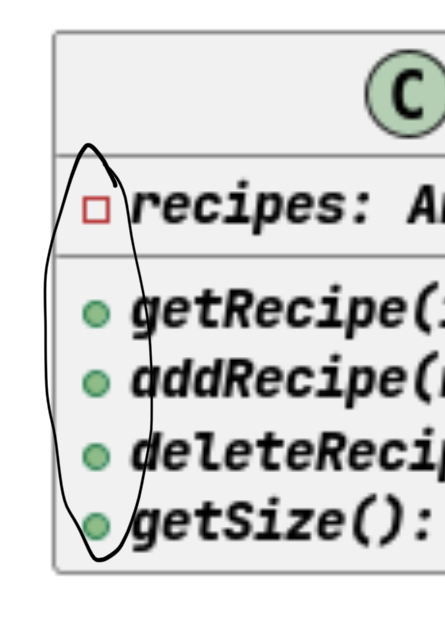
The icons for the UML diagrams for specifying method/attribute visibility don't conform to the module standards - this can be fixed by adding the directive skinparam classAttributeIconSize 0
There was a problem hiding this comment.
Class icons should be removed with the hide circle directive
| - [Product Scope](#product-scope) | ||
| - [Target User Profile](#target-user-profile) | ||
| - [Value Proposition](#value-proposition) | ||
| - [User Stories](#user-stories) |
There was a problem hiding this comment.
Consider adding sequence diagrams to this DG.
|
|
||
| Software running flow: | ||
|
|
||
| Upon start, Recipeditor will check load or create saves. |
There was a problem hiding this comment.
I'm not sure what "check load or create saves" means -- I assume this means it will load saved files if present and create them if they aren't, but this could be made clearer

| - [Logic Component](#logic-component) | ||
| - [Ui Component](#ui-component) | ||
| - [Storage Component](#storage-component) | ||
| - [Implementation](#implementation) |

There was a problem hiding this comment.
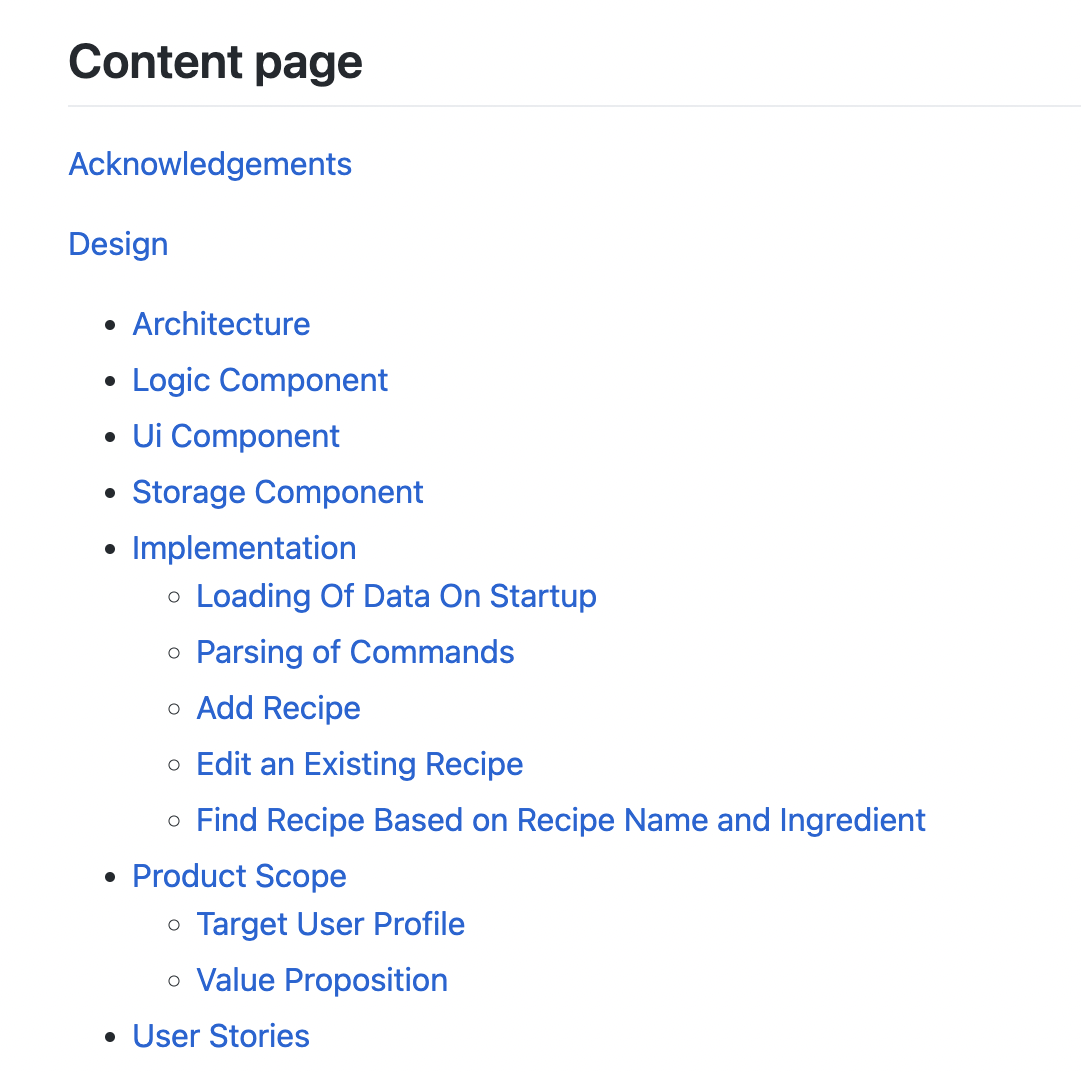
Should implementation be here? Or as a sibling or the Design section?
Ask these questions for your other sections as well(product scope/user-stories)
|
|
||
| ## Design & implementation | ||
| ## Design | ||
| ### Architecture |
There was a problem hiding this comment.
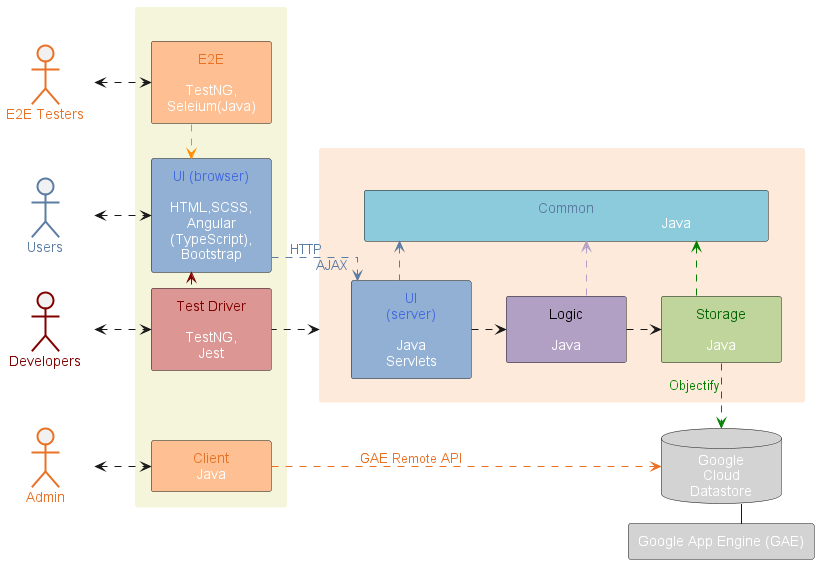
Check out https://nus-cs2113-ay2223s1.github.io/website/se-book-adapted/chapters/architecture.html for a proper architecture diagram.
In general, if an architecture diagram does not make sense or is hard to do well, it is better to not do it at all
Example:
| - `CommandResult`: explains the outcome of each command performed | ||
| - `Parser`: interprets the user input into different commands | ||
|
|
||
| Software running flow: |
There was a problem hiding this comment.
Instead of an architecture diagram, an overall sequence diagram of the software running flow can be a lot more meaningful
| The UI component is responsible for all user interfaces of the application. | ||
|
|
||
| <p align="center" width="100%"> | ||
| <img width="80%" src="images/UiClassDiagram.png" alt="Ui Class Diagram"/> |
There was a problem hiding this comment.
For the UI component, if you're writing a class diagram, you can focus on just the UI component i.e. Recipe and other class diagrams can be placed in a separate section
- You can include other class diagrams but they should be related to the UI functionality
- While it is okay to use use the package notion, other readers may not understand it as it is not covered in this module
| The storage component allows data to be read from and saved to a storage file. | ||
|
|
||
| <p align="center" width="100%"> | ||
| <img width="80%" src="images/StorageClassDiagram.png" alt="Storage Class Diagram"/> |
There was a problem hiding this comment.
Similar to previous comment, consider separation of concerns - discuss packages related to Storage only and you do not have to try to link everything back to the Recipe package(because Recipe is naturally associated to all classes as the Driver class)
| - [Logic Component](#logic-component) | ||
| - [Ui Component](#ui-component) | ||
| - [Storage Component](#storage-component) | ||
| - [Implementation](#implementation) |
There was a problem hiding this comment.
Consider including sequence diagrams for all commands in the future under the Implementation section

 jingwei55
left a comment
jingwei55
left a comment
jingwei55
left a comment
There was a problem hiding this comment.
Overall an informative developers guide! Just a few adjustments and diagrams needed, good job!
|
|
||
| **API:** `Storage.java` | ||
| 1. `Storage` calls `Recipe` when saving data from `RecipeList` to an external storage file. | ||
| 2. `Storage` calls `RecipeList` when loading recipe data from external storage file to. |
| The external storage file contains: | ||
| - Recipe Name | ||
| - Recipe Description | ||
| - Recipe Ingredients (name, amount, unit) | ||
| - Recipe Steps |
There was a problem hiding this comment.
An image may be more appropriate here to show how the recipe details are stored in the external file
| `AddCommand`: Add a valid `Recipe` to `RecipeList`, otherwise shows error message | ||
| for `invalid Recipe` | ||
|
|
||
| `DeleteCommand`: Remove an existing `Recipe` at a valid index from `RecipeList`, | ||
| otherwise show error message on `index out of bound` | ||
|
|
||
| `ExitCommand`: Deliver a `CommandResult` to terminate software run. | ||
|
|
||
| `InvalidCommand`: Deliver a `CommandResult` of invalid command | ||
|
|
||
| `ListCommand`: Print all formatted `Recipe` in `RecipeList` to screen | ||
|
|
||
| `ViewCommand`: View an existing `Recipe` at a valid index from `RecipeList`, | ||
| otherwise show error message on `index out of bound` |
There was a problem hiding this comment.
Sequence diagrams can be used here to better visualize the flow of how the different commands work. Perhaps elaborate more on how the AddCommand method checks if the Recipe is valid
| The aim of this guide is to help readers understand how the system and components of RecipEditor | ||
| is designed, implemented and tested. This developer guide also serves to help | ||
| developers to understand the architecture of RecipEditor and some design considerations. | ||
| Click to view the latest release of [RecipEditor]((https://github.com/AY2223S1-CS2113-T18-2/tp/releases)). | ||
|
|
||
| ## Content page | ||
| [Acknowledgements](#acknowledgements) |
There was a problem hiding this comment.
Perhaps give a short introduction of what RecipEditor does, so one can better understand its functions

| The command component features a list of commands falls under `Command`, | ||
| identified from user input for the software to carry out certain tasks. | ||
| A `CommandResult` is returned from `execute()` method call of each `Command`. | ||
| The `CommandResult` consists of a single error message in `String`. |
There was a problem hiding this comment.
Examples could be given to showcase how the different commands work, such as using sample inputs and outputs.

| <img width="80%" src="images/CommandClassDiagram.png" alt="Storage Class Diagram"/> | ||
| </p> | ||
|
|
||
| Each subclass of `Command` has their own attributes and `CommandResult` |

There was a problem hiding this comment.
Grammatically incorrect sentence
|
|
||
| {Describe the value proposition: what problem does it solve?} | ||
|
|
||
| ## User Stories |
There was a problem hiding this comment.
I assume this will come in later but add information about the target and development product
| 1. `RecipeList` calls `Recipe` to add new recipe to the list | ||
| 2. `RecipeList` calls `Recipe` to edit existing recipes | ||
| 3. `RecipeList` calls `Recipe` to delete a recipe | ||
|
|
There was a problem hiding this comment.
Could make this more concise, or just explain what you can do within Recipe.java in the part below
| 1. `Ui` takes `CommandResult` as a parameter to show the output message after a command is completed. | ||
| 2. `AddMode` calls `Recipe` to add new recipe into the list. | ||
| 3. `AddMode` calls `Ingredient` to parse ingredients according to its name, amount and unit. | ||
|
|
There was a problem hiding this comment.
Do numbers 2 and 3 fall under the Ui.java API?


|
|
||
| ## Design & implementation | ||
| ## Design | ||
| ### Architecture |
There was a problem hiding this comment.
Perhaps you confused the architecture diagram with a sequence diagram? You could rename this section to reflect accordingly.
| <p align="center" width="100%"> | ||
| <img width="80%" src="images/CommandClassDiagram.png" alt="Storage Class Diagram"/> | ||
| </p> | ||
|
|
There was a problem hiding this comment.
Maybe you could add a description under the diagram , such as " XX diagram for XX" for other reviewers to be clearer when they are reading.
|
|
||
| ### Storage Component | ||
| The storage component allows data to be read from and saved to a storage file. | ||
|
|
There was a problem hiding this comment.
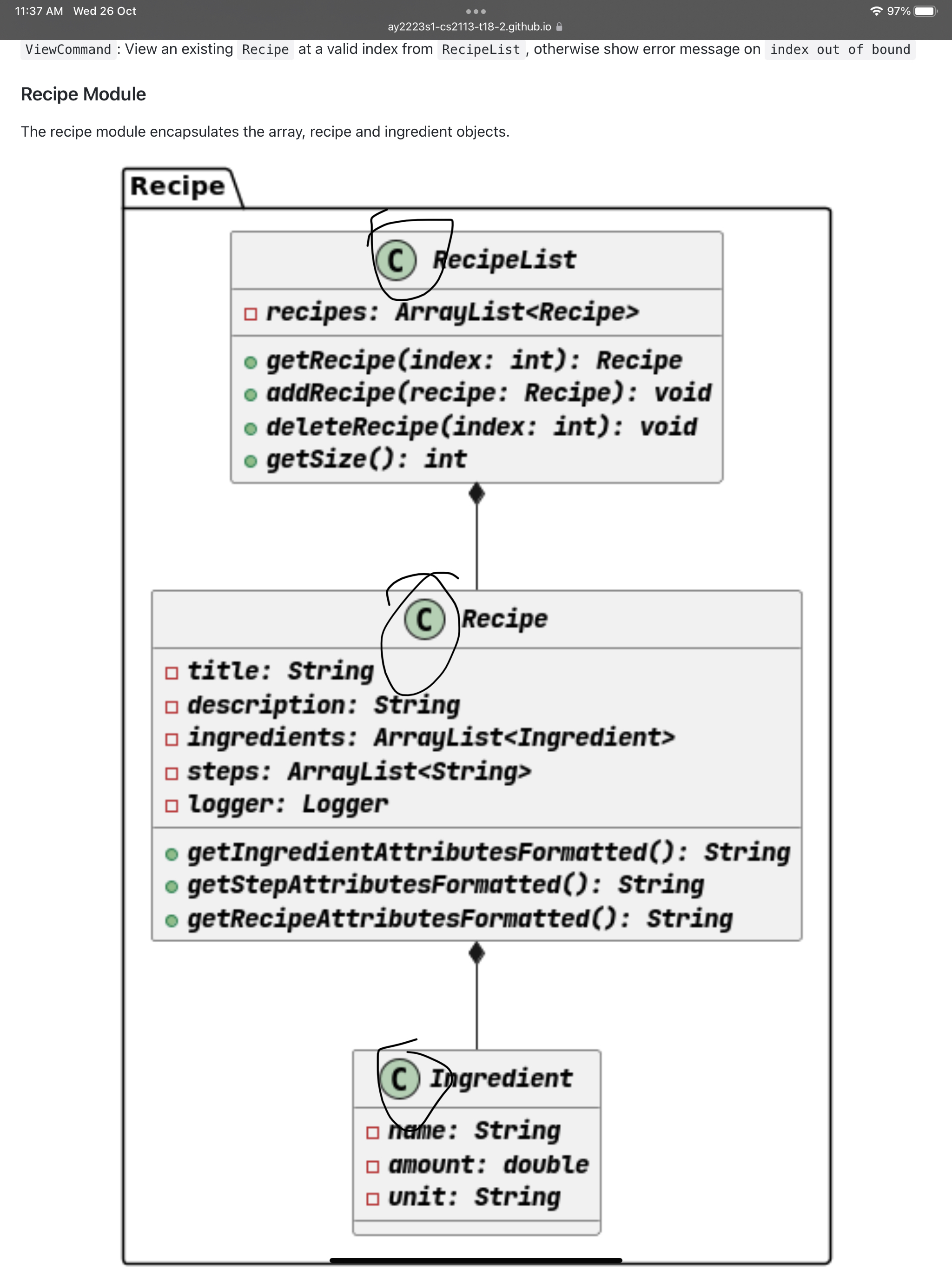
The CS2113 standard omits the "C" in the UML diagram. You could consider removing them.
| |v2.0|user| find recipe by recipe name or ingredient name | locate a recipe without having to go through the entire list g | | ||
|
|
||
| ## Non-Functional Requirements | ||
|
|
There was a problem hiding this comment.
Most technical detail suggestions are given by other reviewers. For layout-wise, maybe you could consider making the DG more "layered", ie. the reviewer has a sense of which part/chapter they are reading now. Currently, the DG looks "flat", where every piece of information looks like they have the same importance. Even though markdown has limitations in formatting, you could consider using larger / smaller fonts to tidy up the DG more.

|
|
||
| ## Design & implementation | ||
| ## Design | ||
| ### Architecture |
There was a problem hiding this comment.
Maybe you can give a more high level overview of class component diagram in the Architecture. Right now the sequence diagram is more of implementation
| The storage component allows data to be read from and saved to a storage file. | ||
|
|
||
| <p align="center" width="100%"> | ||
| <img width="80%" src="images/StorageClassDiagram.png" alt="Storage Class Diagram"/> |
There was a problem hiding this comment.
Storage and Recipe should only have 1 kind of arrow connecting them both. It is not clear what the Class Diagram is supposed to convey
| can be loaded from saves upon next software launch. | ||
|
|
||
|
|
||
| ### Ui Component |
There was a problem hiding this comment.
The class diagram styling is wrong. There is not supposed to be a C beside the object.
| The aim of this guide is to help readers understand how the system and components of RecipEditor | ||
| is designed, implemented and tested. This developer guide also serves to help | ||
| developers to understand the architecture of RecipEditor and some design considerations. | ||
| Click to view the latest release of [RecipEditor]((https://github.com/AY2223S1-CS2113-T18-2/tp/releases)). | ||
|
|
||
| ## Content page | ||
| [Acknowledgements](#acknowledgements) |
| The `CommandResult` consists of a single error message in `String`. | ||
|
|
||
| <p align="center" width="100%"> | ||
| <img width="80%" src="images/CommandClassDiagram.png" alt="Storage Class Diagram"/> |
There was a problem hiding this comment.
Class Diagram styling is wrong, abstract class should be represented with {...}

 hughjazzman
left a comment
hughjazzman
left a comment
hughjazzman
left a comment
There was a problem hiding this comment.
Some repeated bugs, do fix them for all diagrams! Take note of the comments given by other students as well.
| The UI component is responsible for all user interfaces of the application. | ||
|
|
||
| <p align="center" width="100%"> | ||
| <img width="80%" src="images/UiClassDiagram.png" alt="Ui Class Diagram"/> |
There was a problem hiding this comment.
Note that this is non-standard UML notation. You can use the info here to change settings for PlantUML: nus-cs2113-AY2122S1/forum#114
| The `CommandResult` consists of a single error message in `String`. | ||
|
|
||
| <p align="center" width="100%"> | ||
| <img width="80%" src="images/CommandClassDiagram.png" alt="Storage Class Diagram"/> |
There was a problem hiding this comment.
It is likely there is inheritance in the classes here, which is not conveyed in the arrows used.
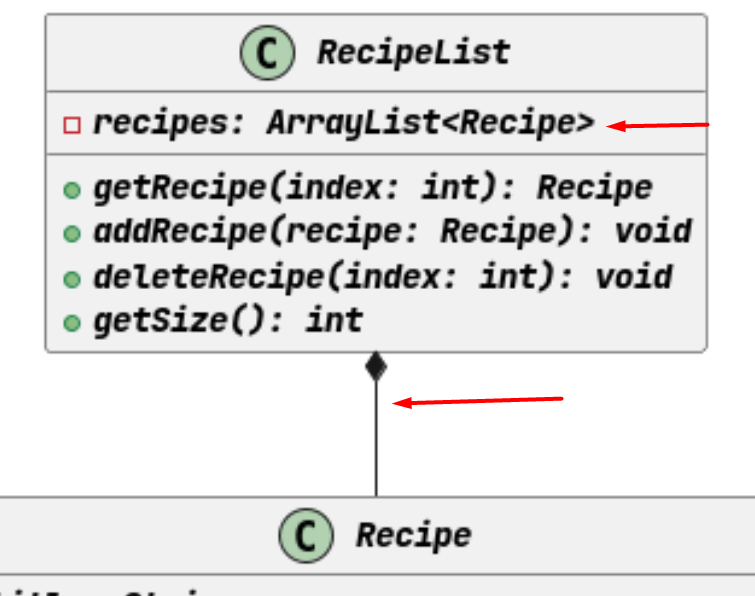
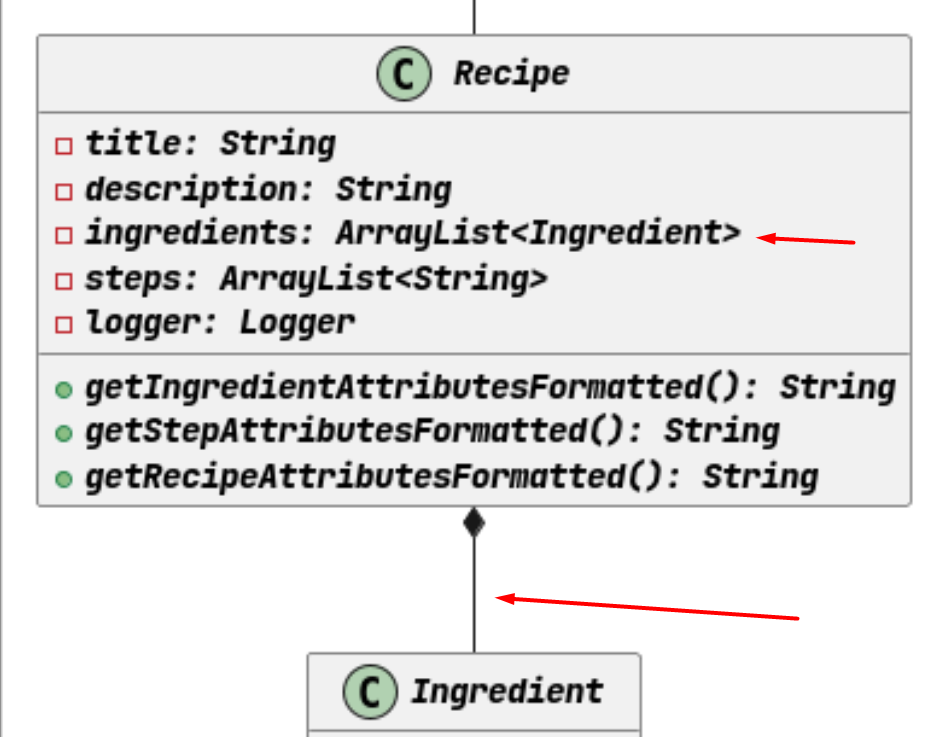
| The recipe module encapsulates the array, recipe and ingredient objects. | ||
|
|
||
| <p align="center" width="100%"> | ||
| <img width="80%" src="images/RecipeModuleDiagram.png" alt="Recipe Module Diagram"/> |
There was a problem hiding this comment.
As in tutorial, if the association between the classes is present, then perhaps it should not be an attribute?

…into QianHui-PPP

Qian Hui's PPP

Update PPP
Fix error message from view
…into final-major-update
fix error message
…into final-major-update
update readme
Change the styling of file path under data management

…into final-major-update
DG update
…into V2.1_UserGuide
V2.1 JavaDocs
Removed magic numbers in recipe
12 participants


RecipEditor is a recipe management application. You can store, edit, search your recipes for your cooking needs (including ingredients, steps etc).