9. Extras
The Sequence Read Archive from NCBI allows you to download raw sequence files that authors of research papers submitted.
From Download page you can grab the gzipped software. The file for Mac is labeled MacOS 64 bit architecture.
All the installation guide is explained here. If you are not sure how to follow, here is a brief guide:
(1) Move the downloaded file to
$SEQ_HOME/tools/sratoolkit.3.0.0-mac64.tar.gz(2) Go to Terminal and type:
cd $SEQ_HOME/tools
tar -vxzf sratoolkit.3.0.0-mac64.tar.gz
echo 'export PATH="$SEQ_HOME/tools/sratoolkit.3.0.0-mac64/bin:$PATH"' >> ~/.zshrc
source ~/.zshrc
mkdir -p $SEQ_HOME/ncbi/public
vdb-config -i
(3) Type "c" on your keyboard to move to the "cache" tab, then type "o"
(4) Right-click on "Goto" then press enter so you can start typing the path name for download cache destination:
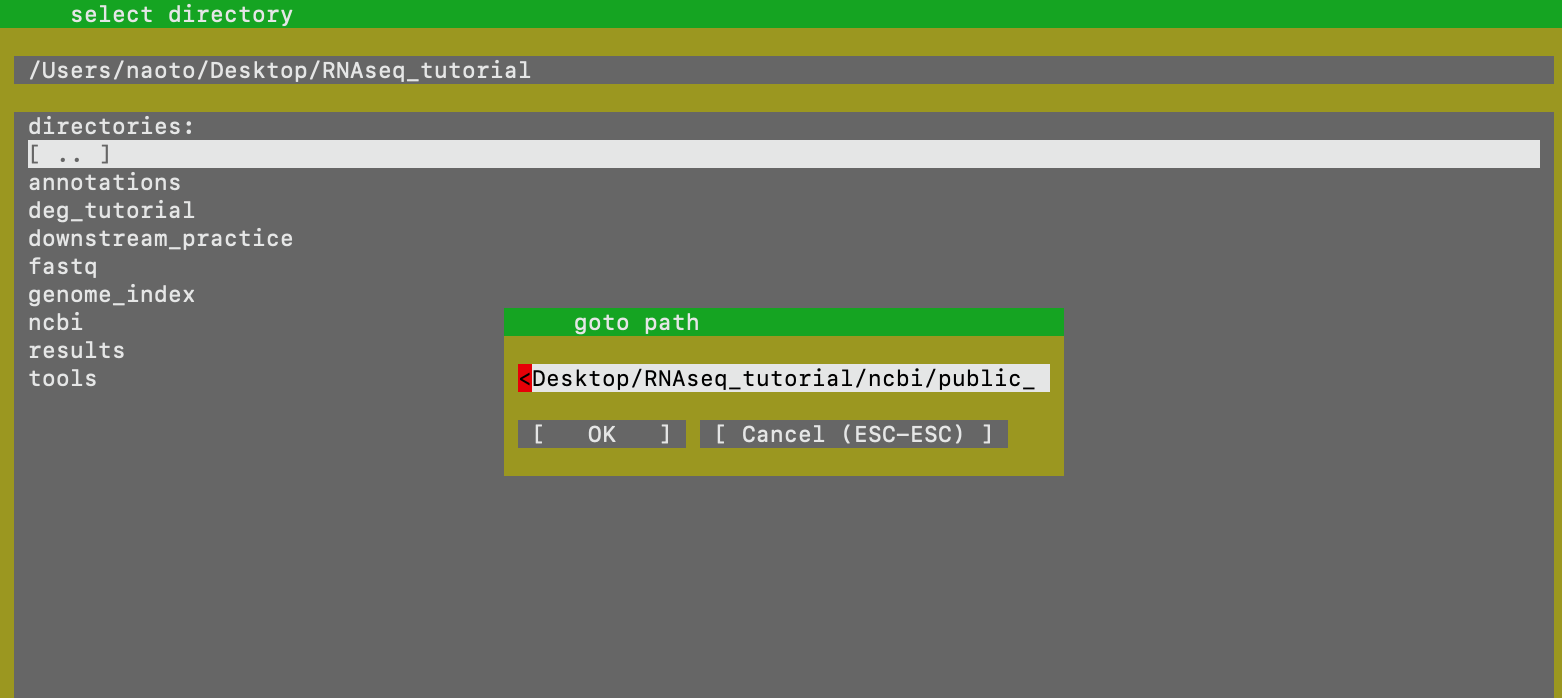
(5) Type the full path of $SEQ_HOME/ncbi/public, right-click on "ok" and hit enter. Right-click on "OK" and hit enter. If it asks that it wants to change the location, type "y".
(6) Make sure that local file-caching is enabled by the X mark. You can type "i" to see if the X appear. Type "s" for saving, "o" for ok to save, then type "x" to exit.
As the official guide says, using prefetch and then fasterq-dump will be the fastest way to download. On your Terminal,
cd $SEQ_HOME
prefetch SRR9678461 -v
When this is done,
fasterq-dump --split-3 -e 16 -t $SEQ_HOME/ncbi/ -O $SEQ_HOME/ncbi/public/files/ -p SRR9678461
This should download the fastq into $SEQ_HOME/ncbi/public/files/. If the file is paired-end, this command should split the read into _1.fastq and _2.fastq (read1, read2). I have also uploaded python file to batch download based on SRA accession numbers here.
For example, let's look up experiment ERX2156127 .
(ii) You can download by checking off the "Generated FASTQ files" and clicking "Download selected files".
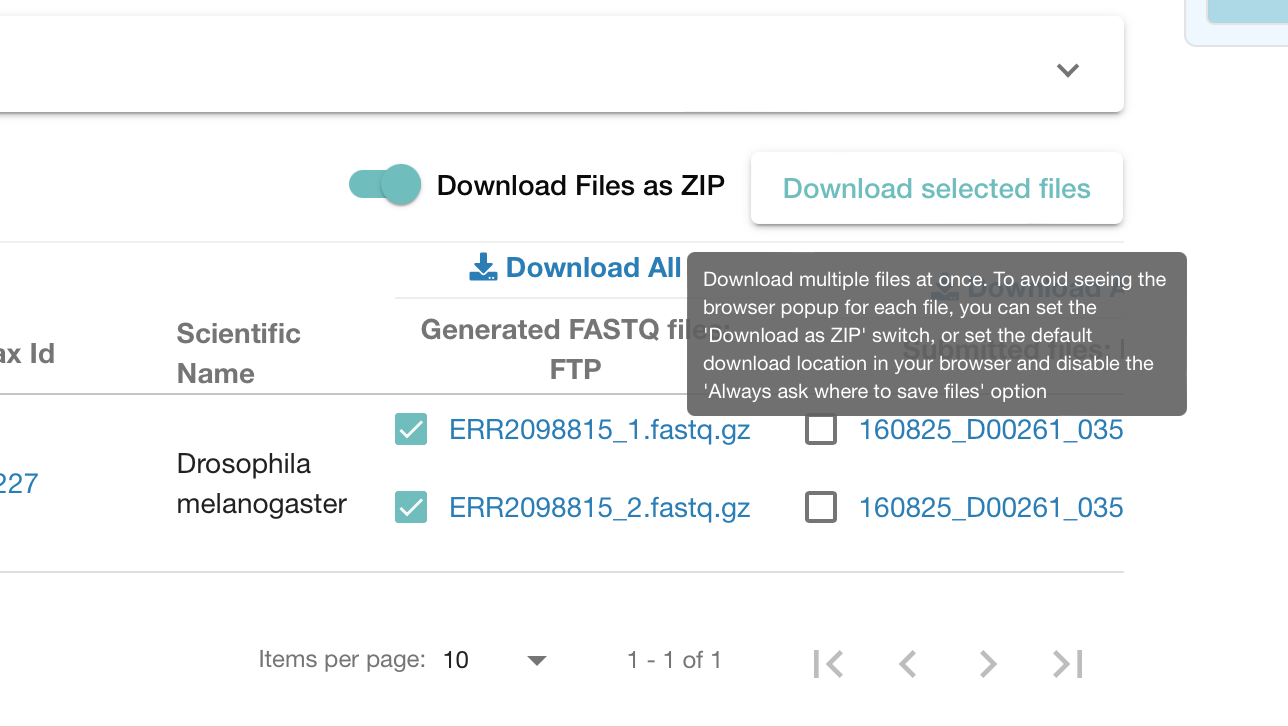
(iii) Alternatively, you can do it from Terminal (it may be better if you only have shell environment).
Click on "TSV" to download information file.
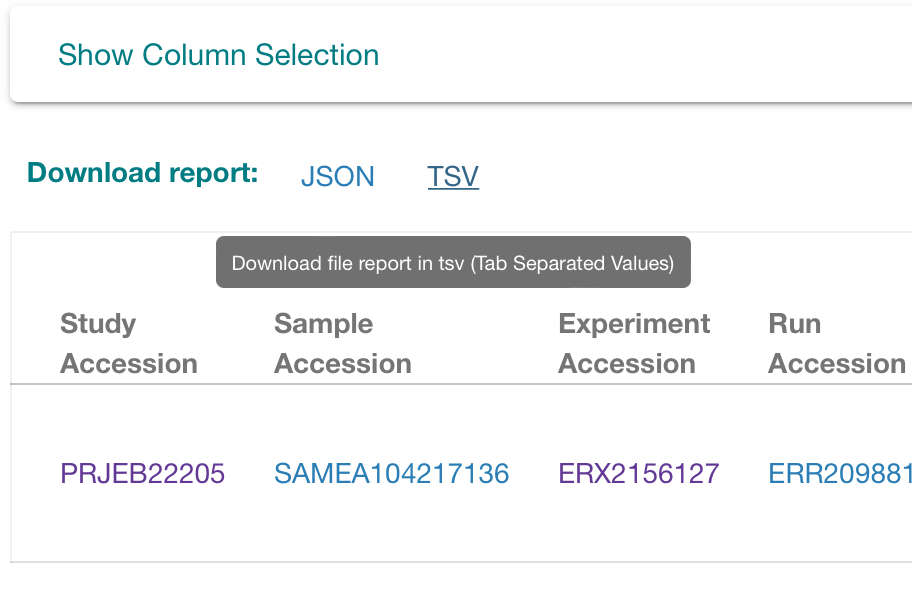
The tab name "fastq ftp" contains the ftp link and two links will be seperated by semicolon in case of paired-end read. To download this, go to Terminal:
mkdir $SEQ_HOME/ena
wget -P $SEQ_HOME/ena/ ftp.sra.ebi.ac.uk/vol1/fastq/ERR209/005/ERR2098815/ERR2098815_1.fastq.gz
wget -P $SEQ_HOME/ena/ ftp.sra.ebi.ac.uk/vol1/fastq/ERR209/005/ERR2098815/ERR2098815_2.fastq.gz
Let's download fastp from brew and make directories for this tutorial:
brew install fastp
mkdir -p $SEQ_HOME/paired_end/results/STAR
fastp can trim adapters by automatically detecting them. In case of paired-end,
fastp --detect_adapter_for_pe --poly_g_min_len 18 -L -w 16 -i $SEQ_HOME/ncbi/public/files/SRR9678461_1.fastq -o $SEQ_HOME/paired_end/SRR9678461_1_trimmed.fastq.gz -I $SEQ_HOME/ncbi/public/files/SRR9678461_2.fastq -O $SEQ_HOME/paired_end/SRR9678461_2_trimmed.fastq.gz
This takes two inputs by "-i" and "-I" and make two trimmed fastq.gz by "-o" and "-O". The html report can show you the trim information. Not only it trims quicker, it also does the quality check process along with it!
The STAR alignment is almost identical to when doing a single-end read. Instead of putting one trimmed file after the "--readFilesIn" command, we will put both trimmed files.
STAR --genomeDir $SEQ_HOME/genome_index --runThreadN 4 --readFilesIn $SEQ_HOME/paired_end/SRR9678461_1_trimmed.fastq.gz $SEQ_HOME/paired_end/SRR9678461_2_trimmed.fastq.gz --readFilesCommand gunzip -c --outFilterType BySJout --outFilterMultimapNmax 20 --alignIntronMin 20 --alignIntronMax 1000000 --alignMatesGapMax 1000000 --alignSJoverhangMin 8 --alignSJDBoverhangMin 1 --outSAMattributes All --outSAMtype BAM SortedByCoordinate --outFileNamePrefix $SEQ_HOME/paired_end/results/STAR/
Using featurecounts could get a little bit tricky for paired-end reads, and you have to be especially careful for the strandedness of the library (always check the method section of publication).
$SEQ_HOME/tools/subread-2.0.3-macOS-x86_64/bin/featureCounts -a $SEQ_HOME/annotations/dmel-all-r6.44.gtf -o $SEQ_HOME/paired_end/results/readcount.txt -T 4 $SEQ_HOME/paired_end/results/STAR/Aligned.sortedByCoord.out.bam -s 2 -p
You can clean by using "cut" command:
cut -f 1,7 $SEQ_HOME/paired_end/results/readcount.txt>$SEQ_HOME/paired_end/results/readcount_clean.txt