

Blog · App Store · Build from source · Dictionary sources
The definitive MDict reader for iPhone and iPad,
built on top of a modern Swift 6 library for MDX & MDD files with CSS & JS support.


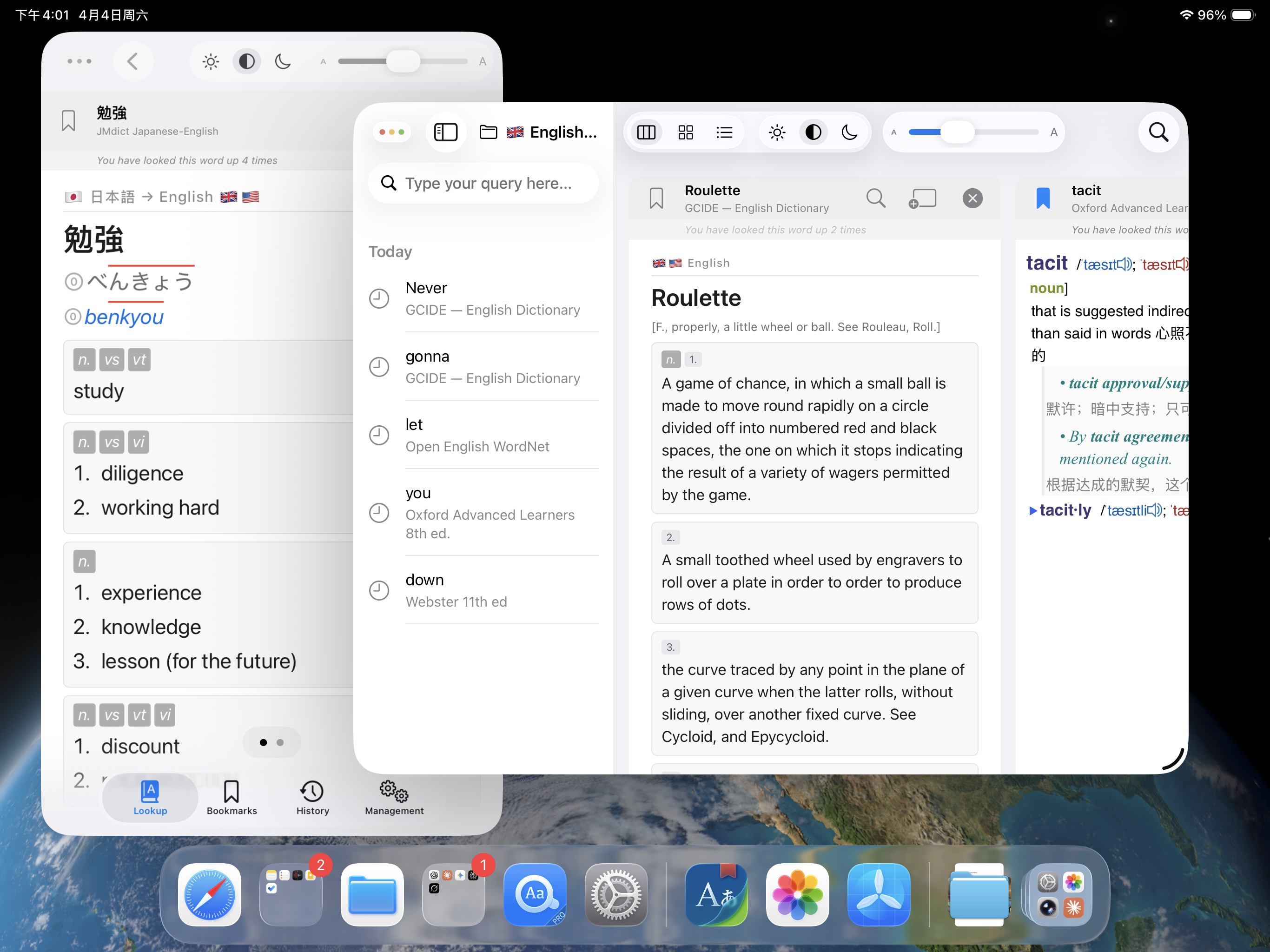 Multiple windows |
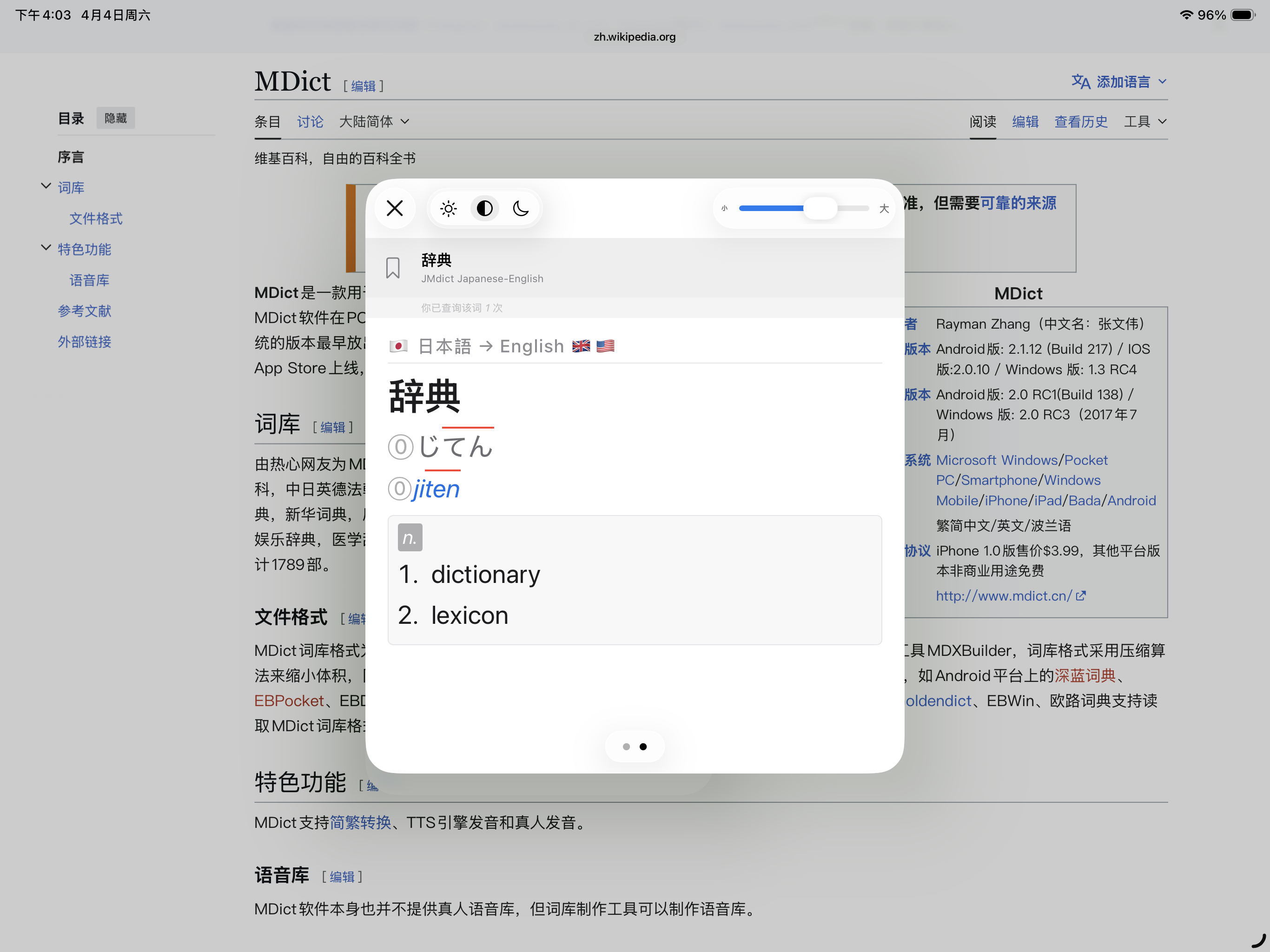 Pop-up lookup |
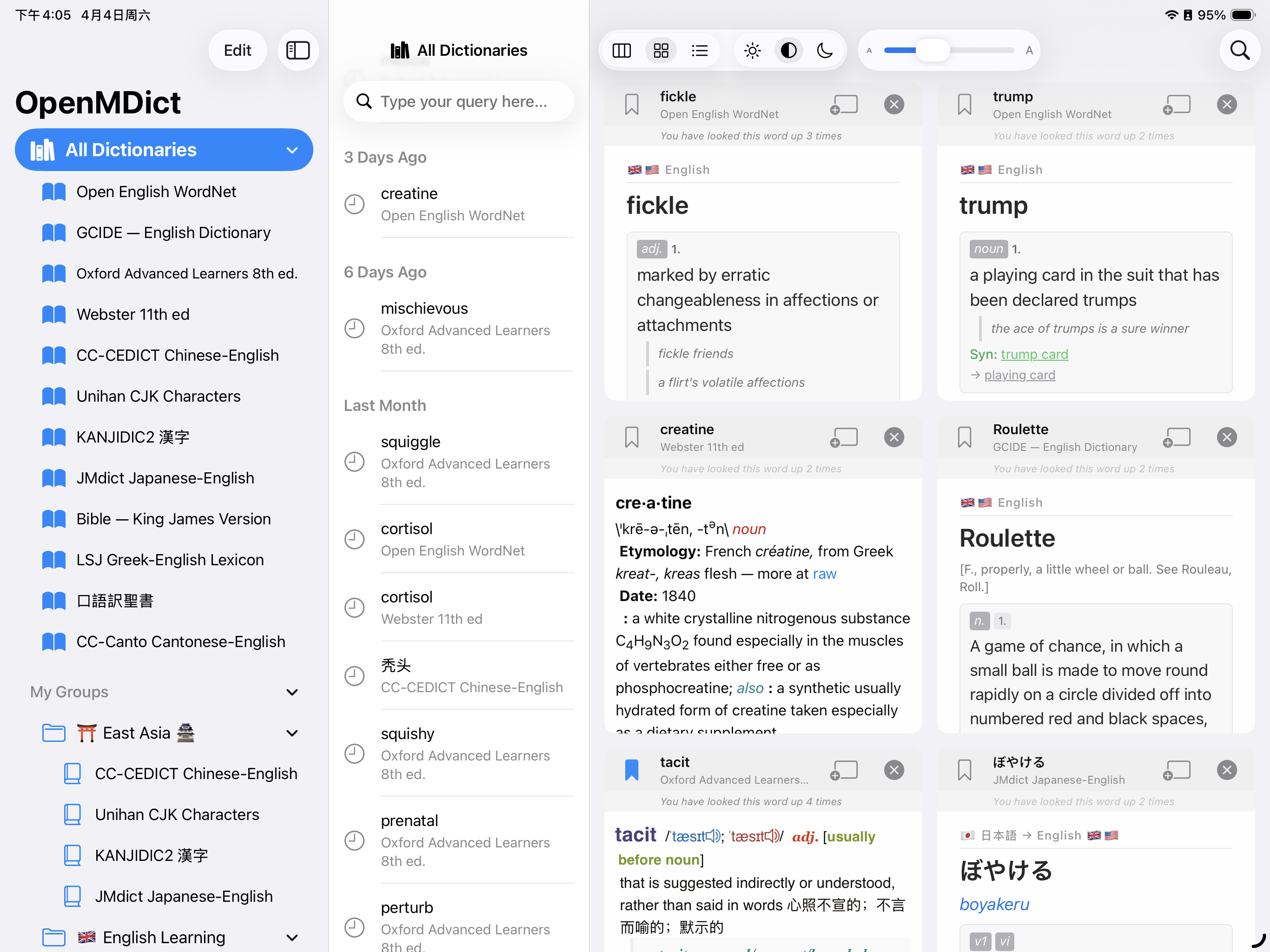 Grid layout |
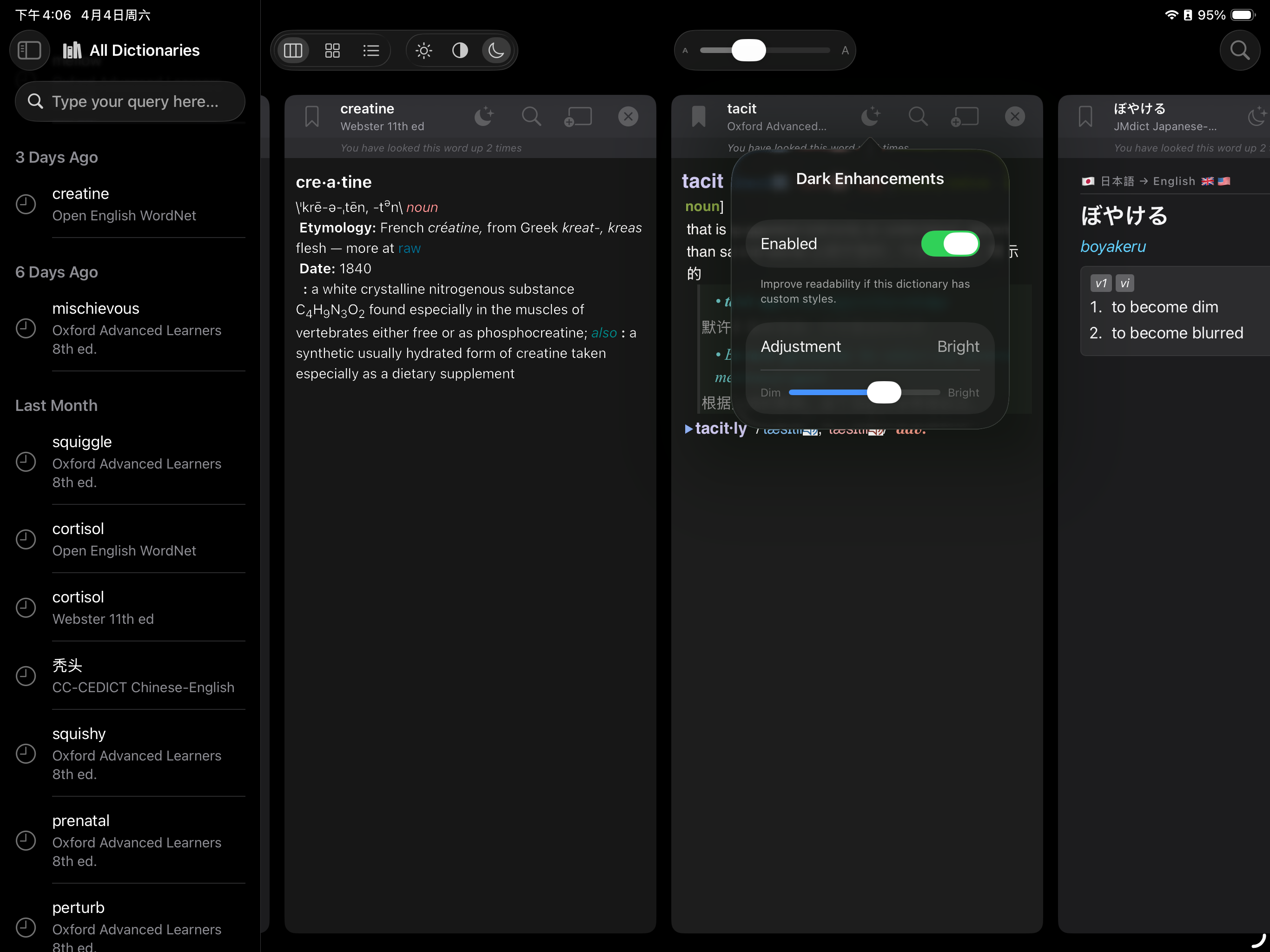 Enhanced dark mode |
OpenMDict reads MDict dictionaries: an .mdx file holds the entries, and
optional .mdd files hold images, audio, stylesheets and other resources.
This repository contains:
- OpenMDict, a Swift library that reads MDX and MDD files on macOS and iOS, with no third-party or C dependencies;
- OpenMDictKit, the lookup models and sync rules the iOS app is built on;
openmdictandopenmdict-bench, command-line tools;- OpenMDict for iPhone and iPad, a dictionary reader app (App Store);
- the pipeline that builds the app's 64 preset dictionaries from openly licensed and public-domain data.
Library
- Reads MDX and MDD files (see Format support).
- Lookups that fall back to English and German base forms of inflected words, to full-width and other compatibility characters, and to matches that ignore case and diacritics; prefix search and spelling suggestions.
- Resources from the MDD files and from loose files next to the MDX.
- Memory-mapped, read-only file access, and an optional on-disk index cache that makes repeat opens of large dictionaries much faster (details).
iOS and iPadOS app
- Import your own
.mdxand.mddfiles, and add CSS, JavaScript and font files to a dictionary. - 64 preset dictionaries built from openly licensed or public-domain data (WordNet, JMdict, CC-CEDICT, Wiktionary and others); two ship with the app, the rest download on demand.
- Look up a word in several dictionaries at once; organize them into groups.
- Spelling suggestions and related-word search; on iOS 26 and later, search inside article text with an on-device embedding model.
- Bookmarks, lookup history, and iCloud sync of dictionaries, bookmarks, history and groups, with a troubleshooting screen and a reset that clears the synced data on every device.
- Look up words from other apps through the Action and Share extensions and a Shortcuts action.
- On iPad: Columns, Grid and List layouts for comparing articles, multiple windows, Split View and keyboard shortcuts.
- AI Coach (iOS 26 and later, with Apple Intelligence): vocabulary quiz games generated on the device.
- Interface in 13 languages: English, Simplified and Traditional Chinese, Russian, Spanish, German, Japanese, French, Brazilian Portuguese, Korean, Ukrainian, Arabic and Hindi.
| Supported | |
|---|---|
| MDX | 1.x, 2.0 |
| MDD | 1.x, 2.0 |
| Block compression | none, LZO1X (decoder written in Swift), zlib |
| Encryption | Key-index obfuscation (Encrypted="2") |
Not supported: MDict 3.0 files (MdxBuilder 4.x), and files with
Encrypted="1" or "3" (key-header encryption tied to a registration
code). See the format notes.
- Package (library, CLI tools, tests): Swift 6.2 or later (Xcode 26); deployment targets macOS 12 and iOS 15.
- App: Xcode 26 on macOS 15.6 or later; runs on iOS and iPadOS 15.6 or later.
The package has no semantic-version release tags yet (the assets-* tags
only carry release assets), so depend on a branch or a revision:
dependencies: [
    .package(url: "https://github.com/naco-siren/OpenMDict.git", branch: "main")
],
targets: [
    .target(name: "MyApp", dependencies: [
        .product(name: "OpenMDict", package: "OpenMDict")
    ])
]
import OpenMDict
let dict = try MDictReader(path: "dictionary.mdx") // also opens dictionary.mdd beside it
if let entry = dict.lookup("hello") { // with fallbacks
print(entry.article.html)
}
let exact = dict.lookup("hello", fallbacks: .none) // direct matches only
let words = dict.search(prefix: "hel", limit: 10)
print(dict.metadata.title ?? "untitled", dict.entryCount) // title is nil for placeholder titles
let css = dict.resourceString(for: "style.css")
let image = dict.resource(for: "logo.png")
let header = MDictReader.loadMetadata(from: "dictionary.mdx") // header only; entryCount is nilThe doc comments in Sources/OpenMDict/MDictReader.swift cover the rest of
the API: every record of a word (lookupAll), spelling suggestions, entries
by index and hasResource(_:).
To enable the index cache, set a directory once at launch, before opening any dictionary (write modes, cache removal, profiling):
let caches = FileManager.default.urls(for: .cachesDirectory, in: .userDomainMask)[0]
MDictSidecarCache.cacheDirectory = caches.appendingPathComponent("MDXIndex")These commands run on a fresh clone against the bundled test dictionary:
swift run openmdict Tests/Fixtures/tiny.mdx                 # dictionary information
swift run openmdict Tests/Fixtures/tiny.mdx lookup hello
swift run openmdict Tests/Fixtures/tiny.mdx search hel
swift run openmdict Tests/Fixtures/tiny.mdx lookup hello --format=json
openmdict without arguments lists every command. See
docs/cli.md for output formats and the cache commands, and
docs/performance.md
for openmdict-bench.
git clone https://github.com/naco-siren/OpenMDict.git
cd OpenMDict
scripts/bootstrap-assets.sh        # preset dictionaries and Core ML model, about 700 MB
open Apps/iOS/OpenMDict-iOS/OpenMDict-iOS.xcodeproj
The bootstrap script downloads the assets that are not committed, checks
them against preset-dicts/assets.lock.json, compiles the model, and creates
Apps/iOS/OpenMDict-iOS/Local.xcconfig from Local.xcconfig.template. Every
build configuration reads that git-ignored file. Set DEVELOPMENT_TEAM in it
to your team identifier before running the app on a simulator or device.
docs/development.md covers unsigned builds, the
capabilities the app needs, simulator limitations and forking.
swift test                                    # bundled synthetic dictionaries
MDICT_TEST_FILE=path/to/dict.mdx swift test   # reader and parser suites on a real dictionary
The tests need no downloaded assets. GitHub Actions runs swift build and
swift test on every push to main and on every pull request. Per-suite
options and opt-in suites: docs/development.md.
| Path | Contents |
|---|---|
Sources/OpenMDict |
Core library: parsers, MDictReader, index cache, LZO1X decoder, article-embedding index |
Sources/OpenMDictKit |
Lookup models (MDict, MDicts) and the sync and preset-update rules used by the app |
Apps/CLI, Apps/Bench |
openmdict and openmdict-bench |
Apps/iOS |
Xcode project: the app, its Action Extension and Share Extension |
Tests |
Test suites and fixtures |
preset-dicts |
Preset dictionary pipeline: catalog, build scripts, asset lock |
scripts |
Asset bootstrap, publishing and checks; Xcode project relinking; model conversion |
docs |
Developer documentation and design notes |
licenses |
License texts of third-party components and preset dictionaries |
| Document | Topic |
|---|---|
| docs/development.md | Building, running and signing the app; tests |
| docs/cli.md | Command-line reference |
| docs/performance.md | File access, index cache, signposts, benchmarks |
| docs/MDict_Format_Specification.md | MDX and MDD format notes |
| docs/article-embeddings.md | Semantic and article search |
| docs/CoreData_Swift6_Concurrency.md | Core Data under Swift 6 strict concurrency |
| MAINTAINING.md | Rebuilding and publishing the preset dictionaries, model and icons |
| preset-dicts/README.md | Dictionary pipeline, sources and licenses |
| THIRD-PARTY-NOTICES.md | Third-party licenses and attributions |
The code is released under the MIT License; see LICENSE. The preset dictionaries, the embedding model and other third-party components are distributed under their own licenses; see THIRD-PARTY-NOTICES.md and licenses/.
- lzokay (MIT): model for the LZO1X decoder.
- writemdict (MIT): reference for the MDX and MDD format.
- The sources of the preset dictionaries and the embedding model are credited in THIRD-PARTY-NOTICES.md.