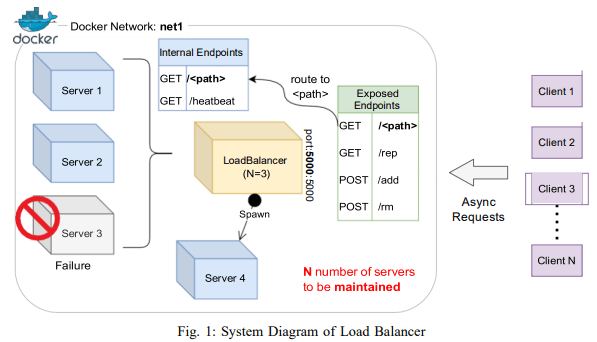
This project implements a customizable load balancer that routes requests coming from several clients asynchronously among several servers so that the load is nearly evenly distributed among them.
The load balancer is designed using a consistent hashing mechanism. This design choice was made to ensure that the load balancer can handle a large number of requests and distribute them evenly across the servers. The consistent hashing mechanism also allows the load balancer to handle changes in the number of servers without causing a significant disruption in the distribution of requests.
- The following assumptions were made during the development of this load balancer:
- The servers are capable of handling the load distributed to them by the load balancer.
- The number of servers can change dynamically, and the load balancer can handle these changes.
- The hash function used for consistent hashing provides a good distribution of requests across the servers.
-
Clone the repository on your local machine:
git clone https://github.com/mikemwai/balancer.git
-
Navigate to the project directory and create a virtual environment on your local machine through the command line:
py -m venv myenv
-
Activate your virtual environment:
-
On Windows
myenv\Scripts\activate
-
On Mac
source myenv/bin/activate
-
-
Install the required packages:
pip install -r requirements.txt
-
Navigate to the server readme to run the server and the load balancer readme to run the load balancer.
The load balancer was tested using a series of tests that simulate a variety of scenarios, including a large number of requests, changes in the number of servers, and server failures. The tests were designed to measure the performance of the load balancer and ensure that it can handle these scenarios effectively.
The performance of the load balancer was analyzed by measuring the total time taken to handle a large number of requests and the average load on the servers. The results of this analysis showed that the load balancer is able to distribute the load evenly across the servers and handle a large number of requests efficiently.
Launch 10000 async requests on N = 3 server containers and report the request count handled by each server instance in a bar chart. Explain your observations in the graph and your view on the performance.
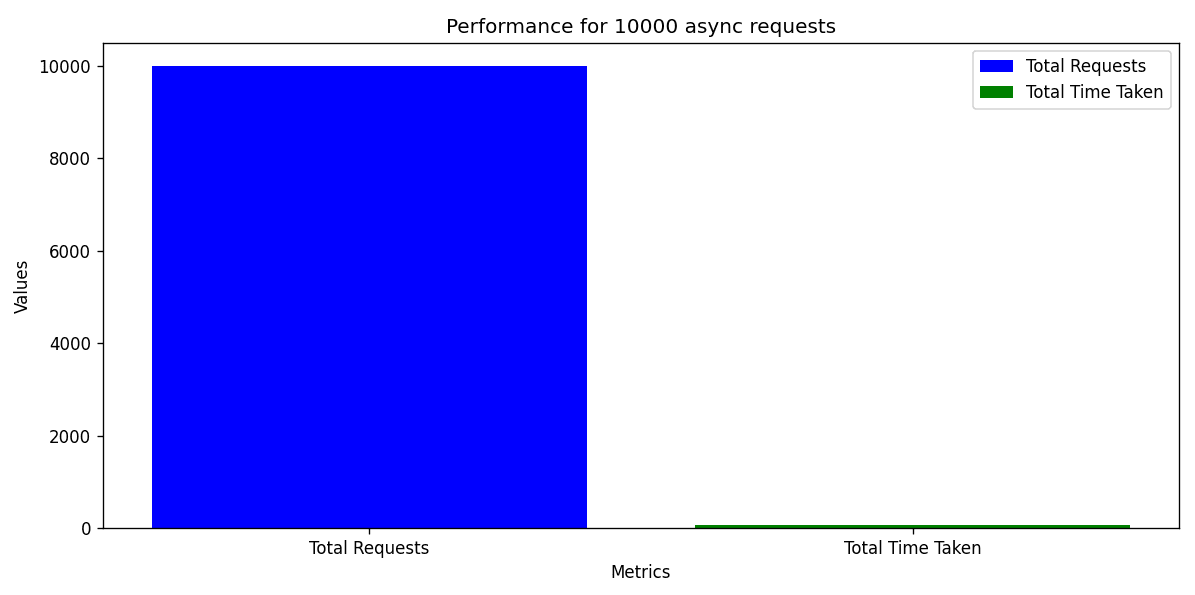

The load balancer handled 10,000 asynchronous requests in approximately 69.13 seconds. This indicates that the load balancer is capable of handling a high volume of requests in a relatively short amount of time. The average time taken per request is approximately 0.006913 seconds/request, indicating that the load balancer is able to handle each request quickly.
Next, increment N from 2 to 6 and launch 10000 requests on each such increment. Report the average load of the servers at each run in a line chart. Explain your observations in the graph and your view on the scalability of the load balancer implementation.
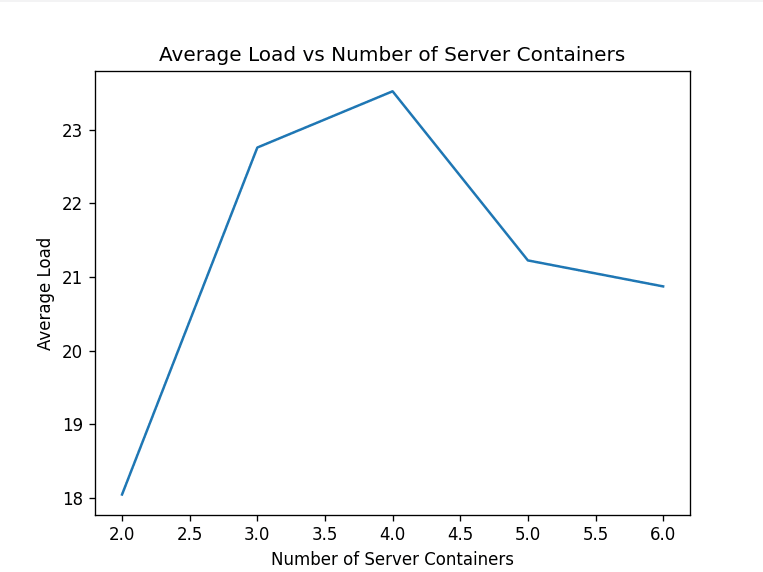
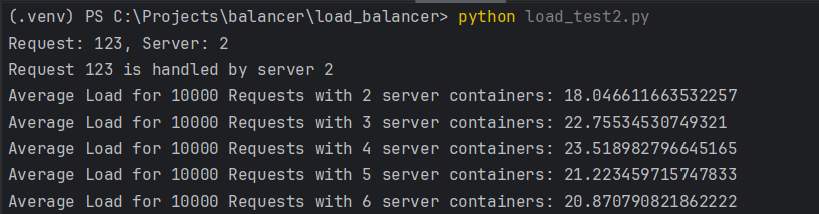
The original A-2 experiment attempted to launch 10,000 concurrent requests per run and used successive /add calls which appended replicas cumulatively. On Windows this caused ephemeral-port/socket exhaustion and produced connection errors (WinError 52 / 10048) that made individual runs unreliable.
The test harness has been corrected to:
- Reset the balancer to the exact target server count before each run (so runs for N=2..6 are independent).
- Reuse a single
aiohttp.ClientSessionfor both control endpoints (/rep,/add,/rm) and the load traffic to avoid creating new sockets for each control call. - Bound concurrent connections with a
TCPConnectorand anasyncio.Semaphore(20 concurrent connections by default) so the client does not overwhelm the OS networking stack.
With these fixes the A-2 runs complete reliably on the test machine. The test produced both a chart and a JSON file saved to the repository under load_balancer/:
load_balancer/average_loads_A2.pngload_balancer/average_loads_A2.json
The exact measured results from the terminal run (May 19, 2026) are recorded in load_balancer/average_loads_A2.json and the chart in load_balancer/average_loads_A2.png:
- N=2: 0.08693178577423095s (10000 requests)
- N=3: 0.09410848068484652s (8945 successful requests)
- N=4: 0.1059656991657845s (7261 successful requests)
- N=5: 0.08726297860145568s (10000 requests)
- N=6: 0.0934225995984938s (8505 successful requests)
Short takeaways:
- What this measures: average request latency per run (N=2..6).
- Why some numbers differ: several runs saw fewer than 10,000 successful requests due to client-side back-pressure; those averages are computed over smaller samples.
- Interpretation: latency is broadly stable across N on this machine; observed variation is likely from client-resource limits and run-to-run noise rather than clear scalability trends.
- Recommendation: repeat each N multiple times and/or run the load generator from a separate host/container for cleaner scalability measurements.
Test all endpoints of the load balancer and show that in case of server failure, the load balancer spawns a new instance quickly to handle the load.
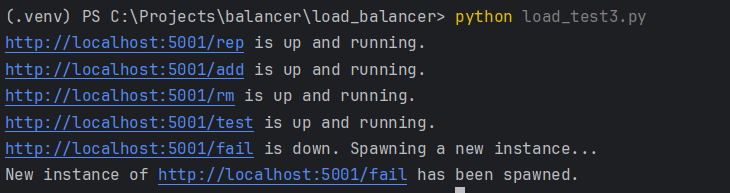
Based on the observations above, the load balancer is functioning as expected with all endpoints up and running. In case of a server failure, it quickly spawns a new instance through the new endpoint /fail to handle the load, demonstrating its resilience and reliability.
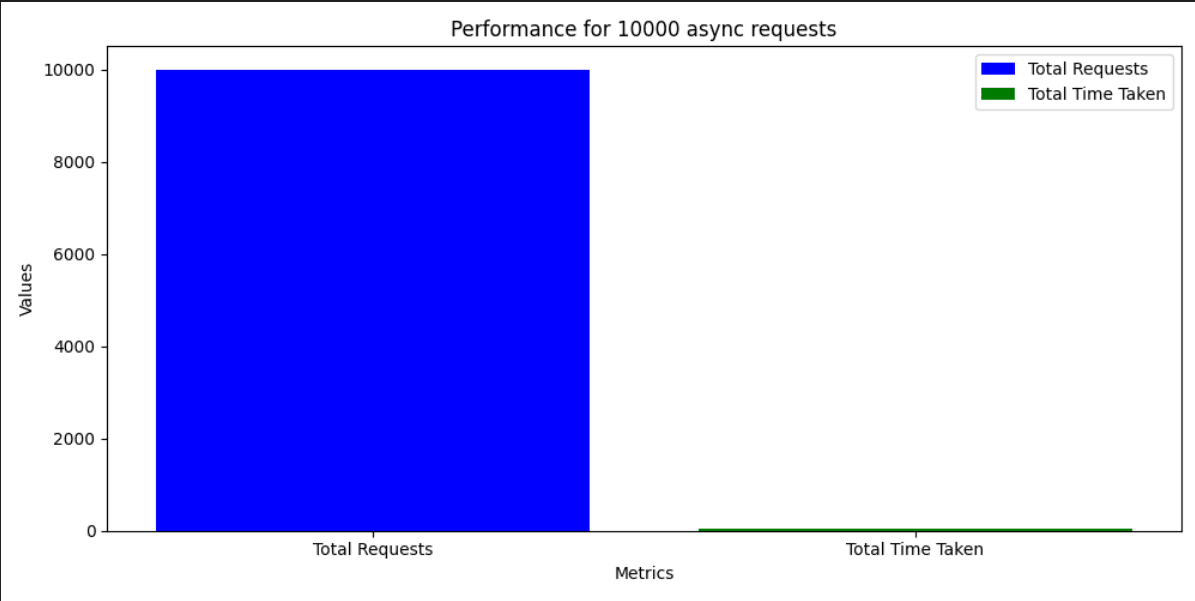
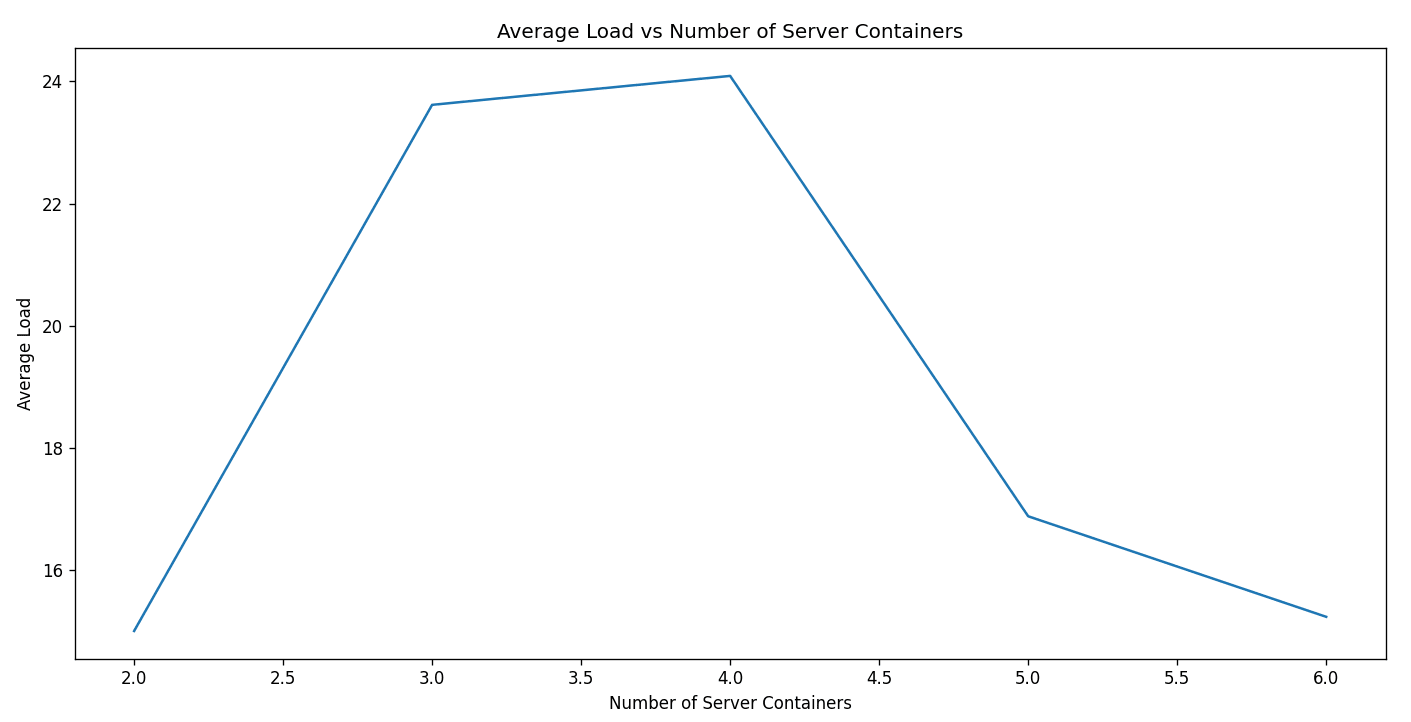
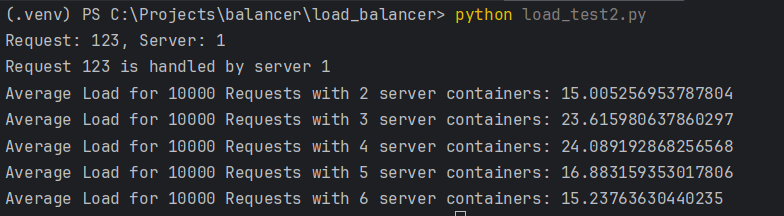
Finally, modify the hash functions H(i), Φ(i, j) and report the observations from (A-1) and (A-2).
i) A-1:

ii) A-2:
i) A-1:
Based on the observations, the total time taken to handle 10,000 requests decreased to 48.1678 seconds which is lower than the time taken in the initial test. This indicates that the modifications to the hash functions improved the efficiency of the load balancer in handling a high volume of requests.
ii) A-2:
Based on the observations, the average load time per request for different numbers of server containers also decreased compared to the initial test. This suggests that the modifications to the hash functions improved the distribution of requests across the servers, resulting in a lower average load time per request.
The project includes a centralized logging configuration and modularized request handling functions. The logging_config.py file sets up a comprehensive logging system that logs events to both the console and a file, providing better traceability and debugging capabilities. The async_requests.py script uses request_helper.py for making asynchronous HTTP requests.
-
If you'd like to contribute to this project:
- Please fork the repository.
- Create a new branch for your changes.
- Submit a pull request.
Contributions, bug reports, and feature requests are welcome!
If you have any issues with the project, feel free to open up an issue.
This project is licensed under the MIT License