==============================================
Waifetch is a modified version of Neofetch, designed to display system information alongside a waifu image. This README highlights the new and unique features of Waifetch.
- Waifu Images: Waifetch can now download and display waifu images from an external API.
- New Image Backend: A new image backend called "waifu" has been added, allowing for automatic display of waifu images.
- Customization: You can now customize the waifu image and displayed information by editing the configuration file.
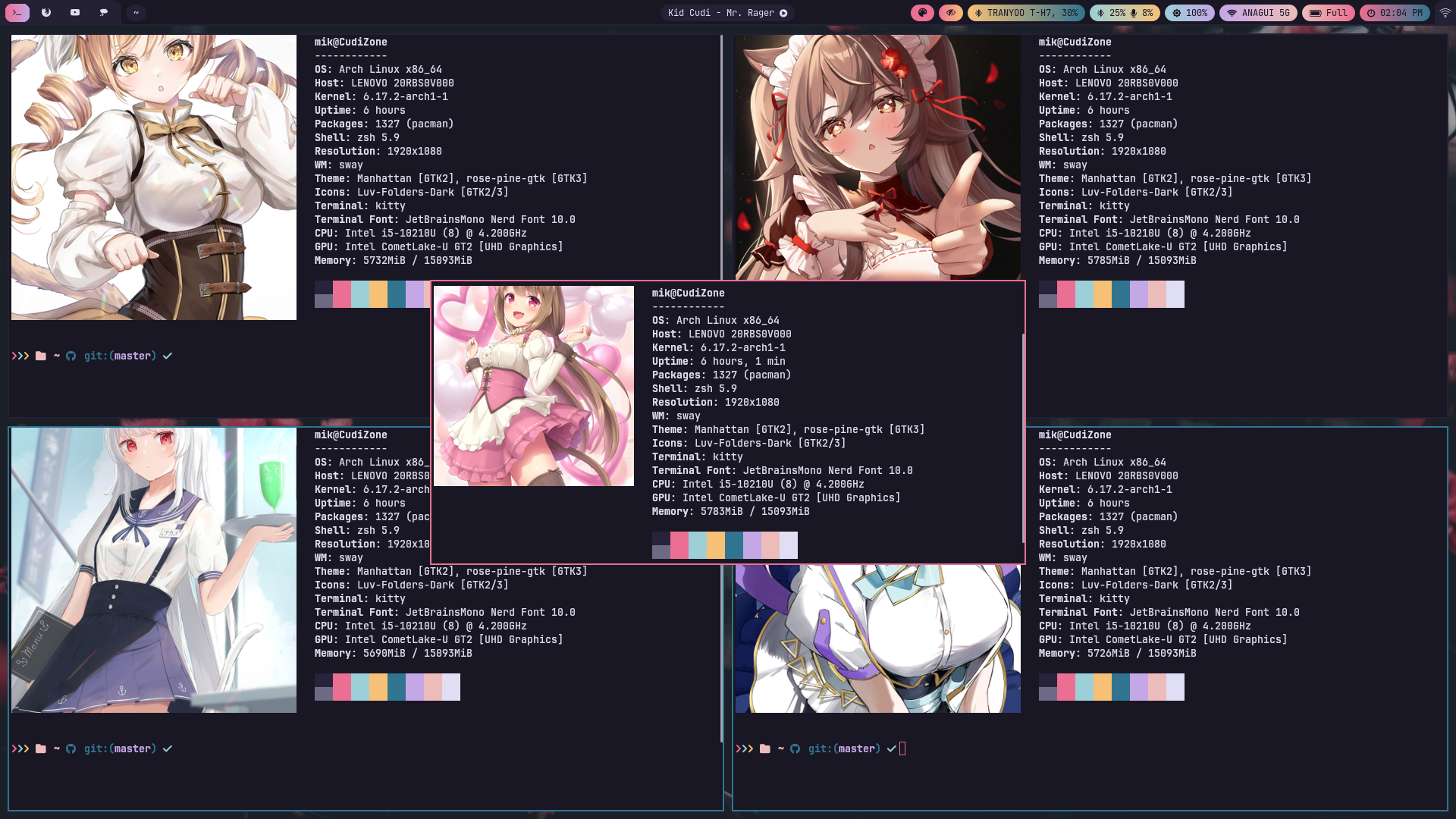
The Waifetch configuration file is located at ~/.config/waifetch/config. You can edit this file to customize the waifu image and displayed information.
image_backend: Set the image backend to use. Possible values are "kitty", "ascii", and "wallpaper".image_source: Set the source of the waifu image. Possible values are "waifu", "wall", and "auto".
image_backend="kitty"
image_source="waifu"To contribute to Waifetch, follow these steps:
- Clone the Waifetch repository:
git clone https://github.com/your-username/waifetch.git - Create a branch for your contribution:
git branch my-contribution - Make the necessary changes and commit them:
git commit -m "My contribution" - Send a pull request to the Waifetch repository
Waifetch is licensed under the MIT License. You can find the full license text in the LICENSE file.
- API Security: When using the external API for waifu images, ensure that the API endpoint is secure (HTTPS) to prevent eavesdropping and tampering.
- Image Validation: Validate the downloaded waifu images to prevent potential security vulnerabilities, such as malicious image files.
- Regularly update Waifetch to ensure you have the latest features and security patches.
- Use a secure configuration file to prevent unauthorized access to your system information.
- Consider using a virtual private network (VPN) to encrypt your internet traffic when downloading waifu images.
By following these guidelines and best practices, you can enjoy Waifetch while maintaining the security and integrity of your system.