


🍴 About this fork: MobStacker: Restacked is an actively-developed, independent fork of MobStacker by frikinjay (the original author), maintained by michalekjarmark & davidex and distributed under LGPL v3. We develop it independently of the original author, who no longer maintains the mod — adding new features, fixing bugs, and keeping a Fabric 1.20.1 line running for our server.
📦 Dependencies: the only required library is Fabric API, used by the in-game config GUI — no other mods. (Earlier versions required the Almanac library; that functionality is now built in.) Let Me Despawn is an optional companion, not a requirement. Stacking itself is server-side; a client only needs the mod to use the GUI.
📝 Changelog: see CHANGELOG.md for what changed in each version.
MobStacker is a performance Minecraft mod to optimize entity handling, addressing a common cause of performance issues in vanilla and modded environments. By intelligently "stacking" similar mobs in close proximity, MobStacker significantly reduces server load and enhances client-side performance without compromising gameplay mechanics.
💡 Note: MobStacker preserves all loot and mob properties within stacked entities. Named mobs (via name tags) are exempt from stacking to maintain uniqueness.
Everything below is on top of the original MobStacker — see the linked sections for detail:
- 🗺️ Region-based stacking — limit stacking to chosen world regions (allow/deny cuboids + a global mode).
- 💥 Damage overflow — one big hit kills several mobs in a stack and drops loot/XP for each.
- ⚔️ Sweeping Edge support — folds vanilla sweep damage back into the hit so it clears stacks.
- 🎯 Stack-kill feedback — action bar, a scaling particle pop, and a floating
-Nhologram (each toggleable). - 🐣 Stack breeding & baby stacks — feed a stacked animal to breed its members in pairs into a single baby-stack, and let loose babies (farm animals and hostile mobs like baby zombies) stack too.
- 📦 Drop & XP compaction — a stacked mob's death drops are merged into a few full item stacks (and its experience into a single orb) instead of dozens of scattered entities, cutting entity lag on big farms.
- 🗂️ Per-world config — settings live in the world save folder, so they no longer leak between worlds.
- 🧰 Equipment-aware stacking — mobs holding/wearing items stay unstacked by default (
stackEquippedMobs). - 🖥️ In-game config GUI — a key binding and the
/mobstackerconfigcommand open a screen to change settings without typing commands (singleplayer, LAN host, and remote servers with the mod for operators). Commands still work everywhere. - 🧭 Streamlined commands — a flat, vanilla-like tree:
/mobstacker set|get|toggle|reset <setting>with tab-completion, plus/mobstacker help. - 🪶 Only Fabric API required — Almanac's functionality is built in; the sole library dependency is Fabric API (for the GUI). No other mods.
- 🚀 Server Performance Boost: Dramatically reduces entity processing overhead.
- 📈 Enhanced Client FPS: Lowers strain on client-side rendering.
- 🌐 Optimized Network Traffic: Minimizes entity data transmission.
- 🎮 Cleaner Gameplay: Reduces visual clutter in mob-dense areas.
- 💾 Memory Usage Reduction: Lowers overall memory footprint.
While actual performance gains vary based on server specifications, player count, and mod configurations, MobStacker can provide substantial improvements, especially in environments with:
- High mob density
- Numerous entity-adding mods
- Large, active player bases
🔗 Recommended Companion Mods:
- Let Me Despawn (optional — recommended for vanilla-style despawn handling)
- Spawncap Control Utility or In Control! (Enhanced mob control)
| Feature | Description |
|---|---|
| 📦 Smart Stacking | Automatically combines identical mob types within a configurable radius |
| 🔢 Customizable Stacks | Set preferred maximum stack sizes |
| ❤️ Flexible Health Management | Configurable options for stack health and death mechanics |
| 🚫 Selective Stacking | Ability to exclude specific entities or entire mods |
| 🔪 Stack Splitting | Implemented separator item functionality for dividing stacks |
| 🗺️ Region-Based Stacking | Limit stacking to chosen world regions (allow/deny cuboids) |
| 💥 Damage Overflow | A single big hit kills multiple mobs in a stack and drops loot for each |
| ⚔️ Sweeping Edge Support | Sweeping Edge adds bonus damage against stacks instead of doing nothing |
| 🐣 Stack Breeding | Feed a stacked animal to breed its members in pairs into one baby-stack (fair one-food-per-mob cost) |
| 🍼 Baby Stacking | Loose babies stack too — farm animals (with age matching) and hostile mobs like baby zombies |
| Option | Description | Default |
|---|---|---|
killWholeStackOnDeath |
Determines if entire stack dies when one mob is killed | false |
stackHealth |
Combines health of stacked mobs when enabled | false |
enableDamageOverflow |
Carries leftover damage from a lethal hit onto the next mobs in the stack | true |
sweepingEdgeOverflow |
Lets the Sweeping Edge enchantment add bonus damage to stacks | true |
stackEquippedMobs |
If true, mobs holding/wearing items may stack (their gear is dropped on merge); if false, equipped mobs stay unstacked |
false |
stackKillActionBar |
Show an action-bar line (above the hotbar) telling the killer how many mobs a hit killed and how many remain | true |
stackKillParticles |
Play a particle "pop" at the mob when a hit clears one or more mobs off a stack (scales with the number killed) | true |
stackKillHologram |
Show a short-lived floating -N hologram above the mob indicating how many that hit killed |
true |
enableStackBreeding |
Feeding a stacked animal breeds its members in pairs into a baby-stack (feeding a baby-stack speeds its growth) | true |
breedOnePerClick |
If true, each click feeds a single member (click once per animal); if false, one click feeds as many members as the food in hand allows |
false |
enableAnimalBabyStacking |
Allow loose farm-animal babies (cows, sheep, …) to stack, matched by age | true |
enableHostileBabyStacking |
Allow loose hostile/other babies (e.g. baby zombies) to stack | true |
compactDrops |
Merge a stacked mob's death drops into as few full item stacks as possible (fewer item entities = less farm lag) | true |
compactExperience |
Merge a stacked mob's death experience into a single orb instead of many small ones | true |
maxMobStackSize |
Maximum number of mobs in a single stack | 16 |
stackRadius |
Radius within which mobs attempt to stack | 6.0 |
enableSeparator |
Toggles use of separator item for stack splitting | false |
consumeSeparator |
Determines if separator item is consumed on use | true |
separatorItem |
Specifies the item used as a separator | "minecraft:diamond" |
ignoredEntities |
List of entities excluded from stacking | ["minecraft:ender_dragon", "minecraft:vex"] |
ignoredMods |
List of mod IDs whose entities are excluded from stacking | ["corpse"] |
stackMode |
Where new stacks may form: REGIONS, EVERYWHERE or OFF |
REGIONS |
regions |
Allow/deny cuboids that gate stacking (see Region & Mode Management) | [] |
All commands require operator permissions (level 2) and are prefixed with /mobstacker.
Every scalar setting is changed through one small, consistent set of subcommands with full
tab-completion — no more hunting through nested menus. Type /mobstacker for a grouped
overview of the current values, /mobstacker help for the command list, or
/mobstacker help <category> to see a category's settings with their values, defaults and
descriptions.
# Grouped overview of every current setting
/mobstacker

# Command list + setting categories (stacking, combat, feedback, breeding, drops, separator, mobcaps)
/mobstacker help [category]

# Inspect one setting (current value, default, description)
/mobstacker get <setting>

# Change any setting — the value is validated for that setting's type
/mobstacker set <setting> <value>

# Flip a boolean setting
/mobstacker toggle <setting>

# Restore one setting — or every setting — to its default
/mobstacker reset <setting>
/mobstacker reset all
🧪 There is also a developer command,
/mobstacker selftest, that automatically round-trips every setting against a sandbox config (your world config is untouched). It is not available in the normal build — it only registers when the game/server is launched with the JVM flag-Dmobstacker.selftest=true, so it never shows up for regular users.
<setting> is any of the config keys from the table above (e.g. killWholeStackOnDeath,
damageOverflow, maxStackSize, stackRadius, stackMode, separatorItem, the stackKill*
feedback toggles, the breeding toggles, compactDrops/compactExperience, and the *MobCap
values). Tab-completion suggests every setting name, and then the valid values for the one you
picked (e.g. true/false, the stackMode options, or item ids for separatorItem).
# Examples
/mobstacker set maxStackSize 32
/mobstacker toggle damageOverflow
/mobstacker set stackMode everywhere
/mobstacker set separatorItem minecraft:diamond
/mobstacker get compactExperiencePrefer clicking to typing? Open the in-game config screen:
- Key binding: bind “Open Config GUI” (category MobStacker: Restacked) in Options → Controls (unbound by default), then press it in-game.
- Command:
/mobstackerconfig(client-side).
The screen is driven by the same settings as the commands — flip booleans, cycle stackMode, and
type numbers / item ids, browsing one category at a time. It works in singleplayer / on the LAN
host, and on a remote server that has the mod: there it shows the server's live config and, if
you are an operator, saves your edits to the server (non-operators see it read-only). On a server
without the mod it is informational only, so keep using the commands there. The networking uses
optional channels, so vanilla clients are unaffected. Requires Fabric API on the client.
# Never stack a specific entity type
/mobstacker ignore entity add <entity_id>
/mobstacker ignore entity remove <entity_id>
/mobstacker ignore entity list

# Never stack any entity from a given mod
/mobstacker ignore mod add <mod_id>
/mobstacker ignore mod remove <mod_id>
/mobstacker ignore mod list

# Force the LIVE stack count of a targeted mob (admin/debug — needs an entity selector).
# This is different from `set maxStackSize`, which is the global upper limit stacks may grow to.
/mobstacker stacksize <target> <size>

# Reload the config from disk (after editing the JSON file by hand)
/mobstacker reloadNOTE: An entity can be given the tag {StackData: {CanStack:0b}} to prevent it from stacking.
The global stacking mode controls where new stacks are allowed to form. It does not affect mobs that are already stacked (they keep splitting/separating correctly everywhere).
| Mode | Behaviour |
|---|---|
regions (default) |
Stacking only forms inside an allow region, and never inside a deny region. |
everywhere |
Stacking forms everywhere, except inside a deny region. |
off |
No new stacks ever form. |
# Set the global stacking mode
/mobstacker set stackMode <regions|everywhere|off>
Regions are axis-aligned cuboids tied to the dimension you run the command in.
Corners accept absolute coordinates or ~ relative coordinates (relative to you).
deny regions always win over allow regions. Approximate custom shapes by adding
several cuboids.
# Add an ALLOW region (stacking enabled here)
/mobstacker region add <name> allow <x1> <y1> <z1> <x2> <y2> <z2>

# Add a DENY region (stacking forbidden here, overrides everything)
/mobstacker region add <name> deny <x1> <y1> <z1> <x2> <y2> <z2>

# Example: a cow-farm region around where you stand
/mobstacker region add cowfarm allow ~-15 ~-3 ~-15 ~15 ~5 ~15

# Remove a region
/mobstacker region remove <name>

# List all regions and the current mode
/mobstacker region list
💡 With the default
regionsmode and no regions defined, no mobs stack at all. Add at least oneallowregion (e.g. around a laggy farm) to enable stacking there while the rest of the world behaves like vanilla.
By default a stack behaves like a single mob in combat: one hit removes the top mob, and a fresh, full-health mob takes its place. Damage overflow changes that so a hard-hitting blow is not wasted on the stack.
- When a hit deals more damage than the top mob's remaining health, the leftover damage is carried onto the mobs below it.
- A hit that would kill N mobs drops loot, experience and kill-score for all N mobs — not just one.
- If the overflow does not fully kill the next mob, that mob is left wounded (it does not get healed back to full).
- This works for any damage source — melee, Instant Damage / Harming potions, magic, lava, etc. — because it acts on the final post-armor damage. Minecraft's own resistance, armor and protection calculations are applied first, so they are respected automatically.
Because the related enchantments already increase a hit's damage in vanilla, Sharpness, Smite, Bane of Arthropods and Fire Aspect already feed overflow for free (a bigger hit simply kills more mobs). Looting is applied per mob killed.
Sweeping Edge is special: it normally damages mobs around the target, but a
stack is a single entity, so vanilla Sweeping Edge would do nothing here. Instead the
mod folds the vanilla sweep damage (1.0 + level / (level + 1) × attack damage) back
into the hit, so Sweeping Edge meaningfully clears stacks:
| Sweeping Edge | Bonus damage to the stack |
|---|---|
| I | 1.0 + 0.50 × attack damage |
| II | 1.0 + 0.67 × attack damage |
| III | 1.0 + 0.75 × attack damage |
💡 Both behaviours are independent toggles — disable
damageOverflowto return to one-kill-per-hit, or keep overflow but disablesweepingEdgeOverflowalone.killWholeStackOnDeathtakes priority: with it enabled, any kill already wipes the whole stack, so overflow does not apply.
When a hit kills mobs from a stack the mod can show feedback three ways, each with its own independent toggle:
- Action bar (
stackKillActionBar, default on): a line above the killer's hotbar showing how many were killed by that hit and how many remain (e.g.Killed 3× Cow • 9 left). - Particle pop (
stackKillParticles, default on): a burst of particles at the mob, growing in amount and height with the number killed. It spawns no extra entities. - Floating hologram (
stackKillHologram, default on): a short-lived-Ntext that drifts up above the mob showing how many that hit killed. This is the only feedback channel that spawns an entity — an invisible marker armor stand removed after ~1 second.
Stacked animals can be bred without unstacking them, and babies stack too.
- Feed a stacked adult its breeding food and it breeds its members in pairs. The cost is fair — one food item per member (a stack of 16 cows fed 16 wheat produces 8 babies), and every partial feed is remembered so nothing is wasted. Bred members go on the usual ~5-minute breeding cooldown, while the rest of the stack can still be bred right away.
- Feeding speed is configurable via
breedOnePerClick: by default one click feeds as many members as the food in your hand allows; enable it to feed one member per click instead (click once per animal, just like feeding them individually). - Babies arrive as a single baby-stack (e.g. a young
Cow x8) instead of a swarm of loose babies — better for performance and consistent with the rest of the mod. Repeated breeding tops up the existing, slightly older baby-stack nearby before spawning a new one. - The baby-stack grows up as one unit (it shares a single age) and then merges into the adult stack automatically once grown.
- Feeding a baby-stack speeds up its growth, scaled fairly to the stack size (one food item per baby rather than one for the whole stack).
- Loose babies stack too. Farm-animal babies only stack with others of a similar age (so
they don't grow up early); non-ageable babies such as baby zombies (which never grow up in
vanilla) simply stack together. Each category has its own toggle
(
enableAnimalBabyStacking/enableHostileBabyStacking).
💡 Breeding targets the common farm animals (cow, pig, sheep, chicken, mooshroom, rabbit, goat, …). Tameable mobs with their own special right-click behaviour (wolf, cat, horse) may fall back to vanilla breeding for now.
Killing a big stack normally spawns a separate item entity for every drop of every mob
(a 40-cow stack can litter the ground with dozens of leather and beef entities) and a swarm of
tiny experience orbs, which is a real source of lag on large farms. With compactDrops on
(default), a stacked mob's death drops are captured and re-emitted merged into as few full item
stacks as possible, dropped together at the mob's position. With compactExperience on
(default), all of that death's experience is combined into a single orb.
- Only stacked mobs are affected — a normal single mob keeps the vanilla behaviour.
- It never creates or destroys anything: the exact same loot and total XP is dropped, just packed into fewer entities. Different items, and items with different enchantments/NBT, are kept apart correctly.
- Works with every kill path (normal kills,
killWholeStackOnDeath, and damage overflow), and the two toggles are independent.
/mobstacker toggle compactDrops
/mobstacker toggle compactExperienceThe vanilla per-category spawn caps are ordinary settings too (category mobcaps), changed
with the same set command:
# Set a category's spawn cap (0–128)
/mobstacker set monsterMobCap <value>

# List every cap with its current value and default
/mobstacker help mobcaps- 🗂️ Config is stored per world/server in
<world>/serverconfig/mobstacker.json, loaded when the server starts — so settings no longer leak between worlds. (Upgrading from an older version? Copy your oldconfig/mobstacker.jsonthere to keep your setup.) - 🔄 Automatic stacking occurs when compatible mobs move to a new block.
- 👑 Boss entities receive special handling to preserve custom names and health bars.
- 🔌 API available for custom merging conditions, death handlers, and entity data modifiers.
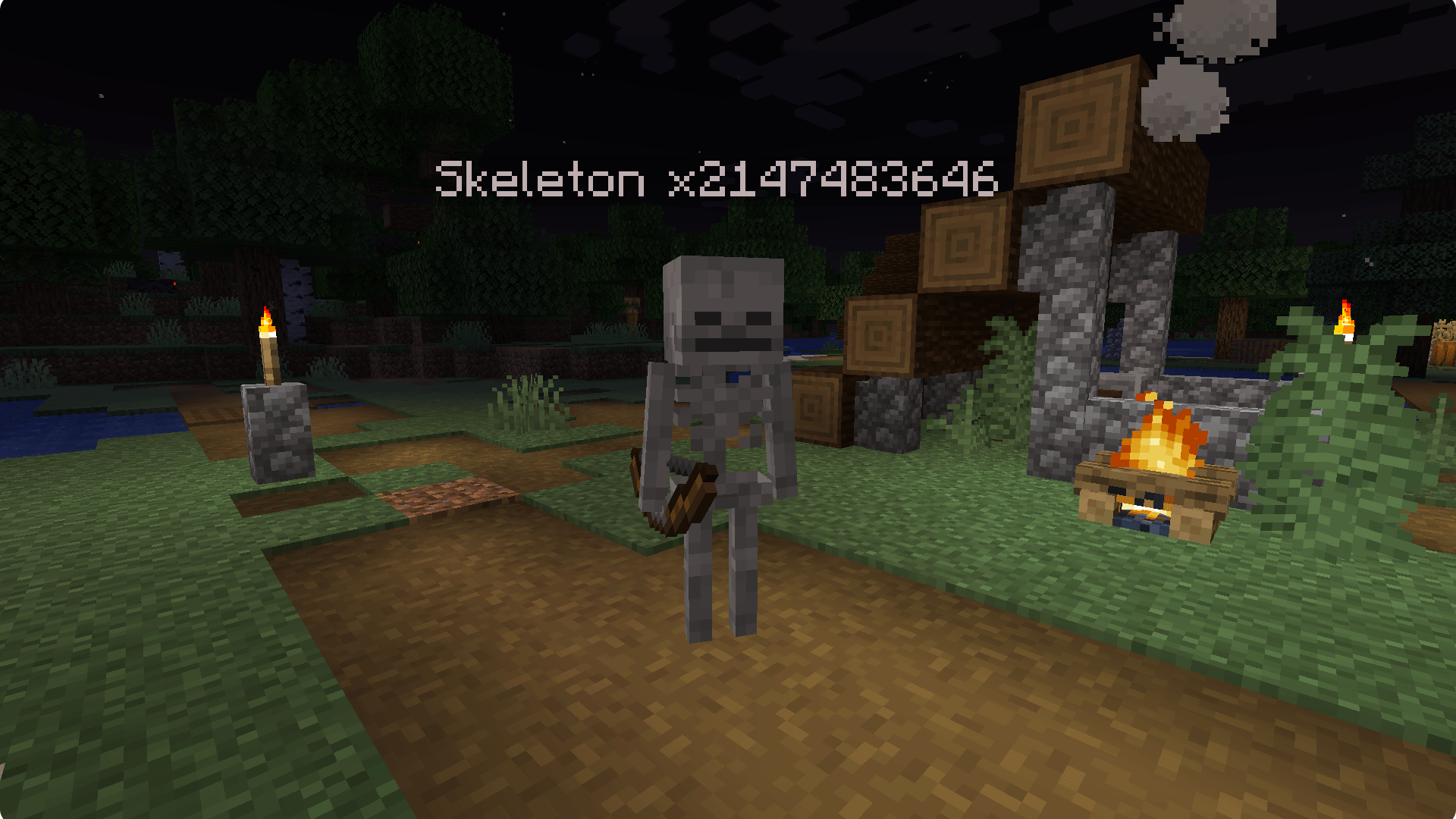
- 📊 Stacked mobs display stack size in their name (e.g., "Zombie x5").
- 🐑🐷🧟 Compatible with various entity types: animals, monsters, and NPCs.
- Original author: frikinjay — creator of MobStacker.
- This fork (MobStacker: Restacked): maintained by michalekjarmark & davidex, developed independently of the original author.
- License: LGPL v3. This fork honors the original license and keeps the original author's attribution.
Report issues on the fork's issue tracker.