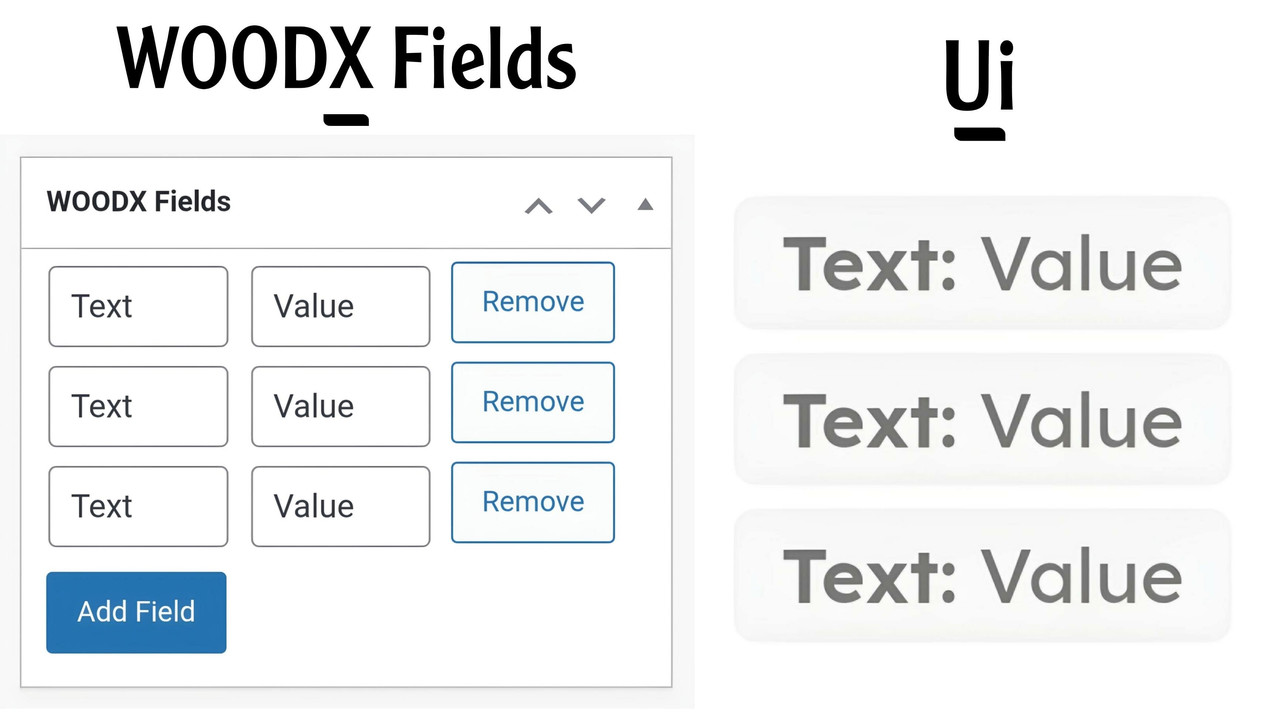
Adds dynamic custom fields to WooCommerce products.
- Add unlimited custom fields to products.
- Display fields on the single product page.
- User-friendly interface in the WordPress admin.
- Download the plugin ZIP file from Releases.
- Go to Plugins > Add New > Upload Plugin in WordPress.
- Upload the ZIP file and activate the plugin.
- Add/Edit a product and find the "WOODX Fields" metabox.
- Use the "Add Field" button to create new fields.
- Save the product to store the fields.
- Modify admin styles via
admin_enqueue_scripts. - Change frontend styles using
wp_enqueue_scripts. - Enhance JavaScript functionality by editing the script.
GNU General Public License v2.0 or later.
- Visit the GitHub Repository.
- Contact the author at : mdikramhossainjoy@gmail.com
This version is shorter and focuses on the key points while keeping it easy to understand. Let me know if you'd like further adjustments!