This repo contains a proof of concept Express app for adding Twitter Direct Messages into Twilio Flex. The associated blog post can be found here: https://www.twilio.com/blog/add-twitter-direct-messages-twilio-flex.
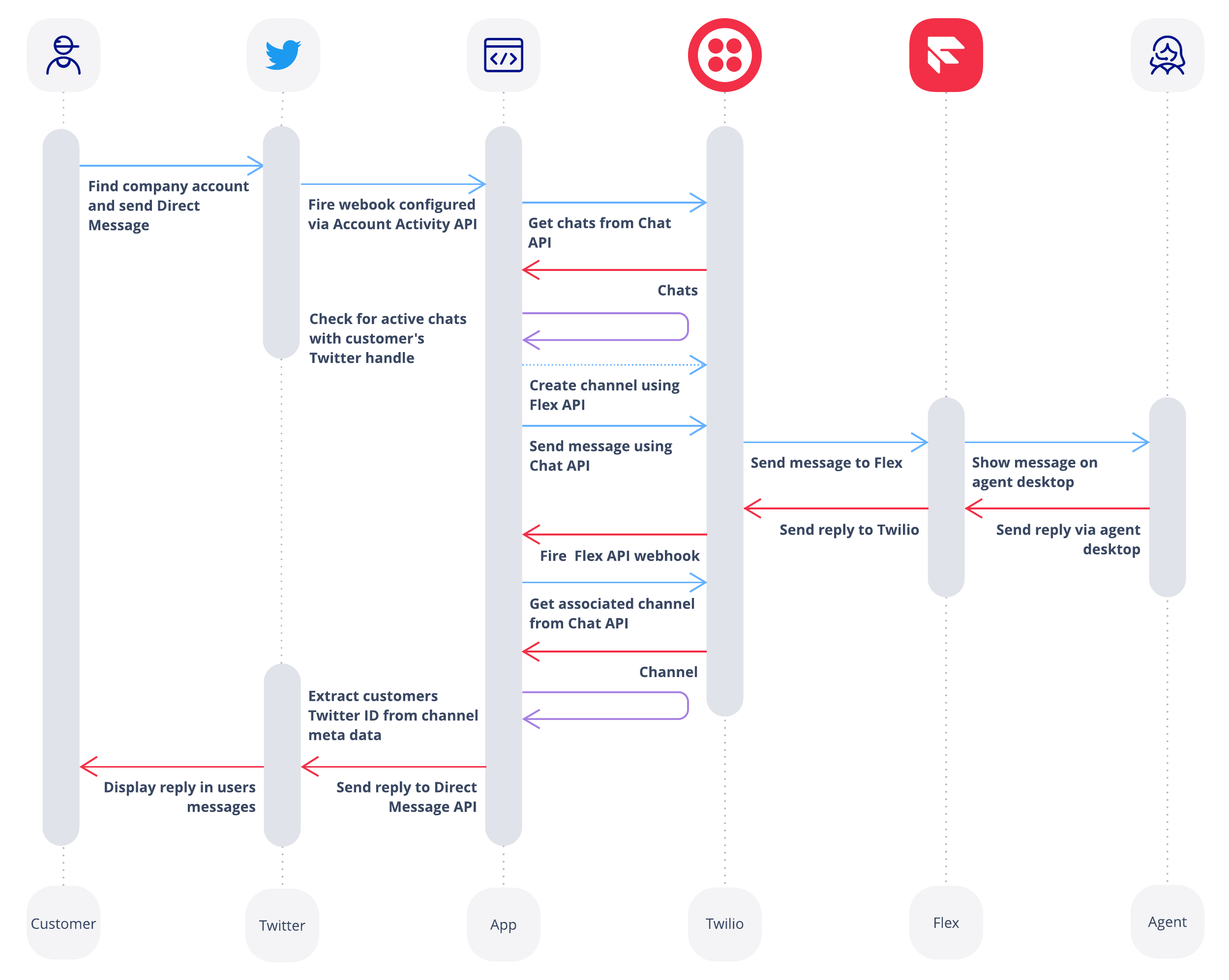
- Install dependencies
yarn install
- Run the provision script
node provision.js
The provision script will request:
- A Twilio Account SID (make sure this relates to an account containing your Flex project)
- A Twilio Auth Token
The provision script will:
- Create a Studio Flow that passes incoming messages onto Flex
- Creates a Flex Flow using the new Studio Flow and the Chat Service that is provisioned with your Flex project by default (comments signal where you can override these defaults if you prefer)
- Populates a .env file in the flex-twitter directory with necessary Twilio credentials and SIDs
- Navigate to the application file
cd flex-twitter
- Install dependencies
yarn install
- Complete the .env file (use the env.example file for guidance):
- A url that the application will be deployed on
- Twitter consumer key and secret
- Twitter access key and secret
- Twitter handle of the account that will be receiving support messages
- Run the application
node server.js
- Install the Flex Plugins CLI
- Follow instructions at https://www.twilio.com/docs/flex/developer/plugins/cli/install
- Navigate to the plugin folder
cd flex-twitter-plugin
- Install dependencies
npm install
- Deploy plugin
twilio flex:plugins:deploy --major --changelog "Adding Twitter Channel UI" --description "Adding Twitter Channel UI"
- Enable plugin
twilio flex:plugins:release --name "Twitter Channel UI" --description "Enabling Twitter Channel UI" --plugin plugin-sample@1.0.0