

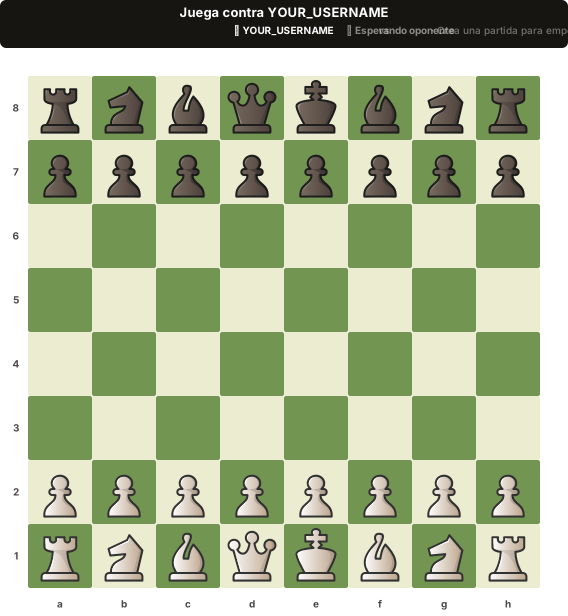
ReadmeChess turns your GitHub profile into a live chess board. Add one line of Markdown to your README.md and suddenly every visitor can see — and play — a chess game right from your profile page.
The board is rendered as a dynamic SVG. GitHub displays it natively. Clicks on squares are translated into moves via URL parameters. No JavaScript required on the viewer side.
- Interactive chess in your README — visitors click squares to make moves, all through GitHub's native SVG rendering
- Live game state — the board updates in real time as moves are made
- GitHub OAuth — sign in with your GitHub account to manage your games
- Multiplayer — challenge anyone; they just need to visit your profile and click
- Full chess rules — legal move validation, check, checkmate, stalemate (powered by chess.js)
- Beautiful SVG rendering — clean, scalable vector pieces with proper coloring
- Dashboard — track all your active and finished games
Go to ReadmeChess and sign in with your GitHub account.
After signing in, your dashboard shows a ready-to-paste Markdown snippet:
[](https://github-readme-chess.vercel.app/dashboard)Paste that line into your GitHub profile README.md. Commit and push. Done.
Now every visitor to your profile sees your chess board. They can click any square to make a move — the game updates live, right inside your README.
- Inspired by marcizhu/readme-chess — piece SVG paths are based on their work
- Built with Next.js, chess.js, and Neon
Made with ♟️ and ☕
