Build interactive avatars that can listen, talk and respond directly inside your product or website using the LemonSlice API.
- ✓ Ultra-low latency
- ✓ 1000+ concurrency
- ✓ Multi-hour long calls
- ✓ Instant avatar creation (1 photo)
- ✓ 5-minute API setup
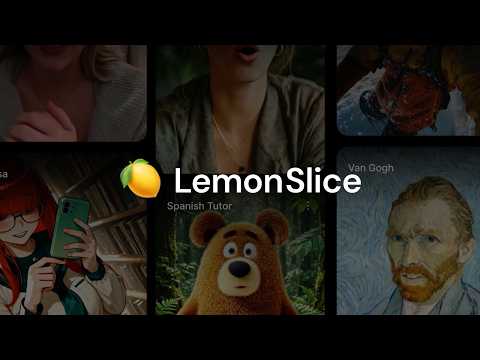
LemonSlice is an AI research lab building the world’s first Character World Model: interactive characters that talk, listen, and react in real-time based on your conversations. Character World Models are more advanced than traditional real-time avatars, which are based on deepfake or older generative technology.
Capabilities include hand gestures, on-the-fly emotions, holding objects, clothing swaps, physics modeling, non-human and cartoon characters, full-body movement, and photorealism. Create any character from a single image — no training or fine-tuning required.
Every real-time conversation with a character goes through the following steps:
- A speech-to-text (STT) and voice-activity detection (VAD) model listen to the user
- An LLM decides what to say back
- Text-to-speech (TTS) turns the reply into audio
- LemonSlice turns the audio into a real-time video of the character speaking within a live video call
All of this runs within a harness that manages the orchestration and WebRTC connection. LemonSlice connects to all major WebRTC providers to make orchestration easy.

The inputs to the LemonSlice API are:
- Image — defines the appearance of your character
- Audio — streaming audio from a TTS model like ElevenLabs or Cartesia. This audio is exactly what your character will say.
- (optional) Action Engine — determines what actions (waving, holding a phone, looking away) the character should take during the conversation. Currently Enterprise only.
Note: The quality of your avatar is heavily determined by your image. See Avatar Image Tips for framing and posing tips.
Add LemonSlice to the stack you already use. LemonSlice integrates with all major WebRTC providers like LiveKit, Daily/Pipecat, and Agora. These providers all have Conversational AI toolkits that make it simple to combine any LLM, TTS, and STT component with LemonSlice.
You can think of LemonSlice like a graphics layer or “face layer” that’s added on top of your voice agent. It is compatible with any TTS and LLM model.
| Self-managed (LiveKit, Pipecat) | Hosted pipeline | Widget | |
|---|---|---|---|
| Complexity | Full code | Low code | No code |
| You control | Speech, intelligence, call UI | Call UI | Nothing |
| LemonSlice controls | Avatar | Speech, intelligence, avatar | Speech, intelligence, avatar, call UI |
| In this repo | 03, 04, 05, 06, 07, 08, 09 | 01-hosted-daily-app | — |
- Pick a framework — LiveKit or Pipecat integration guide.
- Build your UI — run your own call lifecycle and frontend around the avatar session. See the production checklist.
03-livekit-app-python — Next.js frontend + LiveKit Agents worker (Python). A production-ready avatar app you can run locally in about 5 minutes.
cd 03-livekit-app-python
cp .env.example .env.local   # add LIVEKIT_* and LEMONSLICE_API_KEY
npm install && cd agent && uv sync && cd ..
npm run dev:all
Open http://localhost:3000. See the setup guide for details.
Pre-join, ringing, and in-call flow shared by the LiveKit and Pipecat examples:
agent-call-demo.mp4
| 03-livekit-app-python | End-to-end self-managed pipeline — Next.js UI, Python LiveKit Agents worker, LemonSlice avatar. |
| 04-livekit-app-nodejs | Same as 03, with the agent in Node.js (LiveKit Agents JS). |
| 05-pipecat-app | Same call UI as the LiveKit examples, using Daily + Pipecat instead. |
| 02-livekit-playground-demo | Minimal agent for iterating in the LiveKit playground. |
| 01-hosted-daily-app | Hosted pipeline — LemonSlice runs speech and intelligence; you build the frontend. |
| 06-form-demo | Tool calling in a LiveKit agent (AI SDR: email capture + meeting scheduling). |
| 07-livekit-zoom | Send an avatar into Zoom, Meet, Teams, or Webex via LiveKit Agents. |
| 08-green-screen-landscape-demo | Perform client-side green screen (chroma key) compositing to achieve a horizontal layout and animated background. |
| 09-realtime-image-change | Change your avatar's reference image during a call in real-time using the update-image event. |
Each folder is self-contained with its own README and setup steps.
Try the full product at lemonslice.com.
- Introduction — product overview and integration options
- LiveKit integration
- Pipecat integration
- Production checklist