Beszel is a lightweight server monitoring platform that includes Docker statistics, historical data, and alert functions.
It has a friendly web interface, simple configuration, and is ready to use out of the box. It supports automatic backup, multi-user, OAuth authentication, and API access.




- Lightweight: Smaller and less resource-intensive than leading solutions.
- Simple: Easy setup with little manual configuration required.
- Docker stats: Tracks CPU, memory, and network usage history for each container.
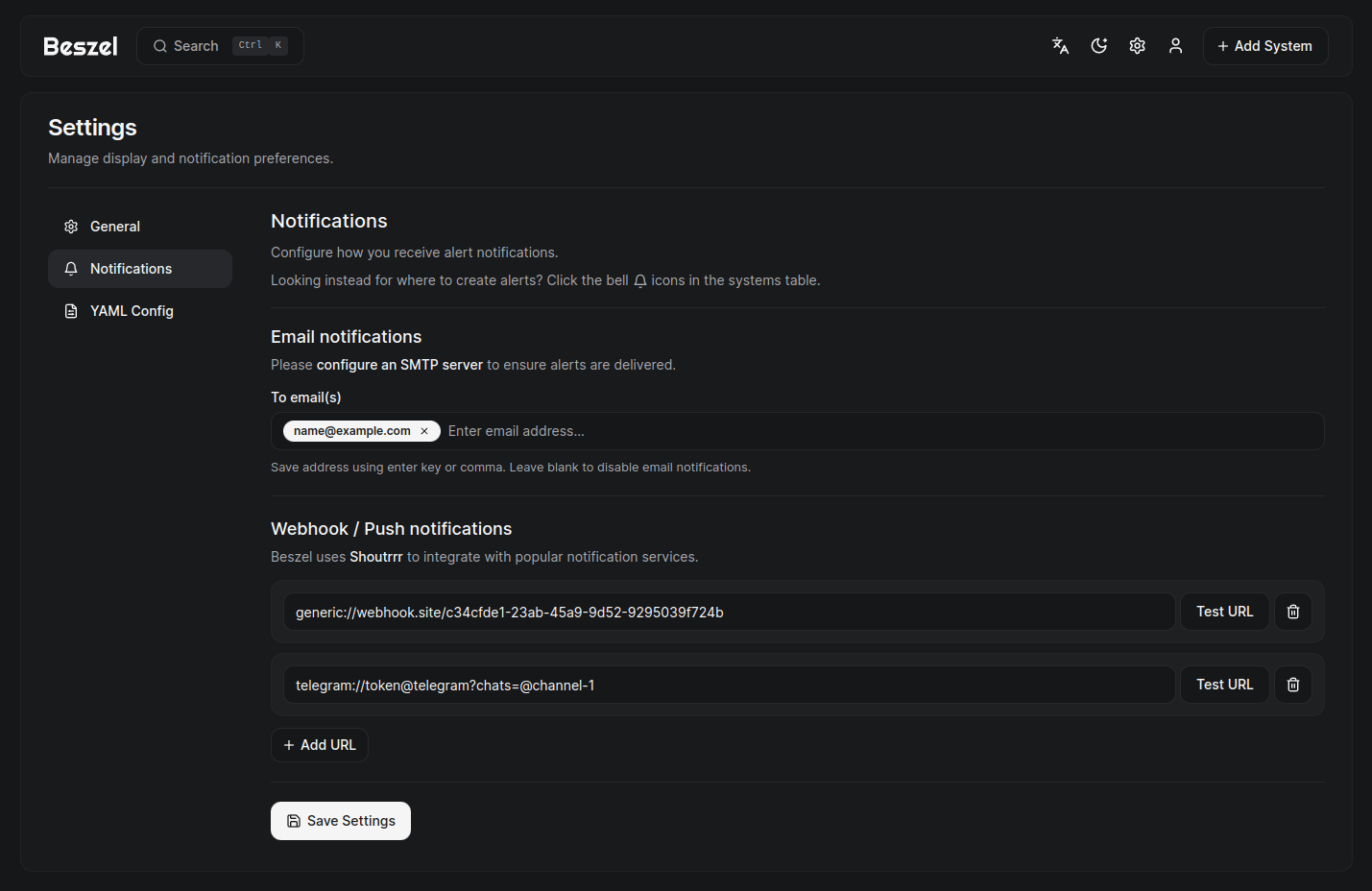
- Alerts: Configurable alerts for CPU, memory, disk, bandwidth, temperature, load average, and status.
- Multi-user: Users manage their own systems. Admins can share systems across users.
- OAuth / OIDC: Supports many OAuth2 providers. Password auth can be disabled.
- Automatic backups: Save to and restore from disk or S3-compatible storage.
Beszel consists of two main components: the hub and the agent.
- Hub: A web application built on PocketBase that provides a dashboard for viewing and managing connected systems.
- Agent: Runs on each system you want to monitor and communicates system metrics to the hub.
This repository includes local operational customizations that are not part of upstream Beszel defaults.
- Added SSH collection timeout safeguards to avoid the hub getting stuck while polling SSH-based systems.
- Recovered a corrupted SQLite
data.dband made the hub SQLite journal mode configurable for local deployments. - Set the local deployment to
BESZEL_HUB_SQLITE_JOURNAL_MODE=DELETEandBESZEL_HUB_SQLITE_SYNCHRONOUS=FULLto avoid WAL-related corruption in the current macOS + OrbStack bind-mount environment. - Preserved custom
systems.infofields such asz193,z193_jitter,z193_status, andzt_probe_tswhen the hub updates system records. - Restored the
ZT 193 Latencyhome-table column by preventing hub writes from overwriting script-injected latency metadata. - Linked the UI alert bell
Statustoggle to zT 193 DingTalk notifications so disablingStatussilences zT offline/recovery/jitter messages for that system. - Updated the home systems table to fully expand smaller deployments instead of showing only a short scroll window.
- Switched the MacBook agent to WebSocket mode to reduce transient SSH/ZT down-state flicker on the dashboard.
- Added a Synology DS224+ node using a Dockerized agent connected via WebSocket instead of SSH polling.
- Documented DS224+ onboarding, current service footprint, and a first-pass security review in the private notes and local project docs.
For local operational details, see the project notes under 文档/ and planning/.
The quick start guide and other documentation is available on our website, beszel.dev. You'll be up and running in a few minutes.
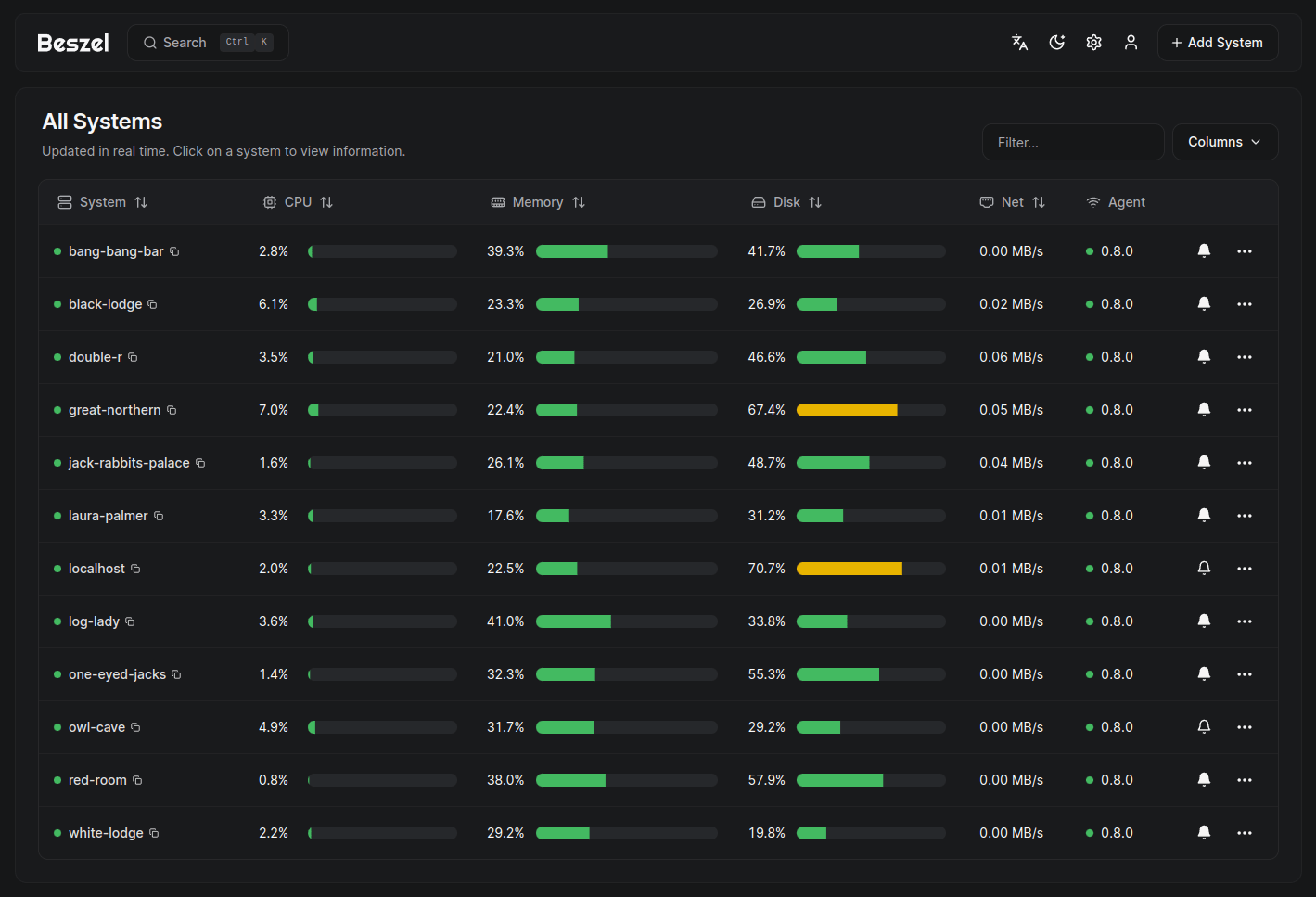
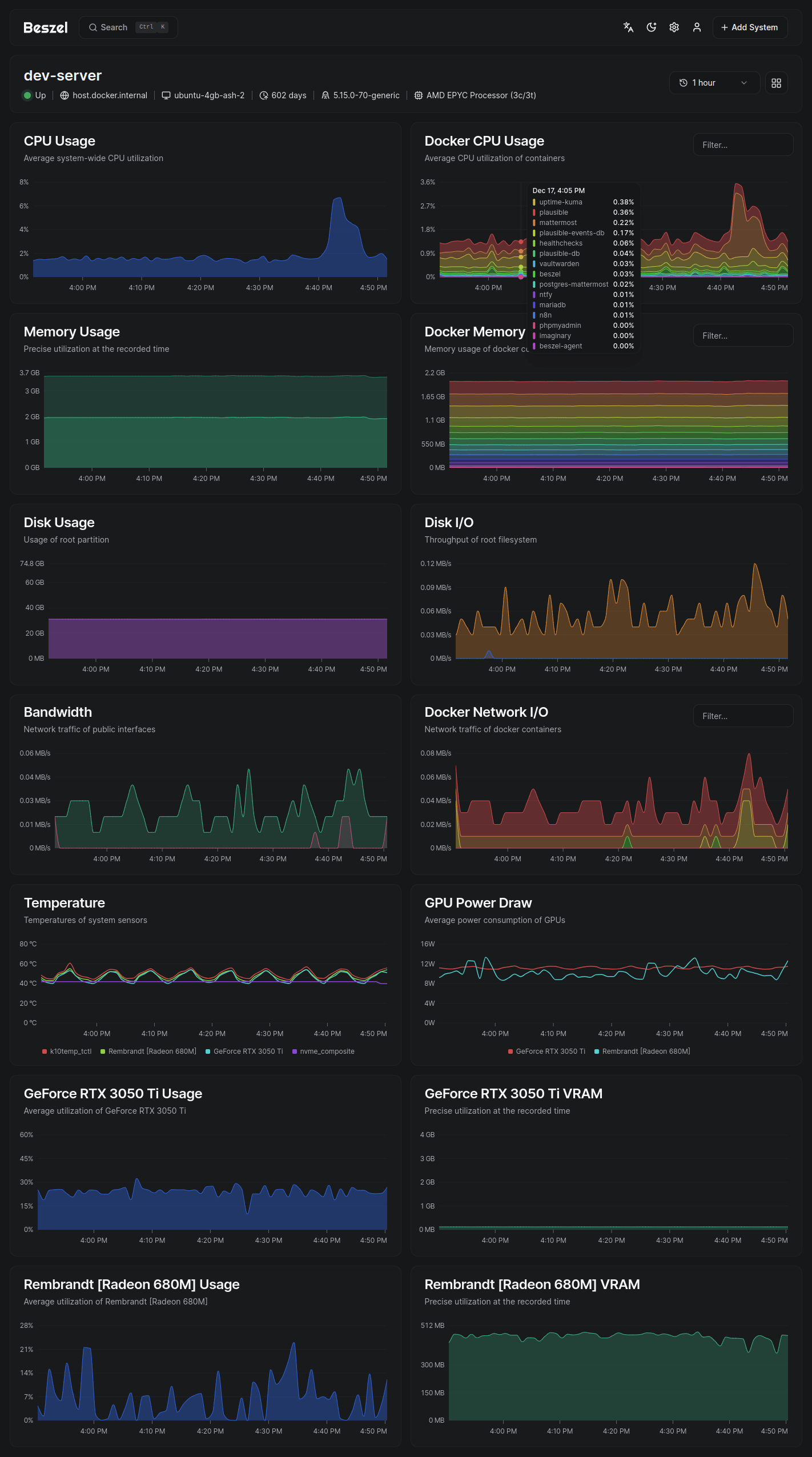
- CPU usage - Host system and Docker / Podman containers.
- Memory usage - Host system and containers. Includes swap and ZFS ARC.
- Disk usage - Host system. Supports multiple partitions and devices.
- Disk I/O - Host system. Supports multiple partitions and devices.
- Network usage - Host system and containers.
- Load average - Host system.
- Temperature - Host system sensors.
- GPU usage / power draw - Nvidia, AMD, and Intel.
- Battery - Host system battery charge.
- Containers - Status and metrics of all running Docker / Podman containers.
- S.M.A.R.T. - Host system disk health.
Please search existing issues and discussions before opening a new one. I try my best to respond, but may not always have time to do so.
Bug reports and feature requests can be posted on GitHub issues.
Support requests and general discussion can be posted on GitHub discussions or the community-run Matrix room: #beszel:matrix.org.
Beszel is licensed under the MIT License. See the LICENSE file for more details.