Releases: kacos2000/WindowsTimeline
Releases · kacos2000/WindowsTimeline
Release list
WindowsTimeline parser (x64)

Update :
- New Digital Signature
- Updated package
MD5: F5416897612BFD3CEEC13808FE524E20
SHA256: 87AF5824E86C20F13E6D45595E98801A63D2FF9AF4DED011066DF754652F5780
Clippy
Clippy
Clippy
WindowsTimeline parser (x64)
Update :
- Minor GUI fixes (e.g. dpi scaling)
- Some other minor fixes/updates
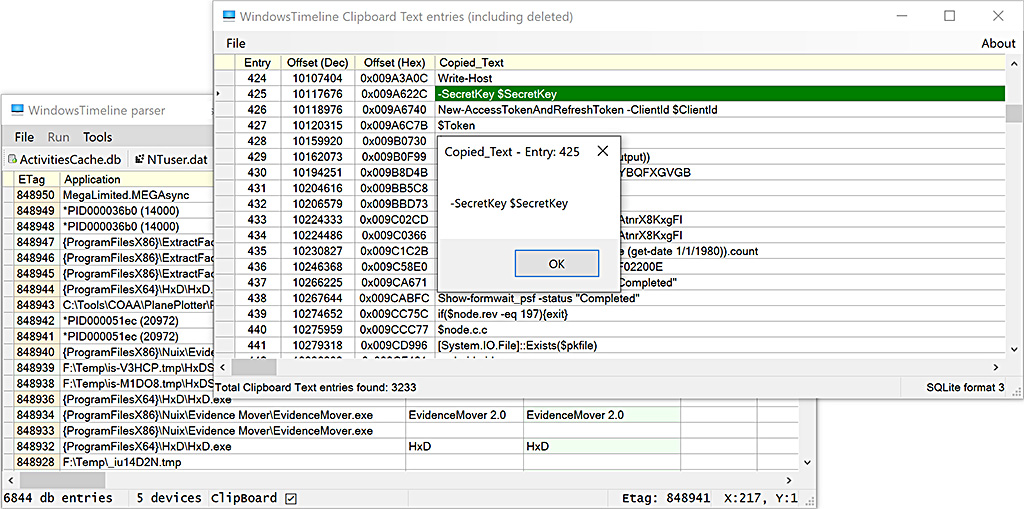
WindowsTimeline Clipboard Text Carver (Win10 x64)
- Retrieves (carves) current & deleted Clipboard text entries from an ActivitiesCache db or db-wal file.
- Displays offset of entry in the file & decoded text
- Allows Copy of a selection or all of the results
- Allows export to "|" separated CSV

          Example:
           - WindowsTimeline.exe: 15 clipboard text entries (SQLite query)
           - ClipboardTextEntries.exe: 224 from the db & 19 from the db-wal
Update :
- Minor GUI fixes (e.g. dpi scaling)
Note: Duplicate entries could indicate that the clipboard text was in both 'Payload' & 'ClipboardPayload' fields.
Typically this occurs in synced entries, but this is not confirmed 100%.
WindowsTimeline parser (x64)
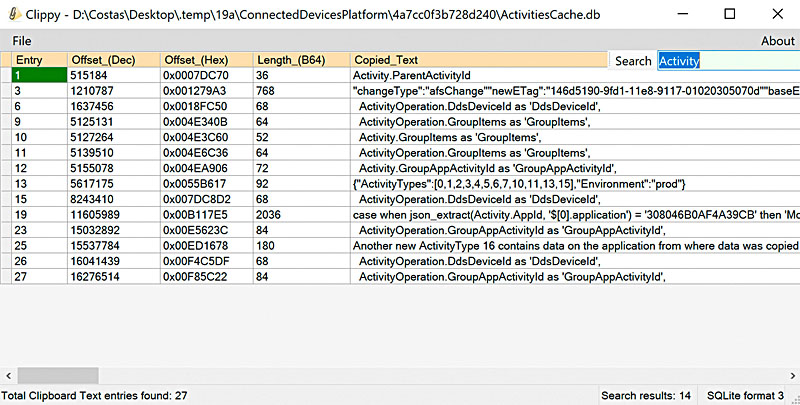
  * Added Search option in Clipboard Text carver window to search the 'Copied Text' entries
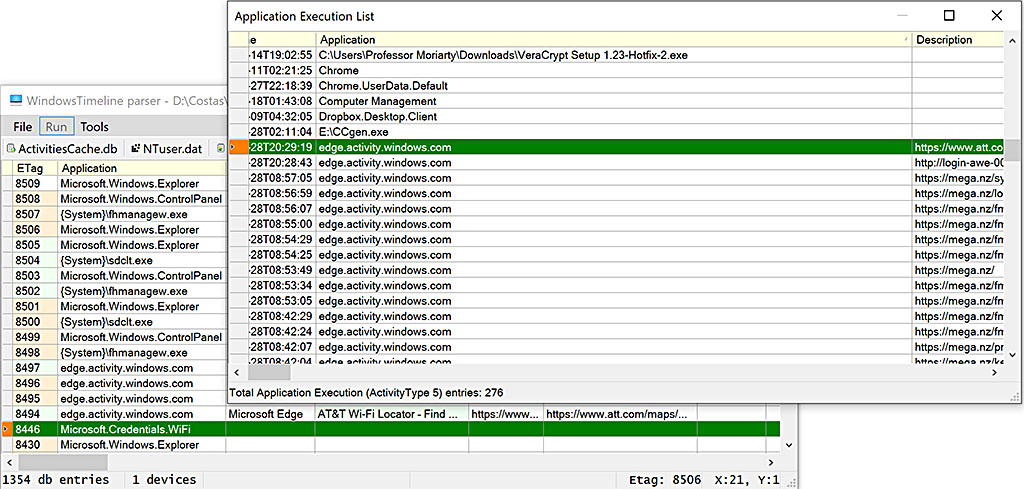
  * Added Search option in Application Execution list window to search both 'Application' & 'Description' entries
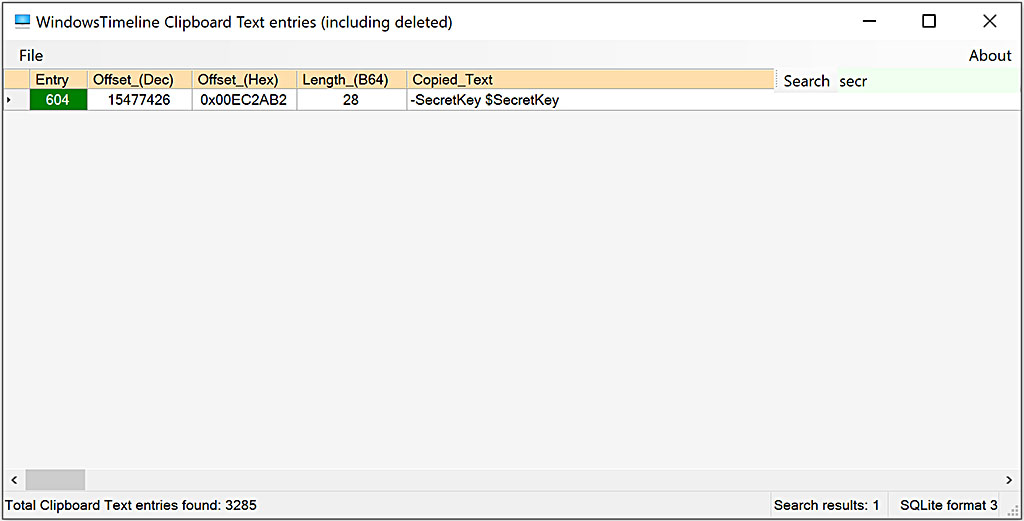
WindowsTimeline Clipboard Text Carver (Win10 x64)
Update :
- Added the option to search copied text items via a Search box:
WindowsTimeline parser (x64)
- Noticeable speed improvement in data display/scrolling
- Added option to show a (sort-able) Application Execution list ('ActivityType' 5 entries) window,
with just the following fields (inspired by @keydet89's blog post):- StartTime
- Application
- Description (file/url opened)
- Name (Device Name from NTUser.dat) if available
- DeviceType (from NTUser.dat) if available
- Save dialog now shows a confirmation popup that # files were saved.
Saved output includes:- ApplicationExecutionTimeline.csv ('ActivityType' 5 entries list) if available
- ClipboardHistory.csv ('ActivityType' 10 - clipboard text list) if available
- DatabaseActivityPolicies.json (contents of the 'DatabaseActivityPolicies' field of the 'Metadata' table) if available
- Device_info.txt (info on known device types)
- File_Info.csv (OS info & MD5 hash of the ActivitiesCache... files)
- Registry_devices.csv (Devices listed in NTUser.dat/HKLU) if available
- WindowsTimeline.csv (the full parsed data from ActivitiesCache.db)
- Note: ClipboardHistory text carver has a separate save dialog option.
Note: Above 'availability' depends on the dB/registry entries
WindowsTimeline parser (x64)
- Small GUI changes
- Now if there is a Timezone entry, the StartTime of that entry is checked against that Timezone's DST settings.
If the StartTime is in Daylight Saving Time, the DST time difference (delta) is displayed in the 'DaylightOffset' column i.e. DST (+01:00) - Experimental interpretation of 'IsRead' & 'UserActionState' fields (very limited data for testing)