

Small, free tools for game-development workflows. Both run locally without a tool account or upload service.
Merge selected scalar property keys between animation clips without copying whole tracks. Preview the exact paths and inclusive range, keep the original times, and use Godot's normal Undo/Redo. Collisions are refused rather than overwriting destination keys.
Download the add-on or runnable demo · Instructions and full limits
- Extract the demo ZIP and open
project.godotin Godot 4.7.2. For an existing project, install the add-on ZIP and enable the plugin instead. - Select an AnimationPlayer, choose source and destination clips, check tracks and set the range. Click Preview.
- Click Transfer, inspect the destination timeline, then undo or save. The README includes a three-key worked example.
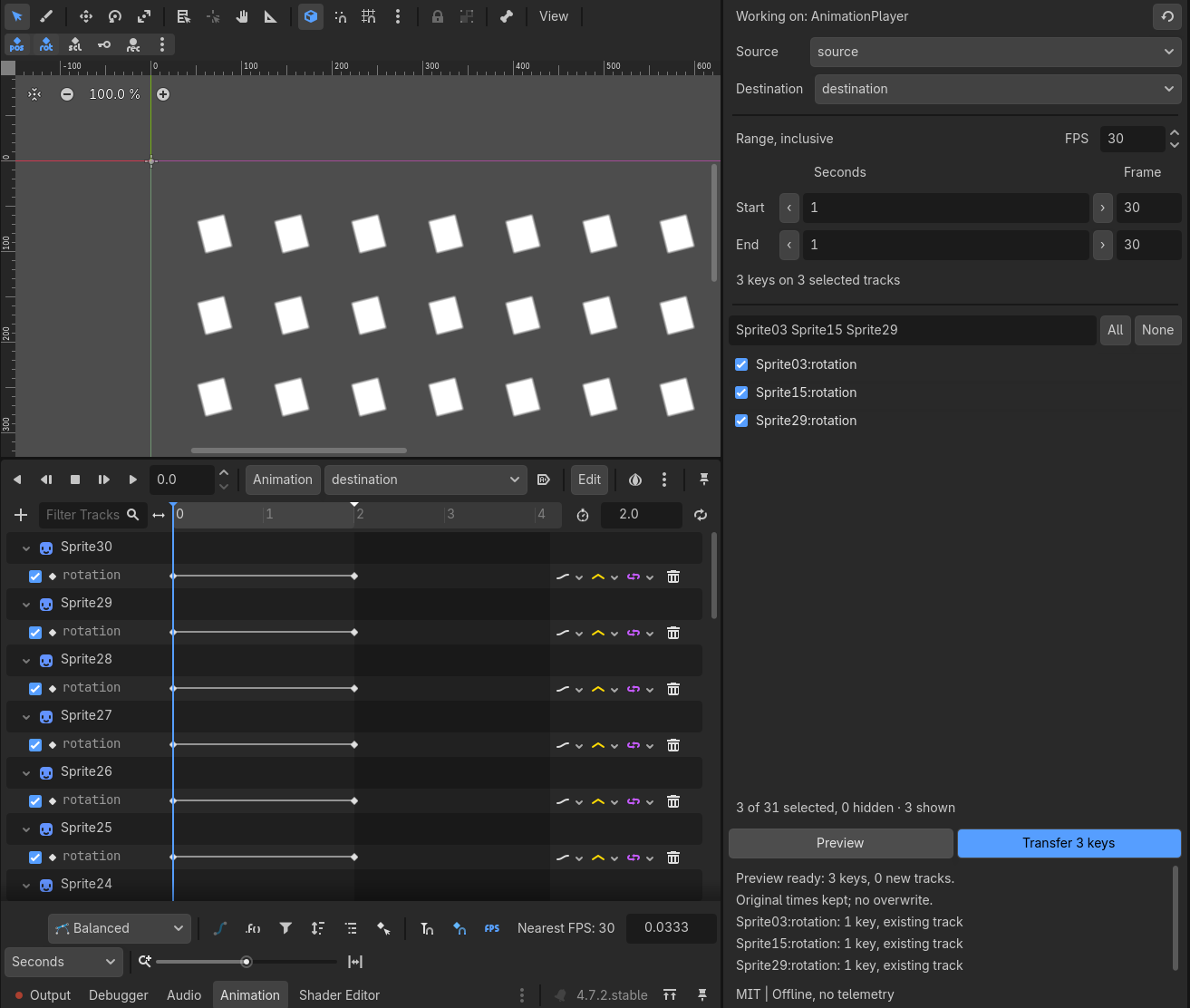
Supports bool, int and float Value tracks in independent local scene-embedded clips. No vectors, transforms, imported clips, retiming or path remapping. Tested in Godot 4.7.2 on Linux. MIT licensed; offline, no telemetry.
Batch ambient occlusion, roughness and metallic masks into exact numeric ORM PNGs. Review filenames and exceptions, then download one image per successful material plus a text report. Failed sets leave Ready; correct the files and select them again to retry.
Open the browser tool · Download v0.2.0 and examples · Source and full limits
- Extract
png-orm-packer.zipand opentexture-batch.htmlin desktop Chrome or Firefox. - Choose all six files in
examples/, review the two sets, then click Pack ready sets. - Click Download packed ZIP. It contains
stone_orm.png,wood_orm.pngand the report.
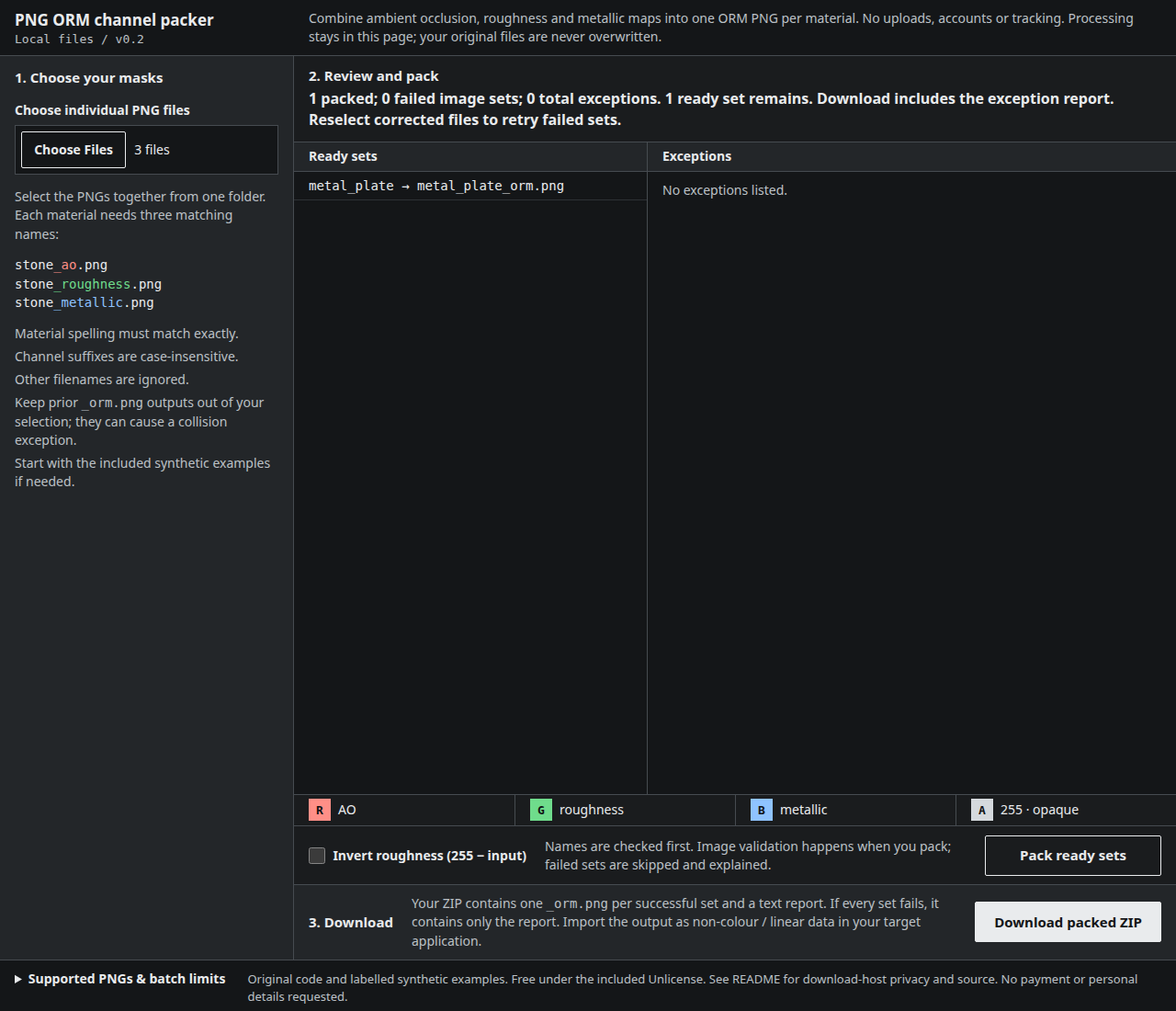
Output: R = AO, G = roughness, B = metallic, A = 255. Each value comes from its input's red channel; optional inversion uses 255 - roughness. No colour correction, resizing or source-file changes.
Supports matching 8-bit, non-interlaced grayscale/RGB/grayscale-alpha/RGBA PNGs. Palette, 16-bit and animated PNGs are refused. Per input: up to 4096 × 4096 pixels and 32 MiB; selection/output/browser-memory limits also apply. Full limits and hosting privacy details are in the README. Unlicense; no installation or tracking in the local tool.
Screenshots show our own checks, not customer results. The texture screenshot uses a separately prepared CC0 Poly Haven material, not bundled customer files. GitHub's own privacy terms apply to hosted pages and downloads.