


Live site · Browser-only exploratory image analysis for XTT 96-well plates and agar endpoint spot assays.
AssayLens turns a confirmed plate photograph into image-derived relative metabolic activity and provides a visible plate map, explicit control assignment, reproducible exports, and a narrow WebMCP workflow for browser agents.
Scientific scope: AssayLens is not a calibrated plate-reader absorbance measurement, a direct viable-cell count, or a validated MIC or efficacy determination. Human review of image quality, geometry, controls, and QC remains required.
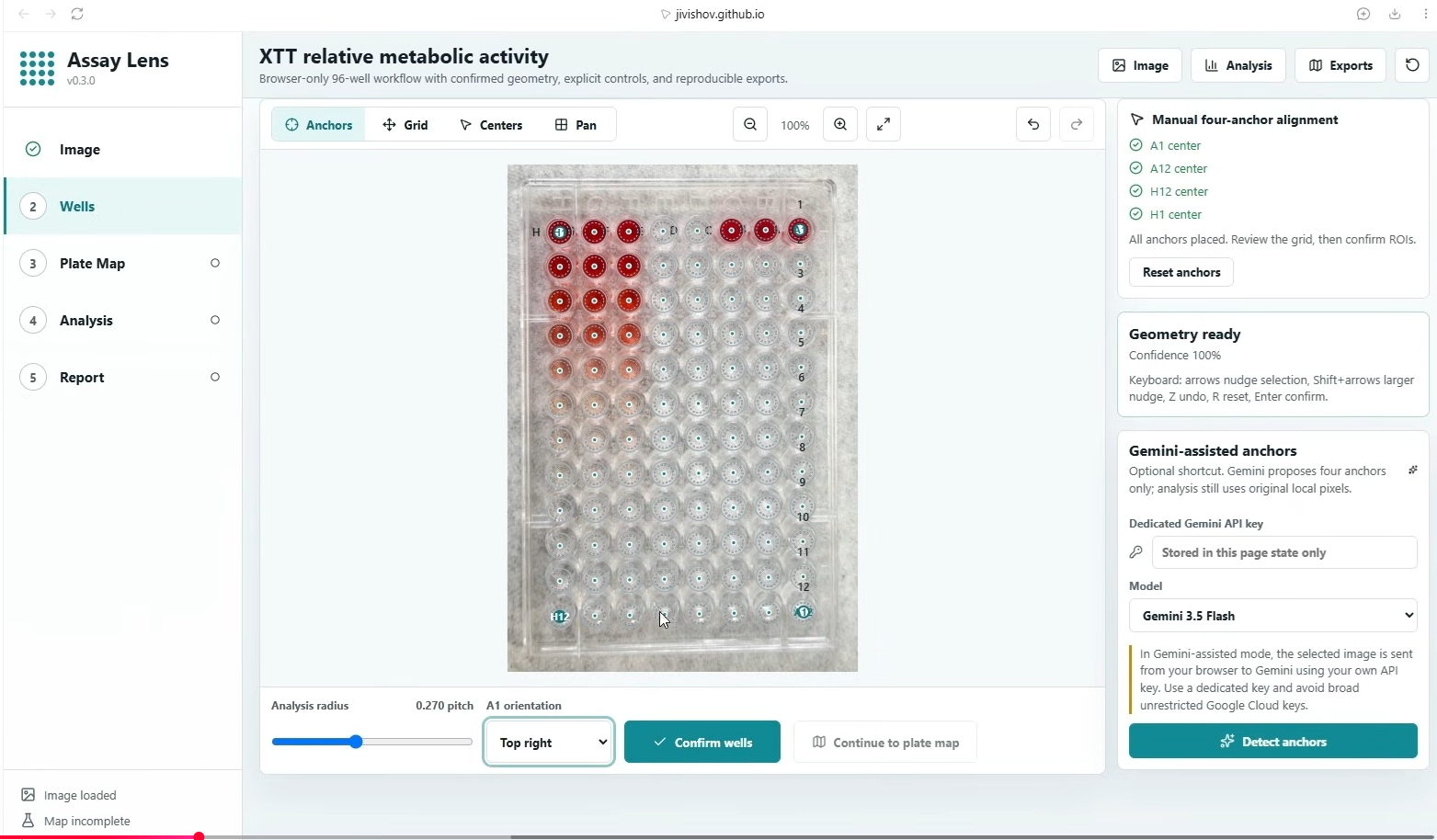
Confirm the plate geometry with four visible corner anchors before analysis. |
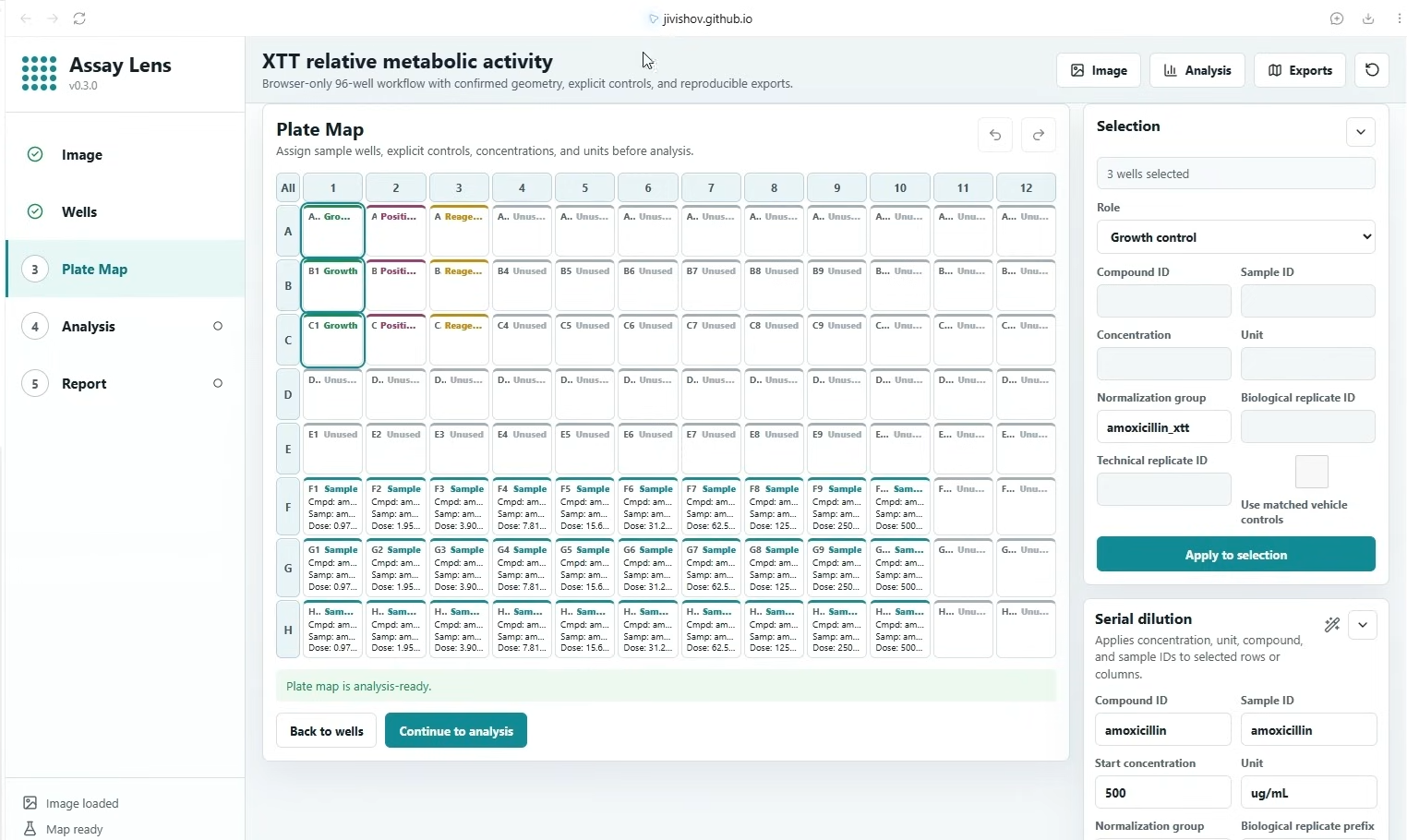
Map samples, controls, concentrations, replicates, and normalization groups explicitly. |
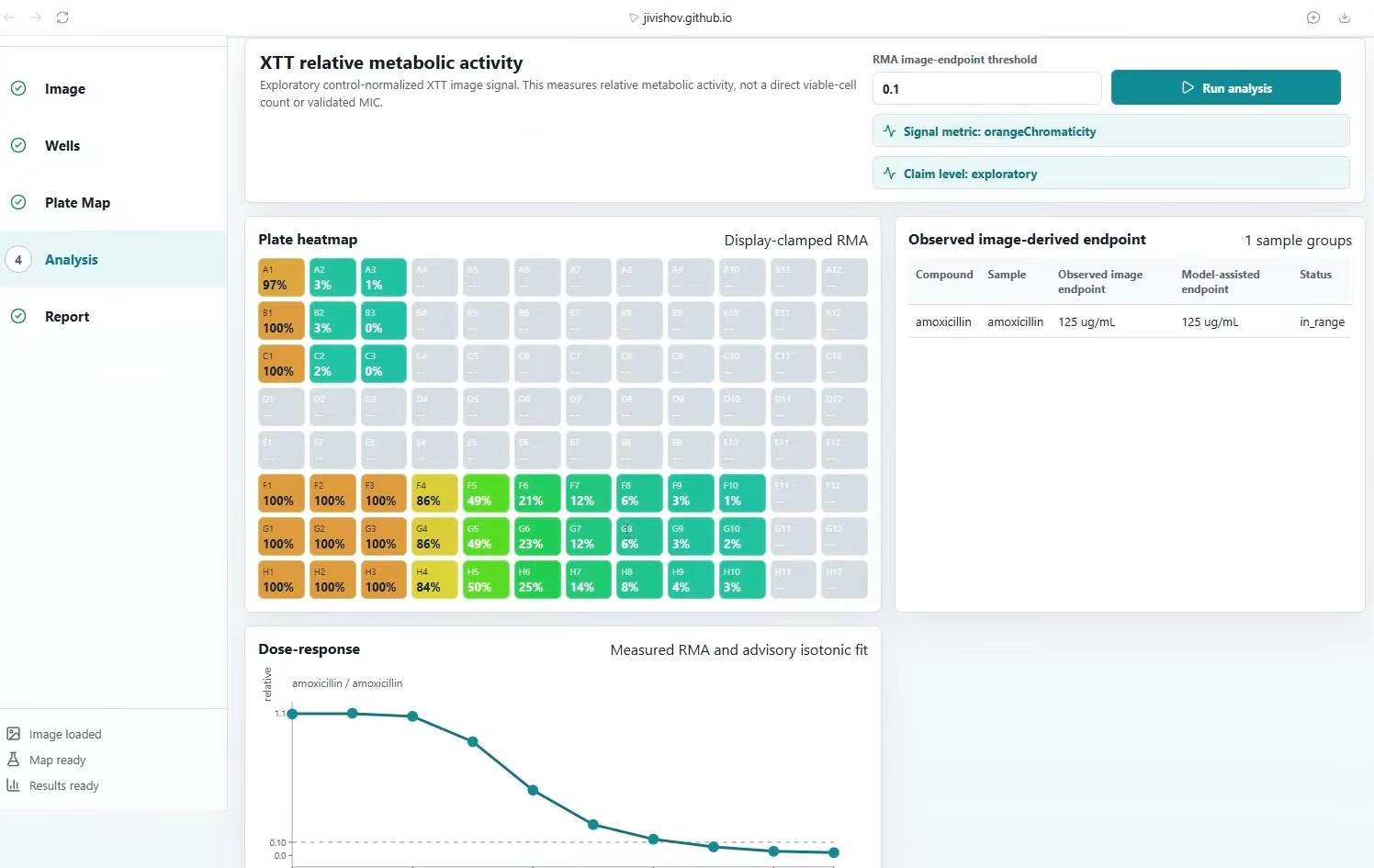
Review image-derived relative metabolic activity, QC context, and the exploratory dose-response view. |
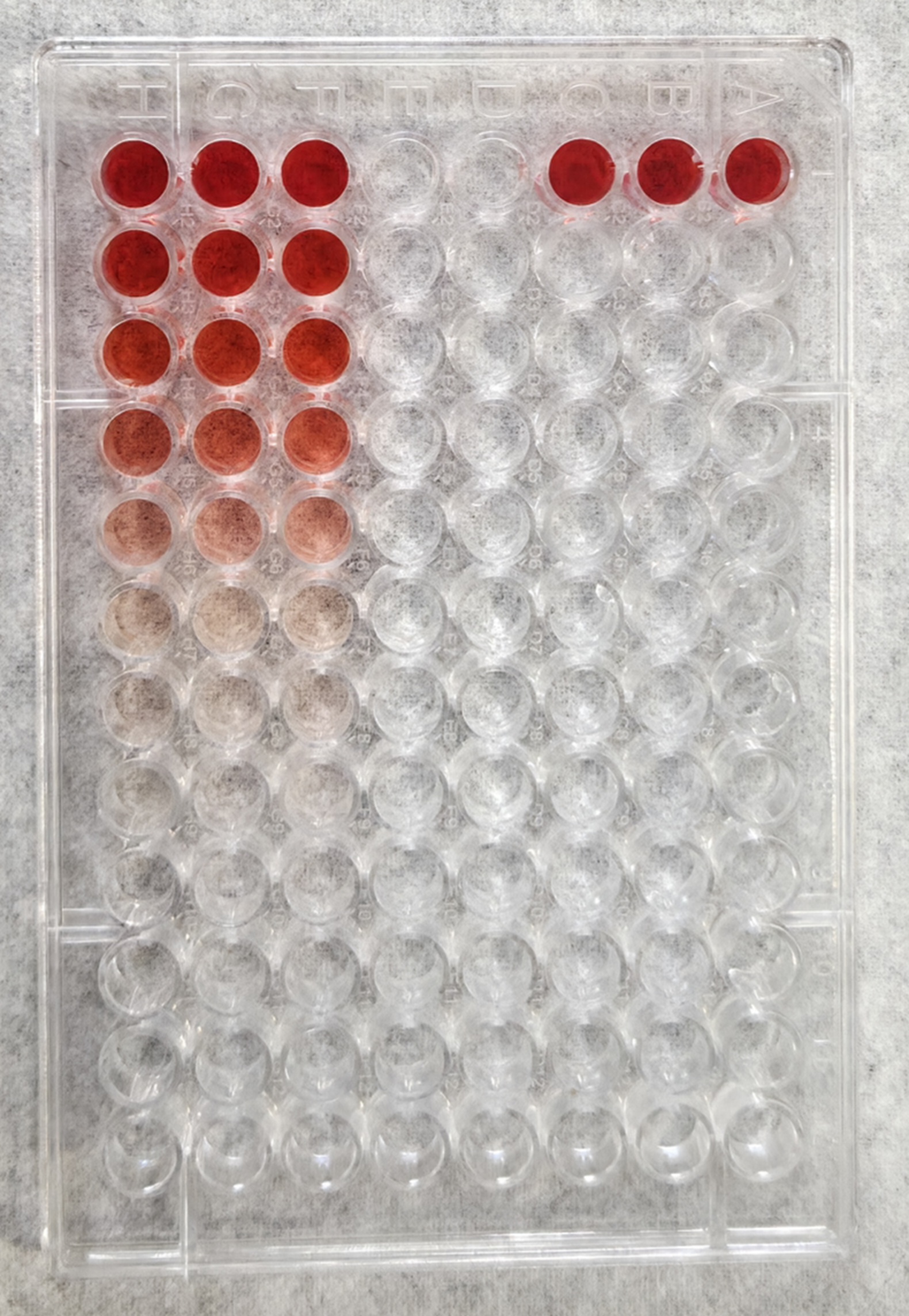
Example source plate photograph. Image color alone is not a quantitative or clinical conclusion. |
A real plate photograph is included so reviewers can exercise the normal AssayLens workflow without preparing their own image.
- Download
sample-xtt-plate.jpg. - Open the live AssayLens site and upload the image on the Image screen.
- On Wells, place and review the four corner anchors, confirm the plate orientation and geometry, and continue to Plate Map.
- Assign the sample series and the appropriate experimental controls/normalization groups for the interpretation you want to test.
- Continue to Analysis once the readiness checks pass. In a WebMCP-capable browser or agent, the five site tools described below can inspect and operate the supported XTT workflow on the same visible application state.

The supplied photograph is a convenient trial input, not a validated reference dataset. The screenshots above show an example workflow and exploratory output; they should not be treated as expected quantitative results for every configuration.
- XTT 96-well workflow with image upload/capture, manual or assisted geometry confirmation, well-level QC, explicit normalization controls, and exploratory dose-response review.
- Agar endpoint spot workflow with visible spot mapping and image-derived analysis.
- Browser-local workflow: plate images, raw pixels, API keys, and local paths are not sent through WebMCP tools.
- React, TypeScript, Vite, Vitest, and browser workers; no assay-analysis backend is required.
AssayLens registers these tools only when the browser exposes document.modelContext.registerTool. The normal UI remains fully usable when WebMCP is unavailable.
| Tool | Purpose | State effect |
|---|---|---|
inspect_xtt_workflow |
Inspect XTT readiness, plate validation, concise results, and fixed scientific limitations. | Read only |
configure_xtt_series |
Atomically configure one horizontal, leftward or rightward serial dilution with adjacent replicate rows. | Updates the plate map and invalidates stale analysis |
assign_xtt_controls |
Atomically assign explicit XTT controls and normalization groups. | Updates the plate map and invalidates stale analysis |
run_xtt_analysis |
Run the existing exploratory XTT image-analysis worker once all readiness checks pass. | Stores the result and opens Analysis |
focus_xtt_review |
Focus the deterministic highest-priority QC item or a named series for human review. | Visible review focus only |
All tool schemas reject unknown fields, runtime inputs are validated again with Zod, and structured outputs are deliberately bounded. Tools do not return raw pixels, browser file objects, API keys, local paths, or complete project files.
WebMCP mutations and the visible plate editor share the same React state. Configuring a series or controls through a tool updates the plate map, Selection panel, and Serial dilution panel together. Clicking a mapped well also updates Selection with that well's exact role, compound, concentration, unit, normalization group, and replicate identifiers.
For a mapped sample well, Serial dilution preserves the genuine series source (for example, a leftward series can start at F10 with 500 ug/mL) while displaying the clicked well's current dose as context. This prevents a low-dose well from being mistaken for the source concentration when the series is edited again.
- Claim level: exploratory.
- Measurement: image-derived relative metabolic activity.
- No automatic efficacy, mechanism, clinical, or validated-MIC conclusions.
- Image QC, geometry, controls, and excluded-well review remain visible and require human judgment.
- Any plate-map mutation invalidates a previous result before the next analysis.
See docs/WEBMCP.md for tool contracts, data boundaries, QC-review priority, scientific constraints, and challenge-specific implementation notes.
npm ci
npm run typecheck
npm test
npm run build
npm run dev
package-lock.json is committed. Continuous integration runs npm ci, type checking, Vitest, and a production build before GitHub Pages deployment.
Released under the MIT License.