
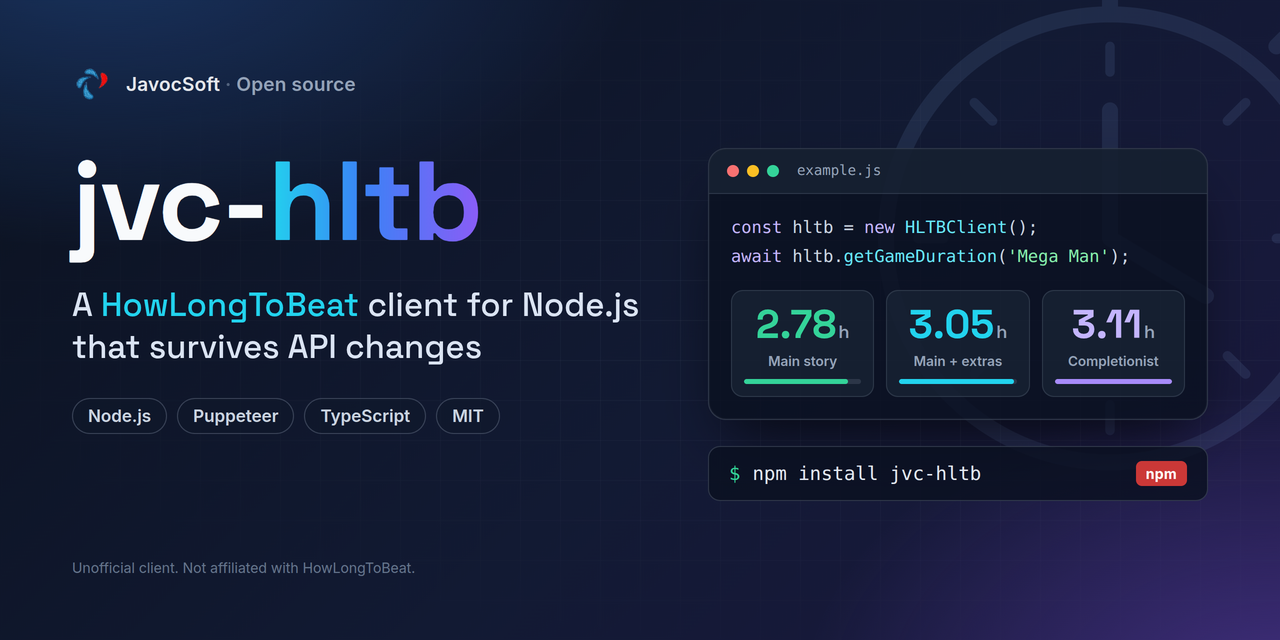
A robust HowLongToBeat API client for Node.js that automatically captures the dynamic credentials HLTB requires (Puppeteer request interception) to ensure reliable access to HLTB data.



Author: JavocSoft
- ✅ Automatic credential capture - Uses Puppeteer to intercept the site's own search call and keep the credentials it used
- ✅ Handles the rotating key - Sends
x-auth-token,x-hp-keyandx-hp-val, plus the body field whose name is the key of the day - ✅ Smart caching - Caches credentials for a configurable time (default 30 minutes) to minimize browser launches
- ✅ Auto-recovery - Recaptures once and retries when credentials go stale (401/403/404)
- ✅ Failure cooldown - After a failed capture it stops relaunching the browser for 30 minutes, so a broken HLTB site can't spawn a browser per lookup
- ✅ Alias matching - Also matches alternative and regional titles via
game_alias - ✅ Clean API - Simple, promise-based interface
- ✅ TypeScript support - Includes type definitions
npm install jvc-hltbThis library uses Puppeteer, which requires Chromium. On Linux servers, you may need to install additional dependencies:
# Ubuntu/Debian
sudo apt-get install -y \
    ca-certificates \
    fonts-liberation \
    libasound2 \
    libatk-bridge2.0-0 \
    libatk1.0-0 \
    libcups2 \
    libdbus-1-3 \
    libdrm2 \
    libgbm1 \
    libgtk-3-0 \
    libnspr4 \
    libnss3 \
    libx11-xcb1 \
    libxcomposite1 \
    libxdamage1 \
    libxrandr2 \
    xdg-utils
Since npm 11, post-install scripts are blocked by default, so npm install may not
download Chrome (it is mentioned in passing among the warnings as
allow-scripts ... puppeteer (postinstall)). The install finishes in seconds, looks fine, and
then the library fails to launch the browser. Install it explicitly:
npx puppeteer browsers install chrome
npx puppeteer browsers listconst HLTBClient = require('jvc-hltb');
// Create a new client instance
const hltb = new HLTBClient();
// Search for a game
async function main() {
// Get game duration
const duration = await hltb.getGameDuration('The Legend of Zelda: Breath of the Wild');
if (duration) {
console.log(`Main Story: ${duration.mainStory} hours`);
console.log(`Main + Extras: ${duration.mainExtras} hours`);
console.log(`Completionist: ${duration.completionist} hours`);
console.log(`HLTB URL: https://howlongtobeat.com/game/${duration.gameId}`);
}
// Clean up when done
await hltb.destroy();
}
main();Creates a new HowLongToBeat client instance.
| Option | Type | Default | Description |
|---|---|---|---|
cacheMinutes |
number | 30 | How long to cache captured credentials (in minutes) |
failureCooldownMinutes |
number | 30 | How long to stop relaunching the browser after a failed capture |
enabled |
boolean | true | Enable/disable the service |
userAgent |
string | Chrome 131 UA | User-Agent used to capture and to replay requests |
const hltb = new HLTBClient({
  cacheMinutes: 60, // Cache credentials for 1 hour
});
⚠️ The auth token embeds the client IP and the User-Agent, so a token captured on one machine will not work on another, anduserAgentmust be identical for capture and replay.
Gets the completion times for a game.
gameName(string) - The name of the game to search for
Returns a Promise<DurationData | null>:
interface DurationData {
  gameId: number;        // HLTB game ID (for building URLs)
  mainStory: number;     // Main story completion time in hours
  mainExtras: number;    // Main + extras completion time in hours
  completionist: number; // 100% completion time in hours
}
Returns null if the game is not found or no exact match exists.
const duration = await hltb.getGameDuration('Mega Man');
// {
//   gameId: 5803,
//   mainStory: 2.78,
//   mainExtras: 3.05,
//   completionist: 3.11
// }Searches for games matching the given name. Returns raw results from HLTB API.
gameName(string) - The search query
Returns a Promise<Array> with raw game data from HLTB, or null on error.
const results = await hltb.searchGame('Zelda');
// Returns array of game objects with properties like:
// - game_id
// - game_name
// - comp_main (seconds)
// - comp_plus (seconds)
// - comp_100 (seconds)
// - game_image
// - etc.Formats a duration in hours to a human-readable string.
hours(number) - Duration in hours
Returns a formatted string like "12h 30m" or null if hours is invalid.
hltb.formatDuration(12.5);  // "12h 30m"
hltb.formatDuration(8);     // "8h"
hltb.formatDuration(0.75); // "0h 45m"Cleans up resources (closes any open Puppeteer browser instances).
await hltb.destroy();HowLongToBeat.com protects its search endpoint with credentials that rotate and that cannot be forged (the token embeds the caller's IP and User-Agent). This library:
- Launches a headless browser using Puppeteer
- Intercepts the site's own search request and keeps its
x-auth-token,x-hp-keyandx-hp-val - Caches those credentials for efficient reuse (default: 30 minutes) - the browser opens once per cache window, not per search
- Replays plain HTTP against
POST /api/search/site, changing only the search terms - Auto-recovers from 401/403/404 by recapturing once and retrying
- Backs off for 30 minutes after a failed capture instead of relaunching a browser on every lookup
┌─────────────────────────────────────────────────────────────┐
│  Your Application                                           │
│  - hltb.getGameDuration('Game Name')                       │
└────────────────┬────────────────────────────────────────────┘
                 │
┌────────────────▼────────────────────────────────────────────┐
│  jvc-hltb                                                   │
│                                                             │
│  ┌─────────────────────────────────────────────────────┐   │
│  │ Credential Management                               │   │
│  │ - Capture with Puppeteer (headless browser)        │   │
│  │ - Cache credentials for 30 minutes                 │   │
│  │ - Recapture once on 401/403/404                    │   │
│  │ - Cool down 30 min after a failed capture          │   │
│  └─────────────────────────────────────────────────────┘   │
│                                                             │
│  ┌─────────────────────────────────────────────────────┐   │
│  │ Search                                              │   │
│  │ - POST /api/search/site                            │   │
│  │ - Headers: x-auth-token, x-hp-key, x-hp-val        │   │
│  │ - Body also carries a field named after the key    │   │
│  └─────────────────────────────────────────────────────┘   │
└────────────────┬────────────────────────────────────────────┘
                 │
┌────────────────▼────────────────────────────────────────────┐
│  HowLongToBeat API                                          │
│  - Returns game data with completion times                  │
│  - Times in seconds (converted to hours by library)        │
└─────────────────────────────────────────────────────────────┘
Run the contract tests. They are offline and deterministic, so they don't depend on HowLongToBeat being reachable:
npm testThey cover the shape of the request HLTB expects (the three auth headers and the body field named after the rotating key), the seconds-to-hours conversion, the recapture-once-on-403 behaviour and the failure cooldown.
To check against the live site - the only way to catch HLTB changing its API again - run the smoke test:
npm run test:live                       # defaults to "Mega Man"
node test/test.js "Super Mario Bros." # or a specific gamenpm run canary checks a set of reference games against the live site and tells
you what kind of breakage it found: credentials that can't be captured (they
moved the route again) versus a contract change (the route works, the request or
response shape doesn't).
It runs automatically every Monday via the HLTB Canary workflow, which opens an
issue labelled hltb-canary when the library stops getting data and closes it
again when HLTB recovers. This is the only check that can catch HLTB changing
their API - the offline tests can't, by design.
npm run canaryconst HLTBClient = require('jvc-hltb');
async function main() {
const hltb = new HLTBClient();
const games = [
'The Legend of Zelda: Breath of the Wild',
'Super Mario Odyssey',
'Hollow Knight'
];
for (const game of games) {
const duration = await hltb.getGameDuration(game);
if (duration) {
console.log(`\n${game}:`);
console.log(` Story: ${hltb.formatDuration(duration.mainStory)}`);
console.log(` Extras: ${hltb.formatDuration(duration.mainExtras)}`);
console.log(` 100%: ${hltb.formatDuration(duration.completionist)}`);
} else {
console.log(`\n${game}: Not found`);
}
}
await hltb.destroy();
}
main();const HLTBClient = require('jvc-hltb');
const hltb = new HLTBClient({
cacheMinutes: 60, // Cache credentials for 1 hour
});
// Your code here...const HLTBClient = require('jvc-hltb');
async function getGameTime(gameName) {
const hltb = new HLTBClient();
try {
const duration = await hltb.getGameDuration(gameName);
if (!duration) {
console.log('Game not found or no exact match');
return null;
}
return {
name: gameName,
hours: duration.mainStory,
url: `https://howlongtobeat.com/game/${duration.gameId}`
};
} catch (error) {
console.error('HLTB error:', error.message);
return null;
} finally {
await hltb.destroy();
}
}-
Puppeteer requirement: This library uses Puppeteer to capture credentials, which downloads Chromium (~170MB). Consider this for deployment.
-
Rate limiting: While this library caches credentials, avoid making too many requests in a short time to respect HLTB's servers.
-
Exact matches only:
getGameDuration()returns data only for exact name matches (case-insensitive), includinggame_alias. UsesearchGame()for fuzzy results. -
Headless browser: The first request may take a few seconds as Puppeteer launches a browser. Subsequent requests reuse the cached credentials.
-
Times of
0mean "no data", not "0 hours" - the library maps them tonull. -
The token is bound to your IP: behind a rotating proxy or NAT egress a captured token can stop working immediately. The recapture-and-retry covers it, but it explains intermittent 403s.
| Symptom | Likely cause |
|---|---|
No search request was seen; HLTB may have moved the route again |
HLTB changed the search route. See below. |
Navigation timeout of 30000 ms exceeded |
Not enough RAM - Chrome never loads the page. 1 GB is not enough; 2 GB works. Fix memory before suspecting the API. |
Could not find Chrome (ver. ...) |
Post-install script was skipped. Run npx puppeteer browsers install chrome. |
Everything returns null, nothing throws |
Usually the route move above; check the log for the capture warning. |
If HLTB moves the search route again, it can be found without a browser:
UA='Mozilla/5.0 (Windows NT 10.0; Win64; x64) AppleWebKit/537.36 (KHTML, like Gecko) Chrome/131.0.0.0 Safari/537.36'
curl -s -A "$UA" https://howlongtobeat.com/ -o page.html
grep -oE '/_next/static/chunks/[a-zA-Z0-9._/-]+\.js' page.html | sort -u > chunks.txt
mkdir -p js && cd js
while read -r u; do curl -s -A "$UA" "https://howlongtobeat.com$u" -O; done < ../chunks.txt
grep -ohE '"/api/[a-zA-Z0-9_/-]*"' *.js | sort -u
The right one is the route used inside a fetch(..., { method: "POST" }) carrying the
x-auth-token, x-hp-key and x-hp-val headers. Update SEARCH_PATH in src/index.js
(or pass a different searchPath on the instance).
Contributions are welcome! Please feel free to submit a Pull Request.
MIT © JavocSoft
This project is licensed under the MIT License - you are free to use, modify, distribute, and create your own versions of this library for any purpose, including commercial use.
- HowLongToBeat.com for providing game completion time data
- The gaming community for making this data available
Note: This library is not affiliated with HowLongToBeat.com. Please use responsibly and respect their terms of service.