Documentation: ictfax.readthedocs.io
ICTFAX is an open source multi-user Fax server software solution. ICTFAX features both inbound as well as outbound faxing solutions using T.38 protocol as well as G.711 passt hrough. ICTFAX is developed over reknown open source Freeswitch, ICTCore communications frameowrk and Php based Angular framework. It support both inbound and outbound faxing.
Want a full PBX as well? ICTFax is the fax server on its own. If you also need extensions, IVR, call queues and trunk management in the same interface, use ICTPBX Community Edition, which adds FusionPBX on top of the same ICTCore foundation. Installing both is not necessary, and not supported on one host.
Installing? The maintained guide is
ictfax.org/ictfax-installation-guide,
with a tab per distribution. The INSTALL.md in this repo and the matching Read the Docs
page describe CentOS 7 and are kept only for older systems.
ICTFAX can be used in following faxing scenarios
- Email to fax / web to fax / fax to email
- ATA support supporting both sending and recieving Fax over Fax machines using ATA.
- G.711 based Fax Origination / Termination / Gateway
- T.38 based Fax Origination / Termination
- PSTN/SS7 based Fax Origination / Termination
A Single GUI is created to cover all the major communication methods and services like:
- Send Document with multiple files (optional)
- Fax to Email
- Extension Support
- DIDs
By Using ICTFax a user can manage:
- Outbound Fax
- Inbound Fax
- Fax DIDs
- Fax Extensions
- Contacts Management
- Fax Documents
- User Management
- Provider / Trunks
For more information please visit ICTFAX Website
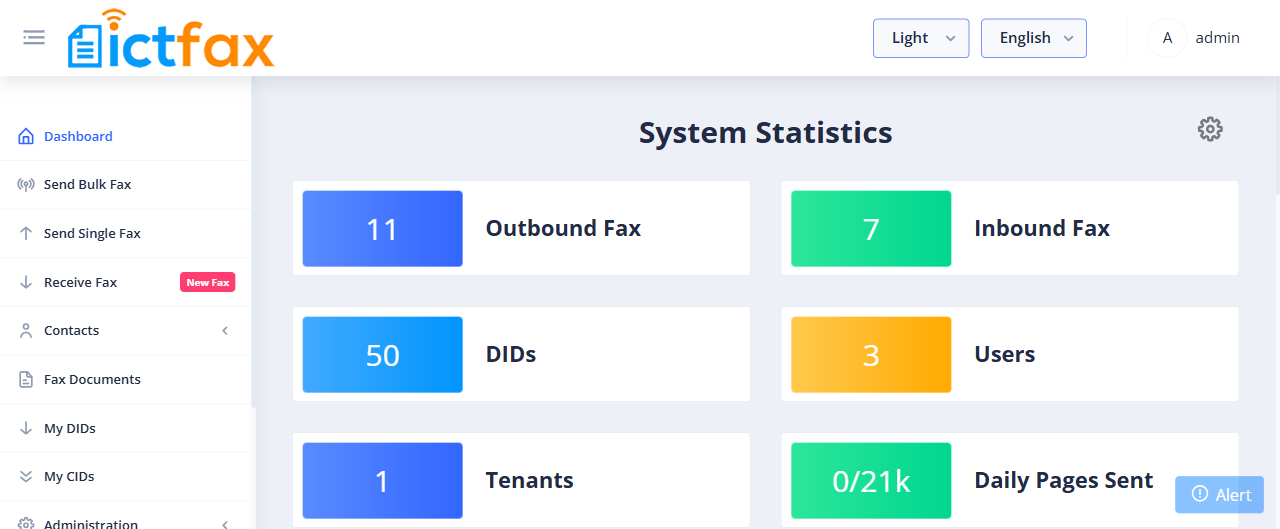
The dashboard, with live counters for inbound and outbound fax, DIDs, users and tenants:
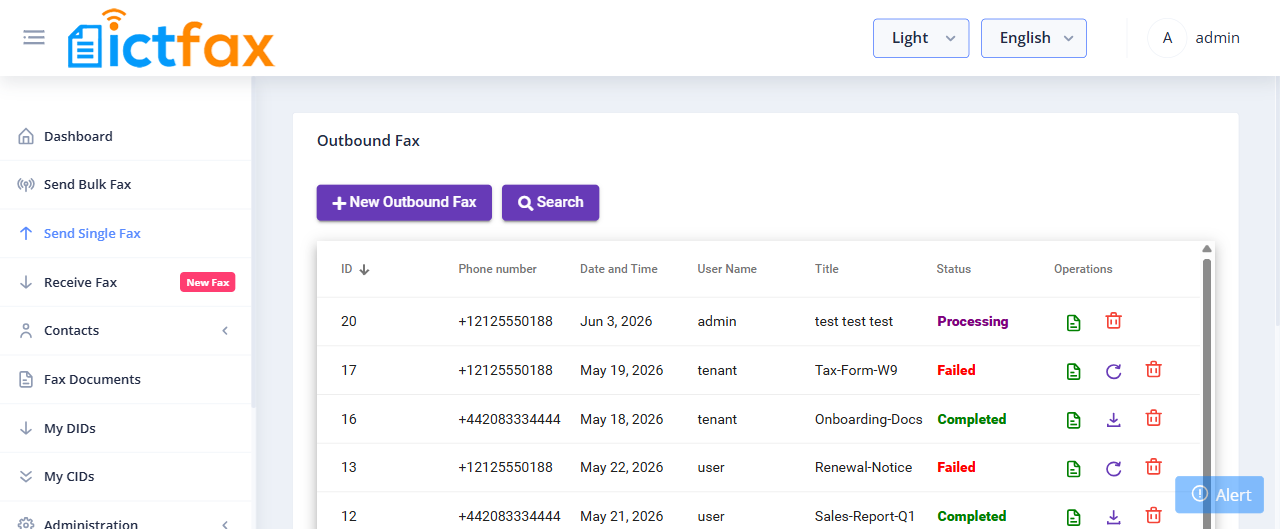
Outbound fax, showing per-job status and a retry action on anything that failed:
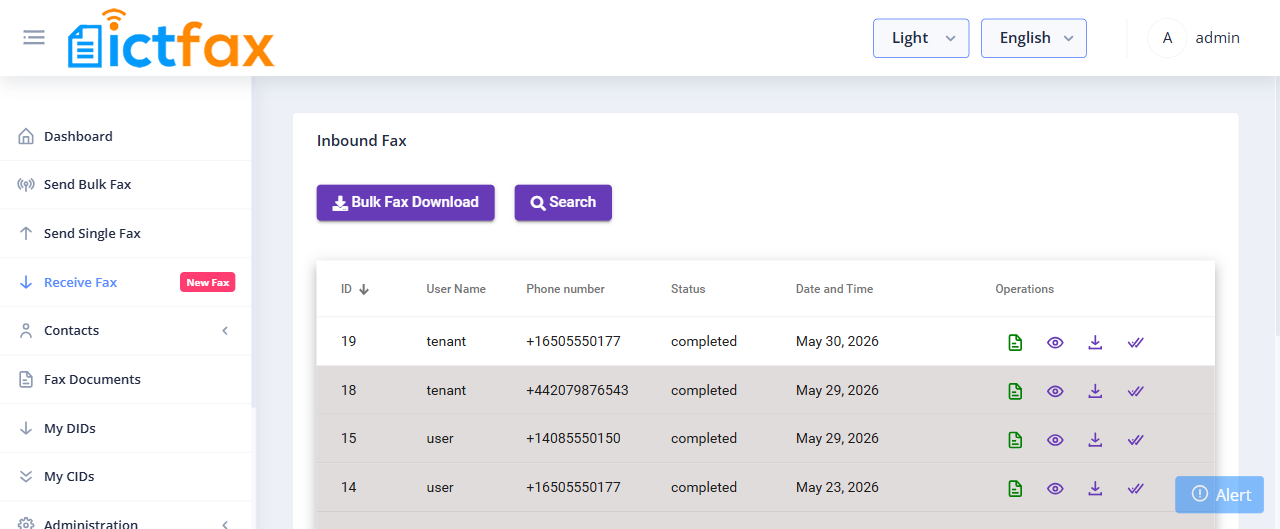
Inbound fax, where each received document can be viewed, downloaded or marked as read:
You can click through the same interface yourself on the demo site.
The fastest way to see ICTFax running. The image bundles Apache, PHP, FreeSWITCH, MariaDB and this dashboard, so there is nothing else to install.
docker run -d --name ictfax \
  -p 8080:80 \
  -p 5060:5060/tcp -p 5060:5060/udp \
  -p 16384-16484:16384-16484/udp \
  ictinnovations/ictfax:latest
Give it about two minutes on first boot while the database is created and the
schema loads, then open http://localhost:8080/ and sign in with the demo
credentials below. Publish the RTP range as shown or your fax calls will
connect and transfer nothing.
For an external database, volumes and build instructions see docker/README.md.
Visit ICTFAX Demo site and use following credential to login
- username: admin@ictcore.org
- password: helloAdmin
- username: user@ictcore.org
- password: helloUser
ICTFAX is developed by ICT Innovations ICTFax developed over ictcore , a open source freeswitch based framework for developers