
A review-first AI coding workspace for VS Code-compatible editors.
Chat, plan, edit, run checks, and review changes without leaving your project.
Marketplace · Open VSX · Releases · Issues · Tiếng Việt
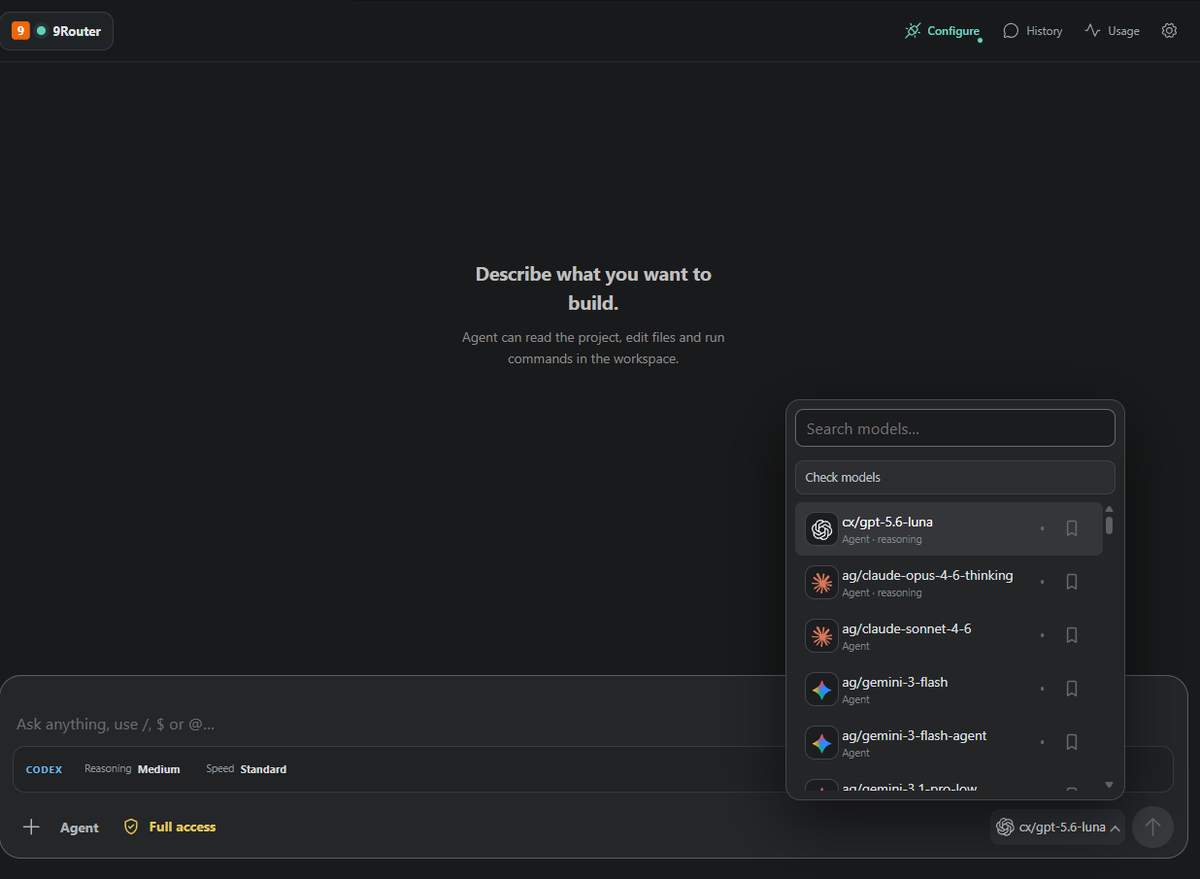
RelayCode brings AI-assisted development into the current workspace while keeping you in control. Choose a provider and model, work in Chat, Agent, or Plan mode, and inspect file changes before accepting them.
It runs in VS Code, Antigravity, Cursor, and other compatible editors.
- Review-first editing — inspect diffs, then accept or undo changes.
- Visible execution — follow tool calls, commands, validation, and failures in the timeline.
- Lightweight Agent harness — manages run lifecycle, cancellation, recovery, and workspace protection without a required Docker or WSL daemon.
- Chat, Agent, and Plan — use the right level of autonomy for each task.
- Multiple providers — keep separate profiles for cloud, local, and OpenAI-compatible endpoints.
- MCP tools — extend Agent with trusted local or remote services.
- Permission controls — decide when RelayCode may edit files or run commands.
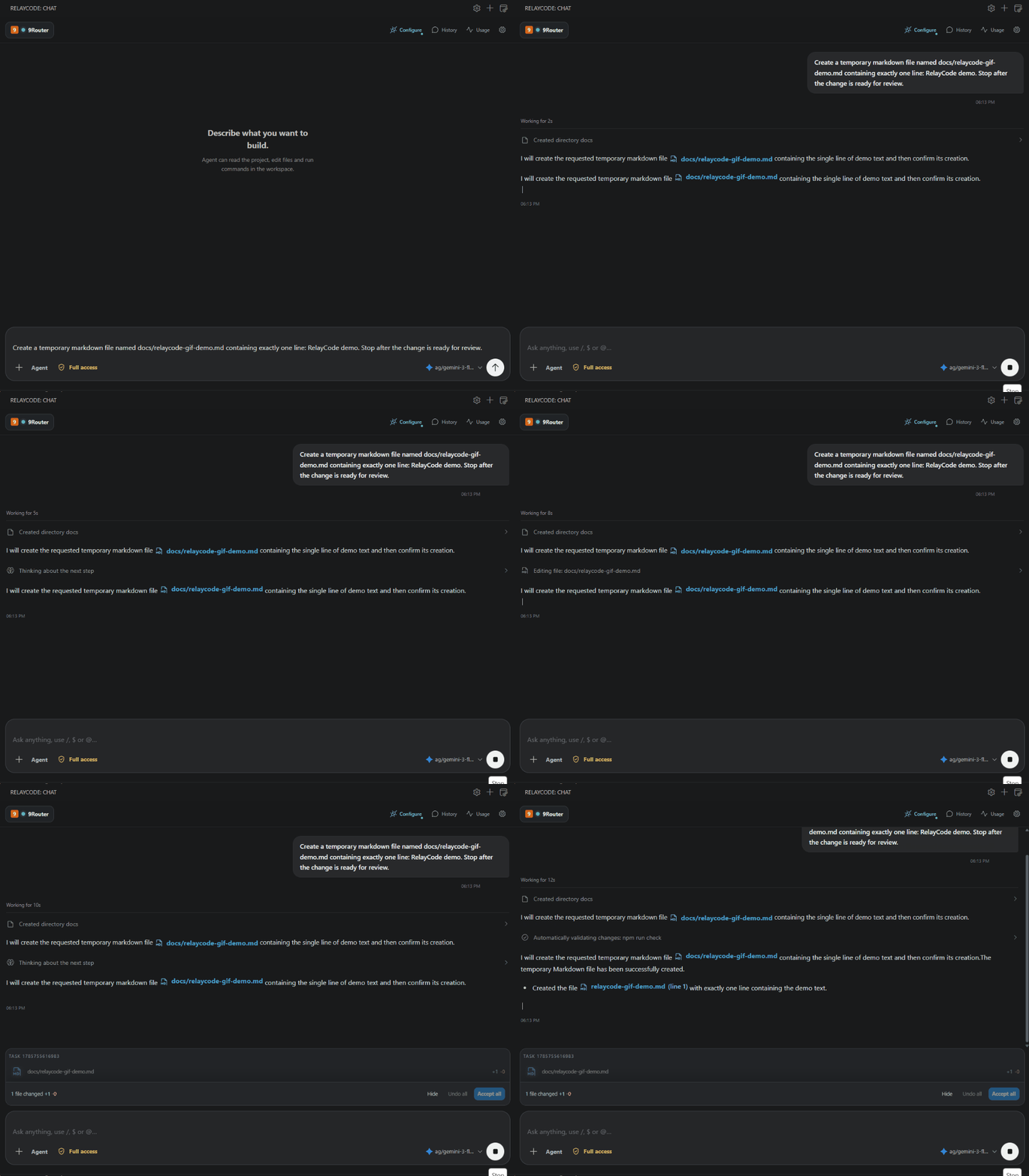
- Install RelayCode from the Marketplace, Open VSX, or Releases.
- Open RelayCode: Chat from the Activity Bar.
- Open Settings and connect a provider profile.
- Select a model and choose Chat, Agent, or Plan.
For a local setup with 9Router, use its OpenAI-compatible endpoint:
http://127.0.0.1:20128/v1
- Chat answers questions without editing the workspace.
- Agent can inspect files, edit code, run approved commands, and use MCP tools.
- Plan prepares a reviewable implementation plan before files are changed.
RelayCode supports 9Router, Cockpit Tools, OpenCode, OpenAI, Anthropic Claude, Ollama, LM Studio, and custom OpenAI-compatible endpoints. Available models come directly from the active provider profile.
API keys are stored with the editor's Secret Storage and are not written to project files.
MCP lets RelayCode use additional tools such as browser automation, external services, or specialized project workflows. Open Settings → MCP, add a local process or HTTP server, complete authentication when required, and enable only tools you trust for the current workspace.
MCP actions appear in the activity timeline and remain subject to RelayCode's permission and review flow.
Run /chatgpt or RelayCode: Manage ChatGPT Web Bridge to connect ChatGPT through a secure MCP tunnel. RelayCode guides you through the Tunnel ID and Runtime API key, verifies the official tunnel client, and stores the key in Secret Storage.
When ChatGPT Web uses a RelayCode tool, a dedicated ChatGPT Web timeline appears in chat history. File reads, searches, edits, commands, and failures are recorded there. File changes use the same Review, Accept, and Undo workflow as Agent changes.
To save the conversation itself, ask ChatGPT to “Sync this chat to RelayCode.” RelayCode receives the transcript only after an explicit request, then stores the title and user/assistant messages as a separate history entry. Syncing the same conversation again updates that entry instead of creating a duplicate.
MCP shares tool activity, not the full ChatGPT conversation. See OpenAI's Secure MCP Tunnel guide for account and Developer mode setup.
- File tools and command working directories are confined to the trusted workspace by a lightweight process-local boundary. It is not an OS/container isolation boundary.
- Use the least permissive mode that fits the task.
- Review file changes before accepting them.
- Connect only MCP servers you trust.
- Keep Workspace Trust enabled only for trusted projects.
See the Privacy Policy for details.
npm install
npm run check
npm run build
Press F5 to launch an Extension Development Host. Release notes are available in CHANGELOG.md.