
Dotfiles
Personal configuration for Apple Silicon macOS — experimental Linux support (Arch / Debian / Ubuntu) —
one-command bootstrap, XDG-compliant layout, unified Catppuccin Mocha theme.


Developed and tested on:
| OS | macOS Tahoe 26.3.1 |
| Hardware | Apple M4 (arm64) |
| Architecture | ARM64 — any Apple Silicon Mac (M1 and later) should work |
Intel Macs are allowed but untested — the installer prompts for confirmation before proceeding on x86_64.
Arch Linux, Debian, and Ubuntu are supported on a best-effort basis. macOS-only features (AeroSpace, JankyBorders, Ghostty shaders, osascript notifications, Xcode tooling) are automatically skipped. The package installer maps Homebrew formulae and casks to native equivalents where available; unrecognized packages are skipped with a warning.
| Tool | Version |
|---|---|
| zsh | 5.9 |
| Ghostty (default terminal) | 1.3.1 |
| kitty (alternative terminal) | 0.46.2 |
| Starship | 1.25.0 |
| Neovim | 0.12.2 |
| tmux | 3.6a |
| lazygit | 0.61.1 |
| eza | 0.23.4 |
| bat | 0.26.1 |
| fzf | 0.72.0 |
| zoxide | 0.9.9 |
| delta | 0.19.2 |
| btop | 1.4.6 |
| Yazi | 26.5.6 |
ghostty.mp4Ghostty — Terminal Catppuccin Mocha · background blur · cursor warp shader |
kitty.mp4kitty — Terminal (alt) Catppuccin Mocha · same font + keybinds as Ghostty |
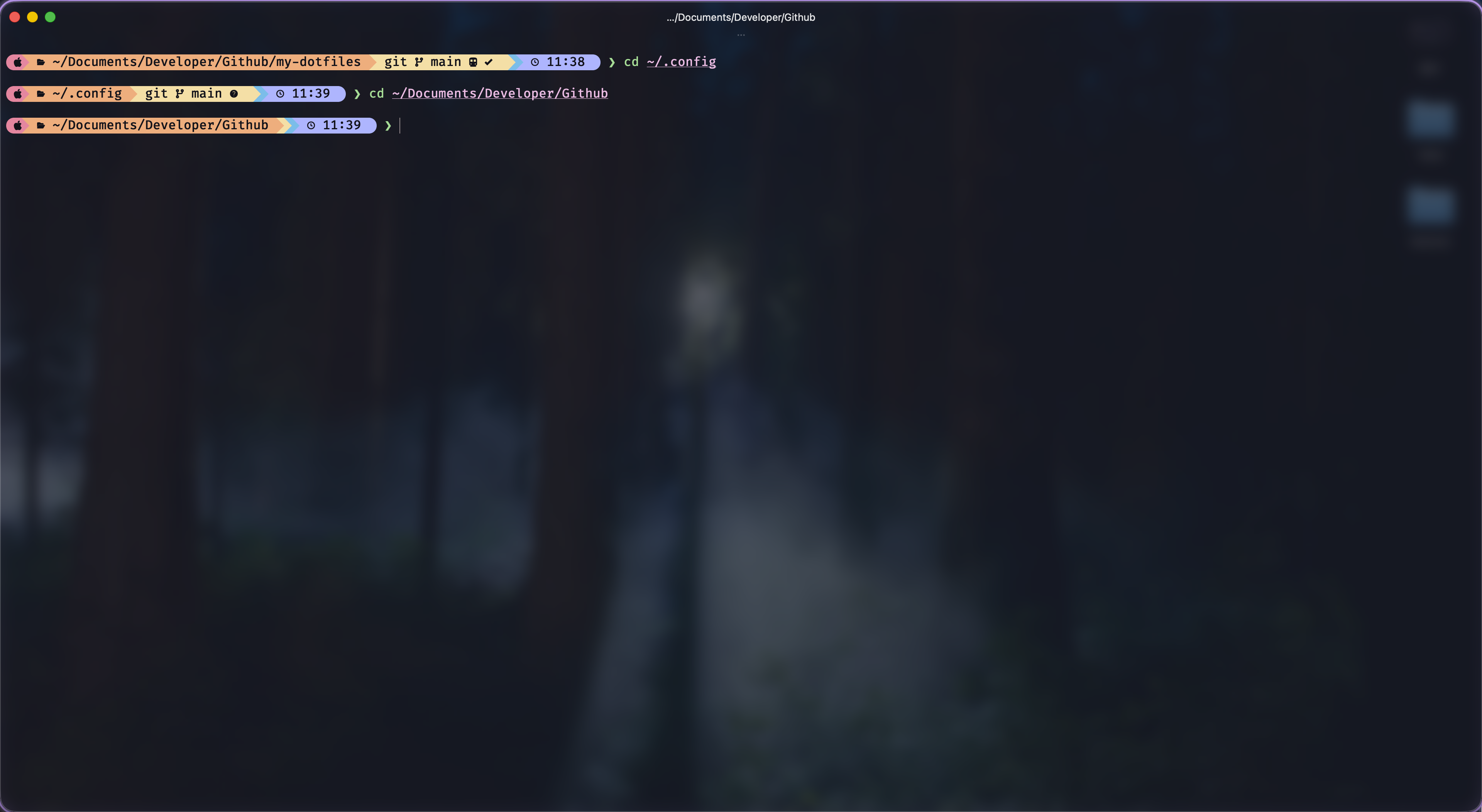
Starship — Prompt Catppuccin Mocha palette · git status · clock |
neovim.mp4Neovim — Editor vim.pack · LSP · Treesitter |
aerospace.mp4AeroSpace — Window Manager Tiling · JankyBorders · vim-style workspace navigation |
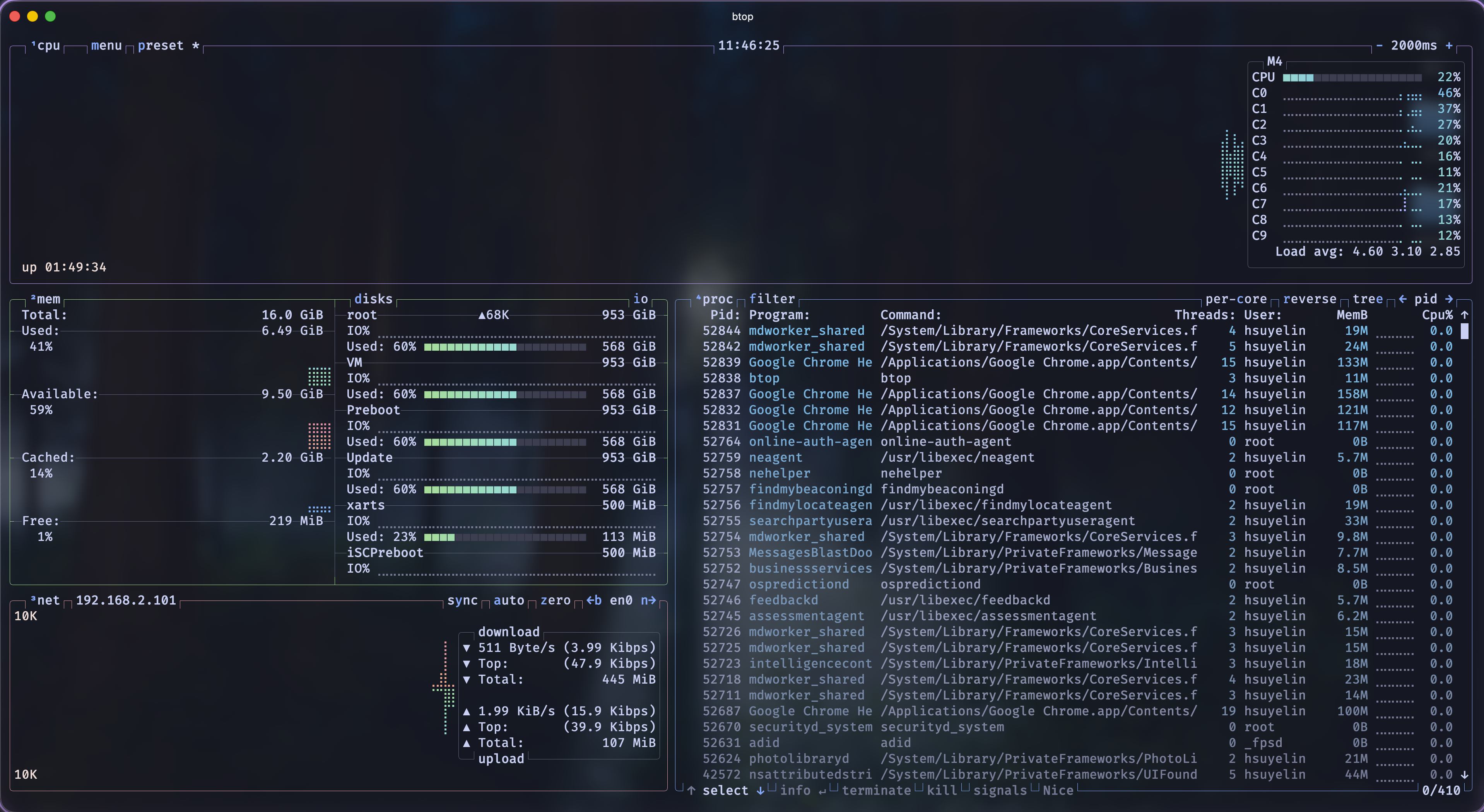
btop — System Monitor Catppuccin Mocha theme |
lazygit.mp4lazygit — Git TUI Delta diff pager · full keyboard workflow |
yazi.mp4Yazi — File Manager Catppuccin Mocha · image/video/PDF/archive preview |
| Layer | Tool | Notes |
|---|---|---|
| Shell | zsh + zi | XDG-compliant · lazy plugin loading |
| Plugins | fast-syntax-highlighting · zsh-autosuggestions · fzf-tab · zsh-eza | All lazy-loaded via zi |
| Prompt | Starship | Catppuccin Mocha palette |
| Terminal | Ghostty (default) | Blur · CJK font map · cursor warp shader · quick terminal |
| Terminal (alt) | kitty | Same theme + keybinds; no cursor shader or quick terminal |
| Editor | Neovim | vim.pack · LSP · Treesitter |
| Window Manager | AeroSpace | Tiling · vim-style keybinds |
| Window Borders | JankyBorders | Auto-launched by AeroSpace |
| File manager | Yazi | yy alias · Catppuccin Mocha · image/video/PDF/archive preview |
| File listing | eza | Replaces ls · icons · git status |
| Fuzzy finder | fzf + zoxide | z for directory jumping |
| Diff pager | delta | Syntax-highlighted git diffs |
| Git TUI | lazygit | lg alias |
| Syntax highlight | bat | Catppuccin Mocha theme |
| System monitor | btop | Catppuccin Mocha theme |
| Markdown reader | glow | Terminal markdown renderer |
| Package manager | Homebrew | Formulae + casks declared in brew/ |
| AI assistant | Claude Code + RTK | Catppuccin Mocha/Latte custom themes · RTK token-optimizer hook |
DOTFILES_REPO=https://github.com/hsuyelin/dotfiles \
  bash <(curl -fsSL https://raw.githubusercontent.com/hsuyelin/dotfiles/main/bootstrap.sh)
bootstrap.sh runs these steps in order:
- Verify platform (macOS, ARM64)
- Install Xcode Command Line Tools
- Install Homebrew
- Clone this repo to
~/.config - Prompt: select terminal — Ghostty or kitty (30 s timeout → Ghostty)
- Run
install.sh - Install Homebrew formulae and casks from
brew/ - Install RVM
bash ~/.config/install.shIdempotent — safe to re-run on an existing machine. Also prompts for terminal selection if neither Ghostty nor kitty is installed.
bootstrap.sh is macOS-only. On Linux, clone and run the installer directly:
git clone https://github.com/hsuyelin/dotfiles ~/.config
bash ~/.config/install.sh
Then install packages:
bash ~/.config/bin/pkg_install.shinstall.sh detects Arch / Debian / Ubuntu automatically. macOS-only steps (Homebrew, AeroSpace, Ghostty shaders, Xcode) are skipped. pkg_install.sh maps Homebrew formulae and casks to native package manager equivalents; packages with no Linux mapping are skipped with a warning.
During install, you will see:
Select a terminal emulator:
  [1] Ghostty  (default — cursor shaders, quick terminal, full feature set)
  [2] kitty    (alternative — same Catppuccin Mocha theme, compatible keybinds)
  [3] iTerm2   (classic — import iterm2/Catppuccin-Mocha.itermcolors)

Choice [1/2/3] (auto-selects Ghostty in 30 s):
Press Enter or wait 30 seconds to accept Ghostty. To skip the prompt entirely:
# Force Ghostty (non-interactive / CI-friendly)
bash bootstrap.sh --terminal=ghostty

# Force kitty
bash bootstrap.sh --terminal=kitty

# Force iTerm2
bash bootstrap.sh --terminal=iterm2
The --terminal flag is case-insensitive (--terminal=iTerm2 also works).
To switch terminals after install, re-run with the desired flag — then follow the two-line swap in aerospace/aerospace.toml (instructions are in the file header).
| Flag | Applies to | Effect |
|---|---|---|
--dry-run |
both | Print what would happen, make no changes |
--terminal=ghostty |
both | Install Ghostty, skip other terminals |
--terminal=kitty |
both | Install kitty, skip other terminals |
--terminal=iterm2 |
both | Install iTerm2, skip other terminals |
--skip-rvm |
bootstrap.sh |
Skip RVM installation |
--skip-rtk |
install.sh |
Skip RTK (Rust Token Killer) |
Fill in the gitignored private files created as stubs by install.sh:
~/.config/private/git.config       # git user.name, user.email, github.user
~/.config/secrets/.env.secrets     # environment secrets
~/.config/secrets/.ai.secrets      # AI API keys
Then:
- Open tmux →
<prefix>+Ito install plugins via TPM - Open Neovim — vim.pack installs plugins automatically on first launch
- Open Ghostty — cursor shader loads from
ghostty/shaders/ - Open Yazi — run
yyto launch; exits back to the directory you navigated to - Install a Ruby version:
rvminstall 3.x.x
~/.config/
├── .github/         # CI/CD — tag-based release workflow + asset cleanup
├── aerospace/       # AeroSpace tiling WM
├── alias/           # Shell aliases
├── assets/          # Repository assets (logo, screenshots)
├── bash/            # bash_profile, AI shell helpers
├── bat/             # bat syntax highlighter — Catppuccin Mocha theme
├── bin/             # Utility scripts (brew export, Carthage, Xcode helpers)
├── borders/         # JankyBorders config
├── brew/            # Homebrew formulae + casks
├── btop/            # System monitor — Catppuccin Mocha theme
├── bundle/          # Bundler config
├── claude/          # Claude Code — Catppuccin Mocha / Latte custom themes
├── fzf/             # Fuzzy finder shell integration
├── ghostty/         # Ghostty terminal — cursor shaders (default terminal)
├── git/             # Global git config + commit template
├── glow/            # Glow markdown renderer config
├── iterm2/          # iTerm2 color preset (Catppuccin Mocha)
├── kitty/           # kitty terminal config (alternative, mirrors Ghostty)
├── lazygit/         # lazygit TUI config
├── npm/             # npm XDG config
├── nvim/            # Neovim — vim.pack · LSP · Treesitter
├── yazi/            # Yazi file manager — Catppuccin Mocha · image/video/PDF/archive preview
├── rtk/             # RTK (Rust Token Killer) — Claude Code hook config
├── rvm/             # RVM install helper
├── starship/        # Starship prompt — Catppuccin Mocha palette
├── swiftformat/     # SwiftFormat rules
├── tmux/            # tmux config + TPM plugins
├── zsh/             # .zshrc · .zprofile · env/ · zi plugin config
├── private/         # gitignored — personal identity (git name / email)
├── secrets/         # gitignored — API keys, tokens
├── bootstrap.sh     # One-command machine setup (run once on new hardware)
└── install.sh       # Dotfiles installer — idempotent, safe to re-run
Yazi is configured as a full-featured terminal file manager. Launch with yy — the shell exits back to whatever directory you navigated to.
| Format | Backend |
|---|---|
| Images (PNG/JPG/GIF/WebP) | Kitty image protocol (native, zero deps) |
| SVG · HEIC · JPEG XL · Fonts | imagemagick |
| Video thumbnails | ffmpegthumbnailer |
poppler (pdftoppm) |
|
| Archives (zip/tar/7z/rar/…) | unar |
| JSON | built-in |
| Code (Swift · ObjC · Python · Go · Bash · Rust · Ruby · …) | built-in syntect + Catppuccin Mocha .tmTheme |
| Markdown | built-in |
| Key | Action |
|---|---|
z |
Jump to directory via zoxide |
<C-f> |
Jump to directory via fzf |
/ |
Find by filename (fd) |
<C-s> |
Search file content (ripgrep) |
e |
Open in $EDITOR |
E |
Open with interactive picker |
R |
Reveal in Finder |
<C-u> / <C-d> |
Scroll half-page up / down |
V / <C-a> |
Select all |
T |
New tab in current directory |
gs / gS / gm |
Sort: natural / size-desc / mtime-desc |
All default vim-style bindings (h/j/k/l, y/d/p/D/r/a, gg/G, ., q, …) are preserved.
Uses the Catppuccin Mocha flavor, stored at yazi/flavors/catppuccin-mocha.yazi/flavor.toml. The code previewer reuses the same .tmTheme file as bat for identical colors in both tools.
XDG compliance — Everything lives under ~/.config. A single ~/.zshenv bootstraps ZDOTDIR; no scattered dotfiles in $HOME.
Private by default — private/git.config holds identity; secrets/ holds credentials. Both are gitignored and stubbed by install.sh. The repo contains zero personal data.
Theme consistency — Catppuccin is the single theme family applied uniformly across every tool: Ghostty, Starship, bat, btop, Neovim, lazygit, and Yazi all use Mocha (dark). Claude Code ships two custom themes — Mocha (dark) and Latte (light) — selectable via /theme. Colors, contrast, and accent palette are identical everywhere — no visual context-switching between tools.
Idempotency — Every script is safe to re-run. Existing files are never overwritten; completed steps are logged and skipped.
MIT © 2026 hsuyelin