

| Android | iOS | |
|---|---|---|
| Support | SDK 21+ | 11.0+ |
Simplify media selection, cropping, and camera functionality in your Flutter app. Choose images/videos from the library, crop images, and capture new photos/videos with ease.
- Select images/videos from the library
- Take a photo or record a video
- Open image cropper
- Support crop multiple images
- Support quality compression for selected images
- Support gif selection
| iOS | Android |
|---|---|
 |
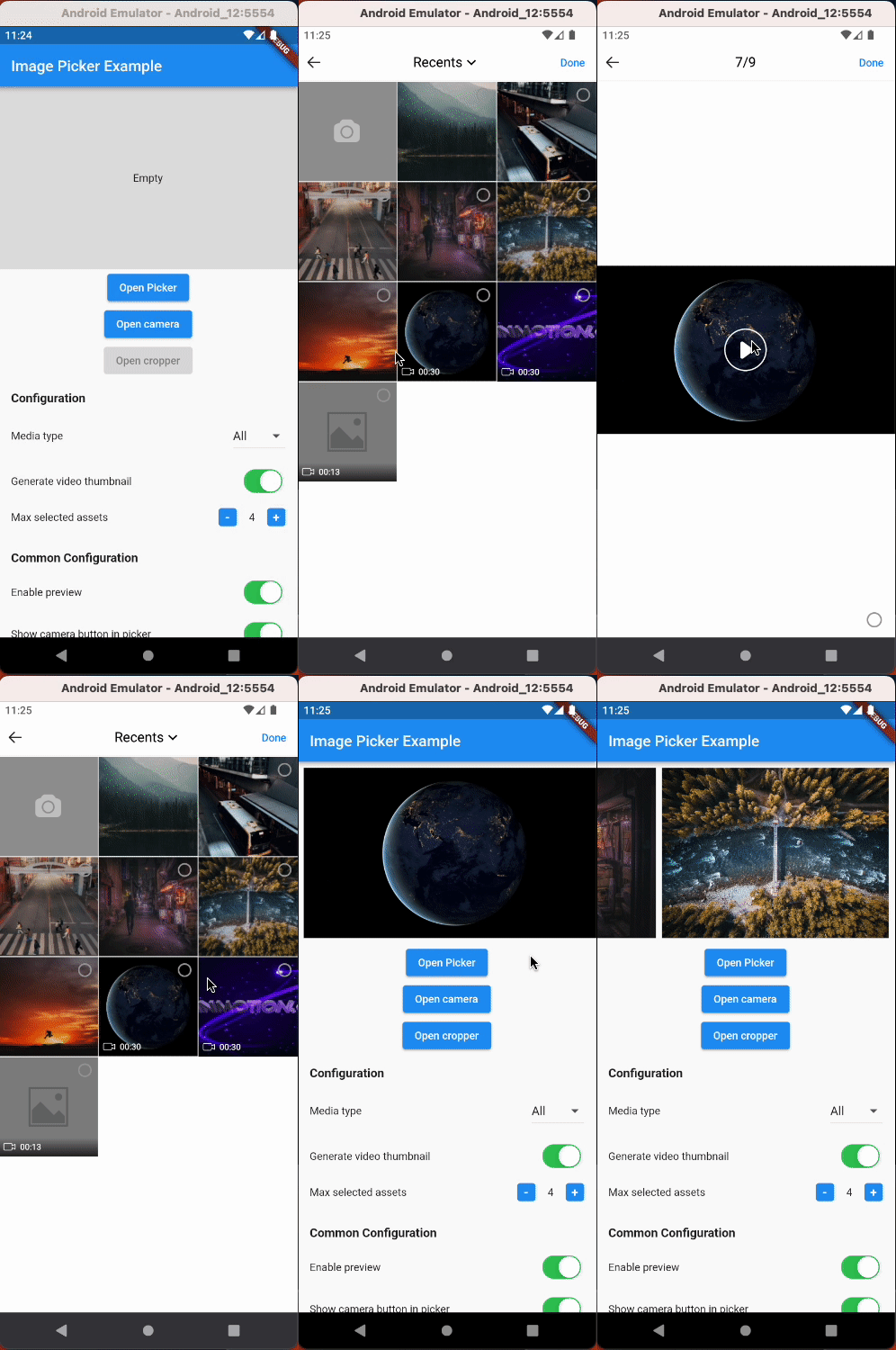 |
$ flutter pub add hl_image_pickerNote: If you are developing an application exclusively for either
AndroidoriOS, you don't need to installhl_image_picker. Instead, you can choose one of the following packages based on your target platform:
- iOS - hl_image_picker_ios
- Android - hl_image_picker_android
To use the plugin, you need to perform the following setup steps:
iOS
- Add
Privacy Descriptionto yourios/Runner/Info.plistfile.
<key>NSPhotoLibraryUsageDescription</key>
<string>This app requires access to the photo library</string>

<key>NSCameraUsageDescription</key>
<string>This app requires access to the camera</string>

<!-- Include this description only if your plugin requires recording videos and needs access to the device's microphone. -->
<key>NSMicrophoneUsageDescription</key>
<string>This app requires access to the microphone</string>
iOS 14 You can suppress the automatic prompting from the system by setting PHPhotoLibraryPreventAutomaticLimitedAccessAlert to yes in Info.plist
<key>PHPhotoLibraryPreventAutomaticLimitedAccessAlert</key>
<true/>

- (Optional) If you want to localize the camera, open Xcode, go to the Info tab, and add the missing localizations for the camera.

Android
- Make sure you set the
minSdkVersionin yourandroid/app/build.gradlefile from version 21 or later:
android {
    ...
    defaultConfig {
        minSdkVersion 21
        ...
    }
}- Add permissions to your
AndroidManifest.xmlfile.
<!-- Android 12 and lower -->
<uses-permission android:name="android.permission.READ_EXTERNAL_STORAGE" />
<uses-permission android:name="android.permission.WRITE_EXTERNAL_STORAGE" />

<!-- Targeting Android 13 or higher -->
<uses-permission android:name="android.permission.READ_MEDIA_IMAGES" />
<uses-permission android:name="android.permission.READ_MEDIA_VIDEO" />

<!-- Request the camera permission -->
<uses-feature android:name="android.hardware.camera" android:required="false" />
<uses-permission android:name="android.permission.CAMERA" />

<!-- Add this permission if you need to record videos -->
<uses-permission android:name="android.permission.RECORD_AUDIO" />import 'package:hl_image_picker/hl_image_picker.dart';
final _picker = HLImagePicker();
List<HLPickerItem> _selectedImages = [];
_openPicker() async {
final images = await _picker.openPicker(
// Properties
);
setState(() {
_selectedImages = images;
});
}
Properties
| Property | Description | Type |
|---|---|---|
| selectedIds | A list of string IDs representing the initially selected images or videos from the library. This allows users to pre-select items before opening the picker. | [String] |
| pickerOptions | Additional options for the picker | HLPickerOptions |
| cropping | Indicating whether or not cropping is enabled. Just work when mediaType = MediaType.image |
bool |
| cropOptions | Configuration options for the cropping functionality | HLCropOptions |
| localized | Custom text displayed for the plugin | LocalizedImagePicker |
import 'package:hl_image_picker/hl_image_picker.dart';

final _picker = HLImagePicker();

HLPickerItem? _selectedImage;

_openCamera() async {
    final image = await _picker.openCamera(
        // Properties
    );
    setState(() {
        _selectedImage = image;
    });
}
Properties
| Property | Description | Type |
|---|---|---|
| cameraOptions | Additional options for the camera functionality | HLCameraOptions |
| cropping | Indicating whether or not cropping is enabled | bool |
| cropOptions | Configuration options for the cropping functionality | HLCropOptions |
| localized | Custom text displayed for the plugin | LocalizedImageCropper |
import 'package:hl_image_picker/hl_image_picker.dart';

final _picker = HLImagePicker();

HLPickerItem? _selectedImage;

_openCropper_() async {
    final image = await _picker.openCropper("image_path_to_crop",
    // Properties
    );
    setState(() {
        _selectedImage = image;
    });
}
Properties
| Property | Description | Type |
|---|---|---|
| imagePath | Path of the image that needs to be cropped | String |
| cropping | Indicating whether or not cropping is enabled | bool |
| cropOptions | Configuration options for the cropping functionality | HLCropOptions |
| localized | Custom text displayed for the plugin | LocalizedImageCropper |
Normal style
| iOS | Android |
|---|---|
 |
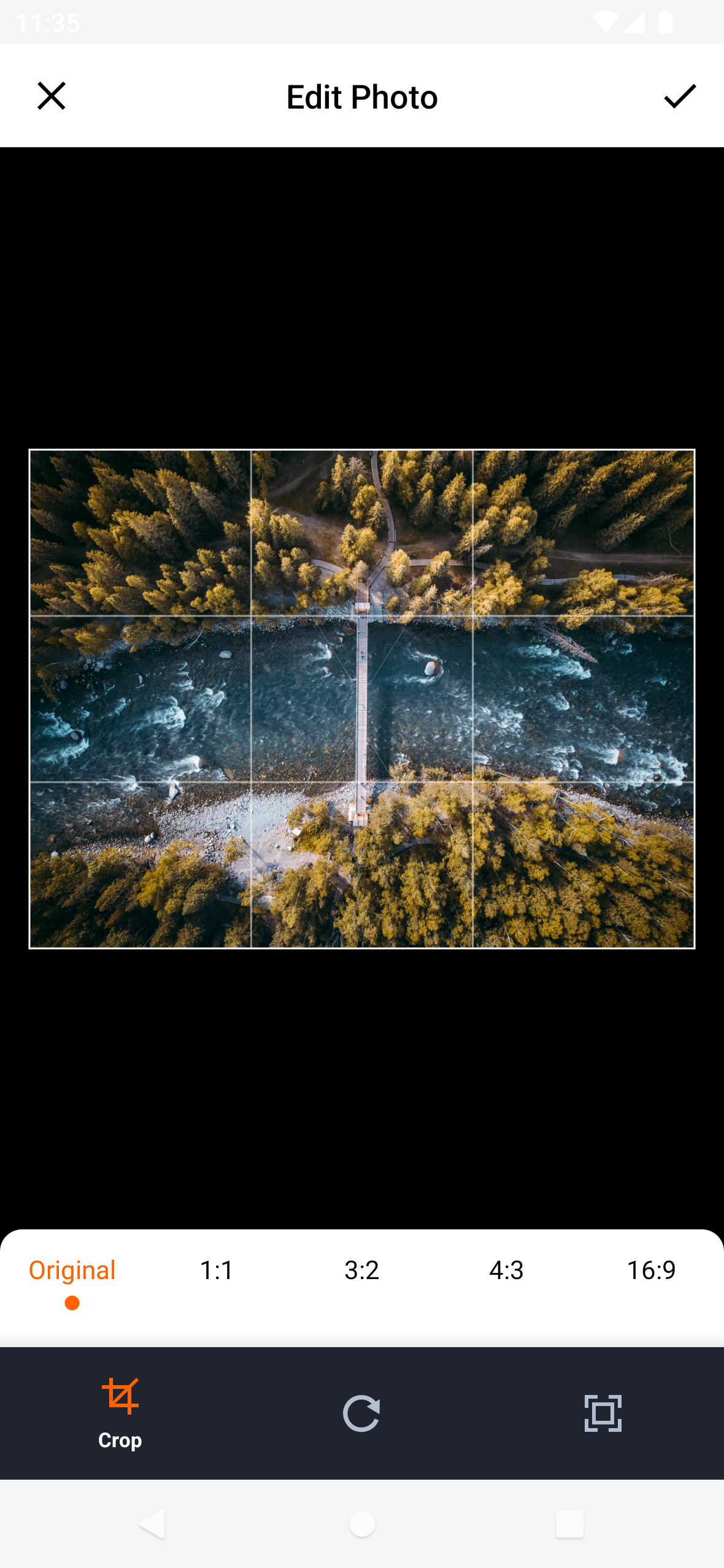 |
Circular style
| iOS | Android |
|---|---|
 |
 |
| Property | Description | Default |
|---|---|---|
| mediaType | Type of media you want to select: MediaType.image, MediaType.video,MediaType.all. |
MediaType.all |
| maxSelectedAssets | The maximum number of items that can be selected. | 1 |
| minSelectedAssets | The minimum number of items that must be selected. | |
| maxFileSize | The maximum allowed file size (in KB) for selected items. | |
| minFileSize | The minimum allowed file size (in KB) for selected items. | |
| enablePreview | Enables or disables the preview feature. (Press on Android and Long Press on iOS) | false |
| convertHeicToJPG | Converts HEIC format images to JPEG format when selected. (iOS Only) | false |
| convertLivePhotosToJPG | Converts Live Photos to JPEG format when selected. (iOS Only) | true |
| isExportThumbnail | Determines whether to export thumbnail for selected videos. | false |
| thumbnailCompressQuality | The compression quality (0.1-1) for exported thumbnails. | 0.9 |
| thumbnailCompressFormat | The image format for exported thumbnails: CompressFormat.jpg, CompressFormat.png. |
CompressFormat.jpg |
| maxDuration | The maximum duration (in seconds) for selected videos. | |
| minDuration | The minimum duration (in seconds) for selected videos. | |
| numberOfColumn | The number of items displayed per row in the picker list. | 3 |
| usedCameraButton | Determines whether to show the camera button in the picker list. | true |
| isGif | Enable gif selection | false |
| compressQuality | Compress images with custom quality | |
| compressFormat | The image format for compressed images | CompressFormat.jpg |
| maxSizeOutput | Sets the maximum width and maximum height for selected images. |
| Property | Description | Default |
|---|---|---|
| aspectRatio | Specifies the desired aspect ratio for cropping. | |
| aspectRatioPresets | Provides a set of predefined aspect ratio options for cropping. | |
| compressQuality | Determines the compression quality (0.1-1) for the exported image. | 0.9 |
| compressFormat | Specifies the image format for the exported image: CompressFormat.jpg, CompressFormat.png. |
CompressFormat.jpg |
| croppingStyle | Cropping style: CroppingStyle.normal, CroppingStyle.circular. |
CroppingStyle.normal |
| maxSizeOutput | Sets the maximum width and maximum height for the exported image. |
| Property | Description | Default |
|---|---|---|
| cameraType | Specifies the type of camera to be used: CameraType.video, CameraType.image |
CameraType.image |
| recordVideoMaxSecond | The maximum duration (in seconds) for recorded video. | |
| isExportThumbnail | Determines whether to export thumbnail for recorded video. | false |
| thumbnailCompressQuality | The compression quality (0.1-1) for exported thumbnail. | 0.9 |
| thumbnailCompressFormat | The image format for exported thumbnail: CompressFormat.jpg, CompressFormat.png. |
CompressFormat.jpg |
| compressQuality | Compress images with custom quality | |
| compressFormat | The image format for compressed images | CompressFormat.jpg |
| maxSizeOutput | Sets the maximum width and maximum height for selected images. |
| Property | Description | Type |
|---|---|---|
| path | The path of the item. | String |
| id | The unique identifier of the item. | String |
| name | The filename of the item. | String |
| mimeType | The MIME type of the item. | String |
| size | The size of the item in bytes. | int |
| width | The width of the item | int |
| height | The height of the item | int |
| type | Indicates whether the item is an image or video. |
String |
| duration | The duration of the video | double? |
| thumbnail | The path of the video thumbnail | String? |
| Property | Description | Default |
|---|---|---|
| maxDurationErrorText | The error message displayed when the selected video exceeds the maximum duration. | Exceeded maximum duration of the video |
| minDurationErrorText | The error message displayed when the selected video is below the minimum duration. | The video is too short |
| maxFileSizeErrorText | The error message displayed when the selected file exceeds the maximum file size. | Exceeded maximum file size |
| minFileSizeErrorText | The error message displayed when the selected file is below the minimum file size. | The file size is too small |
| noAlbumPermissionText | The error message displayed when the app doesn't have permission to access the album. | No permission to access album |
| noCameraPermissionText | The error message displayed when the app doesn't have permission to access the camera. | No permission to access camera |
| maxSelectedAssetsErrorText | The error message displayed when the maximum number of items is exceeded. | Exceeded maximum number of selected items |
| minSelectedAssetsErrorText | The error message displayed when the minimum number of items is not met. | Need to select at least {minSelectedAssets} |
| noRecordAudioPermissionText | The error message displayed when the app doesn't have permission to record audio. | No permission to record audio |
| gifErrorText | The error message displayed when the selected file is gif and isGif=false (iOS Only) |
File type is not supported |
| doneText | The text displayed on the "Done" button. | Done |
| cancelText | The text displayed on the "Cancel" button. | Cancel |
| loadingText | The text displayed when the picker is in a loading state. | Loading |
| defaultAlbumName | The name for default album. | Recents |
| tapHereToChangeText | The text displayed below defaultAlbumName. (iOS Only) |
Tap here to change |
| okText | The text displayed on the "OK" button. | OK |
| emptyMediaText | The text displayed when no media is available. (iOS Only) | No media available |
| cropDoneText | The text displayed on the "Done" button. (iOS Only) | Done |
| cropCancelText | The text displayed on the "Cancel" button. (iOS Only) | Cancel |
| cropTitleText | The title displayed in the crop image screen. |
| Property | Description | Default |
|---|---|---|
| cropDoneText | The text displayed on the "Done" button. (iOS Only) | Done |
| cropCancelText | The text displayed on the "Cancel" button. (iOS Only) | Cancel |
| cropTitleText | The title displayed in the crop image screen. |
-keep class com.luck.picture.lib.** { *; }
-dontwarn com.yalantis.ucrop**
-keep class com.yalantis.ucrop** { *; }
-keep interface com.yalantis.ucrop** { *; }
iOS: TLPhotoPicker and TOCropViewController
Android: PictureSelector