A Model Context Protocol (MCP) server for Selenium WebDriver — browser automation for AI agents.

Goose (Desktop)
Paste into your browser address bar:
goose://extension?cmd=npx&arg=-y&arg=%40angiejones%2Fmcp-selenium%40latest&id=selenium-mcp&name=Selenium%20MCP&description=automates%20browser%20interactions
Goose (CLI)
goose session --with-extension "npx -y @angiejones/mcp-selenium@latest"Claude Code
claude mcp add selenium -- npx -y @angiejones/mcp-selenium@latestCursor / Windsurf / other MCP clients
{
  "mcpServers": {
    "selenium": {
      "command": "npx",
      "args": ["-y", "@angiejones/mcp-selenium@latest"]
    }
  }
}Tell the AI agent of your choice:
Open Chrome, go to github.com/angiejones, and take a screenshot.
The agent will call Selenium's APIs to start_browser, navigate, and take_screenshot. No manual scripting or explicit directions needed.
Chrome, Firefox, Edge, and Safari.
Safari note: Requires macOS. Run
sudo safaridriver --enableonce and enable "Allow Remote Automation" in Safari → Settings → Developer. No headless mode.
This server extends the base Selenium MCP implementation with first-class support for
running sessions on TestMu AI Cloud Grid (formerly LambdaTest). Sessions started this way
get TestMu AI's LT:Options capability block applied automatically, plus a dashboard link
returned in the tool response.
This support is not in the upstream
@angiejones/mcp-seleniumpackage — use@hjsblogger/mcp-selenium-testmuai(this fork) for the config below.
By default start_browser launches a local browser on the machine running this server.
To run sessions on a remote Selenium Grid or cloud provider instead, set these environment
variables on the MCP server process:
| Variable | Description |
|---|---|
SELENIUM_REMOTE_URL |
Remote grid/hub URL, e.g. https://hub.lambdatest.com/wd/hub |
LT_USERNAME |
TestMu AI username (enables the LT:Options capability block and dashboard link) |
LT_ACCESS_KEY |
TestMu AI access key |
{
  "mcpServers": {
    "selenium-cloud": {
      "command": "npx",
      "args": ["-y", "@hjsblogger/mcp-selenium-testmuai@latest"],
      "env": {
        "SELENIUM_REMOTE_URL": "https://hub.lambdatest.com/wd/hub",
        "LT_USERNAME": "${LT_USERNAME}",
        "LT_ACCESS_KEY": "${LT_ACCESS_KEY}"
      }
    }
  }
}start_browser's options also accepts platform, browserVersion, build, and name to
configure the remote session (ignored for local sessions). headless is ignored for remote
sessions since the grid already runs browsers in its own datacenter.
Two runnable examples in examples/ drive a full user journey — search, add to
cart, checkout on an ecommerce demo site — against TestMu AI Cloud Grid:
Drives the flow through the actual MCP tool-call protocol (via the McpClient test
helper), so a pass verifies the MCP tools themselves, not just Selenium/TestMu AI in
isolation. Runs a single Chrome / Windows 11 session.
SELENIUM_REMOTE_URL=https://hub.lambdatest.com/wd/hub \
LT_USERNAME=your_username \
LT_ACCESS_KEY=your_access_key \
node examples/testmu-mcp-smoke-test.mjsDrives the same flow directly with selenium-webdriver (bypassing the MCP layer) across
multiple browser/platform combinations in parallel, as defined in
capabilities/lt-web-capabilities.example.json
(Chrome on Windows 11 and Firefox on macOS Sequoia by default).
SELENIUM_REMOTE_URL=https://hub.lambdatest.com/wd/hub \
LT_USERNAME=your_username \
LT_ACCESS_KEY=your_access_key \
node examples/local-mcp-smoke-test.mjs
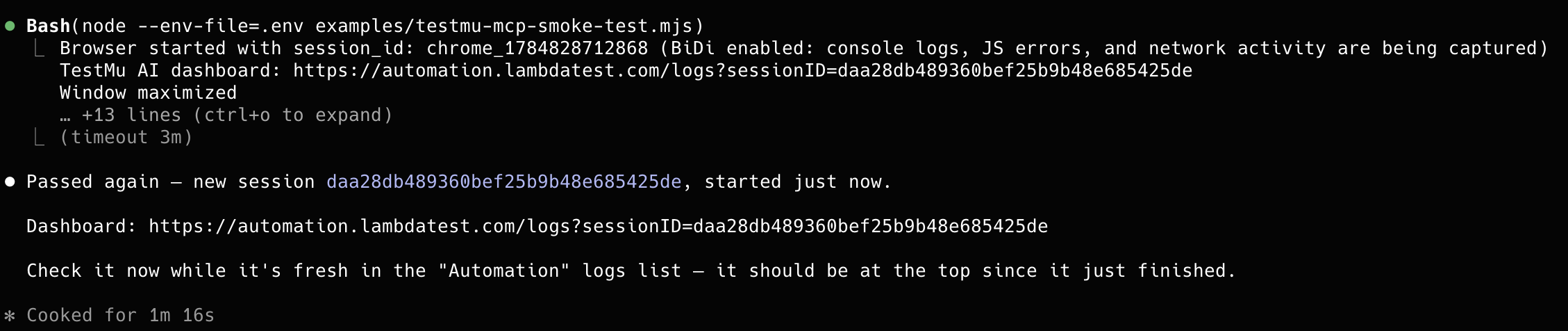
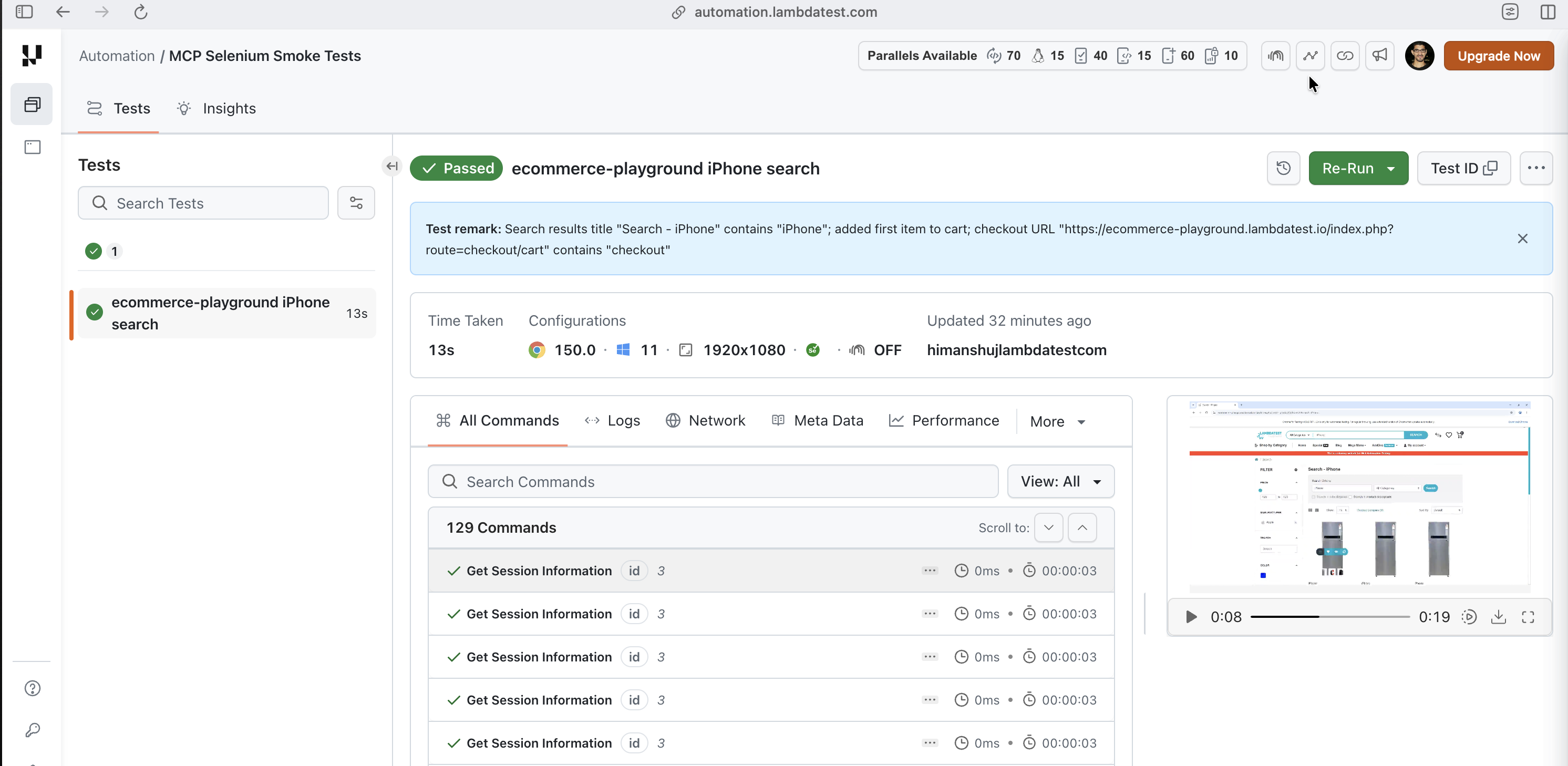
Both scripts report pass/fail back to TestMu AI via the lambda-hook setTestStatus call and
print a dashboard link (https://automation.lambdatest.com/logs?sessionID=...) for viewing the
recorded session.
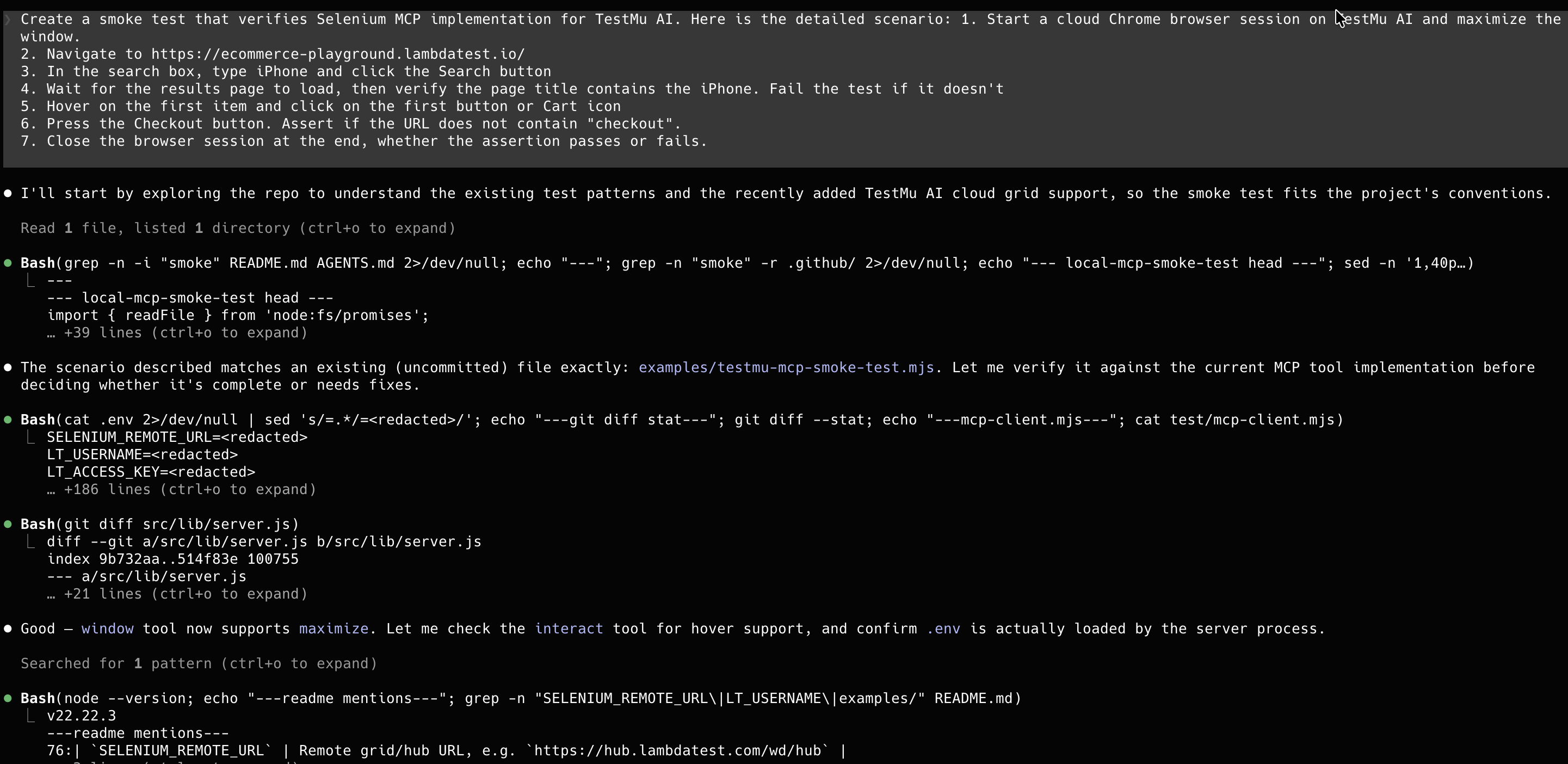
testmu-mcp-smoke-test.mjs was itself authored and run through an AI coding agent (Claude Code)
talking to the MCP server — the prompt below describes the scenario, and the agent implemented
and executed it end to end.
Running it against a live TestMu AI Chrome session:

The resulting session on the TestMu AI dashboard, with the recorded video and full command log:
Tools
Launches a browser session.
| Parameter | Type | Required | Description |
|---|---|---|---|
| browser | string | Yes | chrome, firefox, edge, or safari |
| options | object | No | { headless: boolean, arguments: string[], platform: string, browserVersion: string, build: string, name: string }. The last four apply only to remote/cloud grid sessions — see Remote / Cloud Grid. |
Navigates to a URL.
| Parameter | Type | Required | Description |
|---|---|---|---|
| url | string | Yes | URL to navigate to |
Performs a mouse action on an element.
| Parameter | Type | Required | Description |
|---|---|---|---|
| action | string | Yes | click, doubleclick, rightclick, or hover |
| by | string | Yes | Locator strategy: id, css, xpath, name, tag, class |
| value | string | Yes | Value for the locator strategy |
| timeout | number | No | Max wait in ms (default: 10000) |
Types text into an element. Clears the field first.
| Parameter | Type | Required | Description |
|---|---|---|---|
| by | string | Yes | Locator strategy |
| value | string | Yes | Locator value |
| text | string | Yes | Text to enter |
| timeout | number | No | Max wait in ms (default: 10000) |
Gets the text content of an element.
| Parameter | Type | Required | Description |
|---|---|---|---|
| by | string | Yes | Locator strategy |
| value | string | Yes | Locator value |
| timeout | number | No | Max wait in ms (default: 10000) |
Gets an attribute value from an element.
| Parameter | Type | Required | Description |
|---|---|---|---|
| by | string | Yes | Locator strategy |
| value | string | Yes | Locator value |
| attribute | string | Yes | Attribute name (e.g., href, value, class) |
| timeout | number | No | Max wait in ms (default: 10000) |
Presses a keyboard key.
| Parameter | Type | Required | Description |
|---|---|---|---|
| key | string | Yes | Key to press (e.g., Enter, Tab, a) |
Uploads a file via a file input element.
| Parameter | Type | Required | Description |
|---|---|---|---|
| by | string | Yes | Locator strategy |
| value | string | Yes | Locator value |
| filePath | string | Yes | Absolute path to the file |
| timeout | number | No | Max wait in ms (default: 10000) |
Captures a screenshot of the current page.
| Parameter | Type | Required | Description |
|---|---|---|---|
| outputPath | string | No | Save path. If omitted, returns base64 image data. |
Closes the current browser session. No parameters.
Executes JavaScript in the browser. Use for advanced interactions not covered by other tools (e.g., drag and drop, scrolling, reading computed styles, DOM manipulation).
| Parameter | Type | Required | Description |
|---|---|---|---|
| script | string | Yes | JavaScript code to execute |
| args | array | No | Arguments accessible via arguments[0], etc. |
Manages browser windows and tabs.
| Parameter | Type | Required | Description |
|---|---|---|---|
| action | string | Yes | list, switch, switch_latest, close, or maximize |
| handle | string | No | Window handle (required for switch) |
Switches focus to a frame or back to the main page.
| Parameter | Type | Required | Description |
|---|---|---|---|
| action | string | Yes | switch or default |
| by | string | No | Locator strategy (for switch) |
| value | string | No | Locator value (for switch) |
| index | number | No | Frame index, 0-based (for switch) |
| timeout | number | No | Max wait in ms (default: 10000) |
Handles browser alert, confirm, or prompt dialogs.
| Parameter | Type | Required | Description |
|---|---|---|---|
| action | string | Yes | accept, dismiss, get_text, or send_text |
| text | string | No | Text to send (required for send_text) |
| timeout | number | No | Max wait in ms (default: 5000) |
Adds a cookie. Browser must be on a page from the cookie's domain.
| Parameter | Type | Required | Description |
|---|---|---|---|
| name | string | Yes | Cookie name |
| value | string | Yes | Cookie value |
| domain | string | No | Cookie domain |
| path | string | No | Cookie path |
| secure | boolean | No | Secure flag |
| httpOnly | boolean | No | HTTP-only flag |
| expiry | number | No | Unix timestamp |
Gets cookies. Returns all or a specific one by name.
| Parameter | Type | Required | Description |
|---|---|---|---|
| name | string | No | Cookie name. Omit for all cookies. |
Deletes cookies. Deletes all or a specific one by name.
| Parameter | Type | Required | Description |
|---|---|---|---|
| name | string | No | Cookie name. Omit to delete all. |
Gets browser diagnostics captured via WebDriver BiDi (auto-enabled when supported).
| Parameter | Type | Required | Description |
|---|---|---|---|
| type | string | Yes | console, errors, or network |
| clear | boolean | No | Clear buffer after returning (default: false) |
Resources
MCP resources provide read-only data that clients can access without calling a tool.
Returns the current browser session status (active session ID or "no active session").
| Property | Value |
|---|---|
| MIME type | text/plain |
| Requires browser | No |
Returns an accessibility tree snapshot of the current page — a compact, structured JSON representation of interactive elements and text content. Much smaller than full HTML. Useful for understanding page layout and finding elements to interact with.
| Property | Value |
|---|---|
| MIME type | application/json |
| Requires browser | Yes |
Development
git clone https://github.com/angiejones/mcp-selenium.git
cd mcp-selenium
npm installnpm testRequires Chrome + chromedriver on PATH. Tests run headless.
npx -y @smithery/cli install @angiejones/mcp-selenium --client claudenpm install -g @angiejones/mcp-selenium
mcp-seleniumMIT