

AI powered OSINT pipeline that automates the transformation of Google Dorks into actionable threat intelligence and structured STIX 2.1 reports.
The tool operates in two main phases:
- Dorking: Uses Google Dorks from a JSON file (or generates new ones with AI) to find potentially malicious or interesting URLs.
- Analysis: Scrapes the content from the discovered URLs, uses an AI model to extract IOCs, and generates detailed technical reports in CSV and STIX 2.1 formats.
graph TD
    A[Start Panhandlr] --> B{Main Menu};
    B --> C[Phase 1: Dorking];
    B --> D[Phase 2: Analysis];
    B --> E[Exit];

    subgraph Phase 1
        C --> C1{Select Dork File};
        C1 --> C2[Use Existing JSON];
        C1 --> C3[Create New via AI];
        C2 --> C4[Run Google Dorks];
        C3 --> C4;
        C4 --> C5[Output: global_google_dorks_analysis.csv];
    end

    subgraph Phase 2
        D --> D1[Input: global_google_dorks_analysis.csv];
        D1 --> D2{For Each URL};
        D2 --> D3[Scrape Web Page];
        D2 --> D4[Clone Git Repo];
        D3 --> D5[Extract Text];
        D4 --> D5;
        D5 --> D6[Analyze Text with OpenAI];
        D6 --> D7[Extract and Aggregate IOCs];
        D7 --> D8[Generate Reports];
    end

    subgraph Reports
        D8 --> R1[Detailed IOCs CSV];
        D8 --> R2[Technical Summary CSV];
        D8 --> R3[STIX 2.1 Threat Report JSON];
    end
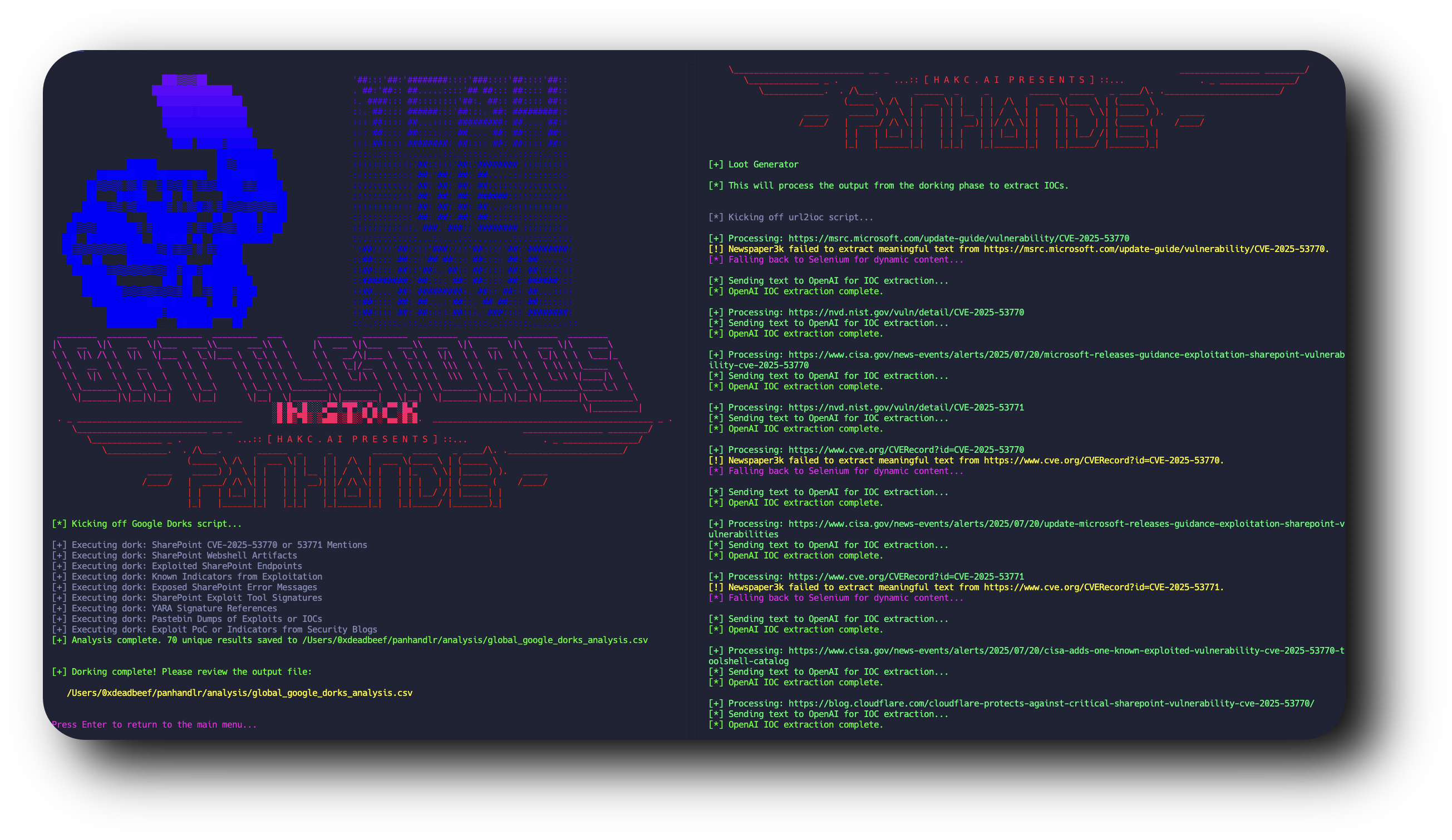
- Interactive Menu: A user-friendly, terminal-based interface for easy navigation.
- AI-Powered Dork Creation: Automatically generate comprehensive dork files on any topic using OpenAI's
gpt-4o. - Extensible Dorking Engine: Use and create your own JSON-based dork files for repeatable research.
- Automated Google Searching: Executes dorks using the Google Custom Search API to find relevant URLs.
- Intelligent Content Scraping: Fetches text from both static sites (
newspaper3k) and dynamic, JavaScript-heavy pages (selenium). - Git Repository Analysis: Clones public Git repositories to extract IOCs directly from source code.
- AI-Driven IOC Extraction: Leverages
gpt-4oto analyze scraped text and extract a wide range of artifacts:- IP Addresses, Domains, and URLs
- File Hashes (MD5, SHA1, SHA256)
- CVEs and MITRE ATT&CK TTPs
- Malware Families and Threat Actor names
- Actionable hunting narratives.
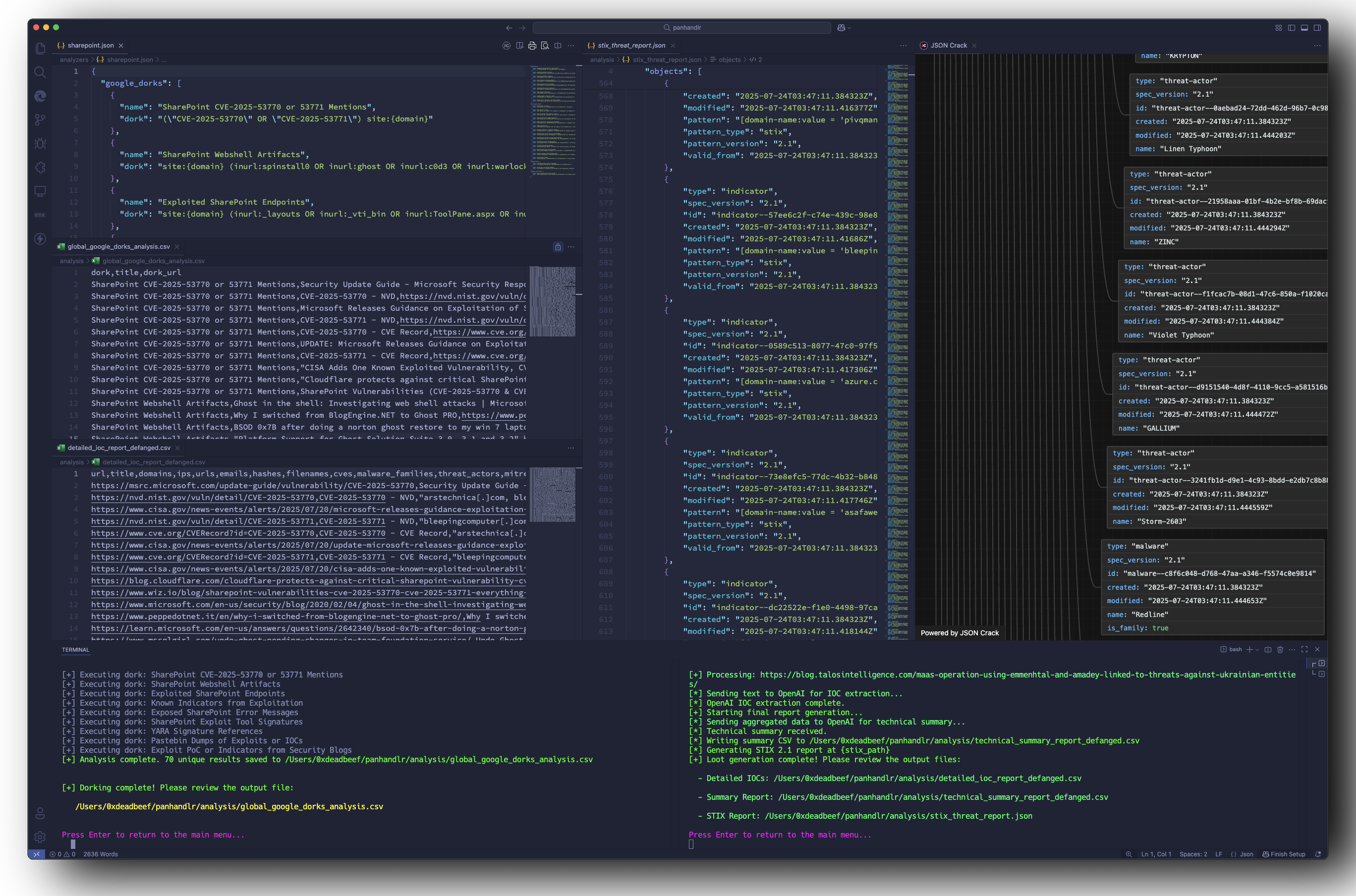
- Multi-Format Reporting: Generates three distinct reports:
- A detailed, per-URL breakdown of all IOCs found.
- A high-level, AI-generated technical summary of the threat landscape.
- A machine-readable STIX 2.1 report for easy integration with security tools.
- Automatic Defanging: All relevant indicators in reports are automatically defanged (e.g.,
http://->hxxp://,example.com->example[.]com).
- Python 3.7+
- Git
git clone https://github.com/your-username/panhandlr.git
cd panhandlrInstall all the required Python libraries using the requirements.txt file.
pip install -r requirements.txtThis will also install chromedriver-manager, which automatically handles the Selenium WebDriver.
Panhandlr requires API keys for Google Custom Search and OpenAI.
-
Create a
.envfile in the root directory of the project:touch .env
-
Add the following keys to the
.envfile:# Get a key from the Google Cloud Console: https://developers.google.com/custom-search/v1/overview GOOGLE_SEARCH_API_KEY="YOUR_GOOGLE_API_KEY" # Create a Programmable Search Engine and get its ID: https://programmablesearchengine.google.com/ GOOGLE_CSE_ID="YOUR_CUSTOM_SEARCH_ENGINE_ID" # Get a key from the OpenAI Platform: https://platform.openai.com/api-keys OPENAI_API_KEY="sk-YOUR_OPENAI_API_KEY"
Run the main script from the root directory:
python panhandlr.pyYou can also use the provided shell script:
./start_main.shThe script will present you with three options:
- Dorking Phase: Start here to gather URLs.
- Analysis Phase: Run this after the dorking phase to process the results.
- Exit: Close the application.
When you select this option, you can either:
- Select an existing dorks file: The script will list all
.jsonfiles in theanalyzers/directory. Thesharepoint.jsonfile is included as an example. - Create New Dorks File: This option prompts you for a topic. It then uses GPT-4o to generate a new dork file and saves it in the
analyzers/directory for immediate or future use.
After selecting your dorks, the script will execute them and save all unique URLs found to analysis/global_google_dorks_analysis.csv.
This phase automatically picks up the global_google_dorks_analysis.csv file. It iterates through each URL, scrapes its content, extracts IOCs, and generates the final reports.
The output will be saved in the analysis/ directory:
detailed_ioc_report_defanged.csv: A row-by-row breakdown of IOCs found for each source URL.technical_summary_report_defanged.csv: A consolidated report with an AI-generated summary and lists of all unique indicators.stix_threat_report.json: A structured STIX 2.1 bundle containing all relevant indicators, threat actors, and malware families.
.
├── analyzers/                # Contains JSON dork files
│   └── sharepoint.json
├── analysis/                 # Directory for all output reports
├── modules/                  # Core logic scripts
│   ├── google_dorks_standalone.py  # Handles the dorking phase
│   └── url2ioc.py                  # Handles the analysis and reporting phase
├── panhandlr.py              # Main entry point with the user interface
├── requirements.txt          # Python dependencies
├── banner.txt                # ASCII art banner
└── start_main.sh             # Helper script to run the application
The dork files are simple JSON objects. You can create your own for different research topics. The script supports placeholders {domain} and {domain_no_tld} for domain-specific searches, though the main handler currently runs them globally.
Example from sharepoint.json:
{
  "google_dorks": [
    {
      "name": "SharePoint CVE-2025-53770 or 53771 Mentions",
      "dork": "(\"CVE-2025-53770\" OR \"CVE-2025-53771\") site:{domain}"
    },
    {
      "name": "SharePoint Webshell Artifacts",
      "dork": "site:{domain} (inurl:spinstall0 OR inurl:ghost) inurl:.aspx"
    }
  ],
  "social_media_dorks": [
    {
      "name": "CVE Mentions on Twitter",
      "dork": "site:twitter.com (\"CVE-2025-53770\" OR \"CVE-2025-53771\") sharepoint"
    }
  ]
}